

Audio Editing Automation: A Complete Guide for Producers
Last Edited: May 27, 2026
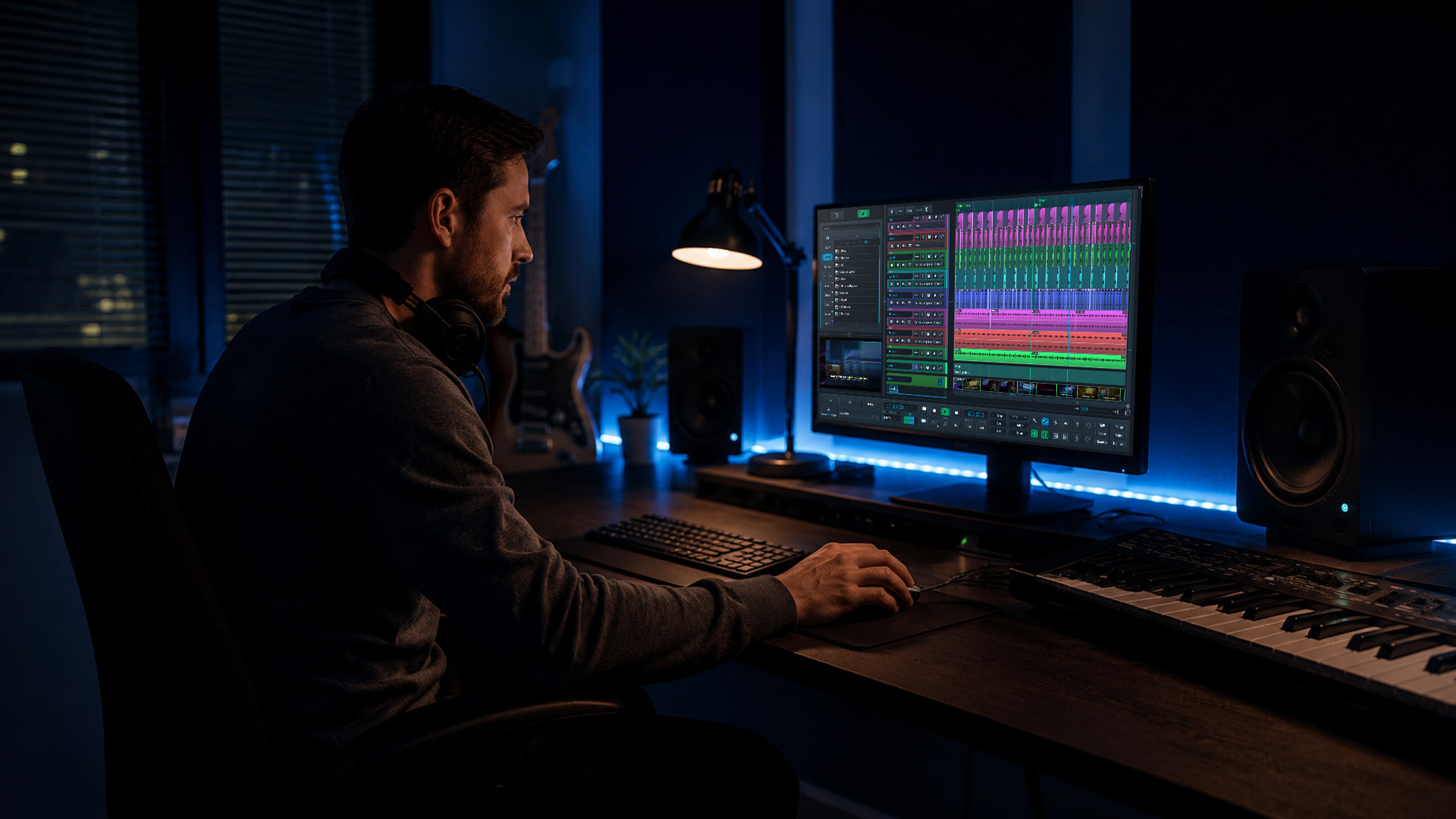
Automation in audio editing is often seen as a time-saver. That's true, but it sells the concept seriously short. The real power of automation lies in what it does for your creative output: it lets you sculpt a mix with surgical precision, introduce movement and emotion that static settings can never achieve, and deploy AI-driven tools that would take hours of manual effort in just minutes. Whether you're mixing a dense film score, cleaning up a podcast recording, or layering synth sweeps over a club track, understanding automation at a deep level changes how you work and what you're capable of producing.
Key Takeaways
| Point | Details |
|---|---|
| Automation enhances precision | Modern DAWs offer detailed control over volume, effects, and more for expressive, consistent editing. |
| AI speeds up cleanup. | AI-powered tools rapidly fix noise, balance, and other issues with great accuracy. |
| Hybrid approaches work best. | Combine manual judgment with automation and AI for natural-sounding, professional results. |
| Avoid over-processing | Excessive or premature automation can create robotic artifacts—always review changes in context. |
| Automation is creative | Beyond mere efficiency, automation opens new avenues for sonic expression and innovation. |
Understanding Automation in Digital Audio Workstations
To appreciate automation's impact, it's important to understand how it functions at the core of modern audio software.
At its simplest, automation is a recorded set of instructions telling your DAW how to move a parameter over time. Think of it like a ghost engineer riding the faders during playback. Rather than a static volume level, you draw or record a curve that rises, dips, and shapes the energy of a track across every bar. Automation in DAWs enables dynamic control of parameters like volume, pan, and effects over time using modes such as Read, Touch, Latch, and Write. These modes aren't just technicalities — each one changes how you interact with the mix in real time.
Here's a quick breakdown of the four core automation modes:
- Read: Plays back previously written automation data. Use this once your moves are locked in and you want consistent playback.
- Touch: Records new automation only while you physically touch a fader or knob, then snaps back to the previous value when you release. Great for one-off corrections without disturbing the rest of the curve.
- Latch: Similar to Touch, but holds the last position even after you let go. Useful for longer fader rides where you want the new value to persist.
- Write: Overwrites everything in its path as it plays. Powerful but destructive, so use it deliberately.
| Mode | Behavior | Best use case | Key consideration |
|---|---|---|---|
| Read | Plays existing data | Finalized automation passes | No new data recorded |
| Touch | Records on contact, reverts on release | Spot corrections | Returns to the old value |
| Latch | Records on contact, holds the last value | Extended rides and sweeps | Can overwrite unintentionally |
| Write | Continuously overwrites | Building automation from scratch | Destructive; use carefully |
Beyond volume, you can automate almost any parameter your DAW exposes: panning, send levels, plugin bypass states, EQ band frequencies, reverb wet/dry mix, and even instrument parameters like filter cutoff on a synth. This is where the creative richness starts. Automating a vocal ride (gently pushing up a quieter phrase, pulling back a belted note) keeps a performance feeling human and present. Automating a filter sweep on a synth pad builds tension across a breakdown in a way no static setting can replicate.
Mastering these audio editing techniques puts you in control of your mix's emotional arc. Automation is the difference between a mix that sounds flat and one that breathes, moves, and pulls a listener forward.
AI-Driven Tools: Automated Noise Reduction and Repair
While classic automation enhances creative control, AI-driven tools are revolutionizing the "fix-it" side of audio editing.
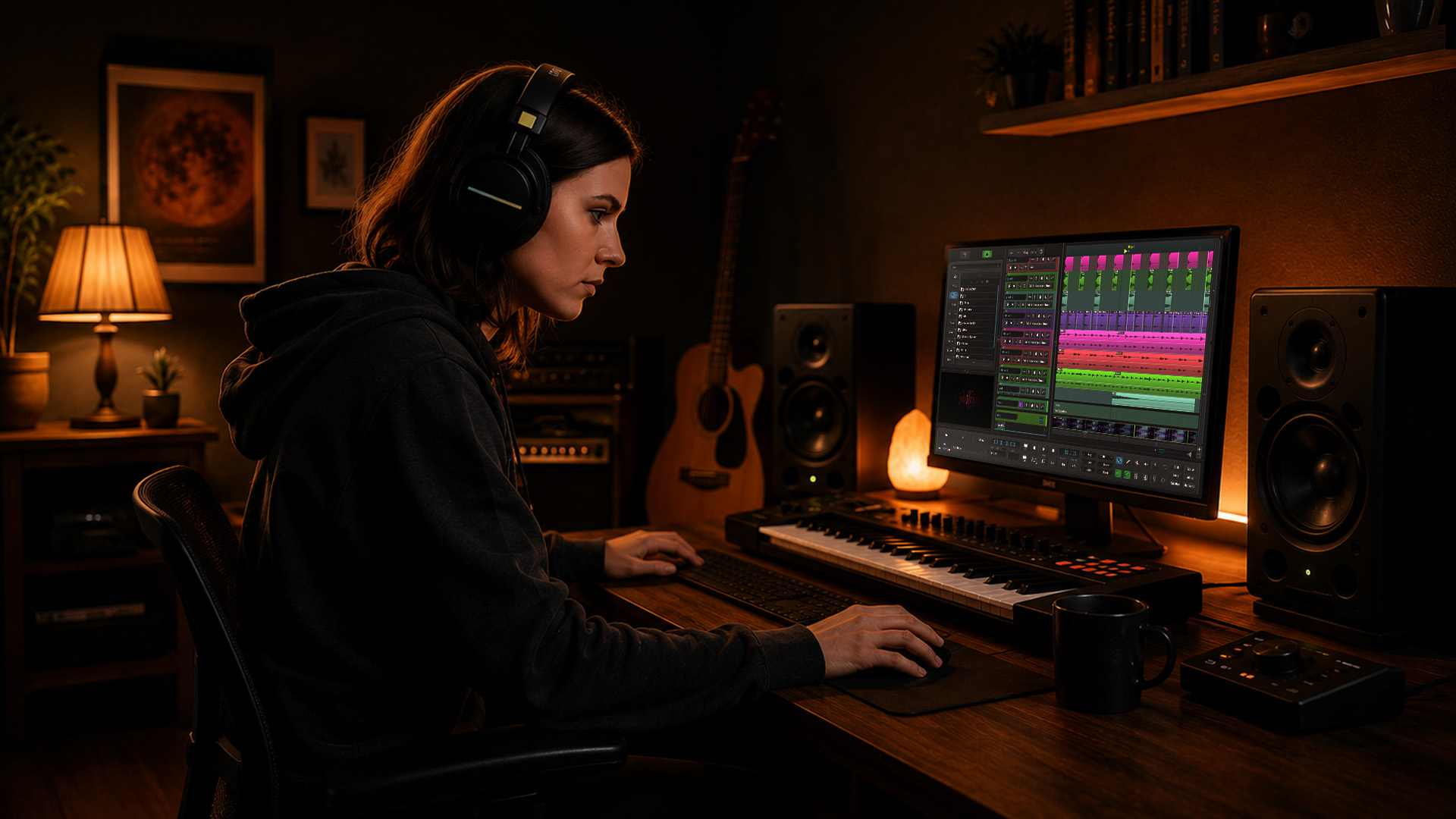
Traditional noise reduction required careful manual spectral editing: painting over noise, setting thresholds, and iterating until the artifact disappeared without destroying the underlying signal. AI changes that equation completely. AI-powered tools use machine learning for automatic noise reduction, stem separation, and repair, with improved accuracy in spectral editing and audio processing that would take a skilled engineer significantly longer to achieve by hand.
The practical gains are dramatic. Auphonic processes a one-hour file in as little as 3 minutes (roughly 5% of real time), saving two or more hours per episode through automatic loudness normalization and noise reduction. For podcast producers, broadcast engineers, and film post teams handling large volumes of content, that isn't a minor efficiency gain — it's a workflow transformation.
“AI processes what used to take two hours in three minutes, letting producers focus on creative decisions rather than repetitive cleanup.” — Auphonic performance data
Here's what modern AI-driven repair tools typically handle automatically:
- Noise reduction: Removes broadband noise, hiss, and hum by learning the noise profile from a sample or using pre-trained models.
- Declipping: Reconstructs waveform peaks that were crushed during recording at too-hot a level.
- Stem separation: Isolates vocals, drums, bass, and other elements from a mixed recording for remixing or repair.
- Dialogue cleanup: Removes room reverb, clicks, and plosives from voice recordings with minimal manual input.
The contrast with manual spectral editing is real. Spectral repair gives you absolute control over every frequency bin, which matters when AI makes an odd choice. But AI tools are faster and often more consistent, especially across long files. The risk is over-processing: you can apply audio cleanup tips aggressively and end up with a vocal that sounds hollow or a room that feels unnaturally silent.
Pro Tip: Always run your AI cleanup pass first, then review the result carefully in the context of the full mix. Use your ears, not just your eyes, to listen to the waveform. Artifacts tend to reveal themselves when the track sits alongside other elements, not when you're listening in solo.
For producers who also manage large music libraries, good organizational habits amplify the benefits of AI cleanup. Structured approaches to organizing DJ music across a Windows PC offer a useful model for keeping processed and unprocessed stems clearly separated.
Beyond Volume: Creative Uses of Automation for Effects and Manipulation
Automation isn't limited to fixing flaws — it opens creative doors that fundamentally change what's possible in modern mixes.
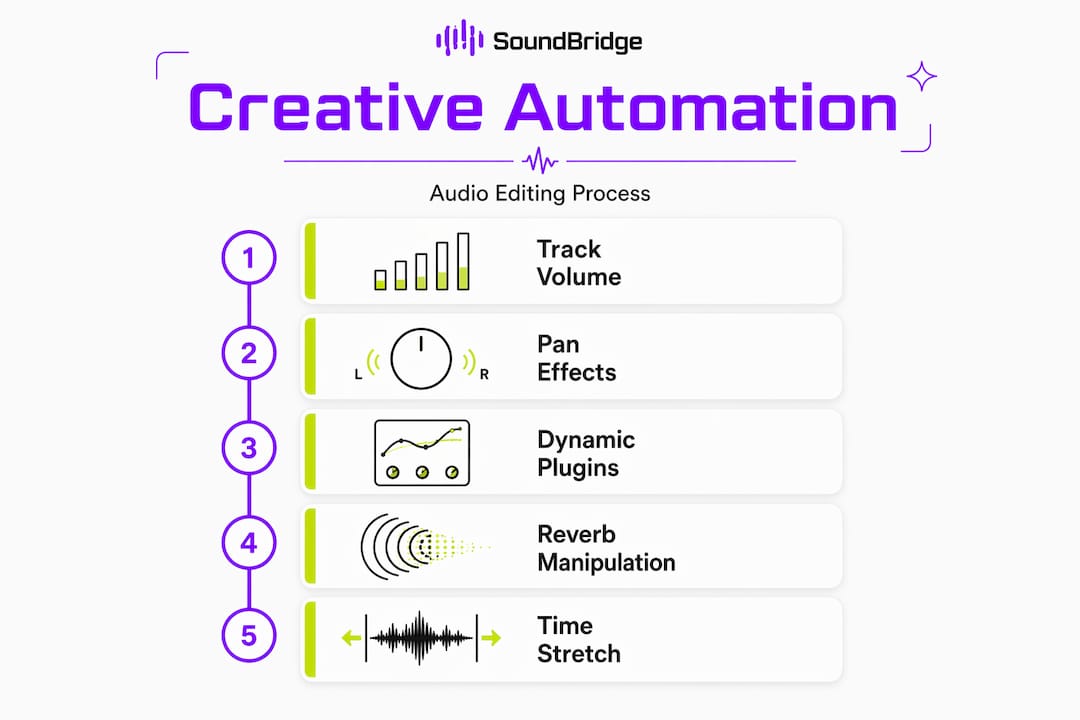
The moment you move beyond volume and pan, automation becomes a compositional tool. Automating a reverb's pre-delay in real time creates a spatial effect that shifts a vocal from intimate to cavernous mid-phrase. Automating a filter cutoff on a bass synth turns a static loop into a groove that evolves throughout the track. Even automating a plugin's bypass state (turning a distortion on and off at strategic moments) can define a song's structure as powerfully as any arrangement decision.
Time-stretching takes this further. Time-stretching automation uses hybrid algorithms that combine a phase vocoder for tonal content and WSOLA (Waveform Similarity Overlap-Add) for transients, preserving punch while adjusting tempo without shifting pitch. This means you can automate tempo changes in a film score that accelerate tension toward a climax without the orchestral strings turning watery or the snare hits blurring.
| Algorithm type | Best suited for | Result characteristics |
|---|---|---|
| Phase vocoder | Pads, strings, sustained tones | Smooth tonal stretching may smear transients |
| WSOLA | Drums, percussive hits | Preserves transient snap, slight modulation on tonal content |
| Hybrid (both) | Full mixes, vocals | Balanced quality; best for complex sources |
On the real-time voice processing side, AI noise suppression like RNNoise uses recurrent neural networks with gated recurrent units (GRUs) across 22 frequency bands to isolate voice in real time. It outperforms traditional noise gates because it preserves sibilance and whispers that a gate would chop off entirely. For composers recording dialogue sync or live narration into a score, this is a meaningful creative advantage.
Here are some creative automation ideas worth experimenting with in your next session:
- Automate reverb wet/dry to pull a vocal forward during a chorus, then push it deep into a space during an ambient outro.
- Use filter-cutoff automation on a synth pad to build tension over a 16-bar buildup before a drop.
- Automate a chorus or phaser rate to gradually speed up, adding psychedelic momentum to a solo section.
- Automate send levels to a delay so that only specific syllables or notes trail off, rather than everything getting washed in delay.
- Use pitch-shift automation for real-time creative transposition on a vocal or an instrument — a subtle half-step rise can add emotional lift without changing the key.
You can explore more ideas around sound effect automation and get inspired by how creative automation reshapes drum groove dynamics in house and electronic music contexts. Keeping an eye on emerging audio trends can also point you toward techniques that are gaining traction before they become standard practice.
Pro Tip: Create dedicated automation lanes for micro-edits rather than drawing everything onto the main lane. Separate lanes for volume, EQ, and reverb automation keep your session organized and make it much easier to isolate and adjust individual moves without accidentally disturbing the rest.
Pitfalls and Best Practices: Getting the Most From Automation
While automation empowers creativity, knowing when and how to use it keeps your projects sounding natural and engaging.
The most common mistake is reaching for automation too early in a session. If your raw tracks need heavy editing, fix the fundamentals first. Applying volume automation over a poorly balanced raw recording only buries the problem. Automation can hinder editing if applied too early, and AI cleanup risks introducing a robotic sound from over-processing breaths and reverb tails. These are real-world problems that surface in podcast production but apply equally to music and film post-production.
The best approach is a hybrid workflow: manual editing first, automated polishing afterward. Here's a set of checkpoints that help you use automation safely and musically:
- Trim and align your regions before any automation pass. Automation drawn over unedited material often needs to be completely redrawn after the edit.
- Set static levels before touching automation. Find the right fader position for 80% of the track, then automate the exceptions.
- Use gain staging to keep your tracks at healthy input levels before applying AI cleanup or dynamic automation.
- Check AI-processed audio for artifacts in both solo and full-mix context. Artifacts that vanish in isolation often reappear when the track sits alongside other elements.
- Automate subtly first. A few dB of movement is often more powerful than dramatic swings.
- Duplicate your track before an aggressive AI or automation pass. Having an unprocessed backup saves sessions.
The role of human taste here is irreplaceable. Algorithms process audio according to rules and probabilities. Your ears hear what serves the moment's emotion. Those two things can point in different directions, and it's your job as the producer or engineer to make the final call.
Pro Tip: Always audition automated changes both in solo and in the context of the full mix. What sounds perfect on a soloed track can compete with other elements in ways you won't catch until everything is playing together.
Pairing these habits with solid EQ automation tips completes a comprehensive approach to dynamic mixing that keeps both the technical and artistic sides of your work sharp.
Why Automation Is an Art, Not Just a Shortcut
Most producers start by using automation to fix things: a line that's too quiet, a reverb tail that runs too long. That's a useful entry point, but it misses what experienced engineers and film composers actually do with it. At its highest level, automation is a performance tool. It's what makes a mix feel like something, not just sound correct.
The best results we see come from what you could call the hybrid craft principle: build your foundation with human intention, then let automation and AI refine and extend what you've already created. Hybrid approaches in film scoring demonstrate this clearly: manual craft first, AI polish afterward, to prevent the "uncanny valley" effect, where processed audio sounds technically clean but emotionally hollow.
“Automation augments human intent rather than replacing it. The most effective film composers use it to amplify choices they’ve already made, not to make those choices for them.”
That framing changes everything. Instead of asking "what can automation do?", start asking "what am I trying to express, and how can automation help me say it more precisely?" A volume curve that rises 0.5 dB through a pre-chorus can make a listener lean forward without them knowing why. A filter automation that slowly opens across 32 bars can hold attention the way a great melody does.
Explore more of these ideas through the SoundBridge blog, where new production insights, technique breakdowns, and workflow guides keep your skills evolving. Treat every automation lane as a performance decision, not a technical correction, and your mixes will carry it.
Take Your Audio Editing Further With SoundBridge
You now have a real foundation: the modes, the tools, the creative possibilities, and the pitfalls to avoid. The next step is putting it all into practice in a DAW designed to support that kind of work.

SoundBridge provides the environment to apply everything covered here, from precision automation workflows to AI-assisted cleanup, all within a platform designed for producers and engineers who value both speed and fidelity. Whether you're tracking remotely, scoring to picture, or mixing a full album, SoundBridge is built for the way modern audio work actually happens. Dive into the SoundBridge DAW and explore step-by-step essential audio editing techniques. When you're ready to push further, the music production guide walks you from home studio setups to release-ready tracks.
Frequently Asked Questions
What types of audio parameters can automation control in DAWs?
Automation controls volume, pan, effects, EQ settings, send levels, and virtually any plugin parameter that your DAW exposes, allowing detailed adjustments that evolve over the timeline of a project.
How does AI improve the speed and accuracy of audio cleanup?
AI analyzes audio patterns and processes a one-hour file in roughly three minutes, delivering loudness normalization and noise reduction with greater consistency than most manual methods can achieve in the same timeframe.
What risks should I watch for when using automation or AI tools?
The main risks include over-processing, which can create a robotic sound when AI cleanup is applied too aggressively, and drawing automation too early in the editing process, before the fundamental edits are solid.
What's the difference between automation in creative mixing and technical mastering?
In creative mixing, automation shapes the emotional dynamics of a performance over time. In mastering, automation is used for subtle, broad-stroke adjustments that ensure consistency, correct level imbalances, and deliver a polished final output.
Recommended
MASTER MUSIC PRODUCTION
Expert-led courses designed to take you from fundamentals to finished tracks.

HOUSEFrom bouncy bass and solid kicks, this course teaches you the most modern House music production techniques needed to succeed and stand out.

TRAPQuit sounding like generic Trap and produce something World with hints of the Far East. Create ethnic soundscapes to put your Trap ahead of the curve.

AMBIENTProduce relaxing, sophisticated psy-influenced ambient. Psychedelic and relaxing to listen to, create meditative soundscapes to put your listeners in Zen.