

Cloud-Based DAWs: Your 2026 Collaboration Guide
Last Edited: May 29, 2026
Working with collaborators across different cities used to mean bouncing files back and forth over email, losing track of versions, and spending more time on logistics than music. A cloud-based DAW cuts through all of that. These platforms let you sketch ideas, share sessions instantly, and work alongside other creators without anyone needing to be in the same room. With the DAW market set to reach $4.22 billion by 2030, cloud and AI tools are driving the charge. This guide gives you a clear, honest breakdown of what cloud DAWs do well, where they fall short, and how to build them into your workflow without sacrificing audio quality.
Key Takeaways
| Point | Details |
|---|---|
| Cloud DAWs excel at collaboration | They remove friction in file transfers and enable asynchronous teamwork across any location. |
| Latency limits live jamming. | Internet dependence makes cloud DAWs better suited to async workflows than to real-time live sessions. |
| Hybrid workflows are the standard. | Most professionals use cloud DAWs for sketching and sharing, then finish on a local desktop DAW. |
| AI is reshaping cloud production. | Voice-to-MIDI and generative stem tools are creating production methods unavailable in traditional DAWs. |
| Browser choice affects performance. | Chromium-based browsers like Chrome or Edge deliver the most stable cloud DAW experience. |
What a Cloud-Based DAW Actually Is
A cloud-based DAW is a music production environment that runs either fully in a web browser or uses cloud storage as its backbone for session saving, sharing, and syncing. The key distinction from a traditional desktop DAW is where your project lives. Instead of being stored on a local hard drive, your sessions are stored on remote servers accessible to any authorized collaborator.
This architecture unlocks a specific set of features you do not get from a local-only setup:
- Auto-saving: Sessions update continuously, so a crashed browser tab does not mean lost work.
- Cross-device access: Open your project on a laptop at home, a studio desktop, or a tablet on the road.
- Cloud-based DAW session sharing: Send a link instead of a multi-gigabyte folder. Collaborators join the session without needing the same plugins or OS.
- Asynchronous editing: A producer in Berlin can drop a bass arrangement overnight, and a vocalist in Los Angeles can record over it the next morning.
- Version history: Many platforms keep a timeline of changes, so rolling back a bad edit is a few clicks.
Where cloud DAWs show their limits is in depth. Browser environments impose constraints on CPU usage, memory allocation, and plugin compatibility that a native desktop application does not face. You generally cannot load your full rack of third-party VSTs into a browser-based session. Cloud DAWs reshape music workflows by removing friction in file transfer, but they require new thinking about plugin management and latency.
Pro Tip: If you are evaluating a cloud DAW for the first time, start by checking whether it supports audio import. Some platforms are MIDI-first and will not accept recorded audio tracks on free tiers, which matters immediately if you work with live instruments.
Benefits and Real Challenges of Cloud DAWs
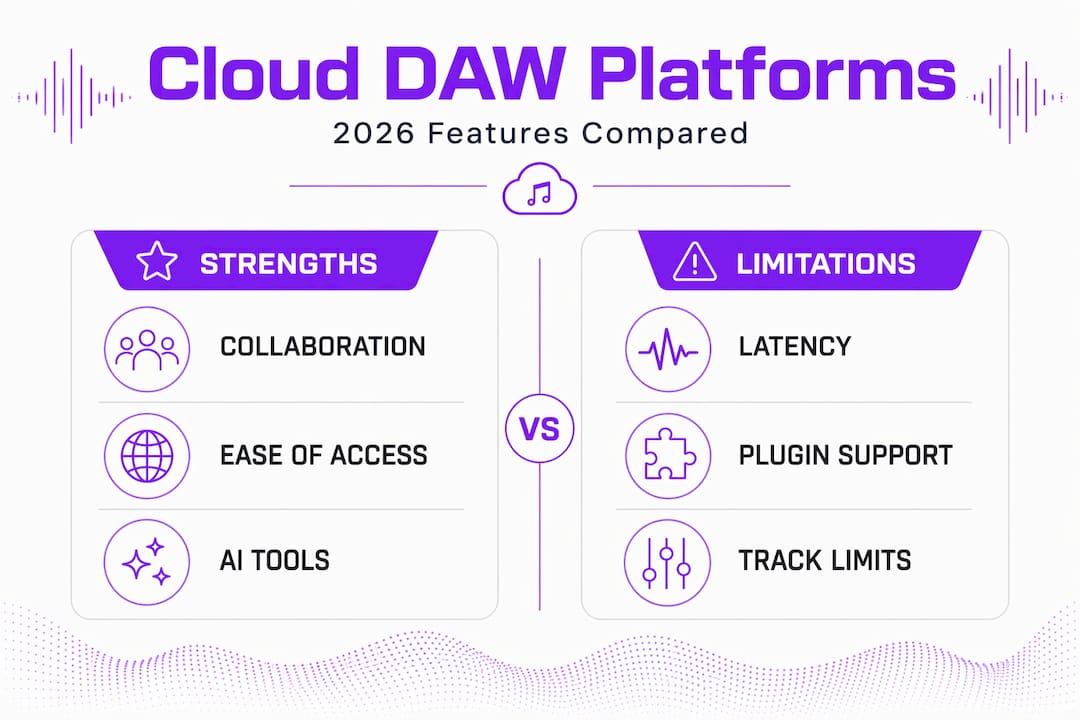
The appeal of online music production is straightforward. You and a co-producer do not need to sync calendars, book a shared studio, or wait for a WeTransfer link to finish downloading. The asynchronous collaboration advantage is real. You work when you want, your collaborator works when they want, and the project stays current for both of you.
Here is where cloud DAWs genuinely shine, along with the friction points you need to plan around:
- Simplified session handoffs. Sharing a project is as simple as copying a URL. No exporting stems, no zipping folders, no version confusion from “Final_final_v3” file names.
- AI-assisted creative tools. Voice-to-MIDI and text-to-sound features automate tedious editing tasks and open up creative directions that traditional DAWs have not touched. Generating a chord progression from a hummed melody or producing a rhythmic stem from a text prompt are real features in today’s platforms.
- Accessibility for new collaborators. A session musician who has never opened a DAW can contribute to your project through a browser without installing anything.
- Lower barrier to starting. Free tiers on most platforms mean you can begin a collaborative project today with zero upfront cost.
The challenges are equally real, and skipping past them will waste your time.
Internet latency fundamentally differs from local DAW performance. Cloud DAWs are strong for async workflows but genuinely limited for high-fidelity live jamming. If you and your collaborator want to play together in real time, you will feel that delay. Wired connections and minimizing the network distance between participants help, but they do not fully solve the problem.
Plugin support is the other major gap. Cloud DAWs serve best as collaborative sketchpads rather than full replacements for desktop environments, because they lack deep plugin compatibility and the advanced routing options that final mixing demands. If your track depends on a specific third-party compressor or a hardware-synced instrument, you will need to finish that work locally.
Pro Tip: Keep an offline backup of any cloud session before a major edit session. Browser limitations mean users should prepare offline backups for heavy projects, since UI lag and interface quirks become more pronounced as session complexity grows.
Comparing the Leading Cloud DAW Platforms
Not all cloud DAWs are built for the same purpose. Here is a direct look at the leading platforms in 2026 and what they each do well.
| Platform | Best for | Track limit (free) | AI features | Plugin support |
|---|---|---|---|---|
| BandLab | Beginners, bands, async collab | 16 tracks | Basic mastering | Limited |
| Soundtrap | Education, podcasts, songwriting | 8 tracks | None | Built-in loops only |
| Suno Studio | AI-native production, stem generation | Unlimited | Voice-to-MIDI, AI stem generation | Browser-based only |
| Audiotool | Electronic music, sound design | Unlimited | None | Virtual rack system |
A few things stand out from this comparison. BandLab remains the most popular entry point for collaborative DAW use, but its free tier caps recording sessions at 15 minutes and 16 tracks, which gets limiting fast on a full production. Soundtrap works well in educational settings but lacks the depth a professional needs.
Suno Studio deserves specific attention. It runs entirely in the browser, with no installs, and combines full multitrack control with genuinely powerful AI features, including audio-to-MIDI conversion and AI-generated stems. It is currently one of the most forward-looking platforms in the cloud audio workstation space. For producers who want to explore AI-assisted composition alongside traditional tracking, it offers a glimpse of where the category is heading.
What none of these platforms fully replace is the deep integration you get from a desktop DAW when it comes to complex mixing and mastering sessions. That gap is the reason the hybrid workflow model is not a compromise. It is the smart standard.
- Suno Studio and Audiotool are best positioned for electronic and AI-forward production.
- BandLab and Soundtrap are strongest for songwriters and beginners who prioritize ease of sharing over production depth.
- None of these platforms offers the third-party plugin ecosystem you need for professional-grade final mixes.
Integrating Cloud DAWs Into Your Professional Workflow
The most productive way to think about cloud DAW for music production is as a phase in your workflow, not a full replacement. Professionals who try to do everything in a browser-based environment hit a ceiling fast. Professionals who use cloud DAWs for the right phases gain speed and creative flexibility without sacrificing quality.
Here is how to build a hybrid approach that actually works:
- Use your cloud DAW for ideation and early collaboration. Sketch chord progressions, record rough vocals, and lay down drum patterns. Let collaborators add parts asynchronously. This is where cloud tools are genuinely faster than any desktop workflow.
- Export stems at key milestones. Once a section is sufficiently developed to warrant serious processing, export the audio and import it into your local DAW. This keeps your mix quality exactly where you need it.
- Run your final mix and enslaver locally. Your desktop DAW with its full plugin chain, low-latency audio interface, and properly calibrated monitoring setup is where your track crosses the finish line. Check out how pairing cloud and desktop DAWs affects your workflow in practice.
- Stick to Chromium-based browsers. Chrome and Edge deliver the most stable cloud DAW performance, while Safari introduces inconsistencies and bugs that will slow you down mid-session.
- Use wired internet for any recording pass. Wi-Fi is fine for editing and arrangement work, but if you are tracking a live performance through a cloud DAW, a wired Ethernet connection eliminates a layer of unpredictability.
The future of cloud DAWs ties directly to AI-assisted creative workflows that free musicians from technical constraints. As these tools mature, expect the line between the cloud sketchpad phase and the final production phase to blur. For now, plan your workflow around each tool’s strengths, and you will move faster than producers who are still emailing stems.
Pro Tip: Set up a shared naming convention with collaborators before the first session. Something as simple as “ProjectName_Section_Date” prevents the kind of version confusion that kills momentum and wastes creative energy.
If you want to go deeper on remote music collaboration strategies, there is a lot of practical ground to cover beyond the DAW platform itself.
My Honest Take On Where Cloud DAWs Stand Right Now
I’ve spent a lot of time watching producers fall into two camps on this topic. One group dismisses cloud DAWs entirely after trying a browser-based platform, missing their plugins, and going back to their desktop setup. The other group treats every cloud DAW announcement like it signals the end of the local studio. Both positions miss the point.
What I’ve actually seen work is this: cloud DAWs are extraordinary friction-removing tools at specific workflow stages. The moment you stop expecting them to do everything, they become genuinely indispensable. I’ve watched producers close albums faster because they used a cloud tool to lock in a collaboration arrangement with a co-writer across three time zones, then brought that arrangement into a proper mix session locally. That handoff, which used to take days of file management, took about ten minutes.
What I’m skeptical about is the AI-first cloud DAW narrative that promises the end of technical skill requirements. Advanced AI features like voice-to-MIDI and generative stem creation are genuinely exciting and worth exploring. But they work best in the hands of producers who already understand arrangement and sound design. They are creative accelerators, not a substitute for knowing your craft.
The long-term direction is clear. Cloud infrastructure and AI will keep getting better, latency will keep shrinking, and browser performance will keep improving. In five years, today’s limitations will look like early MP3 compression debates. For now, build the hybrid workflow, use cloud tools where they shine, and keep developing your ears and technique on a proper local setup.
— Wake
Take Your Production Further With SoundBridge

SoundBridge is built for producers and audio professionals who want the best of both worlds: cloud-powered collaboration with zero-latency remote recording and the processing depth of a professional desktop DAW. With support for 192kHz sample rates, bi-directional plugin control, and studio-accurate synchronization for remote sessions, SoundBridge closes the gap between cloud convenience and professional quality. Whether you are new to DAWs or looking to sharpen your production edge, start by exploring the full DAW guide or go deep on audio editing automation to see how AI-driven tools fit your workflow. Ready to hear the difference? Try SoundBridge and see what zero-latency collaboration actually feels like.
FAQ
What is a cloud-based DAW?
A cloud-based DAW is a music production platform where your sessions are stored and accessed via remote servers rather than a local hard drive, enabling real-time or asynchronous collaboration from any device with a browser.
Can a cloud DAW replace a traditional desktop DAW?
Not fully, at least not yet. Cloud DAWs work best as collaborative sketchpads for ideation and session sharing, while desktop DAWs remain the standard for final mixing, mastering, and complex plugin-heavy production.
Which cloud DAW is best for real-time collaboration?
Platforms like BandLab and Suno Studio offer strong asynchronous collaboration features, but internet latency makes truly real-time live jamming difficult. For low-latency remote recording, a dedicated platform with a zero-latency architecture, such as SoundBridge, is a stronger choice.
Do cloud DAWs support VST plugins?
Most browser-based cloud DAWs do not support third-party VST plugins due to browser security and memory constraints. They typically offer built-in instruments and effects, which is one of the main reasons professionals use a hybrid workflow.
What browser works best for cloud DAWs?
Chromium-based browsers like Chrome and Edge consistently deliver the most stable performance for cloud DAW sessions. Safari can introduce performance inconsistencies and bugs, especially in more complex projects.
Recommended
MASTER MUSIC PRODUCTION
Expert-led courses designed to take you from fundamentals to finished tracks.

HOUSEFrom bouncy bass and solid kicks, this course teaches you the most modern House music production techniques needed to succeed and stand out.

TRAPQuit sounding like generic Trap and produce something World with hints of the Far East. Create ethnic soundscapes to put your Trap ahead of the curve.

AMBIENTProduce relaxing, sophisticated psy-influenced ambient. Psychedelic and relaxing to listen to, create meditative soundscapes to put your listeners in Zen.