

Top 5 DAWs for Remote Vocal Recording 2026
Last Edited: Jun 1, 2026
Coordinating real-time remote vocal recording and mixing across different locations often forces musicians and engineers to juggle slow file transfers or implement workarounds to ensure high-quality audio and session sync. Most digital audio workstation software either makes latency a persistent problem or requires everyone to use the same complicated setup for plugin integration and live collaboration. This comparison shows how five DAW alternatives for remote vocals handle latency, session sync, and cross-platform collaboration, so you can choose a workflow that matches your production needs without sacrificing sound quality or live feedback.
SoundBridge
At a Glance
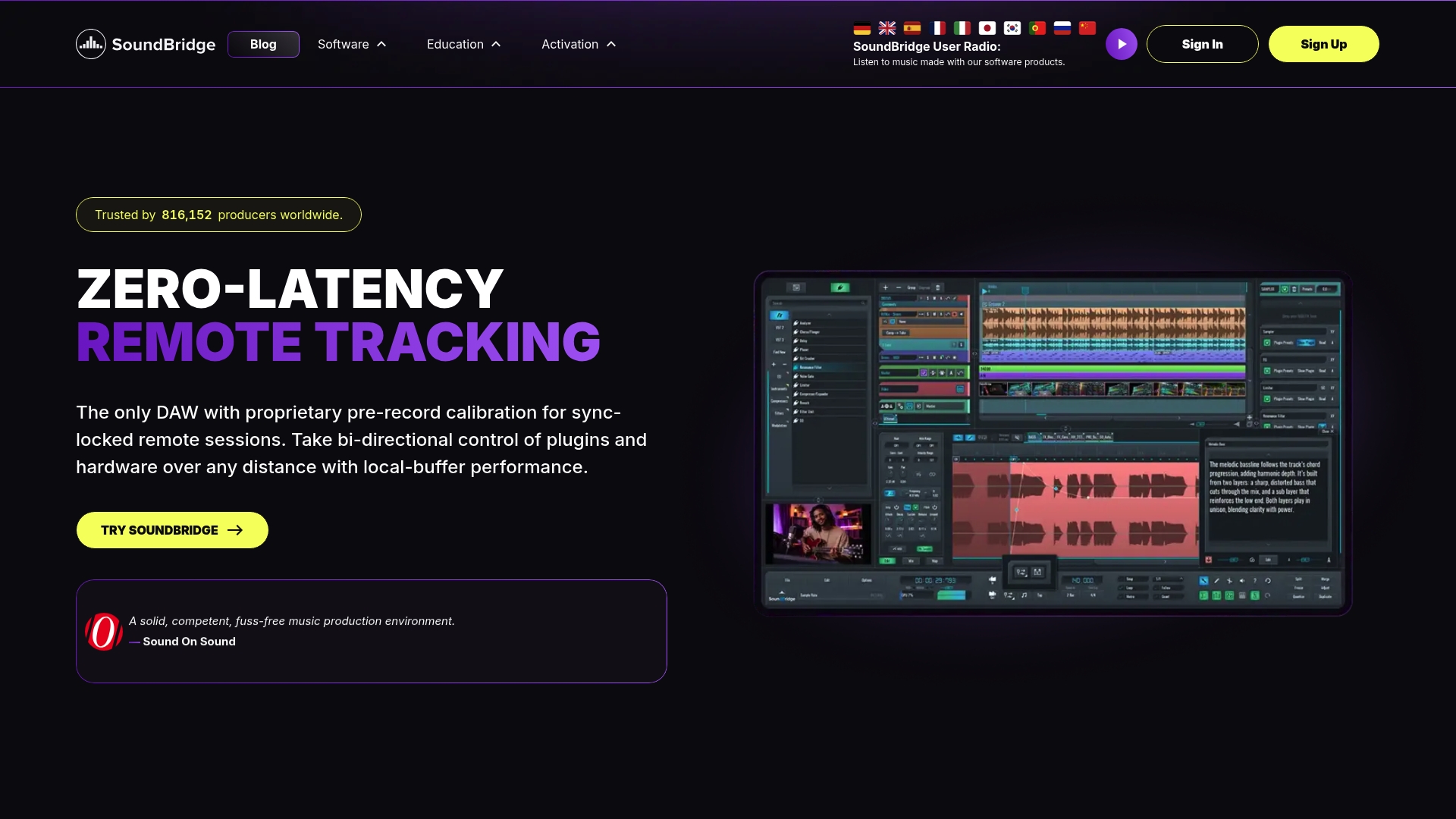
SoundBridge ships a native 192kHz audio engine, and the vendor advertises a proprietary zero-latency remote collaboration protocol for live multiuser sessions. That combination lets remote vocalists track together with studio-accurate sync and integrated talkback and webcam features.
The interface trades menu depth for immediacy, so you spend less time configuring sessions and more time recording and comping takes.
Core Features
- High-fidelity 192kHz audio engine with ASIO and Core Audio support for clean, high sample rate tracking and mixing.
- Bi-directional control of plugins and hardware to let a remote engineer tweak plugin settings while the vocalist records.
- Ultra-HD Video engine and native video support for scoring and post work, plus advanced time-stretching tools for precise sync.
- 64-slot native sampler with round-robin, layering, and slicing, detachable multi-monitor support, project version history, and auto-backup for safer workflows.
These features are organized around fast recording sessions and real-time collaboration rather than a dense menu of legacy workflows.
Key Differentiator
The product's standout claim is its proprietary zero-latency collaboration protocol mentioned above. The vendor advertises that technology as enabling real-time, multiuser sessions across any distance, which changes how remotely recorded vocal sessions are scheduled and executed.
Pros
- Remote sessions are practical because of the collaboration tech above; engineers and singers can trade immediate feedback using built-in talkback and webcam rather than patchy conference tools.
- The UI is approachable for newcomers while still offering professional routing and routing depth for engineers who need it.
- High-sample-rate processing and native support for VST plugins make it suitable for projects where headroom and fidelity matter.
- The 64-slot sampler and bundled effects mean you can sketch full arrangements and vocal production without buying extra instruments.
- Flexible licensing options include a free tier plus monthly, annual, or lifetime plans, helping studios balance short-term testing with long-term costs.
Cons
- The free tier limits sessions to 10 tracks, which is restrictive for larger arrangements or multitrack vocal stacks, pushing many users toward paid tiers.
Who It's For
SoundBridge is for musicians, producers, and audio engineers who record vocals in home studios and need real-time collaboration. It also suits composers who require native video playback and high-sample-rate processing for scoring.
If you run large, layered productions on a strict free budget, the track limit will become a workflow constraint.
Unique Value Proposition
The platform's bi-directional control of plugins and hardware gives you live, editable sessions where an engineer can tweak compression and an artist hears the change immediately. That workflow shifts remote vocal tracking from asynchronous takes and email notes to an interactive, studio-like session.
For producers who mix while tracking or who want to coach performances in real time, this reduces revision rounds and speeds delivery.
Real World Use Case
A four-piece band in different countries opens a session, routes scratch tracks, and records guide and lead vocals while the producer adjusts vocal comping and plugin settings in real time. They export a synced session without chasing file versions or reamping takes.
Pricing
A free tier is available with up to 10 tracks. Paid plans unlock unlimited tracks and full features and are offered as monthly, annual, or lifetime licenses to suit hobbyists and professional studios.
Website: https://soundbridge.io
SyncDNA SONIC
At a Glance
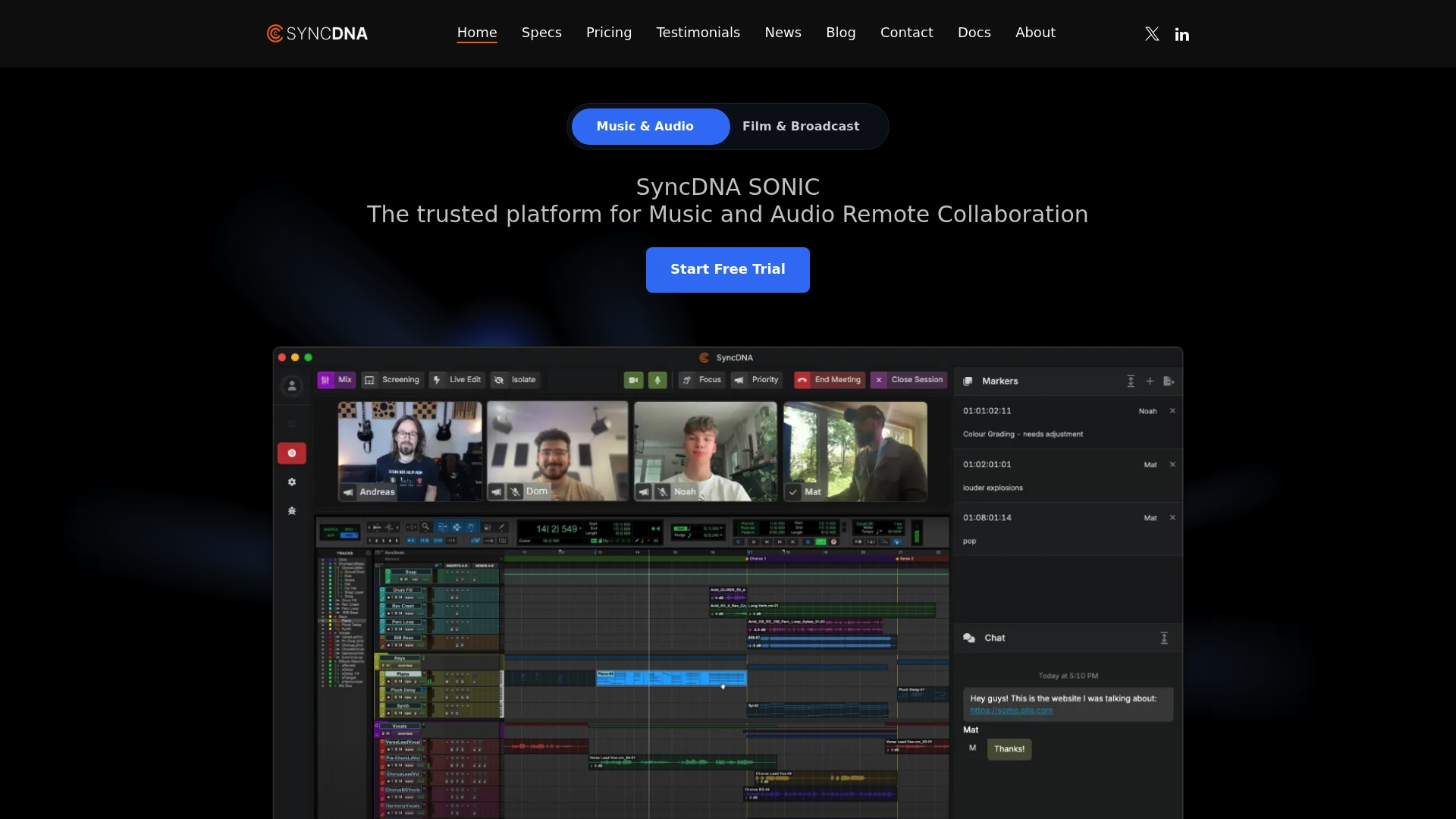
SyncDNA SONIC's marketing materials state support for up to 96kHz immersive audio and formats up to 9.1.6, a specific technical claim that targets film and immersive music workflows. The vendor also says Grammy-winning producers, major labels, and top-tier studios use the platform.
The product combines sample-accurate sync, live communication, and remote recording into a single environment designed for professional sessions rather than casual collaboration.
Core Features
- Sample-accurate playback and synchronization so multiple participants hear the same sample position simultaneously.
- Studio-quality audio transfer up to 96kHz and immersive formats up to 9.1.6.
- Built-in video conferencing and live chat for direct talkback during sessions.
- Remote recording directly into major DAWs and collaborative markers with timestamping and PDF export.
- Secure sessions with encryption, latency compensation, and instant guest access.
Key Differentiator
The single most distinctive capability is sample-accurate, studio-quality synchronization among remote participants, enabling real-time mixing and recording with timing fidelity comparable to that of in-room sessions. That synchronization claim underpins collaborative decisions you normally defer until a physical session.
If timing between tracks matters to your workflow, that sync claim is the reason to evaluate this platform.
Pros
-
Seamless DAW compatibility reduces setup friction; the list of integrations below lets you route audio into Pro Tools, Reaper, Logic Pro, and others without complex workarounds.
-
Built-in communication tools eliminate the need to juggle a separate conferencing app and an audio transport, keeping talkback, video, and file notes in a single session.
-
The focus on high-resolution and immersive formats makes the platform appropriate for film mixers and immersive music producers who need higher sample rates and object-based outputs.
-
Industry adoption claims by high-profile professionals suggest the product targets serious studio use rather than hobbyist workflows.
Cons
-
The platform requires a stable, high-bandwidth internet connection for optimal performance, which limits usability in regions with poor infrastructure.
-
Feature density and professional workflow assumptions can make the interface and its options feel overwhelming for casual or hobbyist users.
-
Documentation on long-term storage, archival costs, and subscription changes is sparse in the provided materials, making budgeting for persistent projects unclear.
When It May Not Fit
If your team records from low-bandwidth locations or relies on simple file drops and asynchronous notes, the real-time sync and high-resolution streaming are unnecessary and add complexity. Likewise, solo hobbyists who rarely use high sample rates will find the platform more than they need.
Teams that bill by simple session uploads rather than real-time collaboration will not benefit from the primary features.
Notable Integrations
- Pro Tools
- Nuendo
- Reaper
- Logic Pro
- Media Composer
- DaVinci Resolve
These native connections let you route audio and record remotely directly into the host DAW or NLE with minimal routing work.
Who It's For
Professional music producers, audio engineers, composers, and studios that require secure, high-fidelity remote collaboration for mixing, recording, and review. The product is aimed at teams that expect studio-grade timing and immersive format support rather than casual file sharing.
Real World Use Case
The vendor presents an example of a high-profile producer running a remote mix session across continents and achieving studio-quality sync and communication in real time. That scenario reflects the platform's intended use for multi-location sessions with strict timing needs.
Pricing
A free tier with limited data and features is available for basic trials. Paid plans start at $15/month for expanded data allowance, more processing time, and professional features suitable for frequent collaborative sessions.
Website: https://syncdna.com
Kormix
At a Glance
Currently in early access, Kormix pairs a purpose-built ultra-low-latency audio engine with integrated HD video, letting you share sessions with a single click. The product targets real-time playing and recording across macOS and Windows, with iOS support coming soon.
Core Features
- Ultra-low latency audio engine for live playing and tracking across distances
- HD video conferencing is layered on top of the audio stream for visual cues and talkback.
- DAW plugin that shares session state so collaborators see the same project files and tempo
- Adjustable audio quality versus latency balance so you can favor fidelity or responsiveness
- Simple session links that let a guest join without deep configuration
Key Differentiator
Kormix focuses on enabling actual live playing between remote musicians by combining three things that are rarely packaged together. The combination of a purpose-built low-latency engine, integrated video, and direct DAW session sharing aims to let you record takes with remote players as if they were in the room.
Pros
-
Fast setup without complex routing makes it easy to call a session and start tracking within minutes. That matters when collaborators are scattered across time zones.
-
The integrated audio and video eliminate the need for a separate conferencing app and avoid resync issues between apps.
-
Adjustable quality settings let you choose lower latency for live jamming or higher fidelity for overdubs and mix review.
-
Multi-platform availability reduces friction for teams on different machines. iOS support is listed as coming soon, which expands mobile participation.
-
The DAW plugin model preserves session context, so tempo, markers, and file pointers stay consistent for everyone.
Cons
-
Early access status means features may be limited, and stability can vary during intensive sessions. Expect updates and changes while the product matures.
-
No public pricing details are available. The vendor appears to offer access via early-access invites or beta signups, which complicates studios' buying decisions.
-
Integration documentation is thin. There is limited information on exactly which DAWs and hardware setups are supported out of the box.
When It May Not Fit
If you need a guaranteed service level for commercial sessions or a published pricing plan for studio budgets, Kormix in early access may not meet those needs. Large facilities that require verified hardware compatibility lists or enterprise-grade support should wait for a stable release and clearer terms.
Who It's For
Serious producers, musicians, and audio engineers who want to play and record together in real time rather than pass stems back and forth. Ideal for collaborators who already use DAWs and want session parity plus live video feedback.
Real World Use Case
A remote band in three countries opens a shared session from their DAWs, arms tracks, and plays together. One member cues with video, another records while everyone hears low-latency backing, and the session state transfers so each contributor imports takes without manual file juggling.
Pricing
Pricing is not specified in public materials, and access is currently tied to early access or beta signup. Expect invitation-based enrollment or a closed trial while the vendor finalizes pricing and plans.
Website: https://kormix.live
Submix BETA
At a Glance
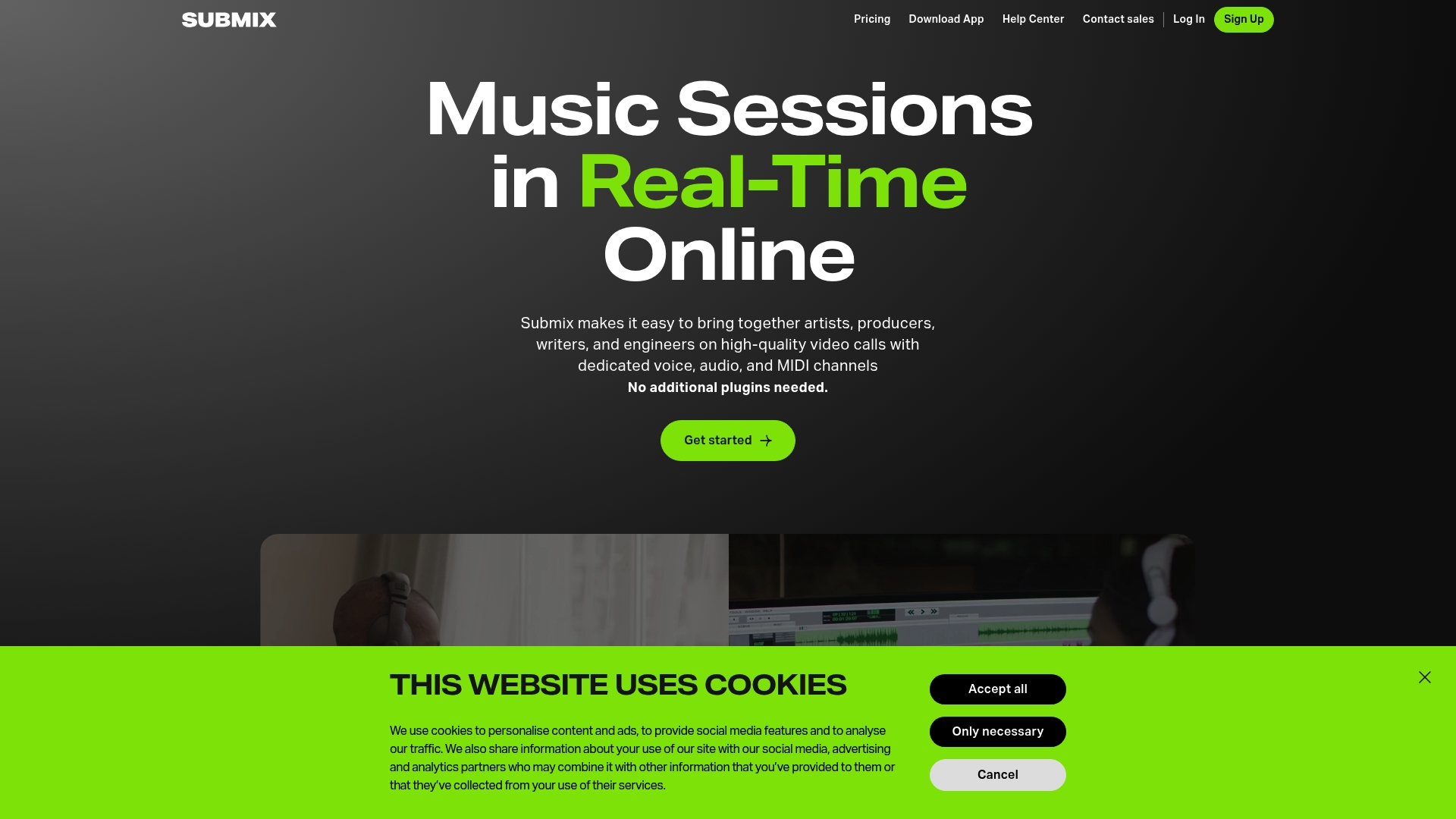
Submix BETA exposes a browser-friendly virtual patchbay that connects software and hardware in both online and offline modes, allowing collaborators to route audio and MIDI without installing plugins. The interface pairs that patchbay with dedicated high-resolution audio and video channels for live remote sessions.
Core Features
- High-resolution audio streaming channels designed to carry DAW output during live sessions.
- MIDI routing and virtual patchbay control so participants can share instruments and clocking without extra setup.
- Browser-based audio sharing that lets external collaborators join high-quality sessions without full installations.
Key Differentiator
Submix focuses narrowly on live music collaboration and education by offering separate video, audio, and MIDI channels plus visual communication tools tailored to music workflows. Compared with SoundBridge, which targets a full DAW experience with integrated remote tracking, Submix is more like a dedicated session layer for performers and teachers rather than a full production host.
Pros
- Designed for live sessions. The channel separation for voice, video, DAW audio, and MIDI maps directly to how studios run remote tracking and lessons.
- Low-friction guest access. Browser links let outside musicians join studio-grade audio streams without complex installs.
- Useful for classrooms. Enterprise features aimed at institutions mean teachers can control access and route multiple student feeds during a lesson.
- Multi‑device support. The platform already supports app and browser workflows and advertises planned Windows support, which helps mixed-OS groups collaborate.
- Artist-facing feature set. The combination of video, MIDI routing, and a visual patchbay reflects input from industry professionals and artists listed in the product brief.
Cons
- Beta instability. Users report freezing, audio dropouts, and failed snapshots or versioning during calls, undermining the reliability of live performance.
- Session freezes mid-call. A live lesson or tracking take can stop when a session freezes, forcing workarounds or re-records.
- Snapshot failures. When versioning does not save correctly, session management becomes manual and error-prone.
When It May Not Fit
If you need rock-solid, production‑grade uptime for commercial releases, Submix's current beta instability makes it a risky choice for final takes. Teams that require integrated multitrack editing and in-DAW mixing might prefer a DAW-first solution like SoundBridge rather than a session-layer tool.
Who It's For
Musicians, producers, and music educators who want focused online sessions with dedicated MIDI and high-resolution audio channels. It suits teachers running remote classes and collaborators who prioritize live routing over embedded editing tools.
Real World Use Case
A producer runs a remote arranging session with a vocalist and a synth player. The synth routes via Submix's MIDI channel while the vocalist streams high-resolution takes. The producer records the direct DAW output locally while mixing and providing real-time visual notes.
Website: https://submix.io
Muse Sessions
At a Glance
Built-in support for VST3, AU, and AAX plugins, while streaming high-fidelity audio into any DAW, is Muse Sessions' standout feature. The app is built around real-time collaboration, enabling remote players and engineers to work together with low-latency audio and shared session control.
Core Features
- High-fidelity audio streaming that carries multiple live audio streams into a single session for collaborators.
- Muse plugins (VST3, AU, AAX) that sit in your DAW and route audio into the Muse session without bouncing files.
- Connect and record any instrument or device, share files, and use screen control for remote mixing and talkback.
- Simple recording options that write directly into your DAW or export high-quality files for later work.
Key Differentiator
Muse Sessions focuses on letting you keep your existing DAW while adding remote audio transport and plugin-based integration. That model removes the need to force contributors into a single hosted DAW and keeps your signal path inside the tools you already trust.
Pros
- Real-time online collaboration with multiple audio streams helps bands record together live rather than stitching together takes over email.
- Integration with popular DAWs via plugins preserves native tracks and plugin chains, which reduces extra file wrangling during sessions.
- Tools for recording, sharing, and remote control consolidate common session chores into a single workflow rather than scattering them across cloud drives and chat apps.
- A community feature helps you find collaborators and short-term session partners without leaving the app.
- Compatible with both Mac and Windows, so mixed-OS teams do not need a separate bridge.
Cons
- Public documentation and third-party reviews are sparse, so independent validation of long-term reliability is limited.
- Dependence on a stable internet connection makes performance variable for participants on weaker home networks.
- No dedicated mobile app means tablets and smartphones cannot join full sessions or record reliably on the go.
When It May Not Fit
If you regularly work from cafes, vans, or other low-bandwidth locations, Muse will feel brittle because audio quality and sync depend on steady upload speed. If you need quick mobile callbacks or want full tablet recording, the lack of a mobile client will block that workflow.
Notable Integrations
- VST3 plugins
- AU plugins
- AAX plugins
Who It's For
Musicians, producers, and audio engineers who already use a desktop DAW want live collaborative sessions without abandoning their existing project files. Ideal for remote bands, producers running overdub sessions, and studios that want remote tracking with plugin control.
Real World Use Case
A four-piece band spread across three cities runs rehearsal and recording nights in Muse Sessions. The drummer and bassist stream tight takes while the producer controls plugin settings from their DAW, and the singer records multiple passes that drop directly into the multitrack project.
Website: https://musesessions.co
Comparative Analysis: Choosing the Right DAW for Remote Vocal Work
Digital Audio Workstations (DAWs) designed for remote vocal recording and collaboration differ significantly in their supported features, pricing, and target use cases. Below, we will examine key aspects of differentiation to help determine the appropriate choice for diverse user requirements.
Distinctive Collaboration Features
When it comes to enabling remote collaboration, SoundBridge offers a pioneering zero-latency protocol explicitly designed for accurate synchronization during multiuser sessions. This technology allows engineers and performers to collaborate in real time as if they were in the same physical studio, with bi-directional control of plugins and devices. Alternatively, SyncDNA SONIC achieves real-time synchronization with similar precision, focusing on professional-grade film and immersive workflows. While equally impressive in sync performance, SoundBridge broadens its accessibility with a straightforward user interface that streamlines session architecture.
Session Scope and Flexibility
Kormix emphasizes ultra-low-latency live playing and tracking for distributed musicians, complemented by straightforward session sharing. The inclusion of adjustable audio quality balances also facilitates various use cases. On the other hand, Submix provides a virtual patchbay for connecting hardware and routing MIDI, designed explicitly for music educators and live performers. This functionality, however, may present limitations for more intricate studio-grade productions.
Best Fit
When considering which DAW solution fits best, the scenarios below clarify specific user needs:
- SoundBridge: For remote vocal recording professionals seeking real-time collaboration and broad usability in diverse project dynamics.
- SyncDNA SONIC: For studio-grade immersive audio sessions requiring precise synchronization involving complex, high-resolution formats.
- Kormix: Useful for live performers and band collaborators who prioritize low-latency networked sessions with minimal configuration time.
- Submix: For educators and live-session leaders benefiting from browser-based, lightweight tools catered to instructional scenarios.
- Muse Sessions: Ideal for DAW-oriented users maintaining existing workflows through plugin-based integrations for remote contributions.
Our Pick
For musicians, producers, and audio engineers seeking a solution that transforms remote vocal collaboration by enabling synchronized performances, SoundBridge stands out. With its proprietary zero-latency collaboration protocol, the platform is uniquely equipped to meet professional studio demands while remaining accessible to broader audiences. However, users focused strictly on niche high-definition, immersive-audio projects may find complementary features in SyncDNA SONIC that better align with those projects' specific requirements.
Remote Collaboration DAWs Comparison
Explore the features of remote-capable Digital Audio Workstations to choose the best platform for collaborative music production needs.
| Product | Key Differentiator | Best For | Pricing | Notable Limitation |
|---|---|---|---|---|
| SoundBridge | Proprietary zero-latency remote collaboration protocol | Home studio producers requiring real-time vocal tracking | Free tier; Paid options | Free tier limited to 10 tracks |
| SyncDNA SONIC | Sample-accurate sync enabling studio-quality remote recording | Professional studios need high-resolution and immersive audio formats | Free, $15/month for paid tier | Requires stable, high-bandwidth internet |
| Kormix | Ultra-low-latency engine for live remote recordings | Musicians want live session parity across DAWs | Not disclosed | Early access phase; unknown feature stability |
| Submix | Browser-friendly virtual patchbay for routing audio and MIDI | Live broadcasting and music education | Not disclosed | Current beta version reports stability issues |
| Muse Sessions | Plugin integration allowing native DAW functionality in remote use | Bands and producers prioritizing DAW-native recording | Not disclosed | Lacks a mobile client for on-the-go recordings |
Discover a DAW for Remote Vocal Recording That Puts Collaboration First
Recording vocals remotely can feel frustrating when latency, session sync, and plugin control get in the way of creativity. SoundBridge solves these pain points with a professional DAW platform built around real-time remote collaboration, zero-latency tracking, and bi-directional plugin control. You no longer have to rely on confusing workarounds or patchy conferencing tools. Instead, enjoy studio-accurate sync and integrated video talkback, letting you focus on performance.

Take control of your remote vocal sessions with SoundBridge at soundbridge.io. Start with the free tier, or explore advanced features such as live mixing, plugin editing, and high-fidelity 192kHz audio. Bring your remote projects to life by recording vocals together in a truly interactive environment.
Frequently Asked Questions
What makes SoundBridge a good choice for remote vocal recording?
SoundBridge features a high-fidelity 192kHz audio engine that delivers clean, accurate sound for tracking and mixing. This capability enables studio-quality recordings, making it ideal for musicians and producers who need reliable remote sessions. If you prioritize high-sample-rate processing in your workflow, SoundBridge is an excellent option.
What is the difference between SoundBridge and SyncDNA SONIC for remote sessions?
SyncDNA SONIC is known for its sample-accurate playback and support for immersive audio formats, which are major advantages for film and immersive music projects. SoundBridge, on the other hand, excels at bidirectional plugin control, enabling real-time collaboration so engineers can make adjustments during recording. Evaluate your specific needs to determine which platform best fits your project.
How does the pricing of SoundBridge compare to other DAWs?
SoundBridge offers flexible pricing options, including a free tier with a limit of 10 tracks and paid plans that unlock unlimited tracks and full features. This structure allows studios and hobbyists to test the software without a large commitment, which is particularly advantageous for beginners or those on a budget.
Can I use SoundBridge for film scoring and video playback?
Yes, SoundBridge supports native video playback and includes scoring features, making it suitable for composers working on film or multimedia projects. The integrated capabilities streamline the workflow for both audio and video, allowing seamless transitions between scoring and audio production.
What limitations does SoundBridge have compared to other platforms?
The free tier of Soundbridge limits users to 10 tracks, which can be restrictive for larger projects or multitrack vocal recordings. Users who need more extensive capabilities may consider moving to a paid tier or exploring other platforms for greater flexibility.
Recommended
MASTER MUSIC PRODUCTION
Expert-led courses designed to take you from fundamentals to finished tracks.

HOUSEFrom bouncy bass and solid kicks, this course teaches you the most modern House music production techniques needed to succeed and stand out.

TRAPQuit sounding like generic Trap and produce something World with hints of the Far East. Create ethnic soundscapes to put your Trap ahead of the curve.

AMBIENTProduce relaxing, sophisticated psy-influenced ambient. Psychedelic and relaxing to listen to, create meditative soundscapes to put your listeners in Zen.