

Why collaborative audio editing supercharges remote music production
Last Edited: May 7, 2026
Why collaborative audio editing supercharges remote music production
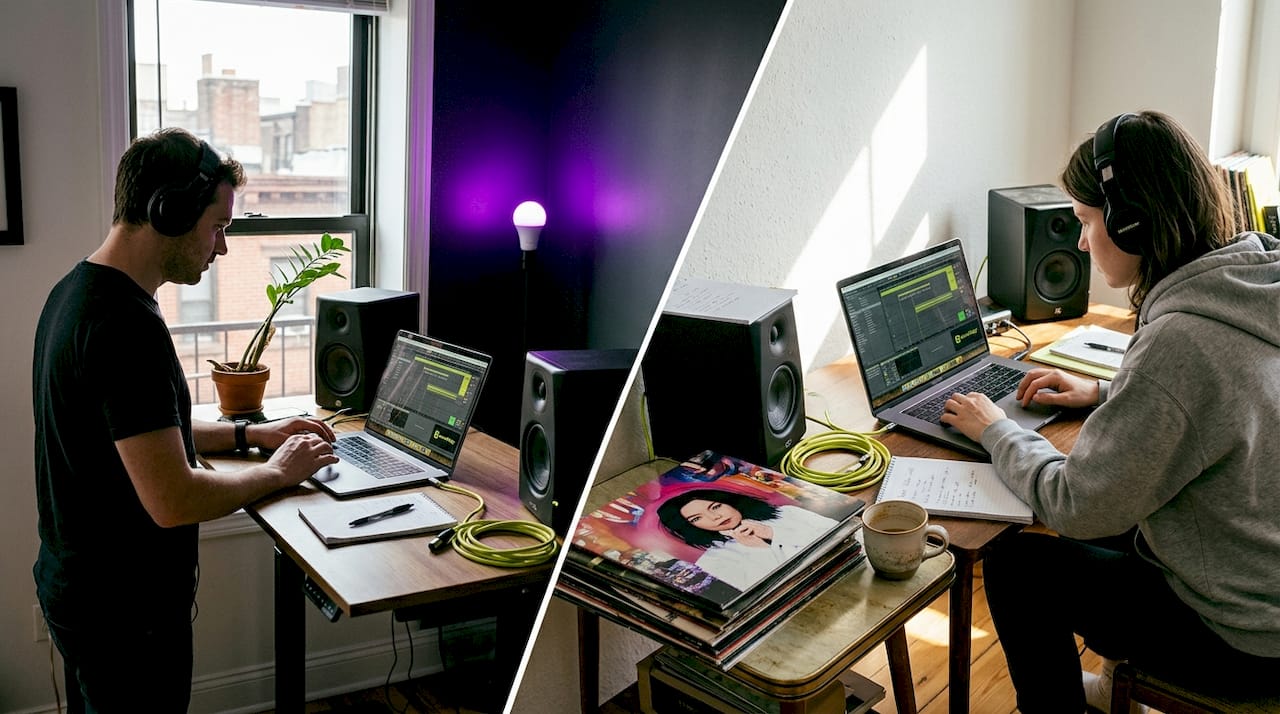
Remote audio editing used to feel like a logistical nightmare. Files bounced around through email chains, feedback got lost in messy threads, and producers assumed that only sitting together in a physical studio could yield truly professional results. That assumption is now outdated. Modern collaborative audio editing tools have fundamentally changed how music producers and engineers work across distances, enabling tighter creative loops, cleaner revision trails, and genuinely better tracks. If you’re still treating remote work as a second-tier option, this guide is going to change your thinking.
Table of Contents
- How collaborative audio editing redefines remote production
- Key benefits: From creative flow to productivity gains
- Choosing the right collaborative tools: Structure vs flexibility
- Best practices: Making collaboration seamless
- The overlooked truth: Why collaborative editing succeeds where others fail
- Level up your remote sessions with advanced tools
- Frequently asked questions
Key Takeaways
| Point | Details |
|---|---|
| Centralized collaboration | Collaborative audio editing centralizes files and feedback for remote teams, making real-time and async work seamless. |
| Fewer communication headaches | Features like timestamped comments drastically reduce back-and-forth clarification and speed up project revisions. |
| Choose structured tools | Platforms built for audio offer better quality, sync, and scalability than generic conferencing apps. |
| Reliability over speed | Pro teams value consistent, transparent revision history more than dubious promises of faster turnaround. |
How collaborative audio editing redefines remote production
Before you can leverage collaborative tools effectively, you need to understand exactly what collaborative audio editing means in practice. It is not simply sharing a Dropbox folder or hopping on a video call while someone shares their screen. True collaborative audio editing encompasses three distinct working modes: real-time editing, where two or more contributors interact with the same session simultaneously; asynchronous editing, where team members work independently and sync changes on their own schedules; and cloud-based project management, which centralizes everything from stems and plugins to revision history in one accessible location.
Collaborative audio editing enables remote teams of music producers and engineers to work in real-time or asynchronously, reducing coordination overhead and improving productivity by centralizing files, feedback, and versions. That last part matters more than most producers realize. When your files, feedback, and version history all live in one place, you eliminate a category of friction that silently kills creative momentum.
Here are the core workflow improvements you get from adopting a dedicated collaborative platform:
- Centralized file storage: Everyone accesses the same master session, not a patchwork of locally renamed copies.
- Version control: Roll back to any previous state without hunting through folders or firing off “which version is this?” messages.
- Structured feedback: Leave timestamped comments directly on the timeline rather than writing vague notes like “fix the chorus.”
- Parallel contribution: Multiple engineers can prepare parallel elements like drum editing, vocal tuning, and mix automation simultaneously, then merge results cleanly.
- Audit trails: See exactly who changed what and when, so accountability is built in from day one.
“Centralizing your project files and feedback in a structured platform removes the single biggest bottleneck in remote production: the coordination tax you pay every time someone asks ‘which version are we on?’”
In the post-2020 production landscape, this shift is not theoretical. Countless professional teams that once required physical studios now run entirely distributed workflows. Mixing engineers in Nashville collaborate with beatmakers in London and vocalists in Lagos, all in the same session. Collaborative editing in music production has matured from a niche experiment into a standard professional practice, and the teams embracing it most fully are pulling ahead creatively and commercially.
Key benefits: From creative flow to productivity gains
Once you see what collaborative editing actually is, the benefits stack up quickly. Let’s walk through the four most impactful ones.
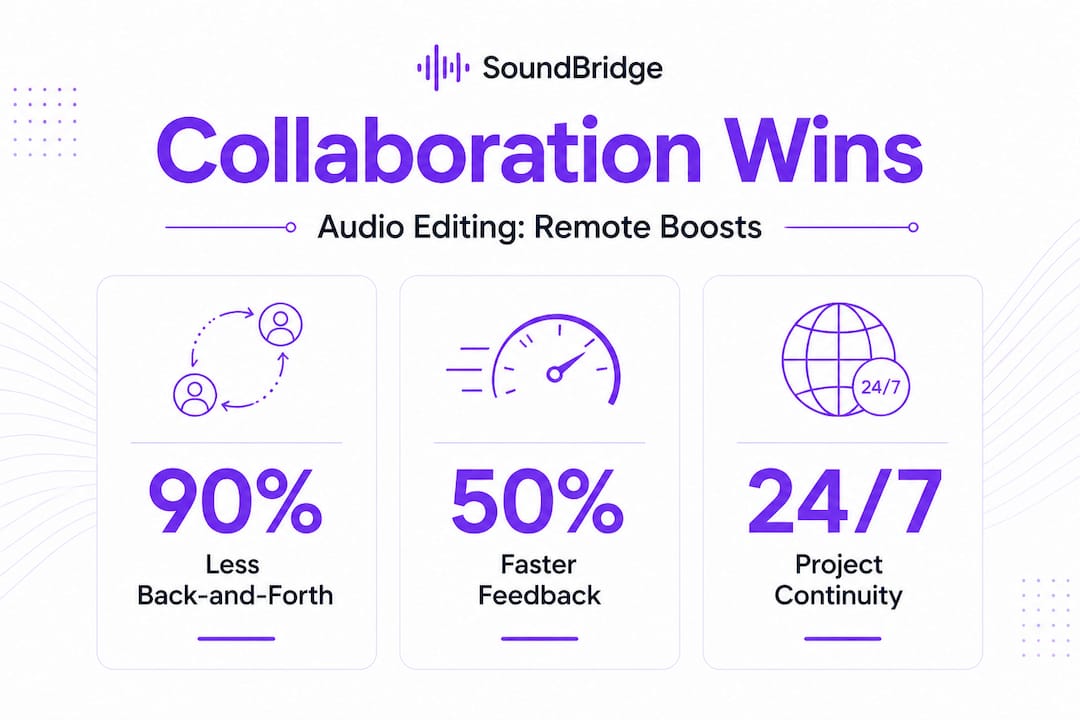
1. Faster feedback cycles Waiting 48 hours for someone to listen to a bounce and type out vague impressions is a creativity killer. With timestamped, in-session comments, your collaborators can drop notes directly on the exact moment they mean. “Bring the snare down two dB at 1:24” is infinitely more actionable than “the snare feels too loud in the second verse.”
2. Broader creative input without chaos More contributors can mean better music, but only when the collaboration is structured. Platforms with role-based permissions let you invite a string arranger or a mastering engineer into a session without risking accidental overwrites on your main mix. You get fresh creative perspectives without sacrificing session integrity.
3. Error prevention and clean revision trails Think of version control in collaborative audio like an undo button that never expires. Rather than second-guessing which WAV file is the “final_final_v3_REALFINAL” render, you have a clean, labeled history of every meaningful change. This is especially critical in improving vocal production collaboratively, where small pitch and timing adjustments can stack up into major discrepancies across multiple takes.
4. Project continuity across time zones Asynchronous editing means your project never has to stop. While you sleep, a collaborator in a different time zone can be processing synth layers or layering elements in collaborative sessions. When you wake up, you pick up exactly where they left off, with changes documented and ready to review.
The numbers behind these benefits are compelling. Timestamped feedback eliminates 90% of clarification back-and-forth, meaning your communication effort drops dramatically while precision goes up. On the technical side, specialized platforms like Evercast and SyncDNA achieve sample-accurate sync over internet connections, which matters enormously when you’re working on tightly timed electronic music or complex rhythmic arrangements. Free tools, by contrast, tend to clock in at 50-120ms of latency, which may feel negligible for casual listening but becomes a real problem when you’re making precision edits on transient-heavy content.
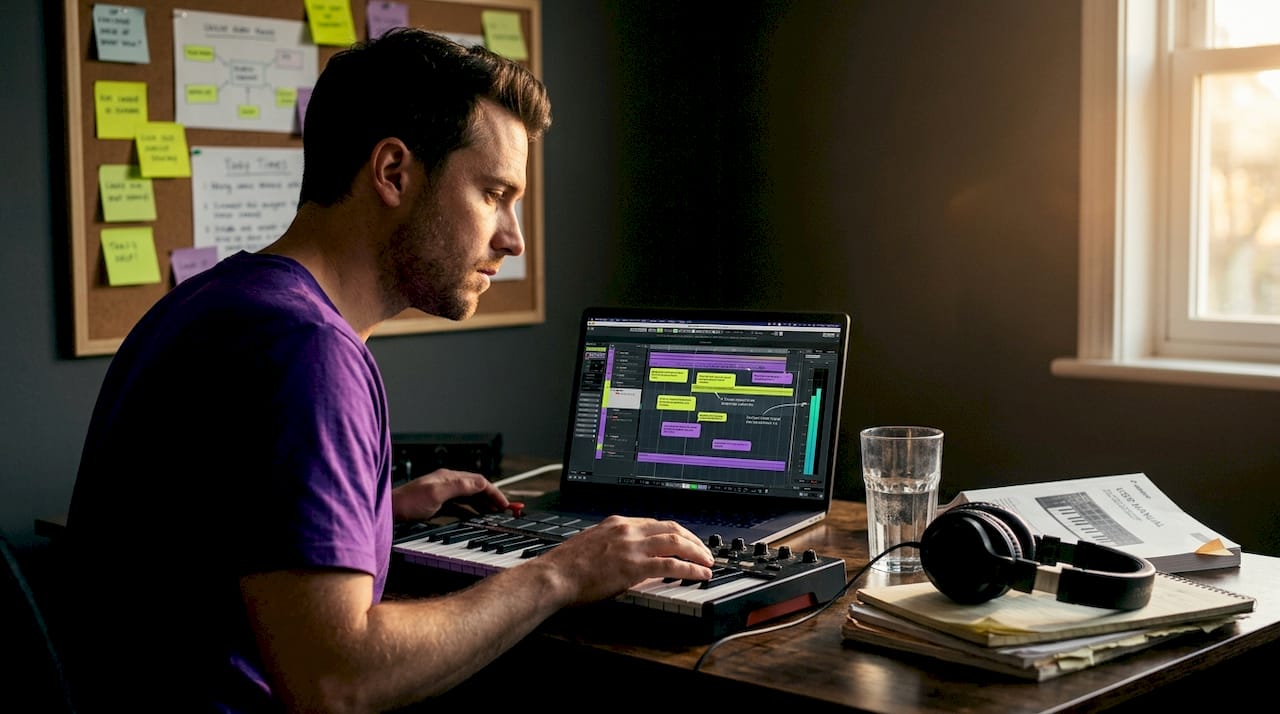
Pro Tip: For tight genres like drum and bass or tech house where every millisecond of transient placement counts, prioritize a paid platform with sub-second latency for real-time sessions. Reserve free or asynchronous tools for flexible-schedule tasks like lyric revisions, sound design feedback, or arrangement notes where timing is not critical.
Choosing the right collaborative tools: Structure vs flexibility
Not all collaboration tools are created equal, and this is where many producers make a costly mistake. They default to whatever communication app their network already uses, Zoom, Google Meet, Slack, without considering whether that tool was ever designed for audio work.
The core issue is compression and audio degradation. Video conferencing platforms are built to prioritize voice clarity at low bandwidth, which means they actively compress and process your audio. Playing back a mix through a Zoom call is like judging a painting through a blurry photograph. You simply cannot make accurate mix decisions in that environment.
Dedicated structured platforms enforce the discipline that scales beyond small teams. Use tools enforcing structure like Opusonix and Frame.io to scale beyond small teams, avoiding general tools like Zoom for audio due to compression and latency. Platforms built specifically for audio collaboration maintain uncompressed or lossless audio streams, integrate directly with project timelines, and provide feedback systems tied to specific moments in a session rather than floating in a chat window.
| Feature | Structured platforms (Opusonix, Frame.io, SoundBridge) | Generic apps (Zoom, Google Meet) |
|---|---|---|
| Audio quality | Lossless or high-bitrate | Compressed, voice-optimized |
| Feedback integration | Timestamped, timeline-linked | Unstructured chat or verbal |
| Scalability | Designed for multi-contributor teams | Designed for small meetings |
| Session sync | Sample-accurate or near-real-time | Screen share only |
| Version control | Built in | None |
| Cost | Free tier + paid plans | Often free, limited audio features |
Beyond audio quality, here are warning signs that your current tool is holding your workflow back:
- You frequently send “which file is the latest?” messages.
- Feedback arrives in multiple formats: emails, voice memos, chat messages, none of them timestamped.
- Contributors accidentally overwrite each other’s work.
- You spend more time organizing files than actually making music.
- Mix decisions are being made over compressed audio that does not reflect your actual output.
Your tooling choice should match your scale and work style. A solo producer occasionally sharing stems with a mixing engineer has different needs than a label managing five simultaneous album projects. Platforms like SoundBridge are built precisely for professionals who need zero-latency remote tools alongside true session integration. Even collaborative game audio workflows benefit from this level of structured, integrated collaboration when teams span multiple countries and tight delivery schedules.
For inspiration on what deeply integrated creative collaboration looks like across genres, creative collaboration in hip hop offers a strong example of how structure enables rather than limits artistic freedom.
Best practices: Making collaboration seamless
Knowing which tools to use is half the equation. Applying them with a deliberate workflow is what separates productive remote teams from chaotic ones. Here is a step-by-step process for running a clean remote collaboration session:
- Define roles before opening the session. Assign a session lead, a reviewer, and any contributors. Communicate clearly who has edit permissions versus comment-only access.
- Establish a file naming convention on day one. Use a format like ProjectName_Version_Date_Initials.wav and enforce it across the team. This single habit prevents a staggering amount of confusion.
- Set review checkpoints. Rather than leaving the session open for continuous changes, designate specific check-in moments: after tracking, after initial mix, after revisions. This creates natural review gates that keep the project moving forward rather than cycling endlessly.
- Use timestamped comments exclusively. Ban vague feedback like “sounds off” from your workflow. Every note must reference a specific moment in the timeline.
- Archive versions at each checkpoint. Before any major revision pass, save a labeled snapshot. This costs you almost nothing in storage but saves hours if you need to revisit a creative decision.
- Test your connection setup before the session begins. If you’re using a custom TURN server for SoundBridge, verify the configuration in advance so latency and connectivity issues do not interrupt a live tracking or mixing session.
- Communicate openly about technical limitations. If a contributor has a slower connection, plan their contributions for asynchronous windows rather than real-time sessions. Good workflow design accounts for the full range of technical realities across your team.
Here is a practical reference table covering key technical and organizational elements:
| Element | Recommendation | Why it matters |
|---|---|---|
| Minimum internet speed | 10 Mbps upload for real-time | Prevents dropouts during live tracking |
| File format standard | 24-bit / 48kHz WAV minimum | Preserves dynamic range across edits |
| Naming convention | Project_Stage_Version_Date | Eliminates version confusion |
| Feedback method | Timestamped in-platform comments | Ties feedback to exact moments |
| Role assignment | Lead, Reviewer, Contributor | Prevents accidental overwrites |
| Review checkpoint frequency | End of each production stage | Creates accountability and momentum |
One element that rarely gets discussed enough is transient control in collaborative projects. When multiple engineers are touching the same session, transient-heavy elements like drums, percussion, and sharp synth attacks can be processed inconsistently across different stages. Setting clear processing conventions early prevents one engineer’s aggressive gate settings from conflicting with another’s multiband compression later.
Pro Tip: Set your file naming conventions, permission levels, and review checkpoints in a shared document before you open the first session. This “collaboration brief” takes 15 minutes to write and saves hours of rework on every project.
Note that pro adoption is driven by reliability in revisions, not raw speed metrics. There are no large-scale benchmarks proving that collaborative DAW workflows are “X% faster” across the board. What serious professionals consistently report is that structured revision management reduces costly creative missteps and keeps projects on track even across complex, multi-contributor timelines.
The overlooked truth: Why collaborative editing succeeds where others fail
Here is something most articles will not tell you. The biggest value of collaborative audio editing is not speed. It is trust.
When producers chase the fastest possible workflow, they often overlook the creative foundation that actually sustains great music over time. Real collaboration is not about who can push a file to the cloud quickest. It is about building a shared creative language, establishing clear expectations, and creating an environment where contributors feel confident enough to take risks.
“Pro adoption of collaborative audio tools is driven by reliability in revisions, not raw speed metrics.” Production Expert
This is why structured platforms outperform ad hoc approaches even when both deliver files in roughly the same time. Version control and timestamped feedback build a record of creative decisions that the whole team can trust. When a collaborator in another city suggests rolling back to a previous arrangement idea, they can point to an exact session state and explain their reasoning clearly. That kind of transparent revision history transforms disagreements from personal friction into productive creative discussion.
We’ve seen this play out in serious projects, from album productions to film scoring work. Teams that invest in structured collaborative tools consistently produce more refined final outputs. Not because they worked faster, but because they caught more errors early, preserved more valuable creative detours, and maintained clearer communication throughout every stage. Explore audio innovation insights that reflect how advanced tools enable exactly this kind of long-term creative health.
The producers and engineers who thrive in remote workflows are the ones who prioritize structure and clarity over raw throughput. Build your collaboration around trust, transparency, and revision reliability, and the quality in your tracks will follow.
Level up your remote sessions with advanced tools
You’ve explored the principles. Now it’s time to put them into action with tools that are actually built for professional audio work.

SoundBridge DAW gives you real-time remote collaboration with studio-accurate synchronization, zero-latency tracking, and bi-directional plugin control built directly into the platform. Whether you’re tracking live instruments with remote musicians, mixing a hip hop record with a team spread across three continents, or fine-tuning unique vocal sounds with your artist in real time, SoundBridge keeps every contributor in sync without sacrificing audio fidelity. Available on Mac and Windows with both free and paid tiers, it is the platform built for producers and engineers who take remote collaboration seriously.
Frequently asked questions
Does collaborative audio editing require always being online?
No, many platforms offer asynchronous editing, so team members can contribute offline and sync changes later when a connection is available.
How do collaborative audio tools handle audio latency issues?
Top-tier platforms keep latency under one second for real-time sessions, while free tools average 50-120ms of delay; smart asynchronous feedback design also reduces the impact of real-time limitations for most production tasks.
What’s the real advantage over email and file-sharing for remote music teams?
Dedicated platforms centralize versions, automate revision tracking, and eliminate 90% of back-and-forth clarification that email and generic file sharing consistently demand.
Are there benchmarks proving it’s “X% faster” to collaborate in DAWs?
No large-scale benchmarks exist proving specific speed gains, but expert adoption is consistently driven by revision reliability and error reduction rather than raw speed claims.
Recommended
MASTER MUSIC PRODUCTION
Expert-led Kurse, die dich von den Basics bis zu fertigen Tracks bringen.

HOUSEVon bouncy Bass und solid Kicks: Dieser Kurs zeigt dir die modernsten House-Production-Techniken, um zu gewinnen und herauszustechen.

TRAPKling nicht nach 08/15-Trap, sondern produziere etwas World mit Far-East-Vibes. Erstelle ethnische Soundscapes, damit dein Trap der Konkurrenz voraus ist.

AMBIENTProduziere entspannte, sofisticierte psy-influenced Ambient. Psychedelisch und relaxed zum Hören – erschaffe meditative Soundscapes für Zen.