


How to Make Anything Sound Psychedelic
Last Edited: Feb 13, 2026
In this article, we'll focus on how to make anything sound psychedelic by reshaping it with one specific effect at a time. Not to showcase the effect itself, but to change how the sound behaves over time. The goal isn't to make the processing obvious, but to make the source feel alive, fluid, and perceptually shifted.
Rather than stacking multiple effects and hoping for a result, we'll look at how to push one processing idea far enough to create a genuine psychedelic character, something that feels immersive, unstable, and organic, while still sitting exactly where it needs to be in the mix.
People often try to get the "Psychedelic" sound by adding a phaser, stretching the delay, and washing it in reverb. In practice, this approach rarely works. The result may sound processed, but it seldom feels psychedelic in any meaningful way.
The issue isn't the choice of effects; instead, it's how you use them. When you apply an effect as a static layer on top of an instrument or sequence, the ear quickly identifies it as an external process. The sound remains fundamentally stable, with a decorative layer moving around it. That kind of processing adds color, but it doesn't alter perception.
A psychedelic effect doesn't come from complexity or excess. It comes from instability. More specifically, from controlled instability, subtle changes in timing, pitch, space, or tone that make a sound feel slightly unpredictable, without ever losing its function in the track.
Why Guitars Respond So Well to Psychedelic Processing
The guitar is particularly great for psychedelic processing because it already has a high degree of internal complexity before any processing. Each note carries transient detail, subtle pitch fluctuations, and natural variations in timing and dynamics. Even when played as a simple repeating sequence, the sound is never perfectly static, which makes it highly responsive to modulation-based processing.
Unlike many synthesized sources, a guitar produces a rich harmonic structure that extends across a wide frequency range. It gives effects such as modulation, delay, and spatial processing more material to work with. Small changes in pitch, phase, or timing are immediately audible, yet they rarely feel artificial. Instead, they tend to blend into the natural character of the instrument.
You can push a guitar quite far with processing while still retaining its identity. The sound remains recognizable, yet perceptually altered, making it an ideal source for exploring psychedelic techniques that rely on controlled instability rather than apparent effects.
Listening Before Processing
Before applying any processing, we'll start by listening to a short loop, focusing on how the elements interact. This initial listen establishes a reference point. It shows us how the sequence functions in the mix, how stable it feels, and where there's room for movement.
Without this context, any processing becomes guesswork. You can't reshape perception in isolation; it only makes sense relative to the surrounding sounds. We will first listen to the whole mix.
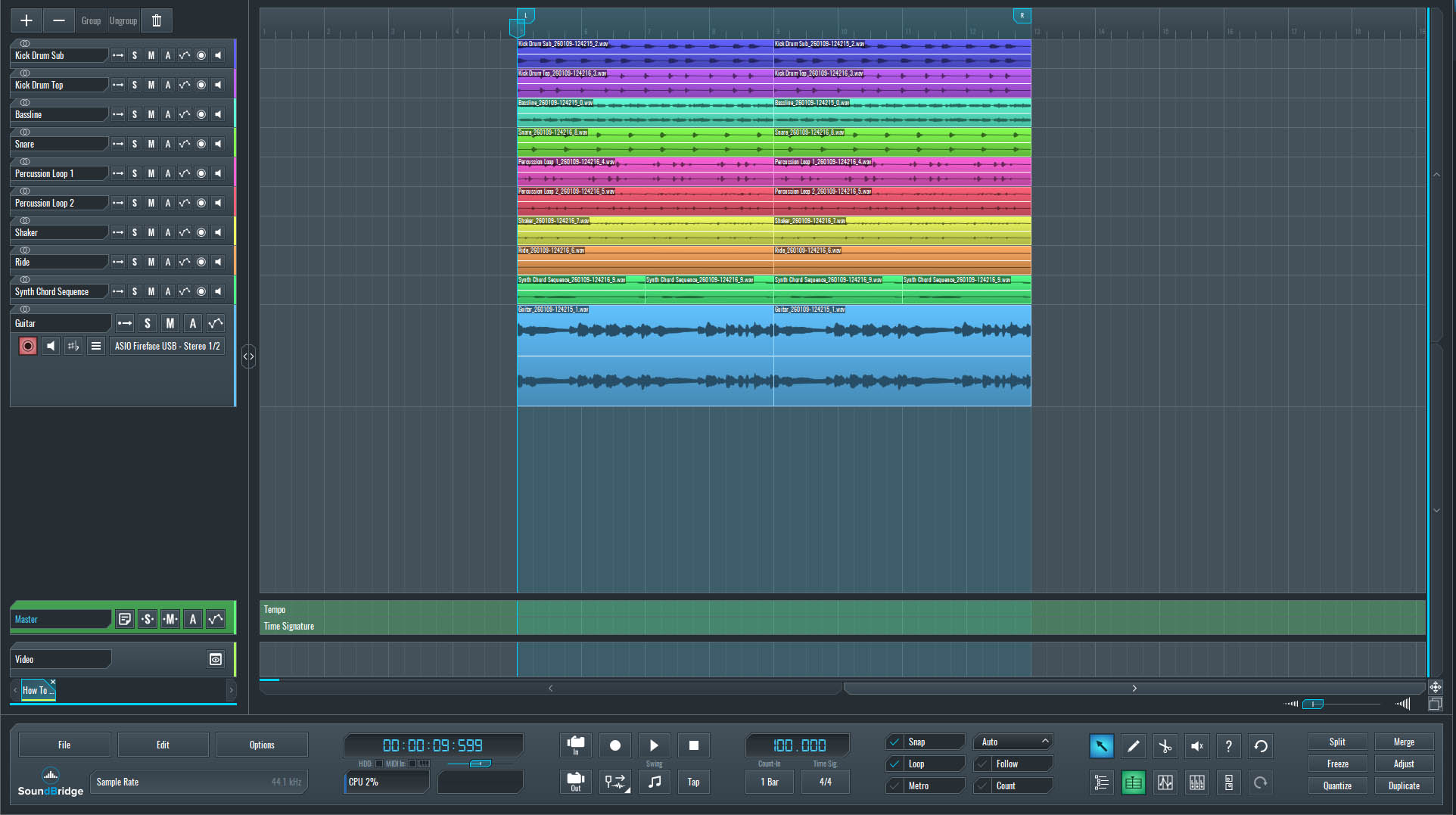
~Full Mix - Guitar (Unprocessed).

~Guitar - Solo (Unprocessed).
Using the Effect as an Insert
Since the effect includes a dedicated dry/wet control, we can place it directly on the track instead of routing it through a return channel. This approach keeps the signal flow simple while still allowing precise control over how much of the processed sound is blended with the source.
Using Spirals as an insert also makes the interaction between the dry signal and the effect more immediate. Changes to feedback, pitch shifting, or Diffusion are heard in direct relation to the source, which helps preserve articulation and timing—especially important when working with a rhythmic sequence like a guitar pattern.
Because the dry signal remains within the plugin, we can introduce instability gradually without losing the instrument's core identity. This process makes it easier to push the effect further, experiment with more extreme settings, and still pull the sound back into a usable space with a single parameter. In this context, the insert approach offers more control, clarity, and responsiveness than parallel routing.
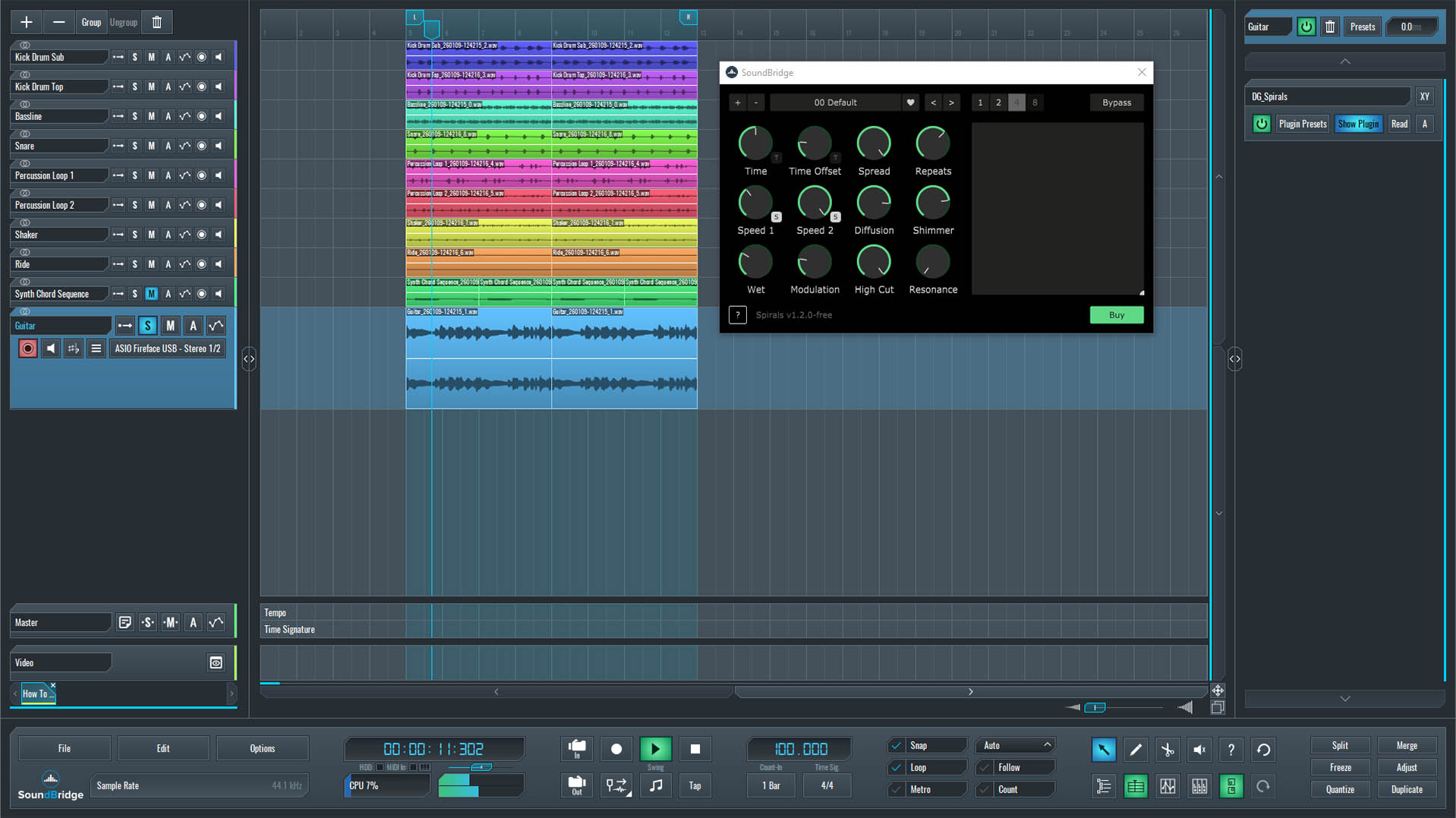
~Guitar - Solo (Processed With Spirals - Default Settings).
Configuring Spirals
With its default settings, Spirals already sounds interesting on the guitar. The effect adds space and movement, but in this state, it remains relatively polite and predictable. It enhances the sound, yet it doesn't fully push it into psychedelic territory. To get there, we need to reshape how the effect behaves internally.
We'll start by focusing on the Spirals Speed 1 and Speed 2 parameters, which control how the pitch-shifted delay lines evolve. By setting them to react to a two-octave pitch shift, the repeats begin to take on a crystalline quality, bright, floating, and slightly detached from the original sequence.
Next, we'll reduce Diffusion to zero. Removing Diffusion keeps the repeats defined and prevents the effect from collapsing into a washed-out reverb texture. In contrast, Shimmer will be set to 0.50, adding harmonic lift and sustain without overpowering the source. To avoid excessive stereo expansion, Spread will be set to 0.20, providing some width while maintaining a stable center image.
In the final row of parameters, Wet will be set to around 80%, but instead of automating multiple controls, we'll keep the movement focused. We'll automate only the Wet and Hi Cut parameters, using them to shape how present and how bright the effect feels over time. This limited automation keeps the processing expressive and dynamic, without turning the sound into an uncontrolled effect wash.
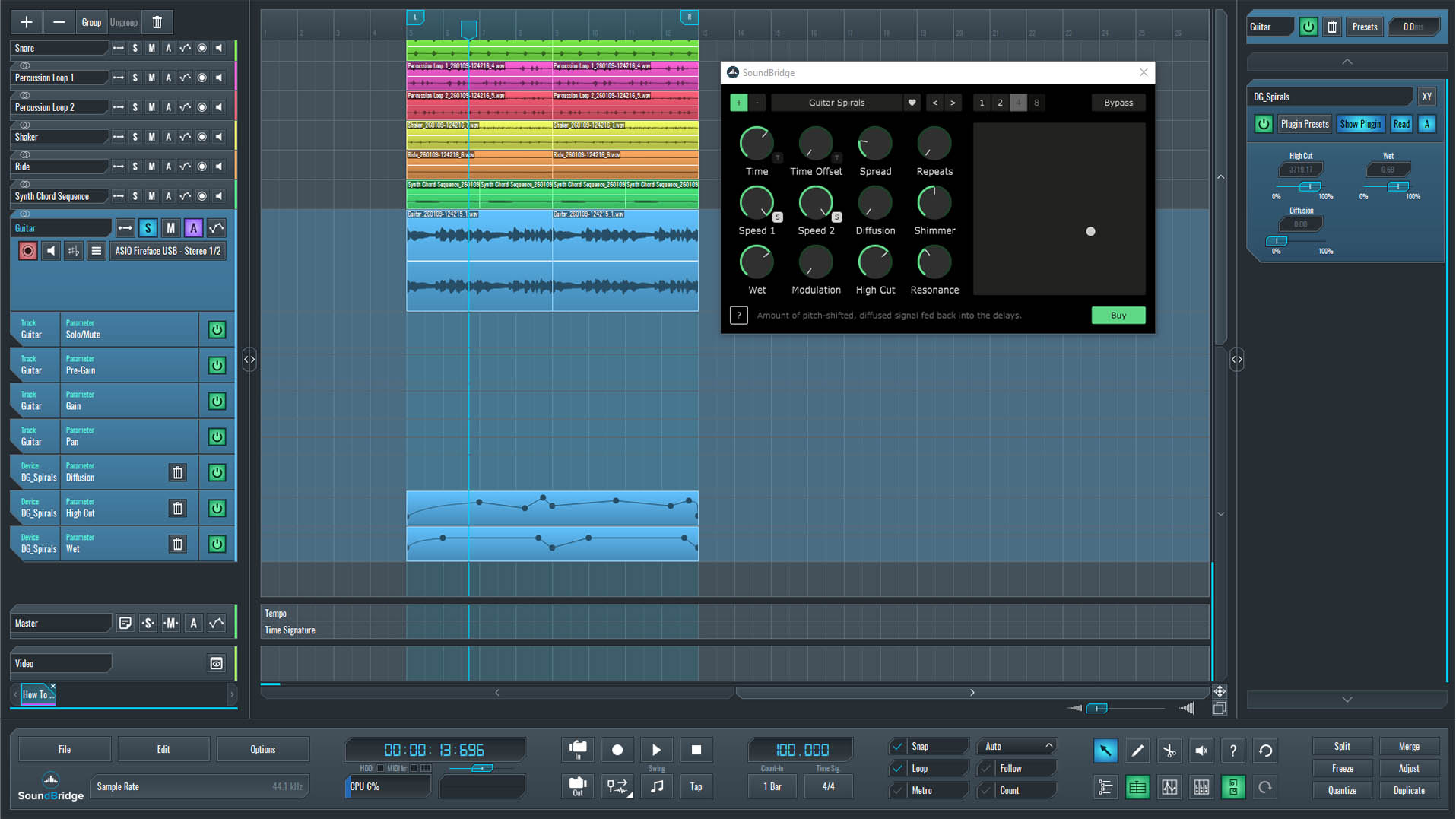
~Guitar - Solo (Processed With Spirals -Hi Cut & Dry/Wet Autom.).
How the Diffusion Parameter Affects the Psychedelic Effect
At this point, it's worth noting that the Diffusion parameter can significantly shape the character of the effect. While keeping Diffusion at zero emphasizes sharp, clearly defined repeats, increasing it changes the behavior of those pitch-shifted echoes quite dramatically.
To illustrate this, we'll listen to a version with Diffusion set to 0.80. With this amount of Diffusion, the "crystal" repeats lose their sharp edges. Instead of distinct, shimmering fragments, the sound begins to smear and spread, taking on a more fluid, reverberant quality. The motion becomes softer and less articulated, and the effect feels as if it's melting into the surrounding space rather than floating above it.
This version sounds wider and more atmospheric, but also less precise. The psychedelic character remains, though it leans more toward a washed, reverb-like texture. Hearing this contrast makes it clear how Diffusion can shift the effect from sharp and crystalline to smooth and immersive, depending on how much definition you want to preserve.
~Guitar - Solo (Processed With Spirals - Diffusion On).
Listening in the Context of the Full Mix
With all the processing in place, the final step is to step back and listen to the guitar in the context of the whole mix. At this point, the effect's actual value becomes clear. A sound that feels psychedelic in isolation doesn't automatically translate once the rest of the arrangement comes back in. What matters is whether the movement, instability, and spatial character still serve the track as a whole.
Listening in context allows us to judge how the processed guitar interacts with the groove, harmony, and overall energy. The goal isn't for the effect to dominate the mix, but to subtly reshape how the sequence is perceived over time. When the balance is correct, the guitar remains functional and recognizable, yet it feels fluid, animated, and slightly detached from a fixed position.
In the whole mix, these small shifts accumulate. The processed sound no longer feels static or decorative, but alive. It contributes depth and movement without diverting attention from the track's core elements. That's where psychedelic processing works best: not as a noticeable effect, but as a subtle change in perception that reveals itself over time.
~Full Mix - Guitar (Processed).
Conclusion
This same approach isn't limited to guitar. The processing technique and parameter relationships explored here can be applied to almost any sound source. Synths, vocals, percussion, or textures all produce similarly expressive results. What changes is not the concept, but the amount of definition, motion, and space each source can handle.
This approach highlights an essential principle of psychedelic sound design: it's not about extreme settings or constant motion. It's about controlled variation and restraint. By limiting automation, choosing parameters with intention, and regularly returning to the whole mix as a reference, the effect becomes part of the musical language rather than a standalone texture.
If you liked this article on sound design, here are some more on the same subject:
DOMINA PRODUCCIÓN
Cursos con expertos para llevarte de fundamentos a tracks terminados.

HOUSECon bajos rebotones y kicks sólidos, este curso enseña técnicas modernas de producción House para destacar y triunfar.

TRAPDeja de sonar a Trap genérico y produce algo World con toques de Oriente. Crea paisajes étnicos para poner tu Trap por delante.

AMBIENTProduce ambient relajante y sofisticado con influencia psy. Psicodélico y relajante de escuchar; crea paisajes meditativos para llevar a tu público a Zen.