

How Audio Interfaces Elevate Sound Quality and Collaboration
Last Edited: May 13, 2026
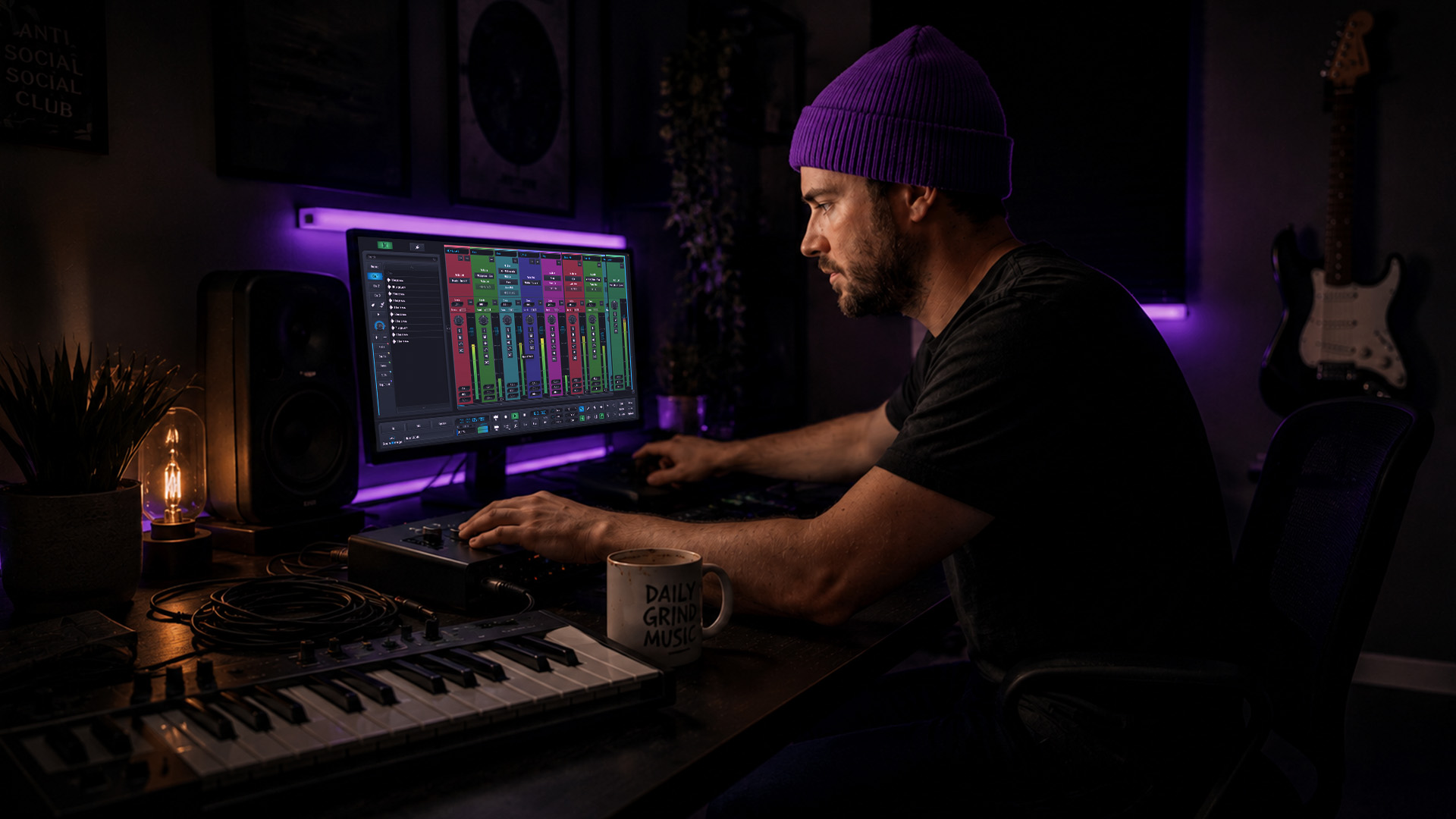
Most producers assume a powerful computer and a great DAW are all they need for professional-grade results. That assumption leaves real quality on the table. Your software chain is only as strong as the signal entering it, and that’s where audio interfaces become the true backbone of your production setup. Whether you’re tracking vocals for a film score, running a remote session with collaborators across three time zones, or sculpting dense electronic textures, the interface you choose shapes every sound you capture. This article breaks down the role, key features, types, and expert nuances so you can make smarter, more confident gear decisions.
Key Takeaways
| Point | Details |
|---|---|
| Central hub | Audio interfaces are the primary link for converting and monitoring sound in production. |
| Quality and collaboration | They enable high-fidelity recording and efficient teamwork with low-latency, multi-channel features. |
| Workflow over specs | Choosing an interface based on workflow integration and reliability has a greater daily impact than raw technical specs. |
| Expert features | Advanced DSP, loopback, and premium preamps unlock creative and collaborative possibilities. |
Why Audio Interfaces Are Essential in Production
Let’s clear up a persistent myth first. A built-in sound card on your laptop was never designed for music production. It’s built for system alerts and video calls, not for capturing a jazz vocalist at 192kHz or monitoring a 24-track orchestral session with zero-perceptible latency. The performance gap is enormous, and it shows up immediately when you compare recordings side by side.
Audio interfaces serve as the central hub in music production, audio engineering, and film composing. They convert analog signals from microphones and instruments to digital for DAW processing, and back to analog for monitoring. That bidirectional conversion is what enables high-fidelity recording, low-latency monitoring, and multi-channel collaboration. Without a dedicated interface, you’re essentially running your creative vision through a bottleneck.
Here’s what a quality audio interface actually delivers for your workflow:
- High-resolution analog to digital conversion (ADC): Captures the full dynamic range and harmonic detail of your source material, whether that’s a tube guitar amp or a Foley recording on location.
- Low-latency monitoring: Lets you hear your input signal in near-real time, so performers can track comfortably without fighting through distracting delay.
- Dedicated preamps: Amplify microphone signals cleanly and, in higher-end units, add a flattering analog character that plugins alone can’t fully replicate.
- Multi-channel I/O: Supports collaborative sessions where multiple performers, instruments, or stems need separate, simultaneous capture paths.
- Headphone and monitor outputs: Routes your mix to different destinations with proper impedance matching for accurate monitoring.
“A great interface doesn’t just record your ideas. It preserves the emotional texture of your source signal, giving your mix a foundation to build on that software alone simply cannot create.”
Stay connected with music production news to keep up with the latest interface releases and workflow techniques. For film composers and visual artists, it’s also worth noting how video content for musicians increasingly intersects with audio production quality in professional settings.
Unpacking Key Features: Fidelity, Latency, and Collaboration
With the central role of audio interfaces established, it’s vital to understand the features that differentiate interfaces and shape your workflow. Not all interfaces are equal. The specs on the box tell part of the story, but real-world performance under a loaded DAW session tells the rest.
Connection type matters, but maybe not in the way you think. USB interfaces are the most common and portable. Thunderbolt interfaces typically offer lower round-trip latency (RTL) and greater bandwidth, making them strong choices for real-time tracking with lots of plugins running. Conversion quality has a greater impact on clarity than connection type in modern USB and Thunderbolt designs, meaning a well-engineered USB interface can outperform a budget Thunderbolt unit in actual sound quality.
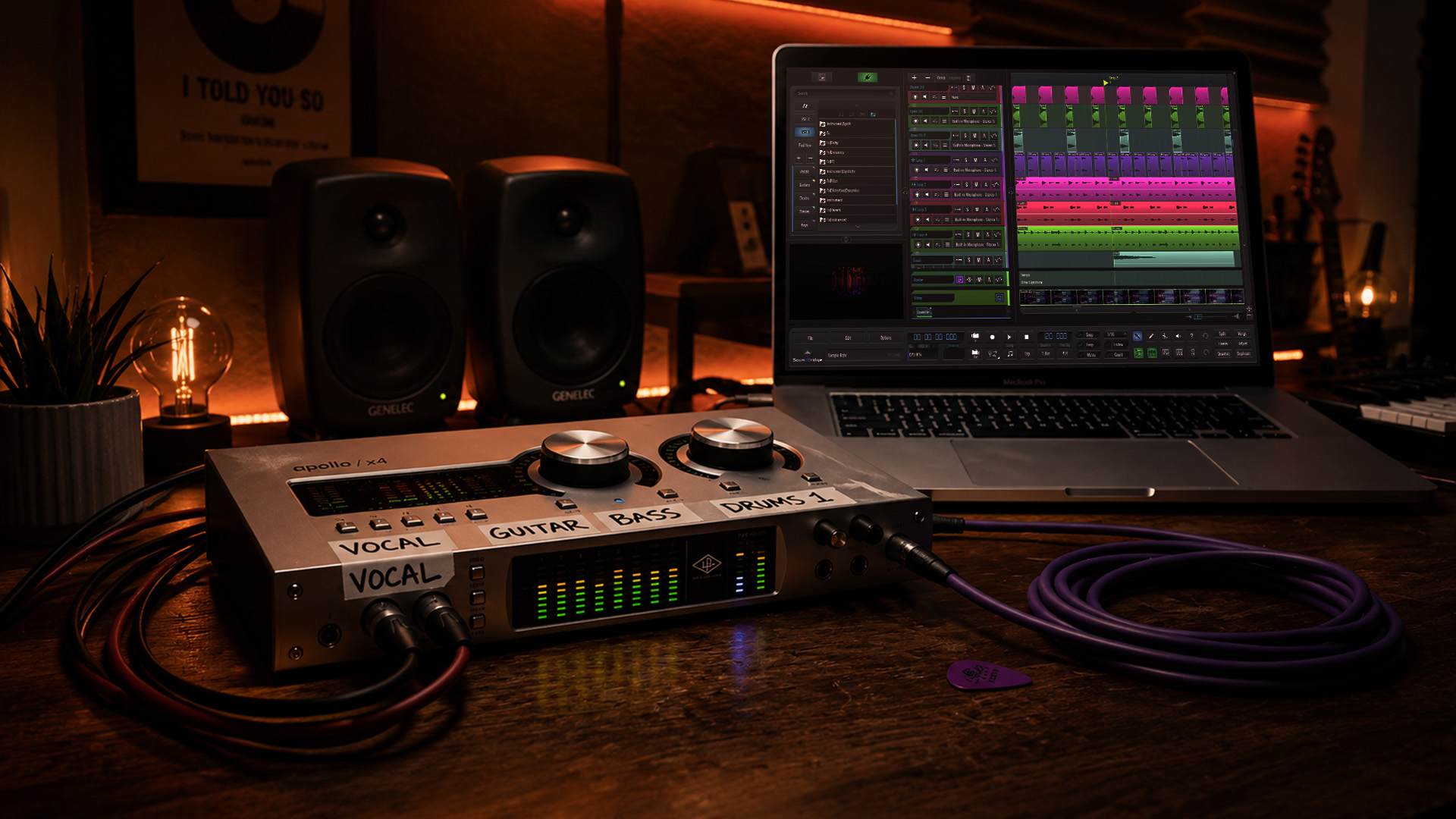
Driver stability is the factor most buyers overlook entirely. According to independent RTL performance testing, driver reliability varies dramatically across brands. RME excels in long-term reliability across ten-plus years of use, while some USB interfaces push impressively low RTL figures but suffer performance degradation under heavy session loads. Thunderbolt connections generally edge out USB for real-time tracking when stability under load is your priority.
Here’s a practical checklist to evaluate before committing to any interface purchase:
- Driver maturity: How long has the current driver version been in active development? Avoid first-generation hardware that ships with immature drivers.
- Manufacturer RTL specs vs. real-world RTL: Always test at your actual buffer size and session load. Manufacturer claims often exclude DAW overhead.
- Preamp headroom and noise floor: Look for a noise floor below 130 EIN (equivalent input noise) for clean vocal and acoustic recordings.
- Conversion quality and bit depth: 24-bit at 96kHz is a practical minimum for professional work. 32-bit float and 192kHz support are worth having for future-proofing.
- Workflow integration: Does the interface communicate cleanly with your chosen DAW? Check for compatibility with native control surfaces or mixer software.
- Channel count scalability: Can you add channels via ADAT or S/PDIF as your sessions grow?
| Feature | Budget USB | Mid-range USB/TB | Pro Thunderbolt/DSP |
|---|---|---|---|
| Preamp quality | Basic, functional | Clean, musical | Vintage warmth or surgical precision |
| RTL at 64 samples | 6-10ms typical | 3-6ms typical | 1-3ms typical |
| Driver stability | Variable | Generally reliable | Excellent (RME, UA) |
| DSP processing | None | Limited | Full plugin DSP engine |
| Channel scalability | Limited | ADAT expansion | Full routing matrix |
Working within a zero-latency DAW environment amplifies every one of these advantages, making the combination of a solid interface and the right software genuinely transformative. Producers who invest in quality video creation tools to document and share their sessions also find value in resources that enhance their visual storytelling alongside their audio work.
Pro Tip: Always benchmark your interface under a realistic session load before committing to it for critical work. Run a project with your typical plugin count, sample rate, and buffer size, then monitor CPU load and check for dropouts. Manufacturer RTL figures measured in isolation will rarely reflect your actual tracking experience.
Comparing Interface Types: Matching Needs With Gear
After decoding core features, matching interface types to specific production needs is the next step toward making the right choice. The physical and functional format of your interface shapes how you work every day.
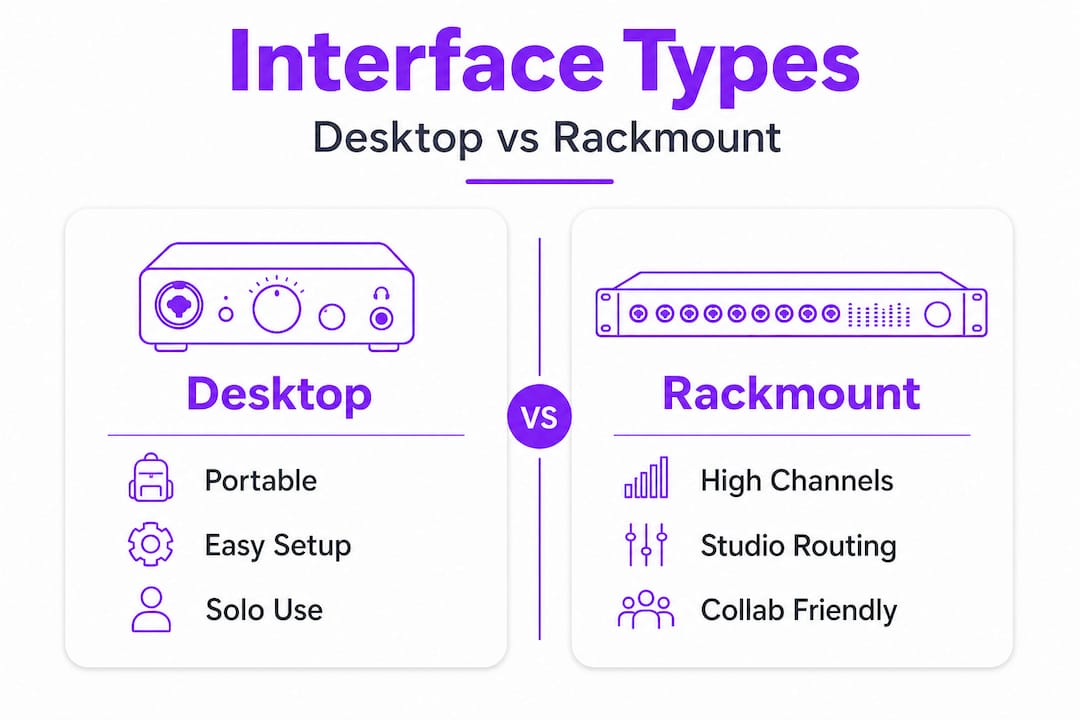
Desktop interfaces are compact units designed for single-user setups. They prioritize ease of use and portability, making them the go-to choice for home studio producers, bedroom beatmakers, and composers who travel. The Focusrite Scarlett series exemplifies this category: simple gain staging, a clean preamp, and a plug-and-play setup. Specs like a dynamic range of 122-130dB are now standard even in mid-range units, but workflow and integration consistently outweigh raw numbers in real daily use.
Rack-mounted interfaces are built for professional studios and project rooms that need high channel counts and deep routing flexibility. RME’s TotalMix FX is a flagship example of routing depth: you can create complex headphone mixes, monitor matrices, and independent cue mixes entirely within the hardware. These units are built for sessions involving multiple performers tracking simultaneously, post-production suites, and dedicated scoring stages.
Hybrid interfaces bridge the gap between convenience and professional capability. Units like the Universal Audio Apollo series combine high-quality conversion with onboard DSP processors, letting you run UAD plugins in real time without taxing your CPU. This is a game-changer for live tracking with compression and reverb printed in real time.
Here’s a breakdown of who benefits most from each type:
- Solo producers and composers: Desktop USB interfaces offer simplicity, reliable two-channel tracking, and clean headphone monitoring without unnecessary complexity.
- Collaborative studio environments: Rack units with ADAT expansion and advanced routing handle multi-performer sessions, separate cue mixes, and complex signal flows.
- Remote and hybrid teams: Interfaces with loopback functionality and networking features allow audio to be routed into streaming platforms or video call software without additional hardware.
- Film composers and post-production engineers: Hybrid interfaces with DSP let you audition reverb, dynamics, and spatial processing in real time during picture lock sessions.
Pro Tip: If you run remote sessions or podcasts alongside your music production, look for loopback functionality in your interface. Loopback routes your DAW output back into the interface as a recordable input, letting you capture entire session mixes, virtual instruments, and guest contributions directly without an extra patch bay or audio routing utility.
Looking deeper into specific production techniques, like layering kick drums for maximum punch or crafting unique sound effects, helps you understand exactly why clean, low-noise signal capture from your interface is such a critical foundation. Even creative decisions about making your vocals sound unique are heavily shaped by the preamp character your interface introduces at the front end.
Expert Nuances: Workflow, DSP, and Creative Possibilities
To fully leverage your investment, understanding expert nuances will empower you to personalize your workflow and creative output. Most spec-sheet comparisons stop at noise floor and channel count. The real conversation for experienced producers starts with analog character, DSP integration, and routing philosophy.
Superior preamps add analog character in genuinely audible ways. The Focusrite ISA C8X uses vintage transformer-coupled circuits that add harmonic texture to transient-heavy sources like drums and acoustic guitars. Universal Audio’s Unison preamp technology models the impedance and gain staging behavior of classic hardware, so your interface preamp physically responds like the original unit, not just tonally but electrically. These aren’t marketing claims. They’re engineering decisions with audible results.
Here’s what advanced interface features unlock for your creative process:
- Zero-latency DSP effects: Run compressors, EQ, and reverb directly in the hardware during tracking, so performers hear a polished mix without CPU overhead. The UA Apollo HEXA Core and Apogee ECS Channel Strip are strong examples.
- Analog warmth on the way in: Transformer-coupled preamps add low-order harmonic saturation, giving recordings a sense of depth and three-dimensionality that clean digital capture sometimes lacks.
- Flexible monitor mixing: Advanced routing software like RME TotalMix allows independent cue mixes for each performer, a feature that dramatically improves live tracking dynamics and performer confidence.
- Multi-user streaming: Networked interfaces can distribute audio across multiple workstations in the same studio or remotely, enabling genuine multi-user sessions without audio file bouncing.
- Stem capture with hardware summing: Some interfaces include analog summing options that let you mix stems through hardware before they re-enter the DAW, adding a warm, dimensional quality to dense mixes.
“Specs matter, but workflow wins. The interface that best matches your creative process will always outperform the unit with the best numbers on paper.”
Mastering parallel processing techniques and advanced arrangement strategies becomes significantly more powerful when your interface provides clean, character-rich signal paths to work with. For producers expanding their audience through visual platforms, music audience growth through video is an increasingly relevant extension of a strong audio foundation.
What Most Producers Miss About Audio Interfaces
Here’s the honest perspective after years of working in and observing professional production environments: most gear decisions are driven by spec anxiety. Producers see a dynamic range figure of 126dB versus 128dB and agonize over the difference. In practice, both numbers exceed the capability of almost every microphone, preamp, and acoustic environment you’ll ever record in. The spec war is largely irrelevant at the professional tier.
What actually determines whether an interface serves you well over the years of use is driver reliability. A unit with average specs and rock-solid drivers will outperform a spec-heavy interface with erratic drivers every single time. Real-world RTL under a live session load, not the number in a spec sheet, defines your daily experience. If your interface starts dropping audio or stuttering at 40 plugins, the noise floor rating is meaningless.
Equally underrated is workflow compatibility. The best interface for your setup is the one that integrates transparently with how you already work. That might mean seamless integration with a DAW control surface. It might mean monitor management software that opens instantly without conflicts. It might mean a hardware gain knob that feels tactile and responsive, because you reach for it constantly during mix revisions.
Pro Tip: Before buying any interface, research its driver history through user forums, not manufacturer pages. Look for reports about driver behavior after operating system updates, particularly after major macOS or Windows releases. A one-time firmware issue is forgivable. Repeated driver instability after every OS cycle is a workflow-breaking pattern worth avoiding entirely.
Stay connected with the music production community to find real-world user experiences and honest interface comparisons that go beyond spec sheets.
Enhance Your Workflow: Next Steps With SoundBridge
Ready to put everything you’ve just learned into immediate practice? SoundBridge DAW is built precisely for producers, engineers, and composers who take signal quality and collaboration seriously. With zero-latency remote recording, 192kHz support, and bi-directional plugin control, it pairs seamlessly with any professional interface you choose.

Whether you’re exploring your first professional DAW setup or diving deep into advanced mix theory through our equalization guide, SoundBridge gives you the tools and resources to grow at every stage of your craft. Pair a quality audio interface with a platform designed for real-world creative work, and your sessions will feel as good as they sound.
Frequently Asked Questions
What does an audio interface do in a music production setup?
An audio interface converts analog signals from instruments and microphones to a digital format for recording and processing in DAWs, and back to analog for monitoring with high-fidelity accuracy.
How does driver reliability affect audio interface performance?
Reliable drivers ensure stable, low-latency operation during recording and mixing, especially under heavy sessions. As independent RTL testing confirms, brands like RME have maintained driver excellence for over a decade, while others struggle under real session loads.
What features matter most for collaborative production environments?
Multi-channel routing, loopback, networking, and reliable low-latency performance are essential. Real-world testing shows that loopback and networking features also turn interfaces into capable streaming and podcast hubs for remote team sessions.
Do specs like dynamic range and channel count matter as much as workflow integration?
Specs are important, but workflow integration consistently wins in daily production use. Routing depth, software reliability, and ease of use determine your creative momentum far more than a 2dB difference in dynamic range.
How can audio interfaces improve sound quality?
Superior preamps and advanced DSP, such as vintage transformer circuits and UA Unison technology, boost clarity and add unique analog character, elevating recordings in ways that purely digital processing rarely achieves.
Recommended
MASTER MUSIC PRODUCTION
Expert-led courses designed to take you from fundamentals to finished tracks.

HOUSEFrom bouncy bass and solid kicks, this course teaches you the most modern House music production techniques needed to succeed and stand out.

TRAPQuit sounding like generic Trap and produce something World with hints of the Far East. Create ethnic soundscapes to put your Trap ahead of the curve.

AMBIENTProduce relaxing, sophisticated psy-influenced ambient. Psychedelic and relaxing to listen to, create meditative soundscapes to put your listeners in Zen.