

DAW with Real-Time Audio Streaming: Producer's Guide
Last Edited: Jun 8, 2026
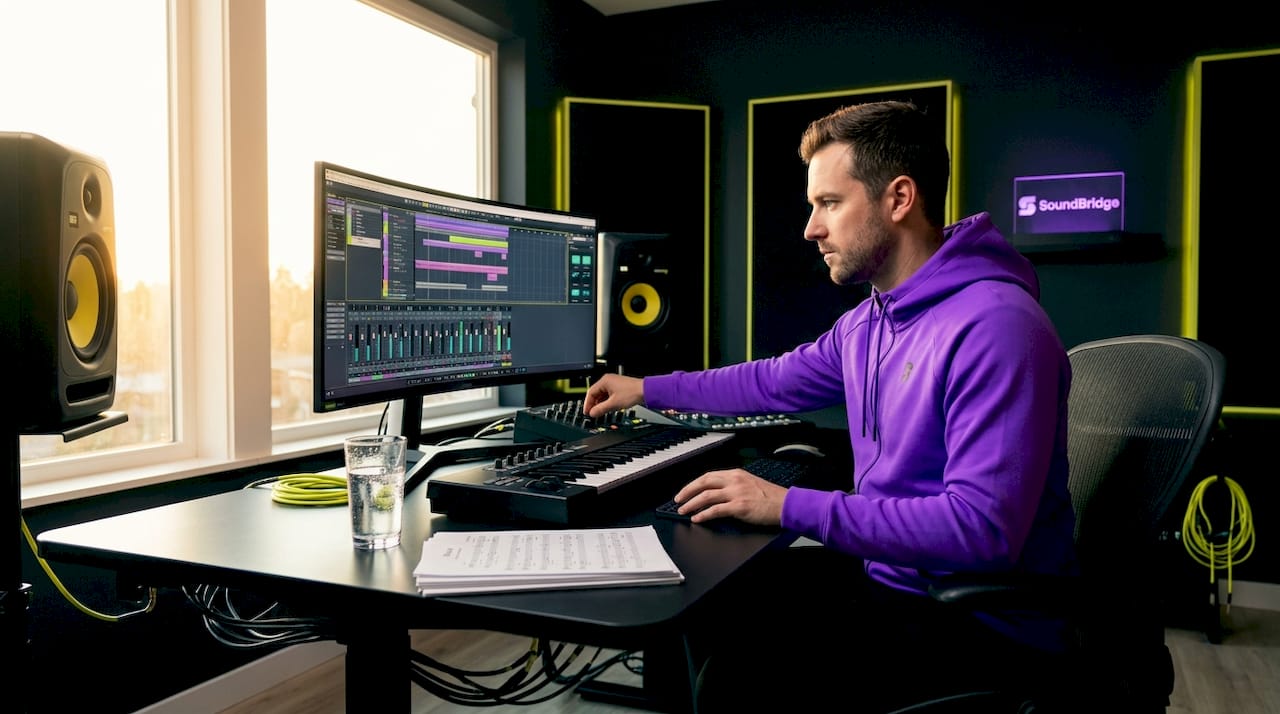
A DAW with real-time audio streaming is defined as a digital audio workstation that transmits synchronized audio between processes, machines, or collaborators with latency low enough to preserve musical timing. The industry-standard term for this capability is real-time audio transport, which splits into two distinct architectures: local shared memory for same-machine routing and network-based audio transport for remote sessions. Tools like Ableton Link Audio, VOID Shared Memory, and discoLink each represent a different point on that spectrum. Understanding which architecture best fits your workflow determines whether your remote session feels like a live room or a laggy phone call.
What Technologies Enable Real-Time Audio Streaming in DAWs?
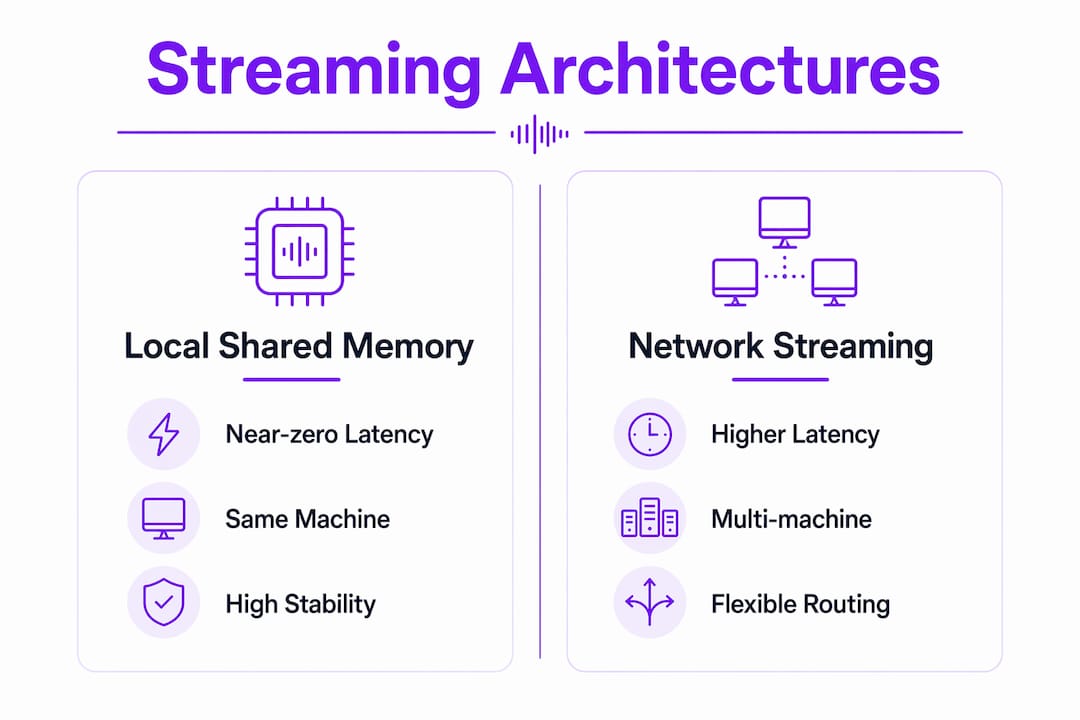
The two architectures behind real-time audio production are fundamentally different in how they move audio data, and confusing them is the most common source of instability in production setups.
Local shared memory routes audio directly through RAM between processes on the same machine: no network stack, no OSC, no MIDI overhead. VOID Shared Memory uses a unified memory layout with heartbeat synchronization to exchange data between Ableton Live, Max/Max for Live, and TouchDesigner. The result is deterministic, near-zero latency that outperforms any protocol that touches a network interface. This architecture is ideal for audiovisual performance rigs where Ableton Live handles audio while TouchDesigner drives visuals, all in perfect sync.
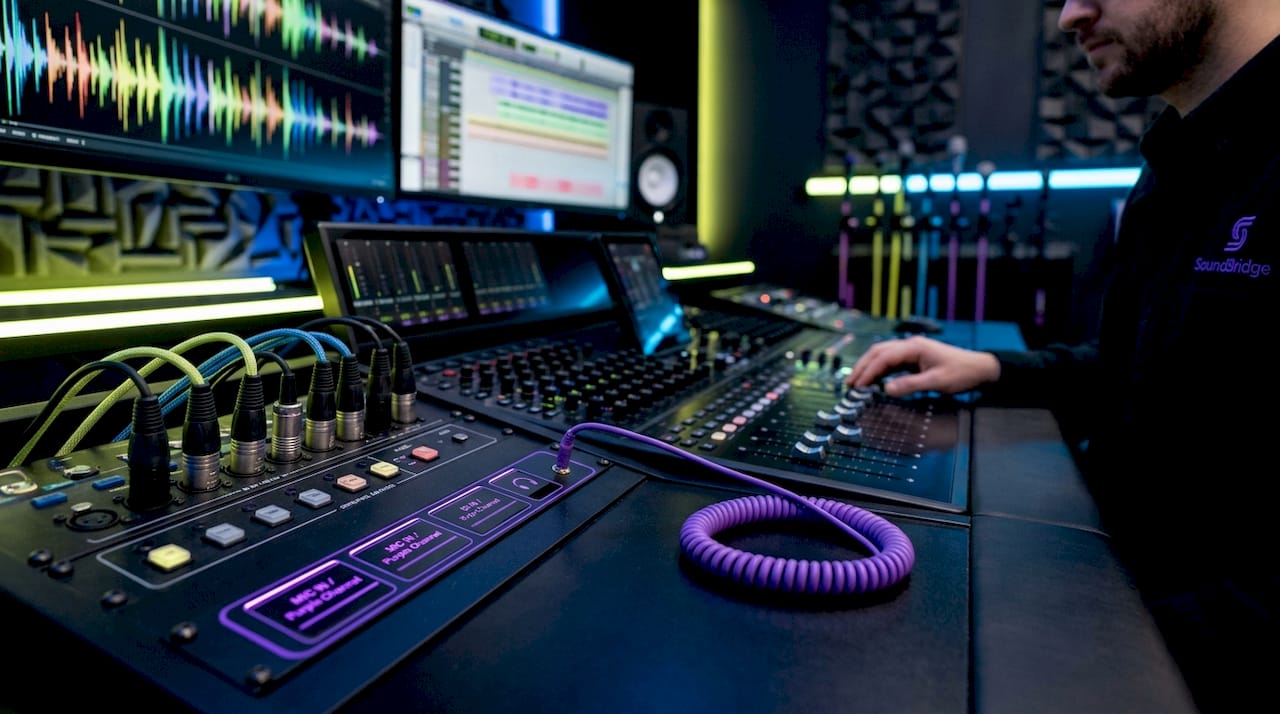
Network-based audio transport moves audio across a LAN or WAN with beat alignment and latency compensation. Ableton Link Audio, introduced in Ableton Live 12.4, transmits audio between Link peers over a local network, with timestamped channels aligned on a shared Link timeline to compensate for clock drift. This is the architecture you reach for when collaborators are in different rooms or different cities.
Here is a breakdown of the core approaches:
- VOID Shared Memory: Same-machine IPC via RAM. No network dependency. Deterministic latency. Best for live performance and AV systems.
- Ableton Link Audio: LAN-based audio transport with beat-synced timeline. Supports multiple named channels per peer. Best for local network jam sessions.
- discoLink by discoDSP: Shared memory with lock-free ring buffers for cross-plugin audio and MIDI transport. Near-zero latency with three transport modes.
- Audiomovers Omnibus and Waves Stream: Cloud-routed audio for remote sessions over the internet. Higher latency but accessible from anywhere.
Pro Tip: Never mix a shared-memory plugin with a network-streaming plugin in the same signal chain without a clear routing plan. The latency mismatch between the two architectures will cause timing drift that no buffer adjustment can fix.
How Do Top DAWs and Plugins Implement Real-Time Streaming?
Ableton Live 12.4 is currently the most capable native DAW for real-time audio streaming on a local network, thanks to its built-in Link Audio integration. Link Audio supports multiple named audio channels per peer, with each stream timestamped against the shared Link timeline. This means two producers on the same Wi-Fi network can route audio between their sessions as if they were using a virtual patch bay, with beat-accurate alignment handled automatically.
For same-machine workflows, the VOID ecosystem significantly extends Ableton Live’s capabilities. VOID Shared Memory creates a reliable communication channel between processes using epoch invalidation and a heartbeat counter, making it the go-to solution for producers who run Ableton Live alongside Max for Live patches or TouchDesigner visuals. The absence of any network stack means the latency is as close to zero as your hardware allows.
discoDSP’s discoLink takes a different approach to the same problem. It uses a lock-free ring buffer architecture that prevents mutex locks and memory allocations in real-time threads, which is critical for glitch-free audio. Its audio buffers hold 16,384 samples per channel, and it supports three transport modes: Audio+MIDI combined, Audio only, and MIDI only. That flexibility makes it useful for producers who need to pass both audio and control data between plugin instances without leaving their DAW environment.
For remote internet sessions, tools like Audiomovers Omnibus and Waves Stream handle the software duties of live audio streaming by routing studio-quality audio through cloud infrastructure. These tools accept higher latency in exchange for global reach, making them the practical choice for producers collaborating across time zones rather than across a studio floor.
Key plugin tools for real-time DAW streaming:
- VOID Shared Memory: Ableton Live, Max/Max for Live, TouchDesigner integration via RAM
- discoLink: Cross-plugin audio and MIDI transport with lock-free ring buffers
- Ableton Link Audio: Native LAN streaming built into Ableton Live 12.4
- Audiomovers Omnibus: Cloud-based remote audio routing for internet sessions
- Waves Stream: Low-latency remote audio delivery for professional remote tracking
What Are the Practical Latency and Stability Considerations?
Latency in real-time streaming setups is not a single number you set once. It is a negotiation between all peers in a session, and treating it as a personal setting is the fastest way to break synchronization.
Ableton Link Audio users report that the default 100 ms latency setting works well on wired connections but breaks down on wireless connections. When dropouts occur, the correct fix is raising latency to 150 ms or more across all connected peers simultaneously. A unilateral change on one machine causes desync because the shared Link timeline requires consensus on timing offsets. This is a peer-consensus model, not a client-server model, and it behaves accordingly.
For shared memory systems like discoLink, the stability challenges are different. Buffer sizes and message payloads require careful tuning to avoid glitches unrelated to network conditions. The lock-free Single-Producer Single-Consumer ring buffer prevents the most common real-time threading hazards. Still, if your buffer alignment is off or your payload size exceeds the ring buffer capacity, you will hear artifacts that look like network dropouts but are actually memory management issues.
VOID Shared Memory sidesteps most of these concerns by design. Its deterministic memory layout and heartbeat synchronization make it the most stable option for same-machine workflows, particularly in live performance contexts where a dropout is not recoverable. The trade-off is that it only works between processes on the same physical machine.
Pro Tip: Before your session goes live, test your latency settings with all collaborators connected and run a full transport cycle. Dropouts that appear only under load often trace back to buffer-size mismatches, not to connection quality.
Practical stability checklist for live streaming sessions:
- Agree on latency settings with all peers before starting transport.
- Use wired Ethernet for Ableton Link Audio sessions whenever possible.
- Tune discoLink buffer sizes during soundcheck, not during performance.
- Keep shared memory and network streaming tools in separate signal chains.
- Monitor CPU load continuously. Real-time audio threads compete with plugin processing.
Which Browser-Based DAW Offers Real-Time Collaborative Streaming?
Browser-based platforms represent a genuinely different approach to DAW remote sync. They trade routing flexibility for zero-install accessibility, and for many remote collaboration scenarios, that trade is worth making.
OpenStudio delivers sub-30ms latency in browser-based sessions, with an optional native Rust bridge that reduces hardware latency further for supported setups. It supports multi-user online rooms with synced backing tracks, making it functional for real-time co-writing without requiring any DAW installation. The Rust bridge is the key differentiator: it brings OpenStudio closer to native DAW performance without forcing users to install a full application.
Audiotool operates at a different scale entirely. With 300,000+ monthly users and over 600,000 collaborations, it is the largest active browser-based collaborative music platform. Its NEXUS developer platform exposes full read/write access to live DAW sessions, enabling third-party tools to interact with active sessions in real time. That openness makes Audiotool more than a DAW. It is a platform for building music tools on top of a live production environment.
| Platform | Architecture | Latency profile | Best use case |
|---|---|---|---|
| OpenStudio | Browser + optional Rust bridge | Sub-30ms with native bridge | Remote co-writing, no install required |
| Audiotool | Cloud-based browser DAW | Variable, cloud-dependent | Large-scale collaboration, community sessions |
| Ableton Live 12.4 | Native DAW + Link Audio | ~100ms LAN, tunable | Local network jam sessions, studio setups |
| discoLink | Native plugin, shared memory | Near-zero, same machine | Cross-plugin routing within one DAW host |
Browser-based DAWs significantly reduce setup friction for remote collaboration but introduce additional latency compared to native DAWs and offer less control over audio routing. For producers who need to route audio through specific hardware interfaces or run low-latency plugin chains, a native DAW with a purpose-built streaming plugin remains the stronger choice. For educators, community sessions, or quick remote sketching, browser-based platforms like Audiotool and OpenStudio remove barriers that would otherwise prevent a session from starting. You can explore how cloud-based DAWs fit into modern workflows in Soundbridge’s 2026 collaboration guide.
Key Takeaways
A DAW with real-time audio streaming requires choosing the right architecture first: local shared memory for same-machine deterministic routing, and network transport for remote or LAN-based collaboration.
| Point | Details |
|---|---|
| Architecture determines latency | Shared memory (VOID, discoLink) delivers near-zero latency; network transport (Link Audio) adds 100ms or more. |
| Peer consensus on latency settings | All collaborators must agree on latency values in Ableton Link Audio sessions to prevent desync. |
| Buffer tuning is non-negotiable | discoLink ring buffer sizes and payload alignment directly affect glitch performance, independent of network quality. |
| Browser DAWs trade flexibility for access | Platforms like Audiotool and OpenStudio remove installation barriers but limit hardware routing and add cloud latency. |
| Mixing architectures causes instability. | Running shared memory and network streaming in the same chain without clear routing creates timing drift. |
Why Is Architectural Clarity the Real Skill Here
Most producers I’ve worked with hit a wall not because their gear is wrong, but because they are running two different streaming architectures without realizing it. They have discoLink handling cross-plugin routing on the same machine while also running Ableton Link Audio to a collaborator across the room, and they wonder why the timing feels loose. The answer is almost always that the latency compensation for one system is fighting the other.
The insight that changed how I approach these setups is treating local shared memory and network transport as completely separate signal paths that never touch. VOID Shared Memory and discoLink belong to the same-machine layer. Ableton Link Audio and Waves Stream are part of the network layer. When you keep those layers clean, both work exactly as advertised.
The other thing worth saying plainly is that wireless is the enemy of stable real-time streaming. Every dropout I have traced in a Link Audio session came back to Wi-Fi jitter, not software bugs. Wired Ethernet is not a preference for these workflows. It is a requirement. If you are serious about remote music collaboration, the cable investment pays for itself the first time you avoid a session-killing dropout.
Browser-based platforms like Audiotool are genuinely exciting for community and educational use, but I would not use them for a professional tracking session. The routing control you give up is too significant when you need to run specific hardware interfaces or low-latency plugin chains. Know what you are optimizing for before you choose your platform.
— Wake
Take Your Real-Time Production Further With SoundBridge

Soundbridge is built for producers who need more than a basic DAW. Its zero-latency remote recording features handle real-time remote tracking with studio-accurate synchronization, integrated talkback, and bi-directional plugin control at up to 192kHz. Whether you are tracking a vocalist in another city or running a synchronized AV performance, Soundbridge gives you the infrastructure to do it without compromise. If you are still building your foundation, the 2026 DAW guide covers everything from core concepts to advanced streaming workflows. Your next session deserves a platform that keeps up with your ambition.
FAQ
What is a DAW with real-time audio streaming?
A DAW with real-time audio streaming transmits synchronized audio between processes or collaborators with a latency low enough to maintain musical timing. The two main architectures are local shared memory for same-machine routing and network-based transport for remote sessions.
How does Ableton Link Audio work for live streaming?
Ableton Link Audio transmits audio between peers on a local network using timestamped channels aligned to a shared Link timeline. The default latency is 100ms, and it can be increased for stability over wireless connections.
VOID Shared Memory routes data between Ableton Live, Max, and TouchDesigner via RAM with heartbeat synchronization. discoLink uses lock-free ring buffers for cross-plugin audio and MIDI transport. Both achieve near-zero latency but serve different routing scenarios within the same machine.
Can browser-based DAWs replace native DAWs for real-time collaboration?
Browser-based platforms like Audiotool and OpenStudio reduce setup friction and support real-time co-creation. Still, they trade hardware routing flexibility and sometimes add cloud latency compared to native DAWs with dedicated streaming plugins.
Why do dropouts happen in Ableton Link Audio sessions?
Dropouts in Link Audio sessions most commonly result from wireless jitter or mismatched latency settings across peers. Raising latency collectively to 150ms or more across all connected machines stabilizes synchronization without breaking the collaborative workflow.
Recommended
DOMINA LA PRODUZIONE
Corsi guidati da esperti per portarti dalle basi alle tracce finite.

HOUSEDa bassi rimbalzanti e kick solidi, questo corso insegna le tecniche di produzione House più moderne per riuscire e distinguerti.

TRAPSmetti di suonare come Trap generica e produci qualcosa di World con tocchi del Far East. Crea soundscape etnici per portare la tua Trap avanti.

AMBIENTProduci ambient rilassante e sofisticata con influenza psy. Psichedelica e rilassante all'ascolto, crea soundscape meditativi per mettere i tuoi ascoltatori in Zen.