

Top 4 Lightweight DAWs 2026
Last Edited: Jun 17, 2026
Finding a lightweight DAW that streamlines your creative process without missing essential features is harder than it should be. Most mainstream DAWs either restrict cross-device workflows or require costly upgrades for collaboration, sound libraries, or export options. This side-by-side comparison lets you match the top four alternatives directly to your workflow and budget so you avoid wasted trial periods.
SoundBridge
At a Glance
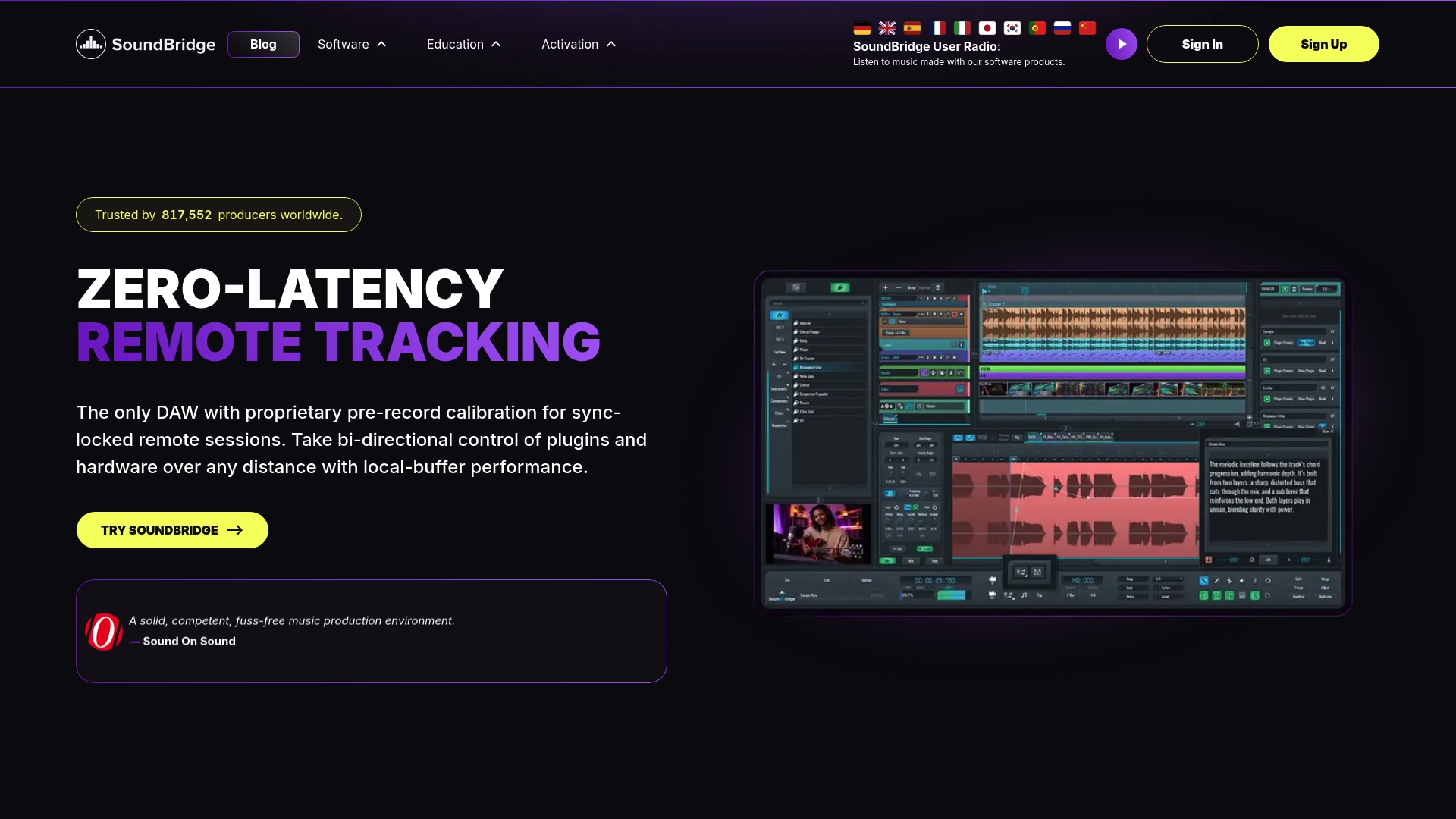
192kHz native audio processing gives SoundBridge a clear advantage in fidelity for critical mixing and film scoring. The DAW pairs that audio engine with zero-latency remote tracking, so collaborators record with minimal lag. Its interface focuses on quick workflow setup, so you spend more time producing and less time configuring.
Core Features
- High fidelity 192kHz audio engine. Full support for high sample rates and high-quality time stretching for film scoring and sound design.
- Real-time remote collaboration. Studio accurate synchronization, integrated video and talkback, and session recording let remote bands work together live.
- Full VST plugin support and advanced editing. Automation, mapping, and multi-track editing cover both MIDI sequencing and detailed audio work.
- Native sampler and instruments. Built-in sampler with 64 slots and a broad set of effects for beat making and sampling.
- Customizable GUI skins and window detachment for multi-monitor setups and personalized workflows.
Key Differentiator
Cutting-edge virtual collaboration with ultra-low latency and synchronized remote recording is the feature that sets SoundBridge apart from lightweight DAW alternatives. The vendor emphasizes live session parity so remote performers can track together with studio timing. That design reduces the usual lag and juggling of file transfers during online sessions.
Pros
-
Flexible collaboration tools let you run live remote sessions with integrated video and talkback. This reduces the need for separate conferencing apps.
-
High-quality audio processing supports professional mixing and scoring at 192kHz. That clarity matters when you export stems for mastering.
-
Unlimited tracks in paid plans make large projects and film sessions manageable without artificial limits. You can move from sketch to full arrangement without bouncing to new projects.
-
Native sampler with 64 slots, plus VST support, covers sampling, beatmaking, and plugin-based sound design. Producers can build instruments and recall them in sessions.
-
Customizable GUI and detachable windows accommodate multi-monitor setups for mixing and editing workflows.
Cons
- The free version limits you to 10 tracks, and full collaboration features require a premium subscription or a lifetime license.
Who It’s For
Producers, composers, and bands who need a high-fidelity DAW that supports remote recording will get the most from SoundBridge. It suits musicians who record contributors across locations and film composers who need ultra-high sample rates and native video support. Hobbyists who later plan to scale to paid plans will find the upgrade path straightforward.
Unique Value Proposition
Zero-latency remote tracking and studio-accurate synchronization let you treat remote musicians like in-studio players. That lowers coordination overhead and can shorten session time when multiple contributors record takes. For teams that trade time zones for talent, this changes how quickly a complete track comes together.
Real World Use Case
A band spread across continents opens a session, connects to a single SoundBridge room, and records drums in one location while the guitarist handles overdubs in another. They use integrated video to cue changes and mix down with the 192kHz engine for a final master that stays true to the source tracks.
Pricing
A free version is available with a 10-track limit. Premium options use monthly or annual subscriptions or a one-time lifetime license. Paid plans add unlimited tracks, full collaboration, and advanced features.
Website: https://soundbridge.io
n-Track Studio
At a Glance
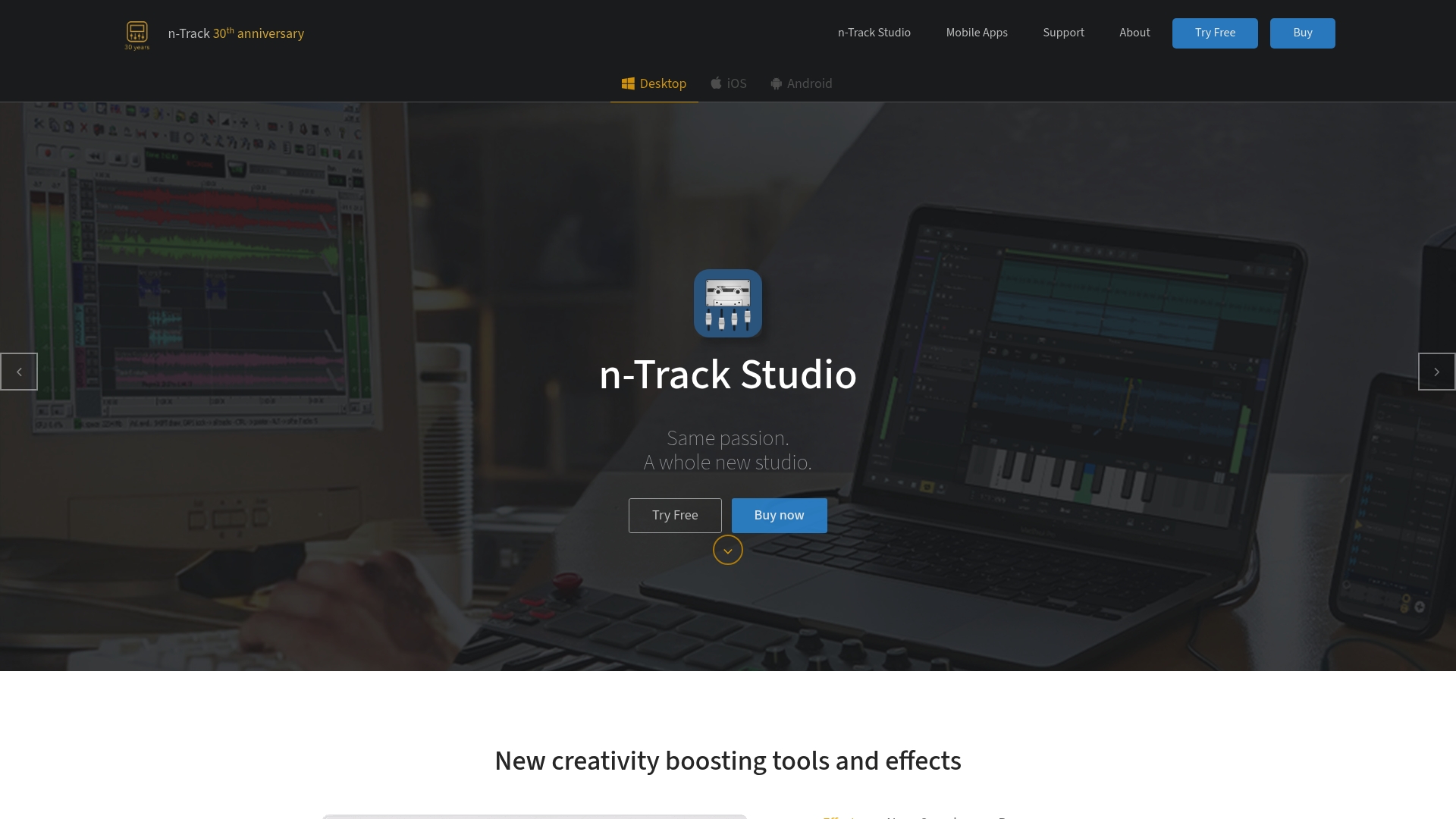
n-Track Studio runs on Windows, Mac, Linux, iOS, and Android, and offers surround mixing support for 5.1, 6.1, and 7.1 setups. The app combines track recording, MIDI support, and a large library of royalty-free loops and instruments. For producers who move between desktop and tablet, it lets you keep projects across devices.
Core Features
n-Track Studio delivers multi-track recording and editing for audio and MIDI. It includes a wide range of built-in and third-party plugins, effects chains, and custom presets. The app supports surround sound mixing and control surface use. You also get a large library of royalty-free loops, ongoing updates, and online support.
Key Differentiator
The standout is its cross-platform support across desktop and mobile devices with project synchronization. That approach lets you start a session on a laptop and continue on a tablet without rebuilding tracks. It targets users who need the same DAW experience across multiple operating systems.
Pros
-
Affordable pricing tiers make full DAW features accessible to budget-conscious musicians. The lower entry price lowers the barrier to starting production.
-
Works across Windows, Mac, Linux, iOS, and Android, so you can move projects between devices without switching software. This suits mobile sketching and desktop mixing.
-
Supports control surfaces and standard plugin formats so you can integrate hardware and third-party instruments. That keeps existing studio gear useful.
-
A large library of royalty-free loops and instruments cuts finishing time when you need ready sounds. It helps songwriters sketch arrangements quickly.
-
Regular updates and an active support base provide fixes and new content rather than leaving users on an old build.
Cons
-
The interface can feel dense and overwhelming for absolute beginners. Expect a learning curve to find workflow shortcuts.
-
Some advanced tools require time to learn before they become efficient. You will spend hours mastering deeper routing and surround settings.
-
Mobile app feature sets are smaller than desktop releases, so projects built for phones or tablets may not include the same toolset.
When It May Not Fit
If you need a minimal, distraction-free app for one task, n-Track Studio may be too feature-rich. Users who rely exclusively on mobile work should expect reduced capability compared with desktop versions. If your team requires a single vendor ecosystem, a DAW with exclusive cloud collaboration features might suit you better.
Who It’s For
This DAW suits musicians, producers, and audio engineers who want a single tool that works across multiple devices and operating systems. It suits singer-songwriters who record on the road and finish mixes at home. Budget-conscious studios that still need surround mixing will find its feature set attractive.
Real World Use Case
A singer-songwriter records guitar and vocal takes on Windows at home, saves the project, then opens it on an iPad to add MIDI piano and finalize the arrangement. The artist uses the royalty-free loop library for a percussion bed and exports a stereo mix from the desktop with surround stems for a video project.
Pricing
Pricing varies by edition. Standard is $69, Extended is $139, Suite is $229, and Suite plus is available as a subscription that includes additional assets and future upgrades. Compare editions based on the included instruments and plugin bundles.
Website: https://ntrack.com
Anvil Studio
At a Glance
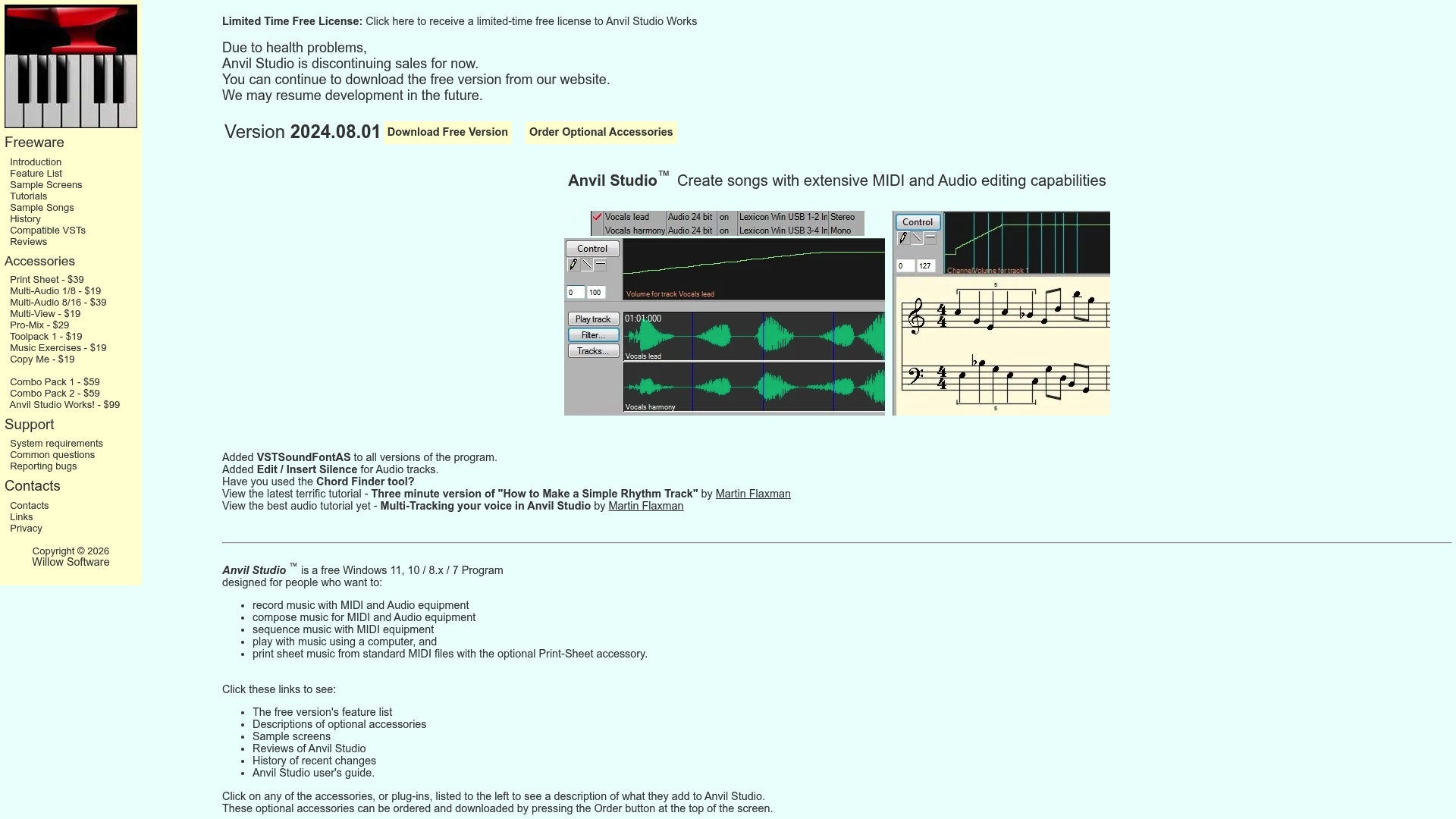
The Anvil Studio site currently lists it as free notation and MIDI creation software, but public pages return errors that block access to feature details. Broken links mean reviewers and users cannot verify current capabilities. That lack of accessible documentation limits assessment for anyone evaluating lightweight DAWs.
Core Features
Available product data is sparse because the website pages were not viewable. The listing indicates a focus on music composition, notation, and MIDI creation. Beyond that, no confirmed instrument libraries, export formats, or editing tools could be verified from the provided content.
Key Differentiator
The clearest differentiator in the source material is the claim of a focus on simplicity and free access for notation and MIDI work. For musicians seeking a low-cost entry point into scoring and sequencing, that combination would matter. The lack of live documentation makes it hard to test how that simplicity is implemented in practice.
Pros
-
The vendor positions the tool as free, which lowers the barrier for students and hobbyists to try notation and MIDI work.
-
The product appears targeted at composition and notation, so the workflow likely centers on score creation rather than mixing or advanced audio editing.
-
The available use cases suggest usefulness for music students who need a basic notation editor for assignments.
-
Minimal marketing text makes it simple to understand the intended audience without distraction from tiered plans.
Cons
-
The website errors prevent verification of features. That makes it risky to rely on Anvil Studio for critical projects.
-
No confirmed integrations or supported export options were available in the data. You cannot confidently plan a toolchain around it.
-
The data does not confirm active maintenance. That raises questions about bug fixes and compatibility with modern operating systems.
-
No user reviews or external validation exist in the provided content to assess stability or workflow quality.
When It May Not Fit
If you need reliable, documented features for collaborative projects, this product is a poor fit. If your work depends on stable export formats, plugin support, or active updates, the missing information makes planning impossible. Choose a solution with clear documentation when dependability matters.
Who It’s For
Musicians, composers, and students seeking a no-cost tool for drafting scores and building MIDI tracks will find the stated focus appealing. The product suits learners who prioritize notation practice over advanced production features. Do not rely on it for studio sessions without first confirming functionality.
Real World Use Case
A music student opens the site to compose and notate a short piece for class. They draft parts, save MIDI for playback, and print scores for rehearsal. The workflow matches basic composition needs if the software functions as advertised.
Pricing
The product data labels pricing as not applicable and describes the tool as free. There are no details about paid tiers or optional upgrades in the available content. Verify current licensing on the website before committing to course or project work.
Website: https://anvilstudio.com
Bitwig Studio
At a Glance
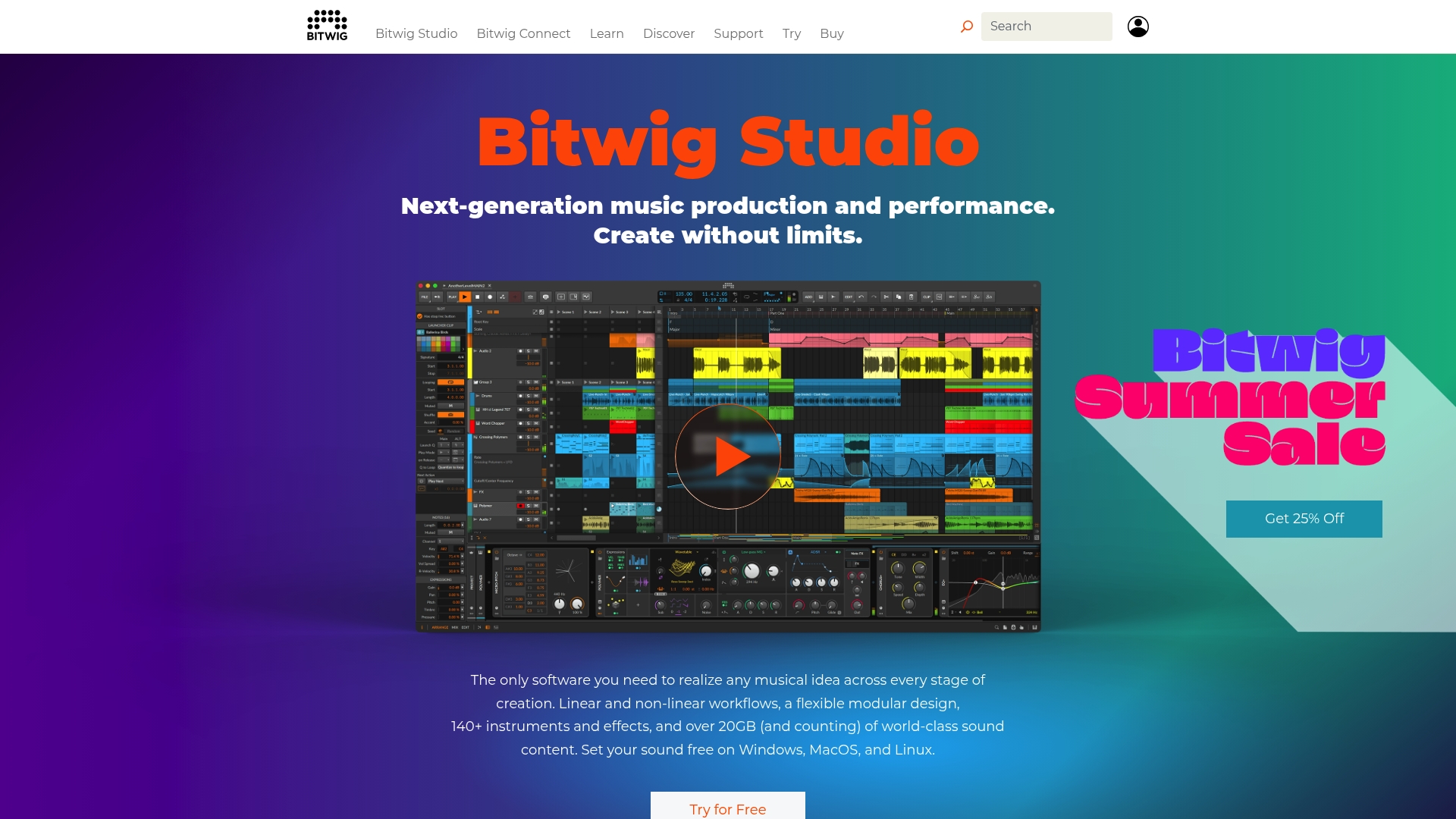
Includes more than 20GB of high-quality sound content and a library of 140+ instruments and effects for immediate composing and sound design. The DAW runs on Windows, Mac, and Linux and supports studio work and live sets. The Grid provides a modular rack for building custom instruments and processors inside a single project.
Core Features
Bitwig combines linear arrangement and nonlinear clip-based workflows so you can switch between sketching and full production. The Grid provides node-based patching for synthesis and audio processing within tracks. The package includes extensive hardware controller support, flexible modulation routing, and an interface that scales across multiple screens and touch input.
Key Differentiator
Bitwig’s standout feature is The Grid, a fully integrated modular environment for custom instruments and experimental processing. That system encourages the creation of unique signal paths and complex modulations without leaving the DAW. Compared with SoundBridge, Bitwig targets users who want deep modular sound design and live performance tools rather than a collaboration-focused workflow.
Pros
-
Highly versatile environment that supports both arrangement- and clip-based scenes. This flexibility suits producers who switch between composing and live improvisation.
-
Strong modular synthesis via The Grid, letting sound designers create bespoke instruments and unusual effect chains. The Grid reduces the need for external modular hardware in many setups.
-
Cross-platform support, including Linux. Producers using Linux have access to a fully supported commercial DAW option.
-
A broad content library includes devices that speed up starting tracks. You can quickly sketch ideas without making immediate plugin purchases.
Cons
-
The interface and modular concepts may overwhelm beginners without prior DAW experience. Expect a learning curve when first exploring The Grid and advanced modulation.
-
Some advanced modules and the full sound content require higher-tier editions. That means the cheapest edition may feel limited for power users.
-
Pricing can be a consideration for hobbyists when comparing cheaper entry-level tools. The full Producer edition sits at the higher end of single-purchase DAWs.
When It May Not Fit
If you need a DAW that prioritizes simple remote collaboration and tight, studio-style remote tracking, Bitwig may not match SoundBridge’s collaboration features. Also, avoid Bitwig if you want a minimal, instant workflow with no learning curve. Choose a different DAW if you plan to rely only on the lowest price tier for advanced sound design.
Who It’s For
Musicians, producers, and sound designers who want deep sound-design tools and performance features will get the most out of Bitwig. It fits creators who value modular patching and hardware integration. It also appeals to Linux users who need a professional, native DAW.
Real World Use Case
A sound designer builds a custom granular instrument inside The Grid and maps it to a hardware controller for a live improvisation set. They run the same project on Linux while controlling external synthesizers and recording stems. The workflow keeps design, performance, and recording within a single session.
Pricing
Bitwig offers tiered editions. Prices range from about USD 75 for Essentials to USD 299 for the Producer edition, with periodic discounts during sales periods. Higher editions unlock additional instruments, devices, and full sound content.
Website: https://bitwig.com
Competitor eligibility:
- Excluded products (discontinued / inaccessible / under construction): Anvil Studio (due to limited information, inaccessible product details).
- Remaining usable competitors: SoundBridge, n-Track Studio, Bitwig Studio.
Intro pre-write:
- Does SoundBridge.io clearly outpace every usable competitor on a single dimension? YES
- If YES: The feature of ultra-low latency real-time collaboration and synchronized remote recording.
- For digital musicians and sound designers seeking an agile, capable digital audio workstation (DAW), numerous options offer diverse features tailored to distinct workflows.
Competitor wins pre-write:
- Which competitor wins which dimension: n-Track Studio wins cross-platform compatibility because it works on desktop and mobile, spanning Windows, Mac, Linux, iOS, and Android.
- Does this dimension matter to the primary reader? YES: Expanded versatility across different devices enhances the DAW's utility for mobile and remote users.
Best Fit uniqueness check:
- List each bullet scenario in one clause: SoundBridge for real-time collaboration / Bitwig Studio for modular sound design and complex signal processing / n-Track Studio for cross-platform project integration and mobility.
- Can any two be swapped without changing meaning? NO
Our Pick pre-write:
- The ONE capability unique to soundbridge.io in this set is ultra-low-latency remote recording and studio sync.
- Evidence from the reviews: “Zero latency remote tracking and studio accurate synchronization let you treat remote musicians like in-studio players.”
- SoundBridge is the best option for professionals and bands seeking high-fidelity audio processing and remote collaboration to enhance productivity and accuracy.
- Substitution test: n-Track Studio is the best option for professionals and bands who need high-fidelity audio processing and remote collaboration features to enhance productivity and accuracy.
- Does the substituted version still work as a recommendation? NO
- If YES: rewritten closing sentence: Not applicable.
Comparison of Alternatives
For digital musicians and sound designers seeking an agile, capable digital audio workstation (DAW), numerous options offer diverse features that cater to distinct workflows. Among the reviewed platforms, each demonstrates distinctive strengths that enhance creative expression and production efficiency.
Platform Accessibility and Device Usage
When considering the accessibility of creating and managing projects across multiple devices and platforms, n-Track Studio stands out. With support for Windows, Mac, Linux, iOS, and Android, it allows users to transition their workflows from a desktop setup to a more mobile environment, such as a tablet, providing the flexibility valued in a modern, on-the-go production landscape. The platform’s compatibility with various operating systems further strengthens its appeal for those working across different digital environments.
Modular Design and Creative Flexibility
For those focused on in-depth sound customization and modular design, Bitwig Studio excels with its “Grid” feature. This environment empowers sound designers and electronic music producers to create custom synths, complex modulations, and unique audio effects directly within the DAW. Such capacity is for experimental soundwork and for artists who require advanced sound engineering capabilities.
Best fit
- SoundBridge: Ideal for music professionals needing efficient high-fidelity audio quality combined with advanced real-time remote collaboration and zero-latency remote tracking for teamwork across various locations.
- n-Track Studio: Best suited for musicians utilizing both desktop and mobile platforms for recording and editing, offering project synchronization across devices in addition to traditional DAW features.
- Bitwig Studio: Recommended for creators prioritizing modular sound design and the development of unique audio instruments or complex signal processing within a single environment.
Our Pick
For users seeking a digital audio workstation that enables high-fidelity audio production and advanced real-time collaboration tools, SoundBridge is a standout solution. Features like its ultra-low-latency remote tracking and 192kHz native audio processing provide a powerful, highly capable platform for artists and bands working across locations. However, mobile-exclusive users or those emphasizing hardware integration might explore alternatives such as n-Track Studio or Bitwig Studio to better align with their unique production needs and workflows.
Consider the following comparison to identify the best digital audio workstation suited to your needs:
| Product | Core Feature | Best For | Pricing | Notable Limitation |
|---|---|---|---|---|
| SoundBridge | 192kHz fidelity, zero-latency tracking | Remote collaboration in music production | Free with limits, paid from $0/month | Free version limits to 10 tracks |
| n-Track Studio | Cross-platform project synchronization | Multi-device users on Windows and Linux | From $69 Standard to $229 Suite | Learning curve for advanced features |
| Anvil Studio | Free MIDI composition and notation | Beginners requiring a no-cost solution | No cost | Limited feature documentation and updates |
| Bitwig Studio | Modular patching with “The Grid” | Advanced sound design and live improvisation | From $75 Essentials to $299 Producer | Higher tiers needed for full features |
Elevate Your Music Production with SoundBridge
If you’re searching for a lightweight DAW that delivers pristine 192kHz audio fidelity and seamless remote collaboration, SoundBridge is built just for you. Unlike many lightweight alternatives that limit your creativity or complicate teamwork, SoundBridge offers zero-latency remote tracking and studio-accurate synchronization. This means you can record contributors from anywhere as if they were in the same studio, cutting down frustrating lag and file transfers.

Don’t let geographical distance hold back your creative flow. Explore how SoundBridge’s intuitive interface and robust features support beginners and pros alike through scalable workflows. Visit SoundBridge now to try the free version and experience high-fidelity mixing combined with effortless collaboration.
FAQ
What are the main advantages of using SoundBridge for remote collaboration?
SoundBridge offers real-time remote collaboration with zero-latency remote tracking. Its studio-accurate synchronization and integrated video capabilities allow musicians to record together effectively, making it ideal for remote sessions. Consider using SoundBridge if you prioritize live collaboration in your music projects.
How does SoundBridge compare to n-Track Studio for cross-platform support?
While n-Track Studio excels in cross-platform support across Windows, Mac, Linux, iOS, and Android, SoundBridge focuses specifically on providing a high-fidelity audio experience. If you need seamless work across multiple devices, n-Track Studio is a solid choice, but SoundBridge is tailored for high-quality remote recording sessions.
Can I record more than 10 tracks in SoundBridge?
Yes, SoundBridge offers unlimited tracks on its paid plans, making it suitable for larger projects and film sessions without limits. This feature enables you to progress from initial sketches to full arrangements easily. Upgrading from the free version to a paid plan would grant you access to this capability.
What unique features does SoundBridge offer for film scoring?
SoundBridge features a high-fidelity 192kHz audio engine and full support for high sample rates, which are essential for professional film scoring and sound design. If quality in audio processing matters to you, SoundBridge’s capabilities make it an excellent fit for scoring projects.
Why might a user prefer n-Track Studio over SoundBridge?
Users might prefer n-Track Studio because its pricing is more accessible for those on a budget, offering full DAW features without a steep initial investment. If you are cost-conscious and prioritize affordability alongside cross-platform versatility, n-Track could be the better option.
Recommended
MASTER MUSIC PRODUCTION
Expert-led courses designed to take you from fundamentals to finished tracks.

HOUSEFrom bouncy bass and solid kicks, this course teaches you the most modern House music production techniques needed to succeed and stand out.

TRAPQuit sounding like generic Trap and produce something World with hints of the Far East. Create ethnic soundscapes to put your Trap ahead of the curve.

AMBIENTProduce relaxing, sophisticated psy-influenced ambient. Psychedelic and relaxing to listen to, create meditative soundscapes to put your listeners in Zen.