

Find the Most Intuitive DAW in 30 Minutes: Match Platform and Workflow
Last Edited: Sep 7, 2026
Pick the DAW that already lives on your device or fits how you naturally make music, then commit to it for one week before judging anything else. If you’re on a Mac, that’s likely GarageBand or Logic’s trial. If you think in loops and beats, a clip-based workflow will feel more natural than a timeline. Open it today, build one short project, and export it. SoundBridge is a strong beginner-friendly pick if you want a single tool built to grow with you.
TL;DR:
- Choose a DAW that matches your operating system and workflow preferences, and test it by completing four basic tasks within thirty minutes.
- Prioritize using free, trial, or starter templates for initial projects to avoid getting overwhelmed by blank screens and complex features.
- Opt for a DAW with bundled content, clear layout, and in-app lessons to minimize frustration and accelerate learning, especially for beginners.
- Test the DAW’s ability to recognize hardware like MIDI devices and audio interfaces to ensure smooth, low-latency recording sessions with minimal setup.
- Avoid DAW-hopping and focus on sticking with one tool long enough to learn its workflow, unless specific features or platform limitations genuinely block your progress.
Which DAW Feels Most Intuitive Depends on Your Starting Point
Intuitiveness isn’t a fixed trait a piece of software either has or lacks. It’s a match between three things: your operating system, how you naturally think about making music, and what’s already sitting on your hard drive. Get that match right and almost any modern DAW will feel approachable within days. Get it wrong, and even the most polished interface will feel like a foreign language.
Start with the platform question, because it removes the most friction fastest. If you own a Mac, GarageBand is already installed, costs nothing, and shares enough of its interface logic with Logic Pro that switching later feels like an upgrade rather than a relearning. Windows users don’t get an equivalent freebie baked into the OS, but free and low-cost options fill that gap without forcing an early purchase. Beginner roundups consistently point new producers toward free desktop and browser-based DAWs as the fastest way to get from zero to a finished track without spending a dollar.
The second decision is workflow shape. Some DAWs are built around a horizontal timeline, where you record and arrange audio left to right like a tape reel. Others are built around clips and loops you trigger and stack, which suits electronic, hip-hop, and beat-driven genres far better. Berklee Online’s comparison of DAW workflows breaks down exactly which structure favors which kind of music, and that distinction matters more for perceived ease than any single feature list.
Your starting options generally break down like this:
- Platform-first: use whatever came with your computer or costs nothing, and judge it after a real project, not a five-minute poke around the menus.
- Workflow-first: if you already know you want to build beats or loop-based tracks, start in a clip-based environment rather than forcing a timeline tool to behave like one.
- Lightweight and cross-platform: if your laptop is a few years old or you want to sketch ideas on a tablet, a browser-based or mobile app avoids installation headaches entirely.
- Upgrade path: before committing, check whether your starter DAW exports standard file formats such as WAV, MIDI, or stems, so that a future move to a more advanced platform doesn’t mean rebuilding every project from scratch.
That last point deserves attention most beginners skip. A DAW that locks your work into a proprietary project file is fine until the day you outgrow it, at which point it becomes a real cost. Mac or Windows DAW: workflow, stability, and value compared, and how that platform choice ripples into long-term project portability.
How to Choose: A Simple Checklist for Testing True Intuitiveness
You can find out whether a DAW is actually intuitive for you in under thirty minutes, and you don’t need to finish a song to do it. The test is whether you can complete four basic tasks without opening a manual.
- Record one audio or MIDI track. If you’re hunting for the record button after two minutes, that’s data.
- Sequence a short MIDI pattern, even four bars of a simple melody or drum pattern.
- Make one quick edit, like trimming a clip, adjusting volume, or nudging timing.
- Export the result as a WAV or MP3 you could actually share.
If all four happen inside thirty minutes without a frustrated tab switch to a tutorial video, the interface is doing its job. Layout clarity matters here more than feature count: can you find the mixer, the transport controls, and the export menu in seconds, or are they buried three menus deep? Bundled content matters too. A DAW that ships with starter templates, a few decent instrument sounds, and in-app lessons removes the blank-page problem that stalls most beginners before they record a single note.
Pricing shapes the decision as much as the interface does. Free tiers and trials let you run this exact test with zero commitment, while the difference between a one-time license and a subscription changes what “trying it out” costs you over a year. Watch for red flags while you test: routing that behaves unpredictably, a default project that sounds thin or harsh, or a help section that’s clearly an afterthought. Those are signs the friction won’t disappear with practice; it’ll just become familiar.
Pro Tip: Time yourself on the four tasks above with a phone timer. If task three (the quick edit) takes longer than tasks one and two combined, the DAW’s editing workflow probably doesn’t match how you think, no matter how good it looks on the surface.
Learning Shortcuts That Compress the Curve Into Days, Not Months
The fastest path to feeling fluent in a DAW is a real project with a deadline, not a stack of tutorial bookmarks. Give yourself a short, focused period and a tiny scope: one track, a short piece, done by the end of the week.
Break that week into micro-tasks instead of one vague goal:
- Day 1 to 2: open a starter template so you’re editing rather than building from scratch, and get comfortable navigating the screen.
- Day 3: record or program one instrument part, even if it’s four notes repeated.
- Day 4: add a second element, whether that’s a drum loop, a bass line, or a vocal snippet.
- Day 5: make basic edits, adjust levels, and try one effect.
- Day 6: export a rough mix and listen on headphones and phone speakers.
- Day 7: fix the one thing that bothered you most, then export the final version.
Starter templates and preset projects exist specifically to skip the menu-diving stage, and multiple beginner-focused DAW guides recommend exactly this kind of project-based onboarding because it forces decisions instead of endless exploration. Presets and macros do similar work at the sound-design level. A preset EQ curve or a one-click compressor setting hides complexity you don’t need yet, letting you finish a track before you understand every parameter.
For structured learning, look for in-app lessons over generic YouTube searches. A guided walkthrough tied directly to the software you’re using beats a video made for a different version or platform. Community-shared project files, where other beginners post their actual session files, let you open someone else’s work and see exactly how a finished arrangement gets built. If you want a head start on the editing fundamentals that show up in days four and five of that checklist, how to edit audio tracks covers the exact moves worth practicing first.
Why Interface Design and Bundled Tools Actually Shorten the Learning Curve
A cluttered interface doesn’t just look intimidating; it adds real minutes to every task you try to complete. A DAW built around workflow clarity means the controls you use constantly — transport, mixer, track controls — sit where your eyes already are, instead of hidden in nested menus that reward memorization over intuition.
SoundBridge leans into this by pairing a streamlined layout with bundled virtual instruments and effects, so a first session isn’t a blank project and an empty plugin browser. Starter templates give new users a structure to explore and modify, rather than a blank screen demanding a decision before they’ve learned where anything lives. High-fidelity audio processing up to 192kHz and zero-latency remote tracking sound like advanced-user features, but they matter early too: nothing kills first-week motivation faster than a recording that sounds thin or a collaboration session that lags and drops out.
The gap between “easy to open” and “easy to finish a song in” is where most beginners get stuck. A DAW that bundles usable sounds and a working template from the first launch closes that gap before frustration sets in.
That combination, clear layout plus ready-to-use content, is consistently what separates a DAW beginners stick with from one they abandon after a week. It’s less about how few buttons an interface has and more about whether the right buttons are one glance away when you need them.
Different Genres Reward Different Interfaces
A DAW that feels effortless for building a trap beat can feel clumsy for recording a live band, and that’s not a flaw in either tool; it’s a mismatch of workflow to genre. Electronic producers, hip-hop beatmakers, and anyone working with loops tend to gravitate toward clip- or pattern-based interfaces because that layout mirrors how the music is actually built: stack a beat, layer a bass line, drop in a sample, repeat.
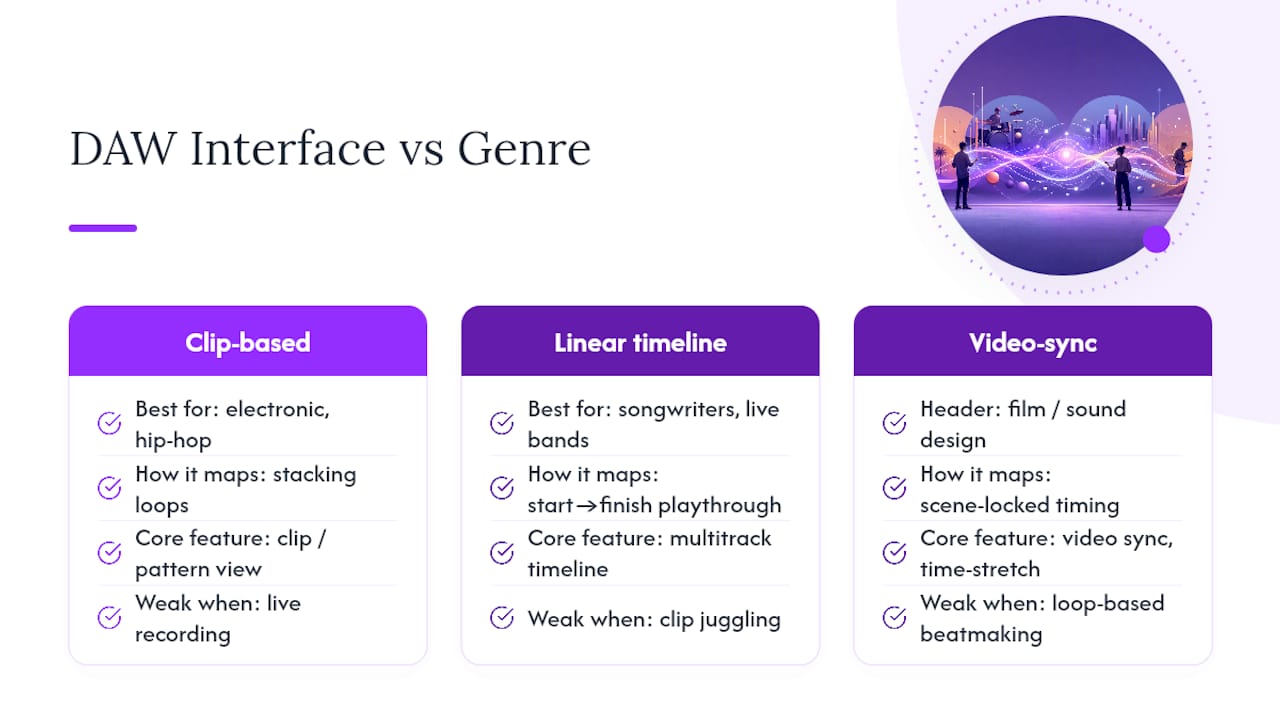
Songwriters, live bands, and anyone recording real instruments generally find a linear timeline more intuitive, since it mirrors the physical act of playing a song from start to finish and layering overdubs. Film composers and sound designers need something else entirely: tight video sync and the ability to time-stretch audio to match a scene, features that barely matter to a bedroom pop producer. MusicRadar’s breakdown of DAWs for different production styles makes the same point: every modern DAW can technically handle most genres, but the one that makes your specific tasks fast is the one that will feel intuitive.
This is exactly why platform-first or workflow-first advice matters more than any single “best DAW” ranking. A trap producer testing a linear-timeline DAW built for orchestral scoring will likely find it clunky, not because the software is bad, but because every click fights their mental model of how a beat comes together.
Your DAW Should Bend to You, Not the Other Way Around
Customization is where a DAW stops being generic software and starts being your instrument. Keyboard shortcuts you can remap, window layouts you can save and recall, and color-coded tracks you can organize by instrument type all reduce the number of decisions you make per session. Fewer decisions means more attention left for the actual music.
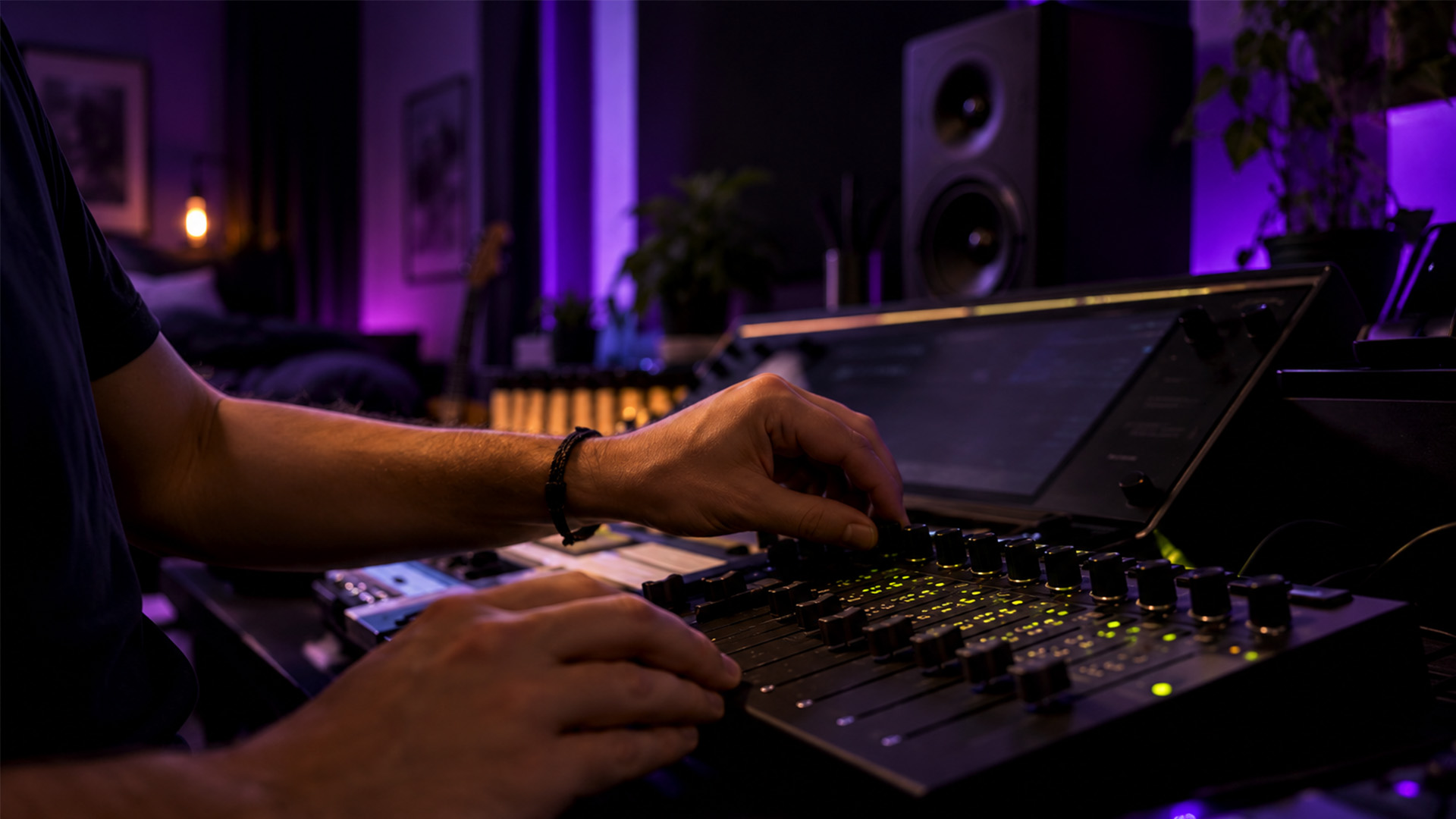
Adaptability shows up in smaller ways too. Being able to resize the mixer, hide panels you never use, or switch between a compact single-screen layout and a multi-monitor setup means the software adapts to your desk, not the other way around. SoundBridge’s customizable workflows let you build a layout around how you actually work, whether that’s a minimal setup for quick voice memos or a full multi-track session for mixing a band. The point isn’t infinite options for their own sake; it’s that a DAW you’ve shaped to your habits stops requiring conscious thought for routine tasks, which is the real definition of intuitive after the first few weeks.
Hardware Changes: What “Intuitive” Even Means
The software interface is only half the equation. Plug in a MIDI keyboard, and suddenly the question isn’t “can I find the piano roll” but “does pressing this key produce sound instantly, with no setup fight?” A DAW that handles MIDI device recognition automatically feels dramatically more intuitive than one that demands manual driver configuration before you can play a single note.
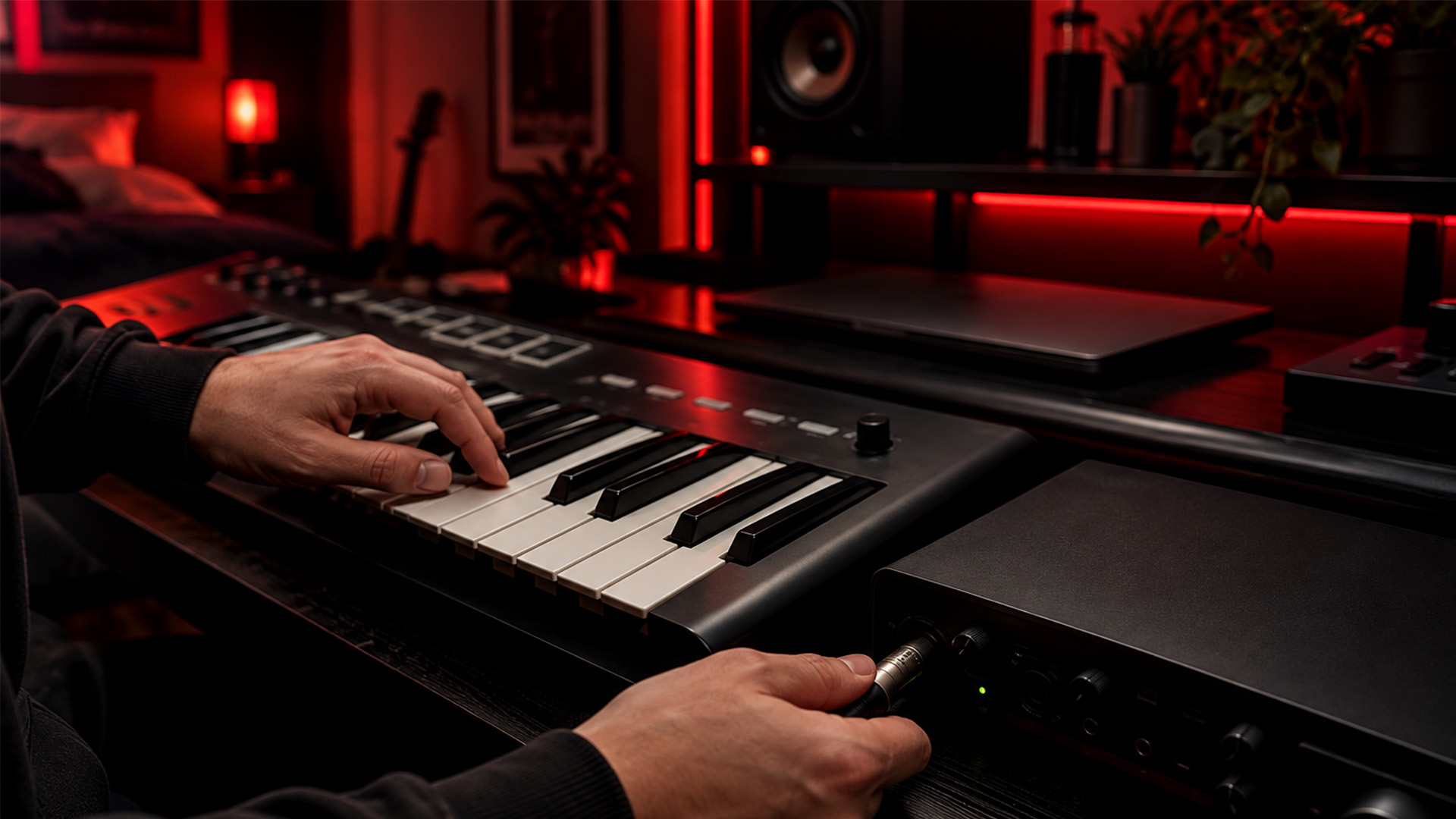
Audio interfaces add another layer. Low-latency performance matters most here, because a half-second delay between hitting a key and hearing the note breaks the feedback loop your brain relies on to play in time. SoundBridge’s zero-latency remote tracking addresses this directly, and it matters just as much for a solo bedroom producer plugging in a guitar as it does for a remote collaboration session with a bandmate three states away.
Bi-directional control of plugins and hardware, meaning a physical control surface can adjust a virtual mixer and vice versa, removes another layer of mouse-hunting that slows beginners down. If you’re shopping for your first interface or controller, look for plug-and-play MIDI support and confirm your DAW recognizes it without extra driver installs. That single detail determines whether your first session starts with music or with troubleshooting.
Forums and Communities Speed Up the Parts Tutorials Miss
Official documentation answers “how do I use this feature.” Community forums answer the messier question: “why doesn’t my project sound like the tutorial’s?” That second kind of problem, the one specific to your exact setup, session, or sample rate, is where a DAW’s user base becomes part of its usability.
Active communities consistently flag the same handful of friction points: confusing default settings, a routing quirk that isn’t documented anywhere official, or a plugin conflict that only shows up on certain systems. When a DAW has a large, responsive community, those answers surface fast. When it doesn’t, beginners burn hours re-solving problems someone else already fixed. Community-shared project files, mentioned earlier as a learning shortcut, come out of these same forums, and they’re often more useful than official tutorials because they show real, imperfect work rather than a polished demo.
Before committing to any DAW, a quick search for its name plus “forum” or “reddit” tells you a lot. If the top results are recent, active, and full of specific troubleshooting rather than generic praise, that’s a good sign the software has staying power and support when you get stuck.
The Mistakes That Slow Down Almost Every Beginner
Most beginners don’t fail because they picked the “wrong” DAW. They fail because they fall into one of a handful of predictable traps unrelated to software quality.
The biggest one is DAW-hopping. Switching tools every time a task feels hard resets the learning curve to zero. Second is skipping the template and starting from a blank project out of some sense that it’s more legitimate. That blank screen is exactly what causes the multi-hour stalls beginners mistake for lack of talent.
Third is ignoring routing and signal flow until something breaks, at which point a mixing problem becomes a debugging problem. Fourth is treating advanced features, like automation or complex bus routing, as required knowledge before you’re allowed to finish a song. They’re not. A single track, recorded, lightly edited, and exported, teaches more than a week of watching advanced tutorials for tools you haven’t needed yet. The PCMag guide to audio editing software makes this point plainly: the best DAW is consistently the one you actually stick with long enough to learn.
Pick One Tool and Let Friction Teach You Something
Discipline beats optimization here. Every hour spent comparing DAWs is an hour not spent learning one, and the interface differences between most modern platforms are smaller than the productivity gap between a beginner who commits and one who doesn’t.
A real reason to switch is specific: a feature gap that blocks a project you’re actually working on, a hard platform lock when you switch computers, or a workflow requirement, like native video scoring, that your current tool genuinely can’t meet. Vague dissatisfaction isn’t a reason. If you can’t name the exact task that’s blocked, the friction is probably a skill gap, not a software gap, and switching will import the same problem into a new interface.
— Wake
Start Your First Project With Today
SoundBridge gives you a genuine no-cost way to test everything covered above: a free tier to build your first project without a purchase decision, starter templates to skip the blank-screen stall, and bundled instruments that make session one sound usable rather than thin. If you’re weighing a Mac freebie against something built to grow with you past the beginner stage, SoundBridge’s zero-latency tracking and remote collaboration tools mean you won’t outgrow it the way you might a stripped-down starter app.

Right now, download the free tier, open a starter template, and run the seven-day project checklist from earlier in this guide: record, layer, edit, export. If you want the fundamentals first, What Is a DAW: The Musician’s Guide to Digital Audio Workstations walks through the basics before you dive in. When you’re ready to see the full platform, head to SoundBridge and start your first session today.
Sources
For a workflow-focused comparison of how different DAW structures suit different music styles, Berklee Online’s comparison of DAWs is a solid academic reference. MusicRadar’s best DAWs roundup covers cross-platform options in more depth. For readers focused purely on cost, Bedroom Producers Blog’s free DAW list remains one of the most current no-cost roundups. For workflow tips that apply once you’ve settled on a tool, Audome’s audio workflow strategies are worth a read.
- PCMag — The best audio editing software
- Berklee Online — Comparison of DAWs
- MusicRadar — Best DAWs 2026
- Bedroom Producers Blog — Best free DAWs
Recommended
MASTER MUSIC PRODUCTION
Expert-led courses designed to take you from fundamentals to finished tracks.
HOUSEFrom bouncy bass and solid kicks, this course teaches you the most modern House music production techniques needed to succeed and stand out.
TRAPQuit sounding like generic Trap and produce something World with hints of the Far East. Create ethnic soundscapes to put your Trap ahead of the curve.

AMBIENTProduce relaxing, sophisticated psy-influenced ambient. Psychedelic and relaxing to listen to, create meditative soundscapes to put your listeners in Zen.