

Multi-Band Frequency Shifting For Drum Tuning
Last Edited: Jan 3, 2026
In this post, we'll show you how to use free plugins to isolate individual resonant bands inside a loop and shift each of them independently so they align with the key of your track. By the end, you'll have a flexible multi-band frequency shifting method for tuning percussion loops with surgical precision, even when working with completely mixed audio.
One of the most common challenges in modern music production is dealing with percussion loops with strong tonal resonances that do not match your track's key. Congas, bongos, clay drums, and other pitched percussion instruments generally fall between melodic and percussive content. When their resonant tone conflicts with the harmonic center of your composition, the groove can start to feel off, even if everything else in the mix is perfect. One clean way to address this issue is to use multi-band frequency shifting.
Traditionally, producers handle this by simply pitching the entire loop up or down, and while this can work in certain situations, it often introduces weird artifacts, alters transients, and affects every sound in the loop, including shakers, noise-based hits, and non-tonal elements that should remain untouched. A more precise and cleaner solution is to retune only the dominant resonant hits using multi-band frequency shifting, isolating the tonal components of the loop so you can change their pitch without affecting the rest of the spectrum.
Listening to the Loop and Identifying the Problem
To begin with, let's listen to a percussion loop having several dominant hits with precise resonant pitches. For this purpose, we selected a loop and loaded it into the SoundBridge Sampler in a MIDI channel for easier processing and control.
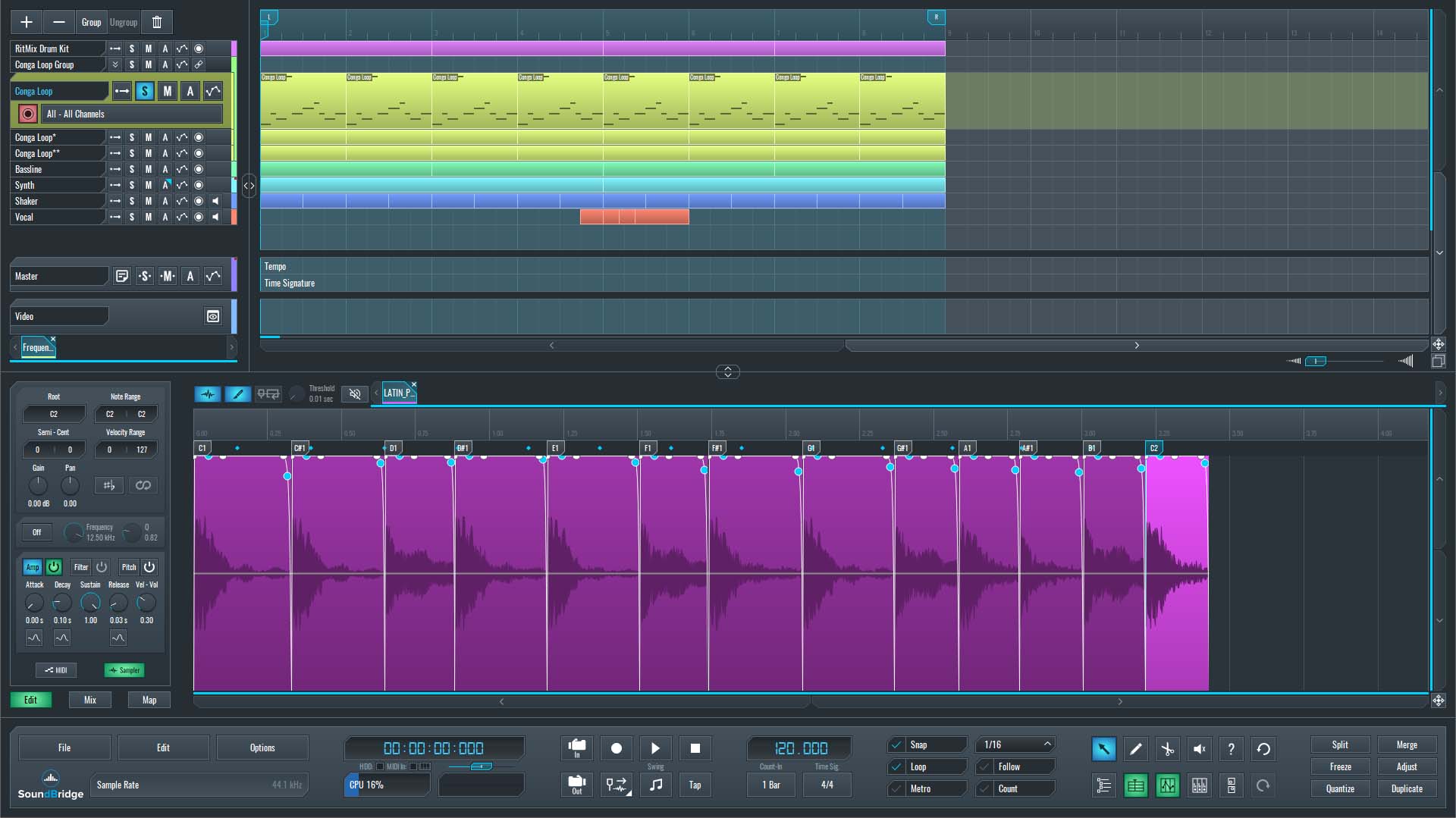
~Percussion Loop - Solo (Unprocessed).
Our goal is to analyze the spectral content of the loop to determine which elements carry the strongest tonal information, so we'll use Voxengo SPAN, a free, highly detailed spectral analyzer. We need this analysis to apply multi-band frequency shifting to that specific spectrum.
Using SPAN to Identify Resonant Peaks
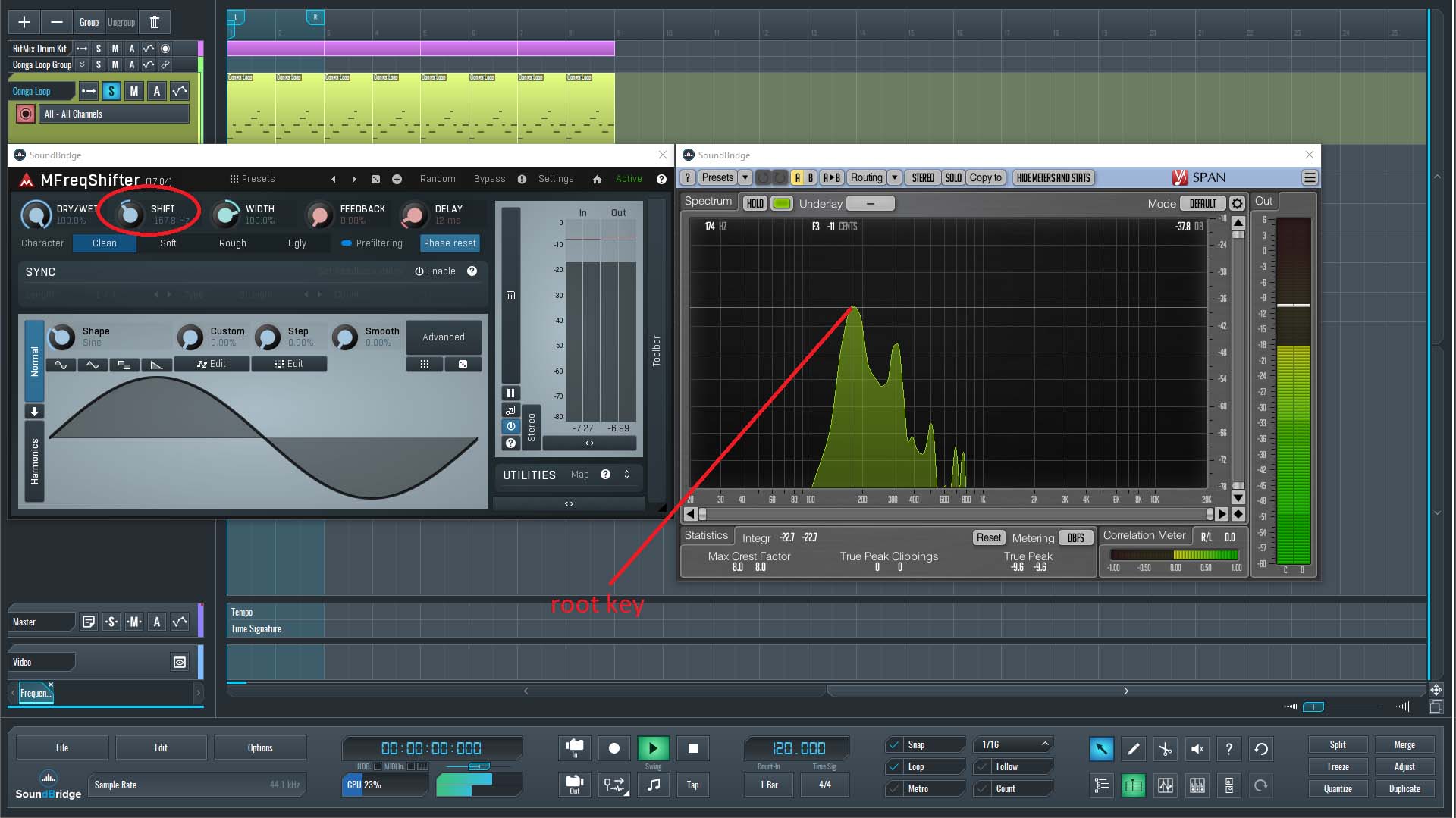
When running the loop through SPAN, we can clearly see the dominant resonances represented as peaks across the spectrum.
- The lowest and strongest resonant peaks are on G♯.
- Several other peaks are visible and contribute to the loop's tonal identity.
- Shakers and noise-based elements occupy the high-frequency region (typically above 6–8 kHz) and therefore do not exhibit well-defined tonal signatures.
This initial inspection indicates that the loop, at this point, does not match the key of our track.
Comparing the Loop With the Bass Line Before We Use Multi-Band Frequency Shifting
Following the previous step, we'll listen to the bass line, written in the key of F. By comparison to the percussion loop, we can immediately hear a clash. While the bass establishes an F-centered foundation, the conga hit rings most strongly at G♯.
When tonal percussion clashes with the bass or other harmonic elements, it can:
- Interfere with groove perception.
- Create bad tension.
- Reduce clarity in the low-mid region.
- Weaken the musical connection between rhythm and harmony.
To correct this, we'll retune the resonant hits inside the loop with multi-band frequency shifting so that their tonal center aligns with the key of F.
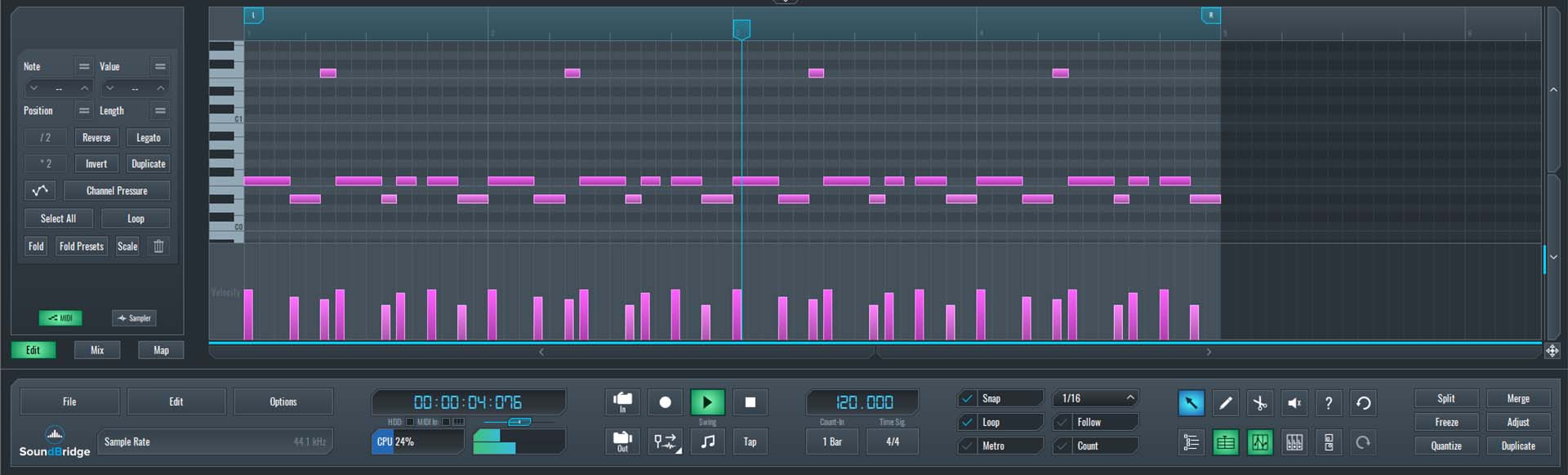
~Bassline - Solo.
~Percussion Loop & Bassline - Unprocessed.
Why Use Multi-Band Frequency Shifting?
Before moving on, it's worth explaining why a simple pitch-shift of the entire loop is not the ideal solution.
Pitching the whole loop affects:
- All frequencies, not just the desired resonant area.
- Transient shape, which can become smeared.
- Shakers, which may become dull or too bright.
- Overall groove, due to time-stretching artifacts.
- Noise-based percussions, which lose their natural texture.
In contrast, multi-band frequency shifting:
- Processes only the selected frequency range.
- Leaves transients intact.
- Keeps shakers and highs completely untouched.
- Maintains timing and groove.
- Works well even on heavily layered loops.
This pitch-shifting method makes it far more transparent and musical.
Setting up a Multi-Band Frequency Shifting Workflow Using Free Plugins
Since we're focusing strictly on a free-plugin workflow, we'll manually create three frequency bands to isolate dominant resonances and treat them individually.
Step 1: Duplicate the Percussion MIDI Channel
The loop contains three dominant tonal elements. To process each of them independently:
- Duplicate the percussion MIDI channel twice.
- You now have three identical tracks, each isolating a specific frequency band.
- Each band will then be processed by its own frequency shifter, resulting in multi-band frequency shifting.
This manual multi-band method is highly flexible and mirrors how commercial multi-band plugins operate internally.
Step 2: Isolate the First Band Using TDR Nova
On the first duplicated track, we'll load TDR Nova, a free dynamic EQ that works perfectly for isolating frequency regions.
Inside TDR Nova:
- Use high-pass and low-pass filters to isolate only the band containing the first resonant conga hit.
- Narrow the band until only the chosen hit is clearly audible.
- Verify visually using SPAN, or by soloing the band.
This multi-band frequency-shifting gives us complete control over the tonal portion without affecting other sounds.
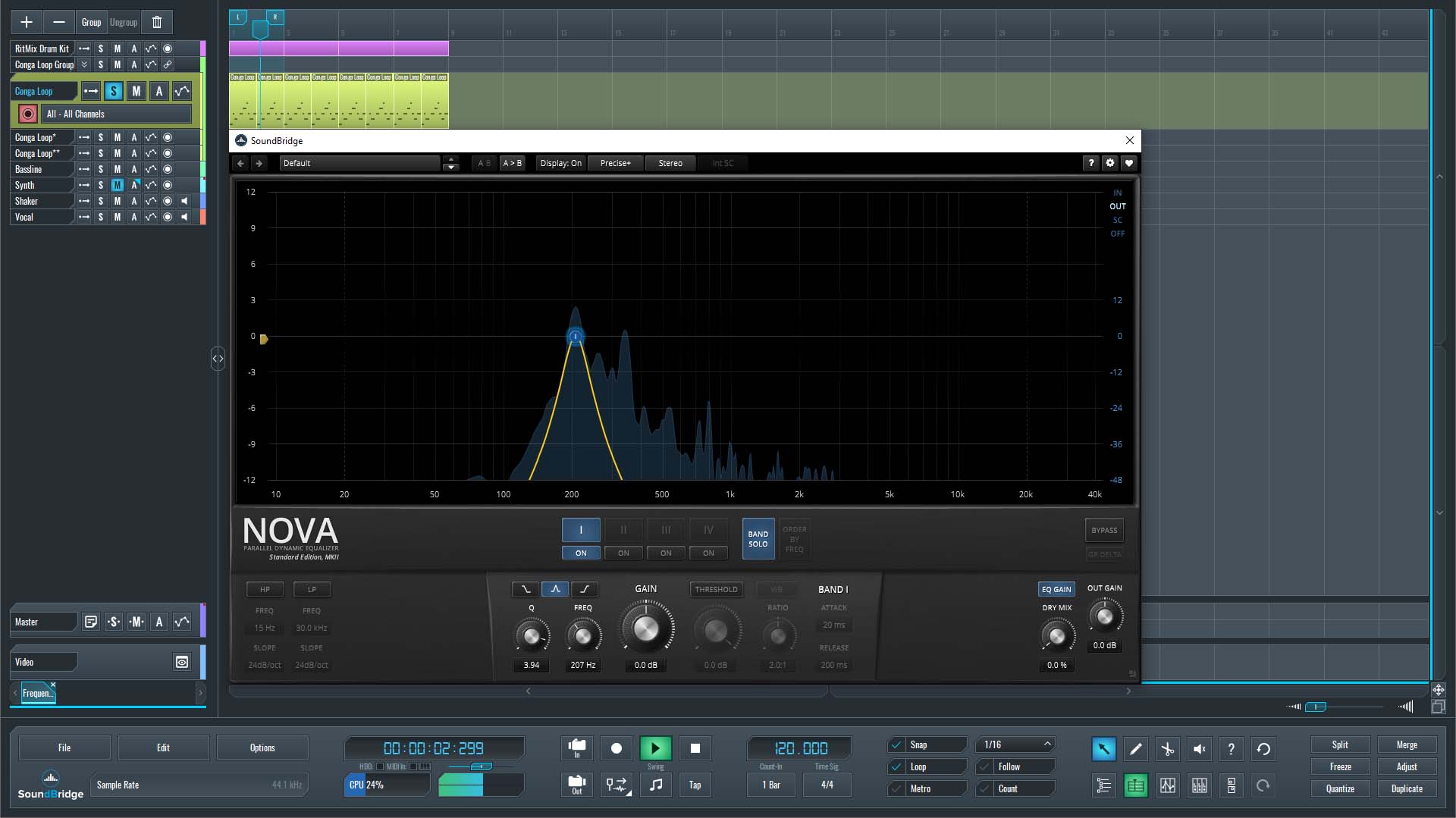
~Percussion Loop - Isolated Band 1 - Solo.
Step 3: Apply Frequency Shifting to the First Band
Once the band is isolated, we'll insert the Melda Production MFreqShifter. Place it below the EQ in the effect chain.
At the end of the chain, add another instance of SPAN.
Now:
- Adjust the Shift parameter in MFreqShifter.
- Monitor how the resonant peak moves on the SPAN display.
- Listen carefully to confirm the pitch moves musically.
- Stop when the resonance aligns with F, the bass line's key.
A shift from G♯ → F is musically equivalent to a downward shift of four semitones. Frequency shifters work in Hz, not semitones, so the analyzer is essential here.
Once aligned, the first band is successfully retuned.
~Percussion Loop - Isolated Band 1 - Processed With MFreqShifter.
Step 4: Repeat for the Remaining Bands
Repeat the same process on the other two duplicated tracks:
- Isolate a different frequency band on each track using TDR Nova.
- Insert MFreqShifter beneath the EQ.
- Add SPAN at the end.
- Shift the resonant peaks until each one fits the key of F.
Step 5: Compare Before and After
Listening to the processed loop together with the bass line reveals a clear improvement:
- The conga and bongos now feel locked into the harmonic structure.
- The groove is more cohesive.
- Shakers and high-frequency details remain untouched.
- No unwanted artifacts appear, since transients are preserved.
- The loop sounds tighter, cleaner, and more in tune with the track.
~Percussion Loop (Unprocessed) & Bassline - Solo.
~Percussion Loop (Processed) & Bassline - Solo.
Advantages of This Approach
Musical Benefits of Multi-Band Frequency Shifting
- Keeps the natural character of the percussion.
- Eliminates harmonic clashes.
- Improves groove perception.
- Supports melodic elements instead of fighting them.
Technical Benefits of Multi-Band Frequency Shifting
- Only shifts targeted frequency areas.
- No phase issues caused by full-loop pitching.
- Extremely transparent when done correctly.
- Works with any loop, regardless of complexity.
Creative Benefits of Multi-Band Frequency Shifting
This method lets you reshape percussion to match different keys.
- Useful for remixing.
- Allows you to repurpose loops across multiple projects.
- Helps you build unique, tuned percussion textures.
Alternative: Using a True Multi-Band Frequency Shifting Tool
There are paid plugins (Melda MFreqShifterMB, iZotope modules, etc.) that perform this entire process internally:
- Automatic band splitting.
- Individual frequency shifting per band.
- Built-in visual feedback.
- Less manual routing.
These are faster and more convenient.
However, since we restricted ourselves to free plugins, the manual method shown above is the most efficient and cost-free.
Wrapping Up
Multi-band frequency shifting is an incredibly powerful technique for shaping tonal percussion and harmonizing it with your track. Whether you're retuning congas, aligning resonant toms, or fixing percussive loops that feel off-key, this approach delivers clean, musical results that simple pitch correction can't match.
With tools like TDR Nova, MFreqShifter, and Voxengo SPAN, you can build a surprisingly deep, flexible workflow without spending anything, and still achieve professional-grade control over your percussion tuning.
Try this method on your next track and hear how much tighter and more cohesive your rhythm section becomes.
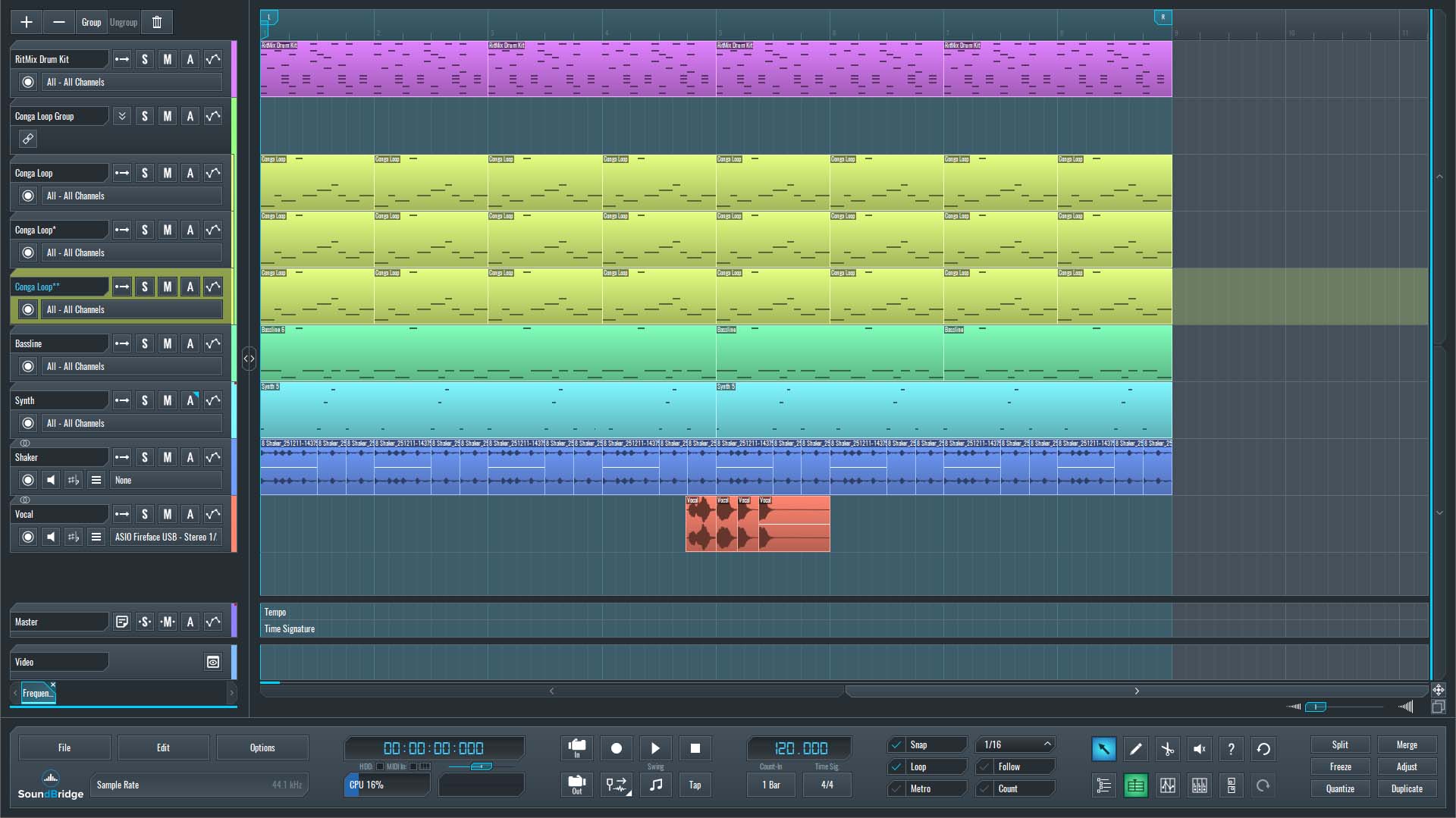
~Full Mix - Percussion Loop (Processed).
If you liked this article on multi-band frequency shifting, here are some more on the same subject:
MASTER MUSIC PRODUCTION
Expert-led courses designed to take you from fundamentals to finished tracks.

HOUSEFrom bouncy bass and solid kicks, this course teaches you the most modern House music production techniques needed to succeed and stand out.

TRAPQuit sounding like generic Trap and produce something World with hints of the Far East. Create ethnic soundscapes to put your Trap ahead of the curve.

AMBIENTProduce relaxing, sophisticated psy-influenced ambient. Psychedelic and relaxing to listen to, create meditative soundscapes to put your listeners in Zen.