

Top 3 Online DAWs for Producers 2026
Last Edited: Jun 1, 2026
Coordinating real-time music collaboration and file sharing without studio-level hardware or constant file uploads adds friction to modern production sessions. Most online DAWs either limit advanced collaboration features to paid plans, restrict the number of tracks, or require complicated installations that disrupt the flow of fast projects. This comparison covers browser-based DAWs in terms of features such as real-time collaboration, sharing controls, and native instrument support, so you can choose a tool that keeps your team productive without extra setup.
SoundBridge
At a Glance
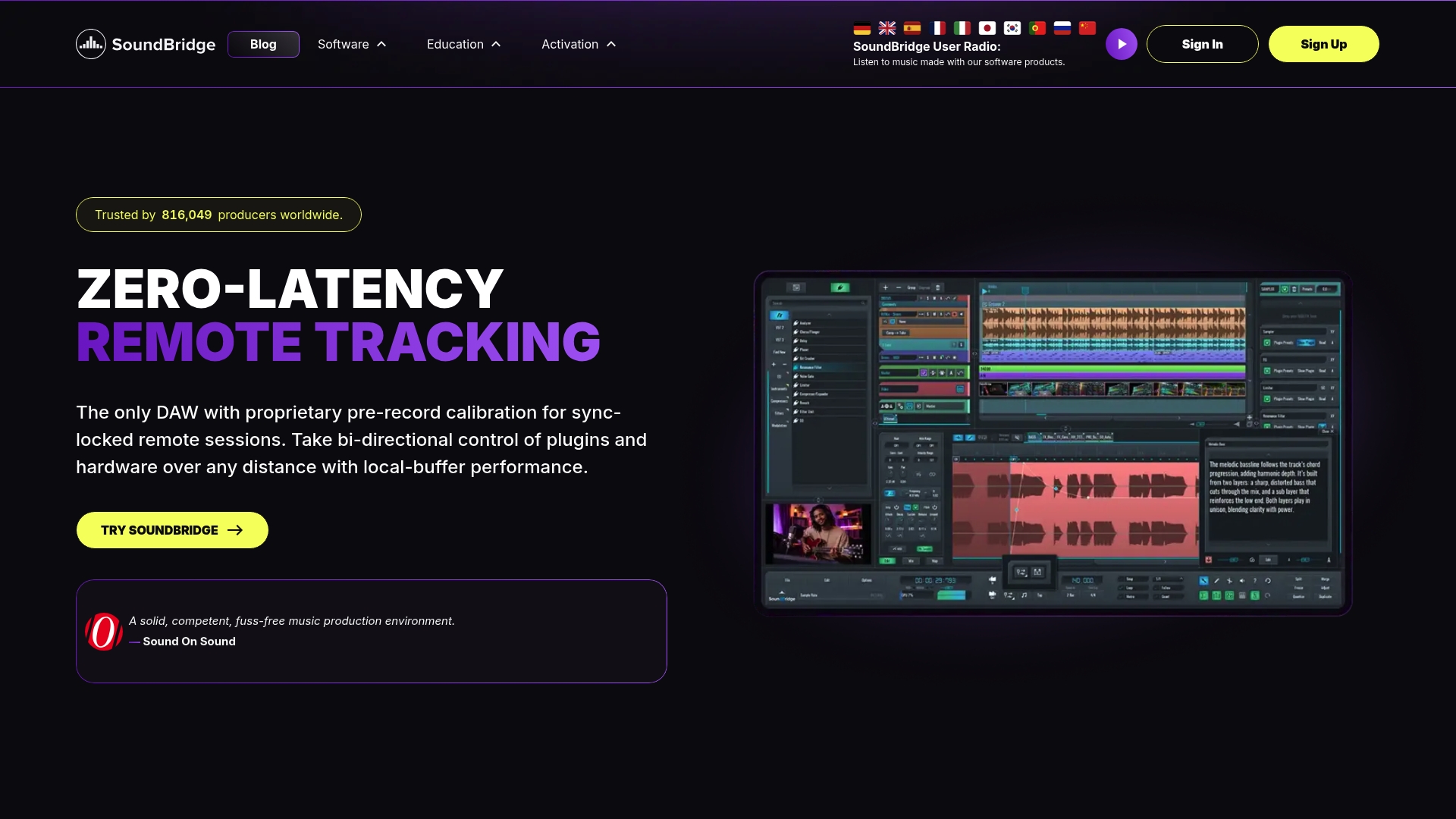
Proprietary zero-latency studio-accurate remote collaboration with built-in video and talkback is available inside the DAW rather than as an add-on. That capability turns remote tracking into a session you can treat like a studio take.
SoundBridge runs on Mac and Windows, offers free and paid tiers, and targets musicians who need high-fidelity audio and real-time collaboration without having to ship files back and forth.
Core Features
- 192kHz high-fidelity audio engine for professional mixing and recording.
- Zero-latency remote collaboration with sample-accurate sync, plus built-in webcam and talkback for communication during sessions.
- Advanced MIDI, sampling, and editing tools, including a native sampler, automation lanes, and MIDI mapping.
- Broad plugin and effect support with EQ, reverb, delay, compressor, and native support for common audio and video formats.
Key Differentiator
The single feature that sets SoundBridge apart is its proprietary remote collaboration stack that keeps sessions sample-accurate while providing integrated video and talkback. That lets musicians record live takes together across locations with timing fidelity you would normally expect only in a shared studio.
Pros
- Real-time remote work replaces bounced stems for many sessions, cutting coordination overhead and travel costs for bands and producers.
- The interface is approachable for newcomers yet includes pro tools for engineers, so you can teach a collaborator the basics in minutes and still run advanced mixes.
- Rich editing and mixing toolset handles sample-based music, sound design, and film scoring without forcing you to juggle multiple apps.
- Native support for high-resolution audio and video makes spotting cue points and aligning pictures straightforward for scoring sessions.
- Lifetime License holders receive lifelong updates, which makes a one-time purchase more attractive for studios that want long-term access.
Cons
- The free tier is limited to 10 tracks and does not include the collaboration features, so teams will need a paid plan to access the real-time studio workflow.
Who It's For
Musicians, producers, and audio engineers who want a single DAW that replaces file exchange with live remote sessions. It suits home studios that need pro sample rates and scoring teams that require picture sync and talkback.
Unique Value Proposition
Private server hosting and sample-accurate sync give you a remote studio that you can control. For producers who worry about privacy or need lower jitter, hosting sessions on a private server moves collaboration from a public service into your own studio infrastructure.
Real World Use Case
An independent artist records vocals with a band spread across three countries. They connect to a shared SoundBridge session, monitor each other via built-in video and talkback, and capture takes with sample-accurate alignment. The result is deliverable-grade multitrack sessions without anyone having to get on a plane.
Pricing
SoundBridge offers a free tier with limited features, monthly and yearly Premium plans for collaboration and advanced tools, and a Lifetime License option that includes lifelong updates. Specific plan prices vary by tier and region.
Website: https://soundbridge.io
Audiotool
At a Glance
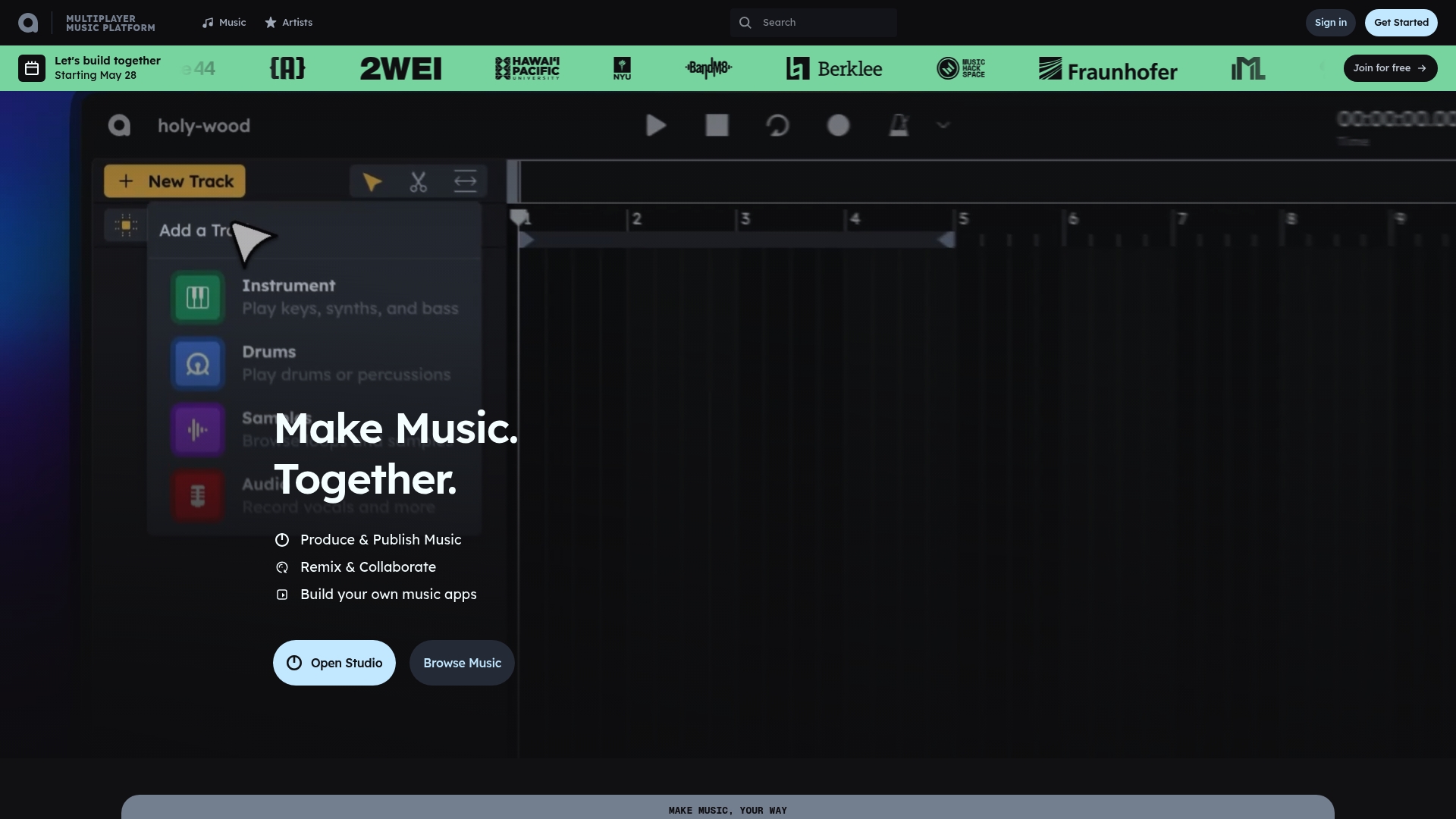
Runs entirely in the web browser with no download or installation required, and the core platform is available at no cost. Audiotool blends real-time collaboration, project sharing, and developer tools into a social workspace for electronic music creation.
Core Features
- Live MIDI performance and recording for playing synths and capturing ideas in real time.
- Recording for vocals, instruments, samples, and quick sketching directly into projects.
- VST3 plugin support to load third-party instruments and effects inside browser sessions.
- Mixing tools with level balancing, routing, channel control, and automation.
- Modular patching and advanced synthesis tools for custom sound design and signal chains.
- Ready-made projects, templates, and community guides to shorten the learning curve.
Key Differentiator
Audiotool's production environment runs entirely in the web browser and layers a strong community and sharing model on top of the editor. That combination turns the DAW into a social studio where collaboration, remix contests, and public project forks are native parts of the workflow. Compared with SoundBridge, Audiotool favors browser access and community-driven creation rather than studio-accurate remote tracking and high-resolution audio workflows.
Pros
- Free platform: No subscription barrier means anyone can open a project and start producing from any internet-enabled device.
- Strong community for feedback and learning, which accelerates improvement through shared projects and templates.
- Browser-based VST3 support expands sound choices without forcing a desktop install or plugin manager.
- Capable mixing and editing tools let you deliver professional-sounding electronic tracks in the browser.
- Easy sharing and project forking make collaboration and portfolio building straightforward for new producers.
Cons
- The interface can be less intuitive than that of desktop DAWs, so there is a steeper learning curve for users moving from a traditional workflow.
- Native sound library and instrument count are limited, so producers who rely on large sample collections will feel constrained.
- Advanced customization and deep routing options are fewer than what you get in mature desktop DAWs.
- Some users report infrequent updates and smaller support resources compared with established commercial DAWs.
When It May Not Fit
If your work requires a vast native library, predictable update cadence, or complex mixing setups, Audiotool will feel limiting. Producers who need ultra-low-latency multi-tracking, high-sample-rate mastering, or tight hardware integration should choose a desktop DAW rather than a browser-first tool.
Who It's For
Aspiring and experienced electronic musicians who want a cost-free, collaborative place to sketch, share, and finish tracks. Ideal for producers who value quick access, community feedback, and the ability to work with collaborators around the world without installs.
Real World Use Case
A global group of hobbyists and pros runs a remix contest on Audiotool. They share stems, fork each other's projects, and iterate in public. The result is a portfolio of finished tracks and a visible revision history that helps each contributor earn remix and collaboration credits.
Website: https://audiotool.com
Jammin’
At a Glance
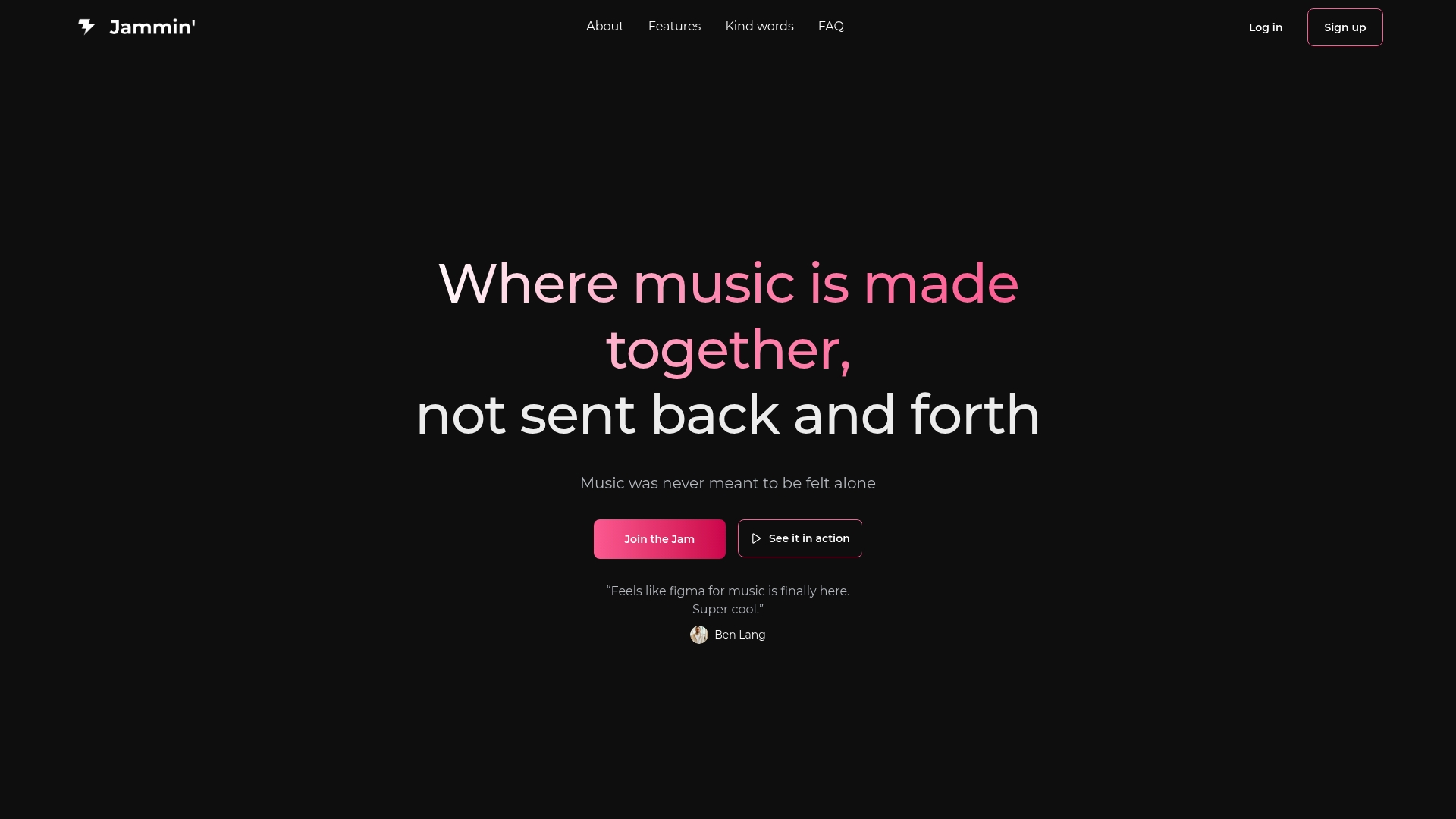
Runs fully in the browser and supports all instruments in real time, recreating a live jam session across remote locations.
Members can record and publish takes to a public portfolio without installing extra software.
Core Features
- Create music together in real time with low-friction session links that members can join from any browser.
- Connect and collaborate with the music community through profiles, followers, and public session discovery.
- Record, edit, and share music directly in the browser, so it takes live alongside the session timeline.
- Share tracks and build a portfolio to attract gigs and followers.
- Support for every instrument type, mirroring a live rehearsal environment.
Key Differentiator
The product centers on browser-based real-time collaboration that tries to reproduce the feel of an in-person jam rather than a threaded exchange of files.
Because everything runs without installs, members can hop into a session on a laptop or tablet and stay focused on playing rather than configuring audio routing. That immediacy shapes how people use the site — short takes, quick feedback, and visible portfolio growth.
Pros
- Intuitive interface. Users report that the layout makes joining sessions and publishing straightforward, even for players new to online tools.
- Community-first design encourages repeat interaction through followers, public sessions, and discoverable jams rather than private links lost in chat.
- Low setup overhead. Running in a browser removes driver and DAW configuration for quick rehearsals and casual recording.
- Inclusive instrument support. Guitarists, drummers, vocalists, and keyboardists can all join the same session without special routing on the host side.
- Built-in portfolio features let members turn session recordings into a shareable showcase that supports discovery and booking.
Cons
- The lack of third-party reviews makes it hard to assess reliability and long-term stability beyond what the vendor provides.
- As an early-stage product, it lacks some advanced editing and routing features found in mature DAWs.
- High-quality captures depend on member hardware; good microphones and interfaces are still necessary for professional-sounding recordings.
When It May Not Fit
If you need detailed multitrack editing, advanced plugin hosting, or studio-grade routing for mixing, Jammin' will feel constrained compared with a full DAW or dedicated remote-tracking services.
Large production teams that require strict versioning, offline mastering workflows, or hardware-integrated control surfaces will likely outgrow the browser-first approach.
Who It's For
Independent musicians, local bands, and music teachers who want to rehearse, record, and grow an audience without complex setups will find the platform a good match.
It also suits educators running remote ensemble classes where simplicity and quick turnarounds matter more than deep mixing tools.
Real World Use Case
A three-piece band rehearses on separate schedules. They start a session, run three takes, trim the best chorus in the browser, and publish the result to their portfolio the same afternoon. Fans comment, and a local promoter messages the band about a gig.
Website: https://jamminstudio.co
Comparing Leading Online DAWs for Producers
Selecting the right Digital Audio Workstation (DAW) is essential for producers aiming to optimize their workflow and creative output. Here, we analyze three prominent options—SoundBridge, Audiotool, and Jammin'—exploring their distinctive strengths and how they serve their intended user base.
Audio Collaboration and Fidelity
SoundBridge sets itself apart with its proprietary sample-accurate remote collaboration tools that include integrated video and talkback, simulating a professional studio environment. This capability is by Audiotool and Jammin', both of which emphasize browser-based accessibility and community features but lack the advanced synchronization and fidelity required for high-precision multi-tracking. However, Audiotool offers unique peer-project sharing and remix capabilities within its collaborative architecture, making it an attractive choice for community-driven projects focused on electronic music.
Accessibility Versus Advanced Features
While SoundBridge offers professional-grade tools and is ideal for seasoned musicians and producers, its reliance on desktop installations may be a hurdle for those preferring web-based solutions. Conversely, Audiotool and Jammin' operate entirely within a web browser, ensuring instant access without installations. Jammin' further excels in its simplicity and inclusivity, enabling musicians of all genres to start sessions quickly, which is beneficial for casual jam sessions and educational contexts.
Best Fit Recommendations
- For producers prioritizing studio-grade remote collaboration with high fidelity, SoundBridge delivers capabilities that competitors do not.
- For aspiring electronic musicians focused on community engagement and ease of entry, Audiotool's free browser-based platform provides a solid foundation.
- For individuals seeking fast and uncomplicated real-time jamming across instruments, Jammin' remains the most user-friendly option.
Our Pick: SoundBridge
Although each platform has unique merits, SoundBridge's advanced remote collaboration stack makes it the choice for producers who require precise synchronization and professional audio fidelity. However, individuals favoring online simplicity or deep community integration might find alternative tools better suited to their creative needs.
Online DAWs for Producers Comparison
Choosing the right digital audio workstation depends on your collaboration needs, feature set, and workflow compatibility. Here's how leading online DAWs compare.
| Platform | Core Feature | Best For | Pricing | Limitations |
|---|---|---|---|---|
| SoundBridge | Zero-latency remote collaboration with studio-grade features | Professional musicians and scoring teams | Not disclosed | Free tier lacks collaboration features |
| Audiotool | Browser-based MIDI recording and community-driven workflow | Aspiring and electronic music producers | Free | Limited native library and steeper learning curve |
| Jammin’ | Real-time remote collaboration and portfolio building | Independent bands and music educators | Not disclosed | Missing advanced editing and routing tools |
Experience Real-Time Studio-Quality Collaboration with SoundBridge
Finding the right online DAW for producers who demand studio-accurate remote collaboration and high-fidelity audio can feel overwhelming. If you want to avoid the hassle of bouncing stems and waiting on file exchanges, SoundBridge offers zero-latency remote tracking with sample-accurate synchronization, built-in video, and talkback features that bring the studio to your screens. Whether you are scoring films or mixing your next track, SoundBridge's intuitive yet professional tools are designed just for you.

Discover how you can replace frustrating delays and disconnected remote sessions with Sonic precision and seamless communication today. Visit SoundBridge to try the free tier or explore premium plans that fit your production needs. Take control now and record live, collaborate instantly, and produce with clarity that matches in-person studio work.
Frequently Asked Questions
What makes SoundBridge ideal for musicians in remote collaboration?
SoundBridge offers proprietary zero-latency remote collaboration, allowing musicians to record live takes together with sample-accurate alignment. This feature transforms remote tracking into a session that feels just like being in a studio. If you're looking to enhance your remote recording experience, SoundBridge makes that possible without the hassle of file exchanges.
How does Audiotool compare to SoundBridge for collaboration?
Audiotool excels in community-driven collaboration, allowing users to rapidly share projects and engage in remix contests directly in the browser. While it offers a social workspace that encourages feedback and sharing, SoundBridge's focus on studio-accurate remote sessions is better suited to professional musicians who need real-time collaboration. Consider what type of collaboration is important to you when choosing between the two.
What are the limitations of SoundBridge's free tier?
The free tier of SoundBridge is limited to 10 tracks and does not include collaboration features, so teams will need a paid plan to access the full capabilities. If you're collaborating with multiple musicians, upgrading to a paid plan is essential to use all its features effectively.
How does Jammin' facilitate real-time collaboration for independent musicians?
Jammin' allows musicians to connect and collaborate in real time across various instruments, recreating the feel of a live jam session without additional software installations. This feature supports easy participation and portfolio building for independent artists, making it an appealing choice for casual collaboration.
What audio quality can I expect when using SoundBridge?
SoundBridge offers a high-fidelity audio engine that supports up to 192kHz, making it suitable for professional mixing and recording needs. This level of audio quality ensures that your recordings will meet industry standards, particularly for serious music producers and audio engineers.
Recommended
MASTER MUSIC PRODUCTION
Expert-led courses designed to take you from fundamentals to finished tracks.
HOUSEFrom bouncy bass and solid kicks, this course teaches you the most modern House music production techniques needed to succeed and stand out.
TRAPQuit sounding like generic Trap and produce something World with hints of the Far East. Create ethnic soundscapes to put your Trap ahead of the curve.
AMBIENTProduce relaxing, sophisticated psy-influenced ambient. Psychedelic and relaxing to listen to, create meditative soundscapes to put your listeners in Zen.