

Peer-to-Peer Audio Production: Your 2026 Guide
Last Edited: Jul 28, 2026

Peer-to-peer audio production is how serious musicians and producers collaborate remotely without routing everything through a central cloud server. Instead, your DAW session connects directly to your collaborator’s setup over the internet, sharing audio, MIDI, plugin states, and video in real time. The result is studio-accurate synchronization with far lower latency than traditional cloud-based workflows. Platforms like SoundBridge take this further with studio-accurate synchronization, integrated talkback, and support for audio up to 192kHz, making geography irrelevant to the quality of what you create together.
Key advantages you get with a true peer-to-peer setup:
- No central server bottleneck: Audio travels the shortest possible path between collaborators.
- Real-time plugin control: Both producers can adjust shared plugin parameters live.
- Higher fidelity: 192kHz audio support is achievable on a stable, high-speed connection.
- Encrypted transfers: All session data moves through secured, encrypted channels.
- Creative immediacy: Changes are heard almost instantly, keeping the session energy alive.
What Technical Setup Does Peer-To-Peer Audio Production Actually Require?
Your connection is the foundation. A stable, high-speed internet link with low latency is non-negotiable because uncompressed audio streams at higher sample rates demand serious bandwidth. Fiber connections consistently outperform cable for upload speeds, which matters as much as download when you’re sending live audio both ways.
On the hardware side, a capable CPU and at least 16GB of RAM keep real-time processing from choking mid-session. A quality audio interface handles the analog-to-digital conversion that determines how clean your signal sounds before it ever hits the network. Your DAW and all shared plugins must run the same versions on both ends, or session state sharing breaks down.
Network configuration also matters more than most producers expect:
- Firewall and port forwarding: Some P2P platforms require specific ports open to establish direct connections.
- Wired over Wi-Fi: Ethernet eliminates the packet loss and jitter that Wi-Fi introduces under load.
- Encryption as standard: Secure, encrypted transfer protects your unreleased material from interception.
- Buffer size tuning: Lower buffers reduce latency but increase CPU load; find the sweet spot for your machine.
Pro Tip: Start your session at a moderate buffer size (256 samples), then drop it incrementally while monitoring CPU usage. If you hear crackles or dropouts, step back up one increment rather than hunting unthinkingly.
How Does a Peer-To-Peer Daw Session Actually Work in Practice?
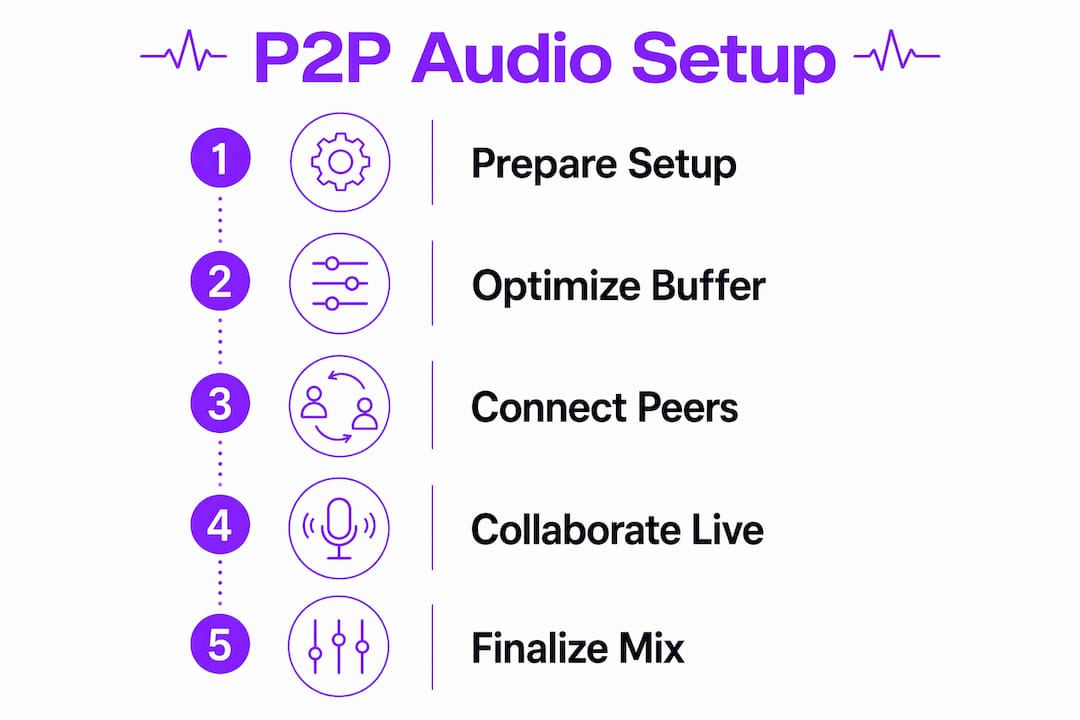
The core idea is a unified room experience where your studio resources become accessible to every collaborator, regardless of location. One producer hosts the session and shares a link. The other joins, and both DAWs sync their session states, plugin parameters, and transport controls in real time. No bouncing stems, no emailing project files.
Here’s how a typical session flows:
- Session Creation: The host opens the P2P platform, creates a session, and generates a shareable link or invite code.
- Connection Handshake: Both machines establish a direct peer connection, bypassing central server routing for audio data.
- Plugin and Session Sync: The DAW plugin shares the full session state, including instrument settings and effect chains, with the remote collaborator.
- Live Audio and MIDI Transmission: Audio streams and MIDI data flow bidirectionally with minimal delay.
- Video and Talkback: Built-in video and talkback keep communication natural, replicating the feel of being in the same room.
Common use cases where this workflow shines:
- Remote overdubs with a session musician in another city
- Co-writing sessions where both producers need to hear changes instantly
- Mix reviews with a client who wants to give real-time feedback
- Film scoring with a director watching picture while you adjust cues live
What Features Should You Look for in a Peer-To-Peer Audio Production Platform?
Not every platform delivers the same experience. These are the capabilities that separate a professional tool from a frustrating workaround:
- Ultra-low Latency Audio Engine: The platform should use a purpose-built engine, not a generic streaming layer, to minimize the gap between input and output.
- High-fidelity Audio: Support for up to 192kHz sample rates preserves the full detail of your recordings.
- Bidirectional Plugin Control: Both collaborators should be able to adjust shared plugin parameters, not just listen passively.
- Multi-channel Support: Up to 16 simultaneous channels lets you track full bands or complex orchestral sessions remotely.
- Integrated Video and Talkback: Communication tools built into the platform keep you from juggling a separate video call alongside your DAW.
- Simple Session Sharing: Magic links or one-click invites remove friction so you spend time on music, not setup.
- Cross-platform Compatibility: Mac and Windows support covers the widest range of collaborators.
- Encryption and Privacy Controls: Session data and audio streams should be encrypted end-to-end by default.
SoundBridge checks every one of these boxes, with multi-channel live audio and full DAW plugin sharing built into its core architecture.
How Do You Get the Most Out of Remote Collaborative Audio Production?
Preparation separates a productive session from a chaotic one. Before you connect, align on DAW version, plugin versions, and session template so neither producer spends the first 20 minutes troubleshooting mismatches. Share a template file in advance that includes your standard track layout, routing, and any shared instruments.
During the session, communication discipline matters as much as technical setup. Designate one producer as the session lead who controls transport and major edits, while the other focuses on performance or creative input. This avoids the confusion of two people moving the playhead simultaneously.
- Routine sync checks: Pause every 30–45 minutes to confirm audio and MIDI are still locked, and no drift has crept in.
- Backup your takes: Save local copies of every recorded take, not just the session file, so a dropped connection never costs you a performance.
- Manage permissions carefully: Only grant plugin control to collaborators who need it; open access invites accidental changes.
- Version your session files: Use numbered saves (Session_v01, Session_v02) so you can roll back if an experiment goes wrong.
Pro Tip: Use your P2P platform’s talkback feature instead of a separate voice call. Keeping communication inside the session means both producers hear talkback in context with the music, which speeds up feedback dramatically.
Once your session wraps, promoting the finished track through short-form video content is one of the most effective ways to reach new listeners in 2026.
Common Challenges in Real-Time Collaboration and How to Fix Them
Latency is the most persistent obstacle in real-time audio collaboration. Even with a fast connection, physical distance between collaborators adds unavoidable delay. The practical fix is to adjust your platform’s audio quality slider toward lower latency during tracking, then switch to higher fidelity for playback and review. Platforms built for this workflow include that slider as a core feature, not an afterthought.
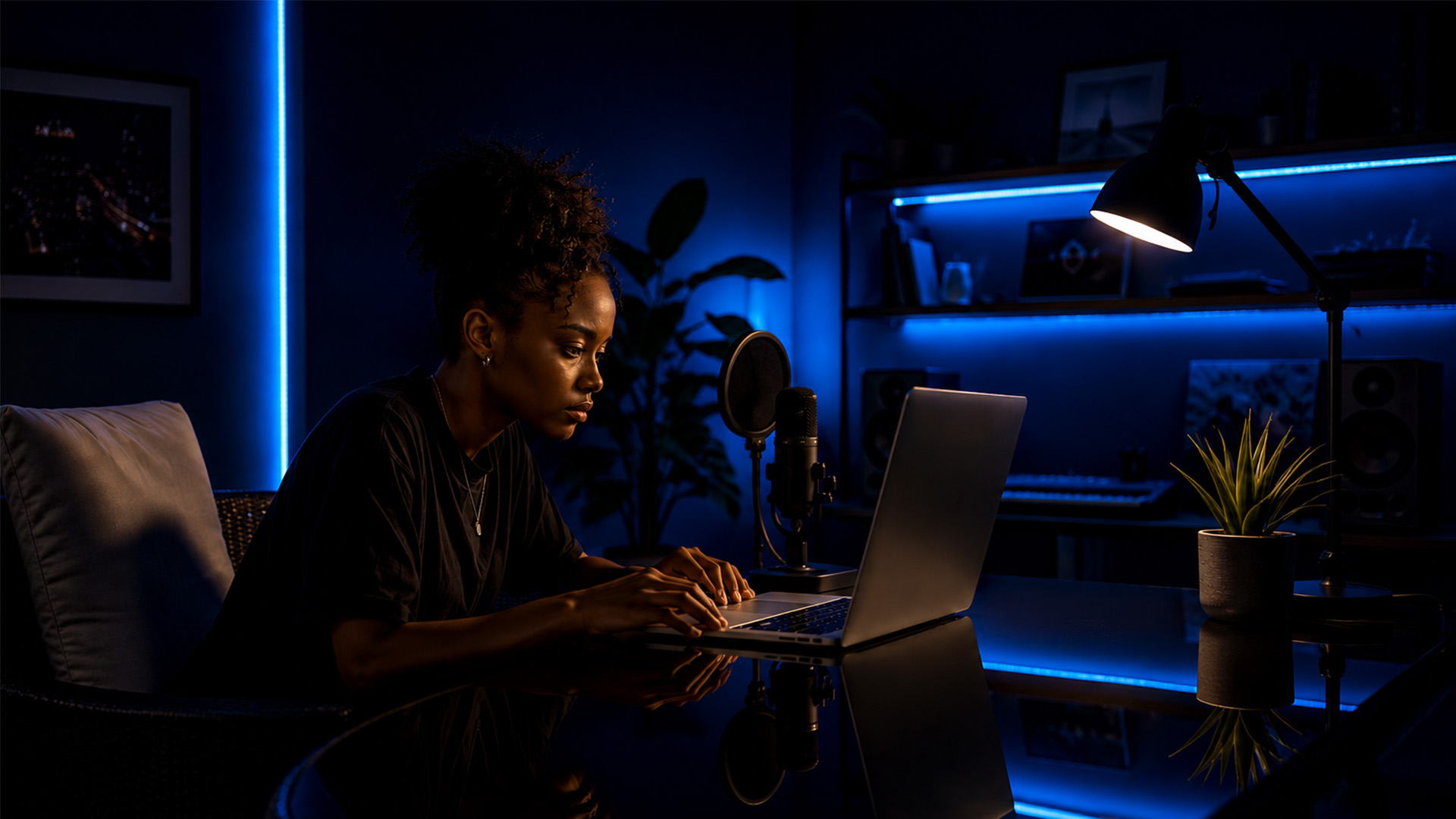
Dropout and crackle usually trace back to one of three causes: an overloaded CPU, a misconfigured buffer size, or an unstable network segment. Check your CPU load meter first. If it’s consistently above 80%, freeze or bounce tracks you’re not actively editing. If the CPU looks fine, try increasing your buffer size by one step. Persistent dropouts after that point to the network, where switching from Wi-Fi to Ethernet almost always resolves the issue.
Plugin mismatches are a subtler problem. If your collaborator runs a different version of a shared instrument, the session state won’t load correctly on their end, and you’ll both hear different things. Standardizing DAW and plugin versions before every session is the single most effective preventive step.
How Do Today’s Peer-To-Peer Audio Production Platforms Compare?
The market for distributed music creation tools has matured quickly. Platforms generally fall into two categories: dedicated P2P DAW collaboration tools and cloud-based session-sharing services.
| Feature | Dedicated P2P Platforms | Cloud Session-sharing Services |
|---|---|---|
| Audio latency | Ultra-low (purpose-built engine) | Moderate (server-dependent) |
| Sample rate support | Up to 192kHz | Typically 44kHz |
| Plugin control | Bidirectional, live | Limited or absent |
| Session complexity | Full DAW sessions | Stems and audio files |
| Communication | Integrated video and talkback | External tools required |
| Security | End-to-end encryption | Varies by provider |
SoundBridge sits firmly in the dedicated P2P category, with zero-latency remote tracking, bidirectional hardware and plugin control, and native video support built in. Cloud session-sharing services work well for asynchronous feedback and file exchange, but they can’t replicate the live, in-the-room feel that a true P2P engine delivers.
Real-World Examples of Peer-To-Peer Audio Production in Action
Remote overdub sessions are the most common use case producers report. A guitarist in Los Angeles connects to a producer’s session in New York, tracks a solo in real time, and both hear the result through the same mix; no stems exported, no files uploaded. The take lands directly in the session.
Co-writing across continents has become a standard workflow for many professional songwriters. Two producers open a shared session, one lays down a chord progression, the other responds with a melody, and the arrangement grows organically in real time. The creative back-and-forth that used to require a flight now happens over a fiber connection.
Film scoring is another area where P2P collaboration has changed the process. A composer working from a home studio can share a session with a director watching picture in a different city. The director hears cue adjustments as they happen, gives verbal feedback through talkback, and the composer responds immediately. SoundBridge’s native video support makes this workflow particularly clean, keeping picture and audio locked without a separate video conferencing tool.
How Peer-To-Peer Production Fits Into Your Existing DAW Setup
You don’t need to abandon your current workflow to add P2P collaboration. The most practical approach is to install the P2P platform as a plugin or companion app that runs alongside your existing DAW, whether that’s on Mac or Windows. Your session template, routing, and plugin chain stay exactly as you built them. The P2P layer connects your room to your collaborator’s room without restructuring how you work.
For producers who already use a home recording setup, the integration is straightforward. Your audio interface connects as usual, your DAW opens your normal session, and the P2P plugin shares that session state with your collaborator. The home studio workflow you’ve refined over years doesn’t change. You’re simply extending its reach.
The one adjustment worth making is session organization. Clean track naming, color-coded groups, and a logical routing structure make shared sessions far easier for a collaborator to navigate quickly, especially when they’re joining a project mid-development.
SoundBridge Gives You a Real Studio Connection, Wherever You Are
SoundBridge is built for exactly this: producers and musicians who want studio-quality remote collaboration without compromising on fidelity or control. Its zero-latency remote tracking, 192kHz audio support, and bidirectional plugin control put you and your collaborator in the same creative space, regardless of the miles between you. Integrated video and talkback mean you never need a separate call running in the background.

Whether you’re tracking overdubs, co-writing, or scoring to picture, SoundBridge handles the technical side so you can focus on the music. It runs on both Mac and Windows, with free and paid tiers to fit where you are in your career. If you’re ready to understand the full power of the platform underneath it all, start with what a DAW can do and then bring your next session into SoundBridge’s virtual collaboration environment.
Key Takeaways
Peer-to-peer audio production delivers studio-quality remote collaboration by connecting DAW sessions directly, eliminating server delays and giving both producers live control over audio, plugins, and communication.
| Point | Details |
|---|---|
| Direct connection advantage | P2P bypasses central servers, cutting latency and keeping audio fidelity at its highest. |
| Audio fidelity ceiling | Platforms supporting 192kHz sample rates deliver uncompressed, studio-grade audio over fast connections. |
| Technical preparation | Matching DAW and plugin versions across both machines prevents session state errors before they happen. |
| Latency management | Adjusting your platform’s quality-to-latency slider during tracking keeps the session responsive and tight. |
| SoundBridge for P2P work | SoundBridge offers zero-latency remote tracking, bidirectional plugin control, and integrated video on Mac and Windows. |
Recommended
MASTER MUSIC PRODUCTION
Expert-led courses designed to take you from fundamentals to finished tracks.
HOUSEFrom bouncy bass and solid kicks, this course teaches you the most modern House music production techniques needed to succeed and stand out.
TRAPQuit sounding like generic Trap and produce something World with hints of the Far East. Create ethnic soundscapes to put your Trap ahead of the curve.
AMBIENTProduce relaxing, sophisticated psy-influenced ambient. Psychedelic and relaxing to listen to, create meditative soundscapes to put your listeners in Zen.