

Remote Vocal Tracking: Practical Workflows for Producers
Last Edited: Aug 11, 2026
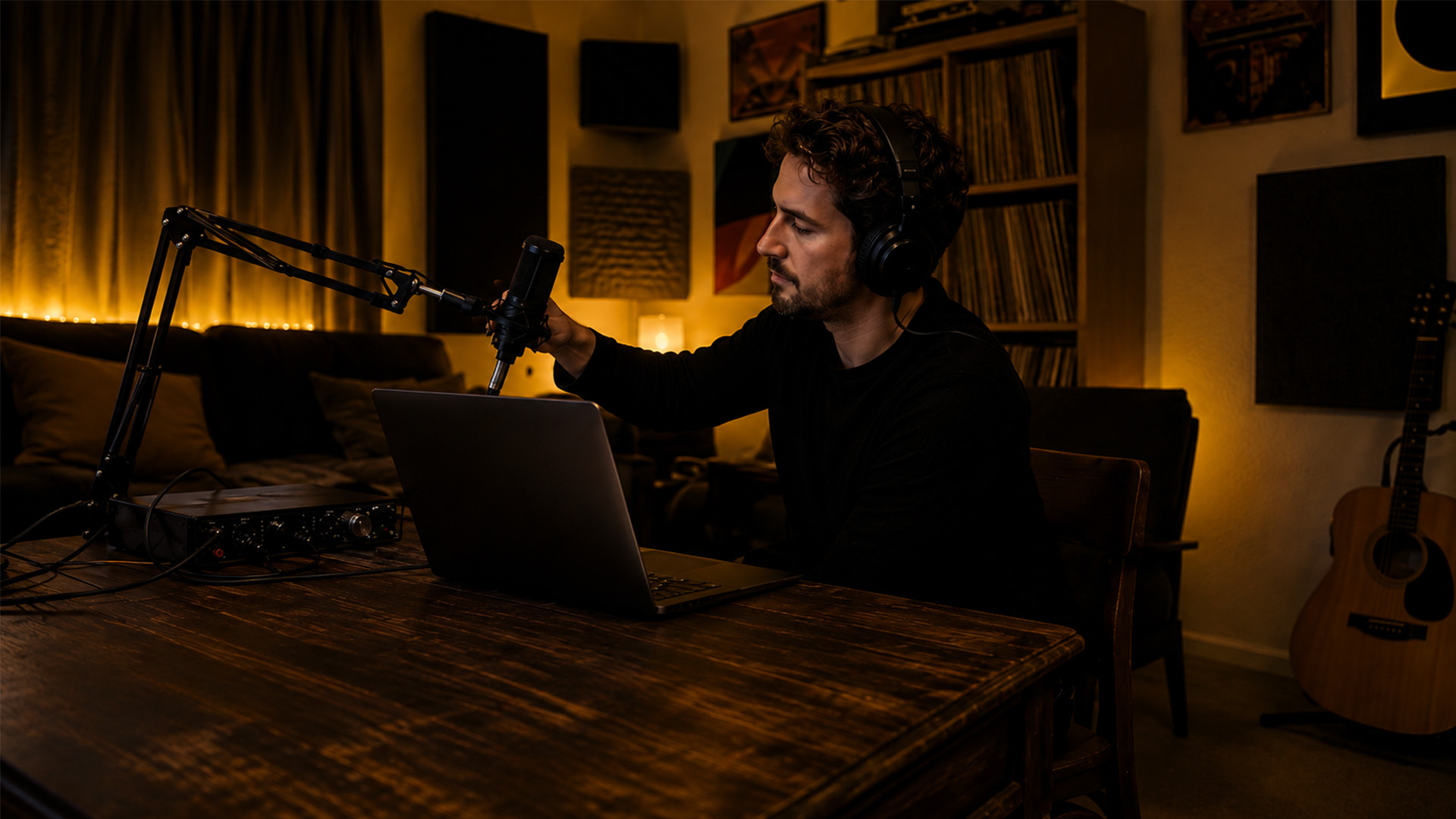
Remote vocal tracking works best when you pick the right workflow first. Choose real-time (zero-latency) when you need live direction and tight timing. Choose file-based when fidelity, scheduling flexibility, or simple logistics are the priority. Either way, your first usable take comes down to three things:
- Minimum gear confirmed — large-diaphragm condenser mic, audio interface, closed-back headphones, and a stable internet connection.
- Session setup locked — sample rate matched between both ends, buffer set low for tracking, and a guide track exported before the call.
- Monitoring fixed — vocalist hears direct local monitoring through the interface, not a software playback loop that adds delay.
SoundBridge supports both approaches natively, with zero-latency remote collaboration and high-fidelity capture up to 192kHz built into the DAW.
What Does a Vocalist Need Before the First Take?
Getting the gear right before the session saves everyone time. A vocalist who shows up with a laptop mic and no interface will cost you two takes and a reschedule. Here is the minimum viable setup and the recommended specs to hit mix-ready quality.
Minimum gear:
- Large-diaphragm condenser microphone (cardioid pattern preferred)
- Audio interface with phantom power (48V)
- Closed-back headphones for monitoring without bleed
- Stable internet: sufficient upload and download speeds for real-time sessions; file-based workflows tolerate slower connections
Recommended recording specs:
- 24-bit depth (never 16-bit for tracking — the headroom difference is audible in compression)
- 44.1 kHz for music delivery to streaming; 48 kHz for sync-to-picture work
- Buffer size: 64–128 samples during tracking, raised to 256–512 for mixing
Room basics:
- Quiet space, away from HVAC noise and street traffic
- Hang a heavy blanket or moving blanket behind the mic if no acoustic panels are available
- Mic placement: 6–8 inches from the capsule, slightly off-axis to reduce plosives
- Check for home studio acoustic basics before the first session if the room is untreated
Online vocal coaching workflows consistently recommend closed-back headphones and avoiding built-in laptop mics as the two highest-impact gear decisions a remote vocalist can make.
Pre-session checklist:
- Run a latency test through the interface (not the system audio)
- Confirm headphone mix: vocalist hears themselves clearly with no echo
- Check driver status: ASIO on Windows, Core Audio on Mac
- Record a 30-second local test take and play it back before the producer joins
Pro Tip: Ask the vocalist to send a 10-second dry test clip 24 hours before the session. If the file arrives at the wrong sample rate or is clipped, fix it before the session clock starts.
Real-Time vs. File-Based: Which Workflow Fits Your Project?
These two approaches are not competing philosophies. They solve different problems, and the best producers use both depending on the project.
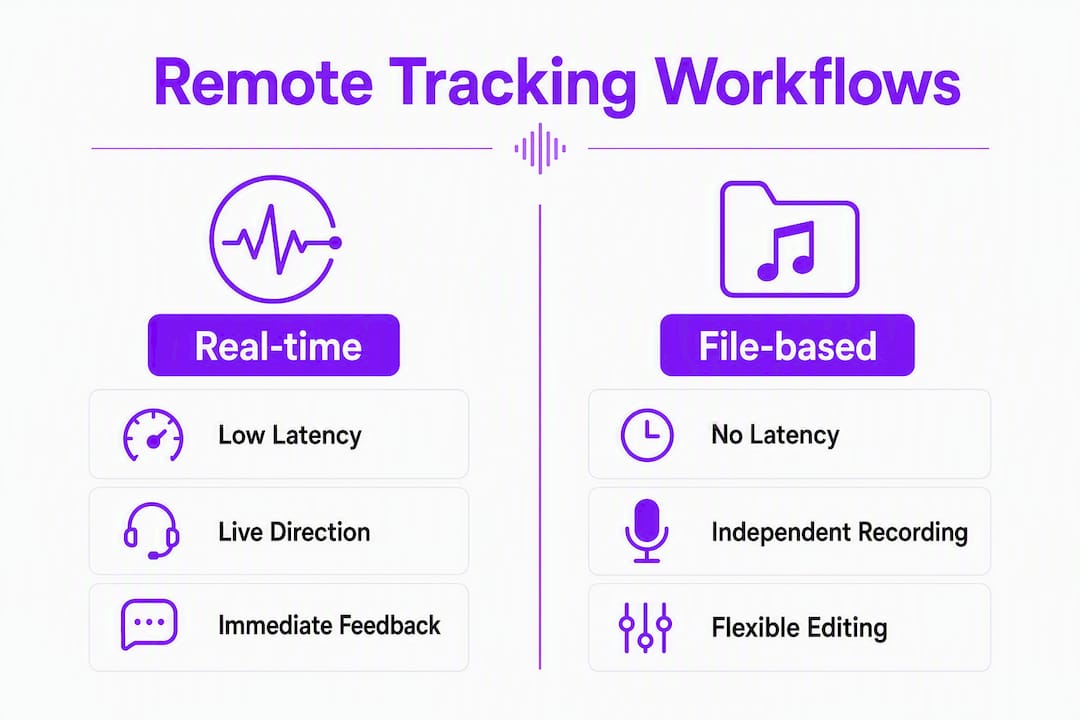
Real-time (zero-latency) tracking means the vocalist records locally while the producer listens and directs over a low-latency audio link. Timing is tight, direction is live, and the session feels close to an in-person studio. The tradeoff is setup complexity and a dependency on connection quality.
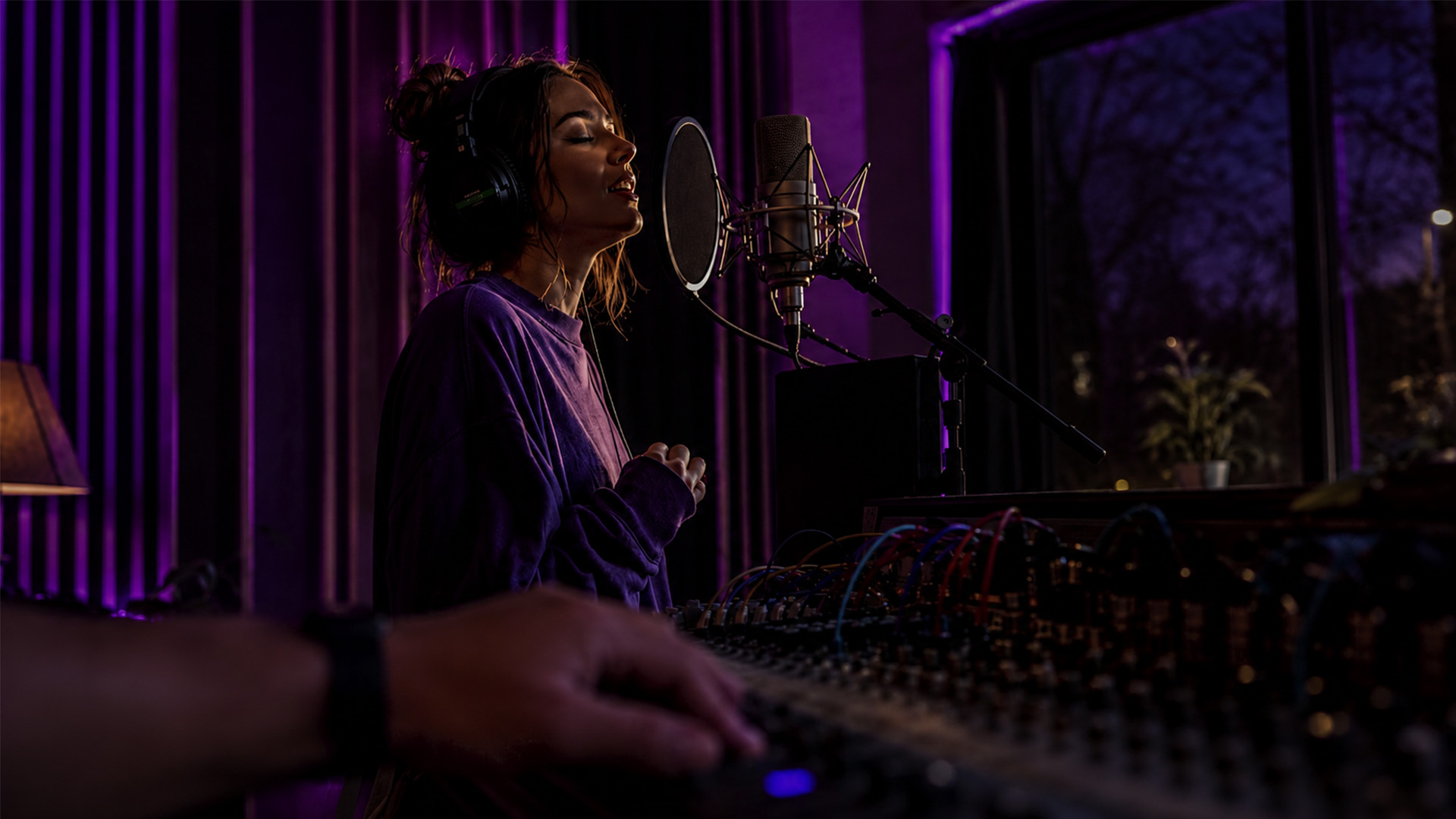
File-based tracking means the vocalist records independently onto a guide track, and then uploads stems. The producer comps and edits offline. Fidelity is limited only by the vocalist’s interface, scheduling is flexible, and there are no connection dropouts mid-take. The tradeoff is the loss of live direction energy.
| Dimension | Real-time | File-based |
|---|---|---|
| Latency | Requires low-latency protocol | No latency concern |
| Fidelity ceiling | Connection-dependent | Interface-limited only |
| Live direction | Yes, full talkback | No; notes sent async |
| Best use case | Ensemble timing, emotional takes | Solo overdubs, flexible schedules |
| Setup complexity | Higher | Low |
| Cost | Higher (dedicated tools) | Minimal |
Sound On Sound’s research on remote ensemble production confirms that technical click tracks alone are often insufficient for distributed vocalists — live direction or a pilot guide track is what preserves phrasing and energy.
Hybrid workflow: Run a real-time session for direction and emotional coaching, but have the vocalist record locally to their interface rather than streaming audio back. The producer hears a low-res monitoring stream for direction, while the vocalist’s interface captures the full-fidelity take. This removes the connection as a fidelity bottleneck while keeping the session feel alive.
Pro Tip: Use the hybrid approach as your default. You get the energy of live direction without betting the quality of the take or upload bandwidth.
How to Set Up Your Session Before Anyone Hits Record
Session prep is where most remote vocal sessions fail silently. Files arrive with mismatched sample rates, unnamed tracks, and no manifest. The producer spends 40 minutes on admin instead of comping.
Guide Tracks and Tempo Maps
A human guide track — a scratch vocal from the producer or a reference singer — consistently outperforms a dry MIDI click for remote vocalists. Producers working on distributed ensemble projects note that a pilot singer improves timing and phrasing across every vocalist in the session. Export the guide track as a stereo bounce with the click embedded, so the vocalist has one file to follow.
Lock the tempo map before sending anything. Tempo changes mid-session without a shared map create drift that no amount of comping fixes cleanly.
Recommended Session Settings
| Delivery target | Sample rate | Bit depth | Buffer (tracking) |
|---|---|---|---|
| Streaming / music release | 44.1 kHz | 24-bit | 64–128 samples |
| Sync to picture / post | 48 kHz | 24-bit | 64–128 samples |
| High-res archival | 192 kHz | — | 128–256 samples |
SoundBridge supports audio capture up to 192 kHz, which matters for high-res deliverables and archival masters where downsampling later is preferable to upsampling.
Naming Conventions
Consistent naming is the single fastest way to cut import time. Use this structure:
[ProjectID]_[Part]_[Role]_[Take]_[Date]
Example: ATLAS_Chorus_LeadVox_T03_20260415
| Field | Example | Notes |
|---|---|---|
| ProjectID | ATLAS | Short project code, no spaces |
| Part | Chorus | Song section |
| Role | LeadVox | Lead, BGV, Harmony, Double |
| Take | T03 | Zero-padded for sorting |
| Date | 20260415 | YYYYMMDD format |
Session log template (minimum fields):
- Project name and BPM
- Key and time signature
- Sample rate and bit depth
- Guide track filename
- Take notes per file (keeper, alt, discard)
- Upload timestamp and delivery method
Export preferences:
- Deliver 24-bit WAV stems, not MP3
- Include a plain-text manifest listing sample rate, bit depth, track names, and session template version.
- Stems only (no full session exports) unless the producer and vocalist share the same DAW
How Do You Get Monitoring Right for Remote Vocal Sessions?
Monitoring is where remote sessions lose their feel. A vocalist who hears themselves 80 milliseconds late will push timing and tense up. Fix this before the first take, not after.
Split monitoring is the standard approach:
- Vocalist monitors directly through their audio interface (zero latency, hardware-level)
- Producer receives a low-latency stream for direction and talkback
- The two monitoring paths are independent — the vocalist never hears the streaming delay
Buffer settings by task:
- Tracking: 64–128 samples (lowest stable setting for the vocalist’s system)
- Mixing/editing: 256–512 samples (fidelity over latency)
- TTalkback/direction lowest possible, separate from the recording chain
Professional remote tracking studios use dedicated remote collaboration protocols for low-latency monitoring while the vocalist records locally. This is the architecture that makes same-day delivery possible — the local recording is clean regardless of stream quality.
Advanced overdub sessions often require automated latency detection after recording. Source-Elements’ documentation notes that engineers run automatic latency detection or manually resync takes after overdubbing to keep alignment tight with the backing session.
Talkback setup:
- Use a dedicated talkback channel, not the main mix bus
- Keep talkback voice-only: no reverb, no compression, just a clean signal
- Count-ins: always give a 4-bar count-in minimum; for complex entries, extend to 8 bars
- Cue mixes: give the vocalist a mix heavy on their own voice and the guide track, light on everything else
Pro Tip: If the vocalist reports hearing an echo of themselves, they are monitoring through software, not hardware. Have them switch to direct monitoring on the interface and mute the DAW input monitor.
How to Transfer Files and Comp Remote Vocal Takes Efficiently
File delivery is the handoff point where sessions either flow or stall. Professional studios deliver organized stems and session files compatible with major DAWs — that standard is worth matching even on independent projects.
Recommended transfer methods:
- Secure cloud delivery: Dropbox, Google Drive, or WeTransfer for files under 2 GB
- Dedicated upload services for large sessions or sensitive projects
- Always include a delivery manifest as a plain-text or PDF attachment
Manifest contents (minimum):
- Project name and session date
- Sample rate and bit depth
- Track names and channel configuration (mono/stereo)
- Take notes (keeper, alt, discard)
- Guide track filename for alignment reference
- Vocalist’s interface and DAW used
Import checklist before touching the timeline:
- Confirm sample rate matches the session (mismatches cause pitch shift, not just drift)
- Check bit depth — a 16-bit file in a 24-bit session loses nothing, but flags a setup error
- Verify channel config: mono vocal files should import as mono, not split stereo
- Cross-reference filenames against the manifest before placing anything
Comping workflow:
- Import all takes to a dedicated comp track folder
- Listen through once, marking keepers with a color flag
- Build the comp from the best phrases, not the best full takes
- Bounce the comp to a new track before editing — never comp destructively
- Save a version with all raw takes intact for audio editing reference
Backup and versioning:
- Vocalist saves a local backup immediately after recording, before upload
- Producer saves a raw-import version before comping begins
- Version naming:
_v01,_v02appended to the project file after each edit session
Pro Tip: Set up a shared folder structure before the session and send the vocalist the empty folder. They drop files in; you pull them. No email threads, no “did you get it?” messages.
Session Communication: How to Direct a Remote Vocalist Without Losing the Take
The biggest barrier in remote vocal sessions is rarely audio quality. Vocal coaches consistently report that communication breakdowns — unclear direction, awkward retake requests, and misreading the energy — cost more time than technical issues. A few agreed rules fix most of this.
Ground rules for every session:
- Producer talks during playback and between takes; vocalist mutes during playback
- Agree on a single word for “stop the take immediately” (common choice: “cut”)
- Agree on a word for “that was great, one more for safety” (common choice: “safety”)
- No unsolicited feedback during a take — wait for the natural end
Direction language that works:
- Phrasing: “Sit back on the word ‘home’ — let it land late.”
- Dynamics: “Give me 80% on the verse, save the full voice for the chorus.”
- Timing: “You’re pushing the downbeat slightly — breathe before the phrase starts.”
- Energy: “That was technically clean. Now forget the technique and feel it.”
Visual cues and screen sharing:
- Share the DAW timeline so the vocalist can see where they are in the song
- Use a simple hand signal system over video: thumbs up (keeper), circular motion (one more), flat hand (stop)
- For ensemble sessions, a conducting video shared in advance removes the need for live direction on every take
Pre-session run-through (non-negotiable): Run a 5-minute check before the first take. Confirm cue words, count-in length, and what happens if the connection drops. A vocalist who knows the plan performs better than one who is guessing.
For deeper remote collaboration strategies, a structured pre-session brief is one of the highest-return habits you can build.
What Do You Do When the Remote Session Breaks Down?
Connection issues, sync drift, and clipping happen. The goal is a fast, prioritized response that gets the session back on track without losing the take or the vocalist’s energy.
Priority order when something goes wrong:
- Check the vocalist’s internet connection first — most dropouts start there
- Raise the buffer size by one step (e.g., 128 to 256 samples) if audio is glitching
- Restart the audio driver before restarting the DAW
- If sync drift appears, run automatic latency detection before manual resync
- If the session file is corrupted, revert to the last saved version and re-import stems
Common failure modes and fixes:
- Audio dropouts: Lower the streaming quality first; the local recording is unaffected
- Sync drift: Automated latency detection tools catch this faster than manual nudging; Source-Elements’ resync workflow is the reference approach
- Clipping: Check the vocalist’s interface gain first, then the DAW input level; never fix clipping in post
- Background noise: Ask the vocalist to re-check room and mute HVAC; noise reduction in post is a last resort, not a plan
- Corrupted file on delivery: Cross-reference against the vocalist’s local backup — this is why the backup rule exists
When to pause vs. fix in post:
- Pause and re-record: clipping, sync drift over 10 ms, audible room noise on the keeper take
- Fix in post: minor breath noise, light mouth clicks, small timing nudges under 5 ms
Quick troubleshooting checklist:
- [ ] Internet connection stable on both ends?
- [ ] Buffer size appropriate for current task?
- [ ] Audio driver active and not in conflict?
- [ ] Sample rates matched between vocalist and session?
- [ ] Local backup confirmed before upload?
When Is a Zero-Latency System Worth the Investment?
Not every project needs a dedicated real-time protocol. The decision comes down to what you lose without live direction and whether the budget supports the infrastructure.
Professional studios like Dean St. use dedicated remote collaboration protocols and provide secure same-day delivery of organized stems or full session files. That service level is the benchmark for professional remote tracking. For independent producers, the question is whether the project demands it.
Cost vs. benefit checklist:
- Invest in real-time tools when: ensemble timing is critical, the vocalist needs live emotional coaching, or the project has a tight turnaround that cannot absorb async retakes
- File-based is sufficient when: the vocalist is experienced, the part is a solo overdub, or scheduling across time zones makes synchronous sessions impractical.
Studios offering monitored remote sessions advertise organized delivery in Pro Tools or stem packages as a standard feature. If you are running independent sessions, matching that delivery standard — organized stems, a manifest, and confirmed compatibility — is what separates professional results from amateur ones.
Security and delivery expectations for professional work:
- Use password-protected transfer links for commercial projects
- Never send unencrypted session files containing unreleased material over public file-sharing links
- Confirm DAW compatibility before delivery: Pro Tools sessions need AAF or OMF exports for non-Pro Tools recipients
Decision checklist: real-time vs. file-based:
- Does the part require live direction to capture the right performance? → Real-time
- Is the vocalist in a time zone more than 6 hours away? → File-based
- Is the budget under $500 for the full session? → File-based with hybrid monitoring
- Is this an ensemble with more than two vocalists? → Real-time or hybrid with a pilot guide track
Legal and Contractual Aspects of Remote Vocal Recordings
Remote sessions cross state lines and sometimes international borders, which makes clear agreements more important than in a local studio booking. The core issues are ownership, usage rights, and payment terms.
Ownership and master rights: Every remote vocal session should have a written agreement before the first take. The default in US copyright law is that the vocalist owns their performance unless a work-for-hire agreement is signed. Without a contract, a vocalist can claim co-ownership of the master recording.
Work-for-hire agreements: A work-for-hire clause transfers ownership of the vocal performance to the hiring party. This is standard for session vocalists on commercial projects. The agreement should specify the project name, the scope of the recording (which songs, which uses), the fee, and the transfer of rights.
Sync and licensing permissions: If the recording will be used in film, advertising, or video games, the contract needs explicit sync licensing language. A general “all uses” clause is common but should be reviewed by an entertainment attorney for high-value placements.
Session fees and payment terms: Agree in writing on the fee, payment method, and timeline before the session. For US-based vocalists, a W-9 form is required for payments over $600 in a calendar year. International vocalists may require a W-8BEN for tax withholding purposes.
File and session confidentiality: Include a non-disclosure clause for unreleased material. This covers session files, guide tracks, and any reference mixes shared during the project.
This section covers general information about common practices in the US music industry, not legal advice. Confirm current requirements with a qualified entertainment attorney for your specific project.
Key Takeaways
Successful remote vocal tracking comes down to matching the right workflow to the project, locking session settings before anyone hits record, and delivering organized stems with a manifest every time.
| Point | Details |
|---|---|
| Workflow choice | Use real-time for live direction and ensemble timing; use file-based for solo overdubs and flexible schedules. |
| Minimum gear | Large-diaphragm condenser, audio interface, closed-back headphones, and a minimum 10 Mbps upload. |
| Session settings | Record at 24-bit depth; match sample rates (44.1 kHz for music, 48 kHz for picture) before the session starts. |
| File delivery | Export 24-bit WAV stems with a plain-text manifest listing sample rate, bit depth, and track names. |
| SoundBridge option | SoundBridge offers zero-latency remote tracking and 192 kHz capture in a single DAW for producers who want an integrated workflow. |
The Gap Between “Remote-Ready” and Actually Remote-Ready
Most producers who struggle with remote vocal sessions are not failing on gear or software. They are failing on preparation. The vocalist shows up without a tested interface driver. The guide track has no count-in. The naming convention is whatever felt natural in the moment. None of these are hard problems, but they compound fast under session pressure.
The workflow that consistently produces clean, mix-ready takes is not the most technically sophisticated one. It is the most prepared one. A human guide track beats a dry click every time, not because of any acoustic magic, but because it gives the vocalist something to respond to emotionally. A manifest is not bureaucracy — it is the difference between a 10-minute import and a 40-minute troubleshooting session.
There is also a tendency to over-invest in real-time tools before the simpler problems are solved. A zero-latency protocol does not fix a vocalist who has never tested their interface settings. File-based workflows, when done well, produce results indistinguishable from live-directed sessions for most solo parts. The hybrid approach — live direction over a low-res stream, local high-fidelity capture — gives you the best of both without betting the take on bandwidth.
One thing worth making clear with clients: remote sessions have a higher retake rate than in-person sessions, especially early in a working relationship. Build that into the session plan. Two extra takes per section are not a failure; they are the cost of not being in the same room. The producers who handle this best are the ones who communicate it up front rather than treating every retake as a technical problem to solve.
SoundBridge Makes Zero-Latency Remote Tracking Your Default
Zero-latency remote collaboration should not require stitching together three separate tools. SoundBridge builds it into the DAW itself: real-time remote tracking, integrated video and talkback, session sync, and high-fidelity capture up to 192 kHz, all in one environment available on Mac and Windows.

For producers running regular remote vocal sessions, the practical payoff is speed. Session templates load with your naming conventions and export settings already configured. The talkback channel is built in, not patched through a separate app. And when the session is done, export the stems in the format your collaborators actually need. SoundBridge’s free tier lets you test the workflow before committing, and the paid plans add the server access and collaboration features that make professional-grade remote sessions repeatable. Start with the free plan or check the virtual collaboration feature overview to see how it maps to the workflows in this guide.
Useful Sources and Templates
Before your first remote session, bookmark these resources and download your session log template.
- Remote Recording at Dean St. Studios — professional studio workflow reference for monitored remote sessions and same-day delivery standards
- Remote Vocal Ensemble Production — Sound On Sound — the definitive guide to pilot guide tracks and distributed ensemble direction
- Online Vocal Coaching Setup — Jackson Voice Studio — practical mic technique and platform audio settings for remote vocal work
- How to Produce Music: From Home Studio to Pro Tracks — broader production workflow context for preparing mix-ready vocal takes
- Audio Mixing Step by Step — next step after tracking: mixing remotely recorded vocals
Before your first session: copy the naming convention table and session log template from the Session Setup section above into a shared document with your vocalist. Send it 48 hours before the call. That single habit eliminates the most common import problems before they start.
SoundBridge resources and session templates are available directly through the SoundBridge DAW platform for users on any plan.
Recommended
MASTER MUSIC PRODUCTION
Expert-led courses designed to take you from fundamentals to finished tracks.

HOUSEFrom bouncy bass and solid kicks, this course teaches you the most modern House music production techniques needed to succeed and stand out.

TRAPQuit sounding like generic Trap and produce something World with hints of the Far East. Create ethnic soundscapes to put your Trap ahead of the curve.

AMBIENTProduce relaxing, sophisticated psy-influenced ambient. Psychedelic and relaxing to listen to, create meditative soundscapes to put your listeners in Zen.