

Producers: Use Windowed Sinc for Cleaner Sample Rate Conversion
Last Edited: Sep 24, 2026
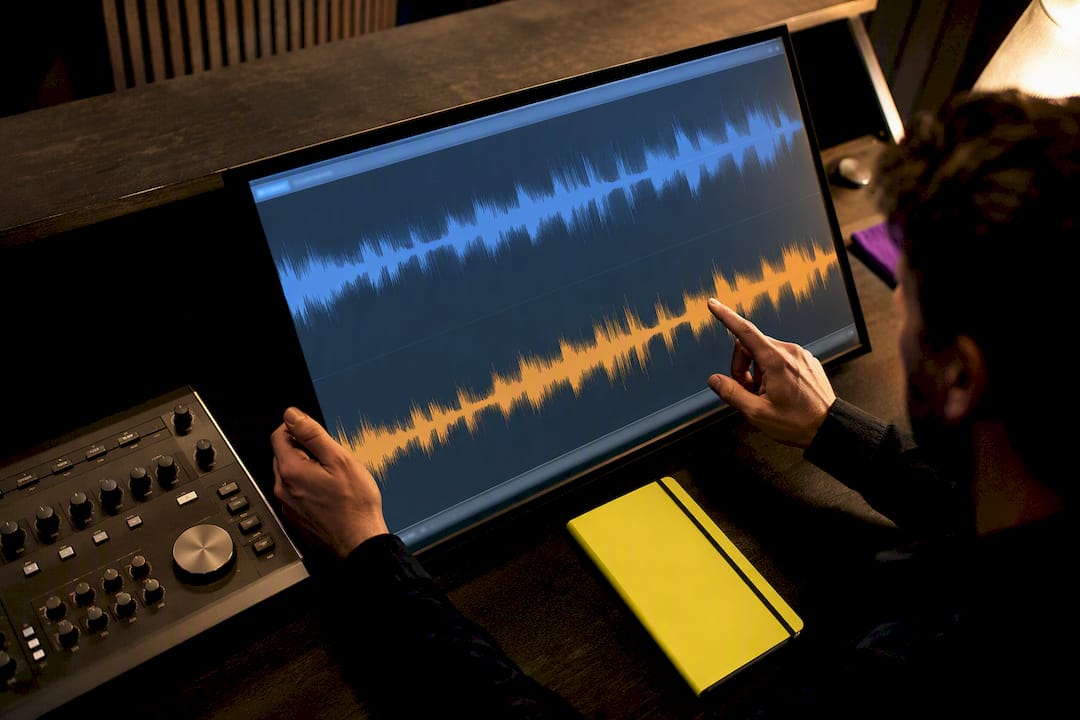
Sample rate conversion (resampling) changes a digital audio file’s sample rate while preserving pitch and duration, but only when the resampler does its job right. The rule of thumb: match your project’s rate to your final deliverable, and reach for a high-quality resampler like windowed-sinc whenever you’re mastering or archiving. Two industry references anchor this guide: the Android Open Source Project’s resampler documentation and SoundBridge’s own high-fidelity processing chain, which supports rates up to 192kHz.
TL;DR:
- Using high-quality resamplers like windowed-sinc is crucial for mastering and archiving to minimize artifacts during sample rate conversion.
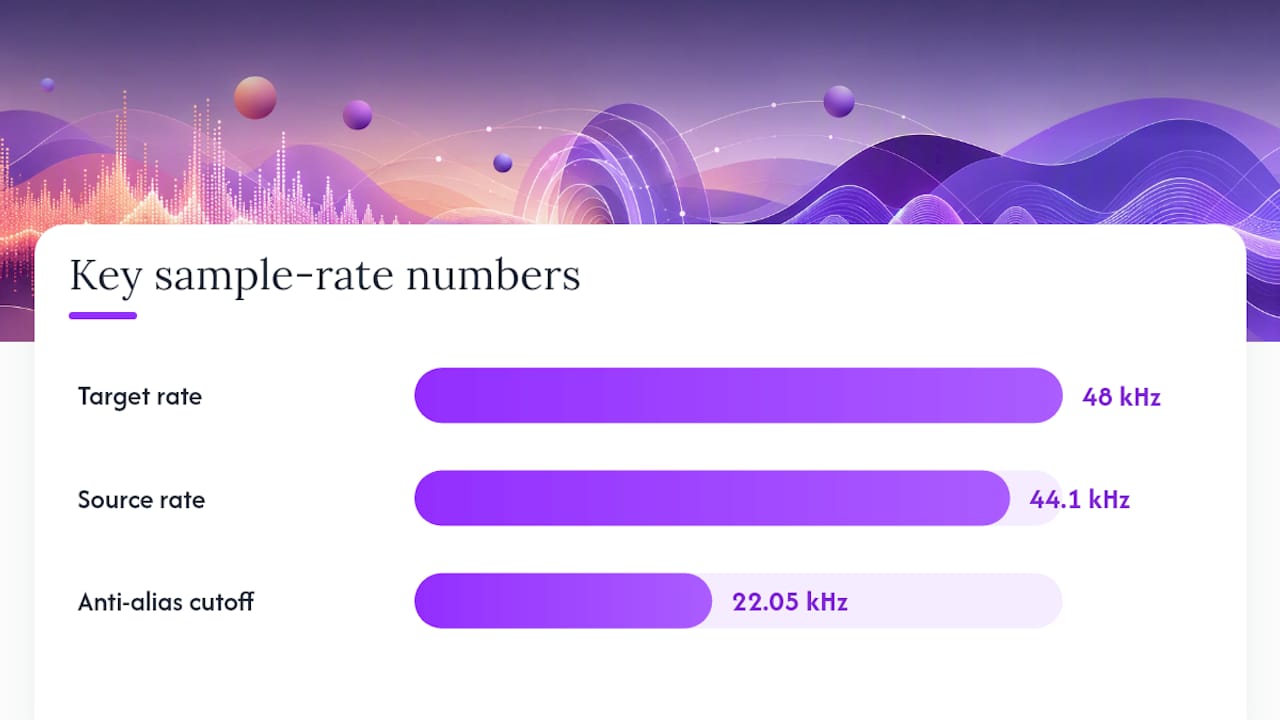
- Converting between rates such as 44.1kHz and 48kHz requires setting the correct upsampling/downsampling ratios, like 160 to 147, and proper anti-alias filtering at half the lower rate.
- It is best to match your project rate to your distribution target early and avoid multiple resampling passes to reduce cumulative distortion.
- Offline processing with sinc or polyphase filters ensures the highest fidelity, while real-time tasks can use simpler algorithms like cubic or linear interpolation.
- Proper validation includes listening critically on full-range monitors and checking for aliasing, ringing, or phase issues after conversion.
What Sample Rate Conversion Actually Does
Every audio file is a series of numbers captured at fixed intervals. Sample rate conversion recalculates those numbers so the same waveform plays back correctly at a different rate. You need it constantly: moving a podcast recorded at 44.1kHz into a video project running at 48kHz, feeding a speech recognition model that expects 16kHz, or archiving a session at 96kHz for future remixing headroom.
Certain rates dominate specific corners of the audio world:
- 8kHz and 16kHz — telephony and voice recognition, where bandwidth matters more than fidelity
- 44.1kHz — the CD-era music standard, still the default for countless releases and plugins
- 48kHz — the video and broadcast standard, and a practical sweet spot for modern music production
- 96kHz and 192kHz — high-resolution recording and mastering chains, where extra headroom absorbs processing artifacts before the final bounce
Matching your project’s rate to its distribution target from the start avoids unnecessary conversion passes. Every resampling operation, even a good one, introduces some risk of artifacts. Skip the ones you don’t need.
How Resampling Algorithms Actually Work
Two mental models describe the same math. The first is “insert and filter”: you conceptually insert L−1 zero samples between every existing sample (upsampling by a factor of L), then remove samples to downsample by a factor of M, filtering at each stage to prevent garbage frequencies from creeping in. The second is interpolation: you treat the signal as a continuous waveform and read new sample values at the target rate. These aren’t competing techniques. The CCRMA resampling notes from Stanford show that choosing an interpolation kernel is mathematically equivalent to choosing a filter’s impulse response.
The kernels you’ll encounter, roughly in order of quality:
- Zero-order hold — repeats the nearest sample; fast, ugly, rarely used for anything but placeholder work
- Linear interpolation — draws a straight line between samples; cheap, decent for rough monitoring, poor for final output
- Cubic interpolation — fits a curve through four neighboring samples; a solid middle ground for real-time use
- Windowed-sinc (FIR) — approximates the theoretically ideal brick-wall filter; this is what mastering-grade resamplers use
Polyphase filtering makes windowed-sinc practical. Instead of recalculating a large filter for each output sample, it precomputes a bank of shorter filters indexed by phase, reducing CPU load without sacrificing accuracy. For rational ratios like 44.1kHz to 48kHz, multistage rational-factor conversion (upsample by L, downsample by M) is the efficient path. For arbitrary or irrational ratios, such as syncing to a drifting clock, arbitrary-ratio sinc-based interpolation is the only option that holds up.
How to Convert Sample Rates Without Wrecking Your Audio
Converting rates correctly is less about the software you pick and more about the sequence you follow. Skip a step here, and you’ll hear it later, usually as a thin, brittle top end or a faint metallic edge on cymbals and vocals.
- Verify your source rate. Check the file’s actual sample rate, not what you assume it is.
- Identify your target rate. Streaming platform, video deliverable, or archival spec, whichever governs the final file.
- Choose your resampler quality setting. Pick the highest-quality mode your tool offers unless you’re bouncing a quick reference mix.
- Run the conversion. Let the tool complete the full pass rather than truncating or previewing.
- Validate the result. Listen critically on full-range monitors and pull up a spectrogram to check for aliasing artifacts above the expected cutoff.
Pro Tip: When converting 44.1kHz to 48kHz, the exact ratio is 160/147. That’s an upsampling factor of 160 and a downsampling factor of 147, derived directly from the 48000/44100 fraction. Set your anti-alias low-pass filter at half the lower of the two rates, which is 22.05kHz here, and you’ll avoid folding high-frequency content back into the audible range.
Before you export, run through a final checklist: confirm bit depth (16 or 24-bit for most deliverables), apply dithering if you’re reducing bit depth, verify the file format matches the destination platform’s spec, and double-check that metadata (tempo, key, timecode) survived the round trip.
Which Tools Handle Sample Rate Conversion Well
The right tool depends on whether you’re working offline for a final master or in real time for tracking and playback.
- OS-level resamplers, like those documented in Android’s audio source code, range from linear to cubic to sinc-based implementations, trading distortion against CPU cost depending on the device’s processing budget.
- DAWs generally resample individual tracks on the fly to match a project’s rate, rather than forcing you to change the whole project rate for one imported file. Understanding how your digital audio workstation handles this internally helps prevent unexpected drops in quality.
- Libraries and command-line tools, particularly SoX and its soxr resampling engine, deliver noticeably better signal-to-noise ratios than basic linear interpolation and are the go-to for batch offline conversion.
- Browser-based converters using Web Audio can resample locally without uploading files anywhere, which is convenient for quick one-off jobs but generally not built for mastering-grade precision.
Balancing Quality, Latency, and CPU Cost
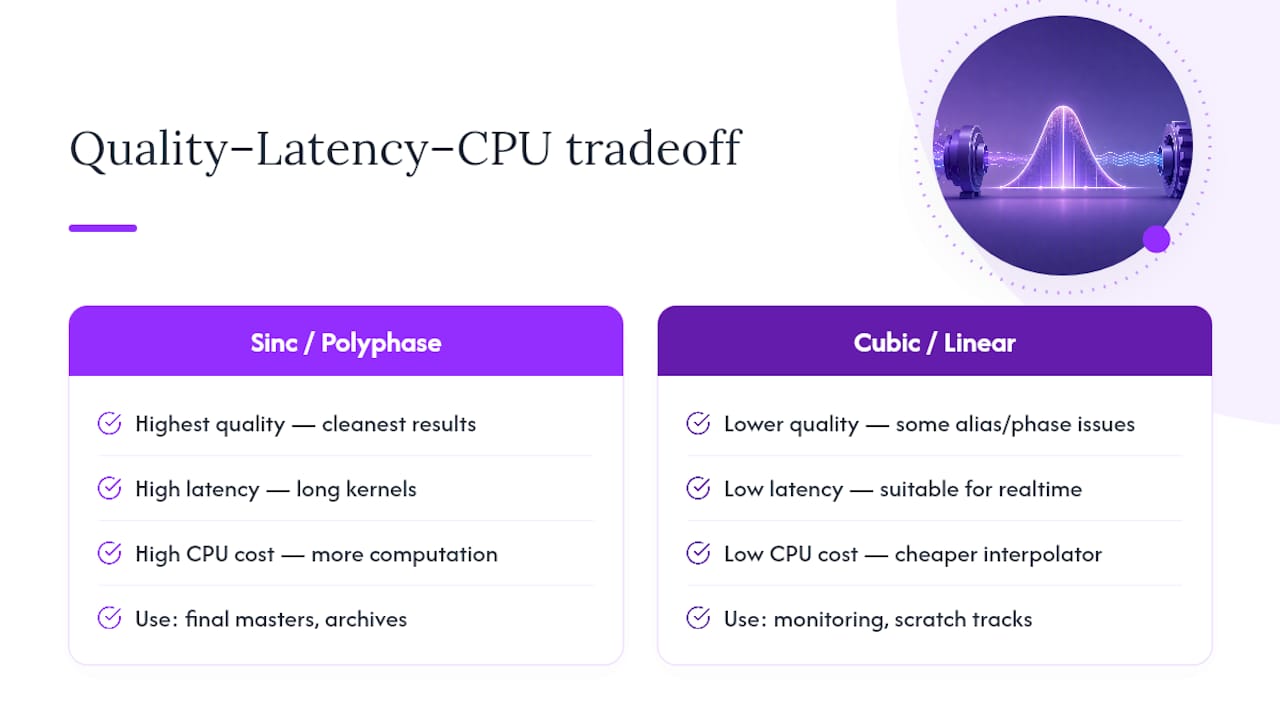
Every resampler forces a three-way trade among quality, latency, and computational load. Sinc and polyphase filters deliver the cleanest results because their long kernels approximate the ideal filter shape, but that length means more computation and more delay. Mastering work can absorb that delay since it happens offline. Live tracking and real-time monitoring can’t, so cheaper interpolators trade a little phase distortion and alias noise for the low latency the task demands.
Listen for four specific artifacts when judging resampling quality: aliasing (high frequencies folding back as harsh, inharmonic tones), imaging (unwanted spectral copies near the new Nyquist boundary), pre- and post-ringing around transients, and phase smearing that dulls stereo imaging. Well-designed filters minimize all four.
Pro Tip: Reserve high-quality sinc or polyphase resampling for final masters and archival copies. For quick monitoring bounces or scratch tracks on underpowered laptops, a cubic or linear interpolator is perfectly fine, and nobody will notice the difference at that stage.
The Math Behind a Clean Conversion
The conversion from 44.1kHz to 48kHz is the fraction 48000/44100, which simplifies to 160/147. That’s your upsampling and downsampling factor pair for a rational-ratio conversion. Set the anti-alias filter’s cutoff at 22.05kHz, half of the lower rate, and you respect the Nyquist limit that governs both source and destination.
Downsampling always costs you bandwidth above the new Nyquist frequency; there’s no getting it back. A conceptual pipeline for insert-filter-decimate looks like this:
- Insert L−1 zeros between each input sample
- Apply a low-pass filter at the appropriate cutoff
- Discard every Mth sample to reach the target rate
The interpolation alternative skips the zero-insertion step and directly computes new sample values from a windowed-sinc kernel centered on each output time point. Both arrive at the same destination through different conceptual doors.
What Producers Actually Get Wrong
Match your project rate to your final distribution rate early, and resist resampling more than once. Every pass through a converter, even a transparent one, is a chance for something to go slightly wrong. Keep bit depth high through your entire processing chain, and only reduce it at final export.
Most mistakes happen at the edges: producers who resample only at export miss issues that compound during mixing, and plenty forget to dither when reducing bit depth, leaving quantization noise that a proper dither would’ve masked.
— Wake
Where SoundBridge Fits Into a High-Fidelity Workflow
Getting your sample rate right only matters if the rest of your signal chain doesn’t undo the work. Some professional DAWs process audio at high sample rates, such as 192kHz, which allows the project rate to remain consistent from tracking through export, without a chain of unnecessary conversions eating into your headroom.

That matters most in three scenarios: mastering, where you want the cleanest possible resampling on the final bounce; film scoring, where sync accuracy and high-resolution audio both need to hold together across a project timeline; and long-term archiving, where you’re capturing extra headroom now for edits you haven’t imagined yet. Integrated export controls and remote collaboration tools in some DAWs mean the whole team — mixers, composers, and mastering engineers — can work to the same rate and fidelity standards, instead of trading files that require constant reconversion.
If you’re deciding whether your current setup handles this well, start with our guide to what a digital audio workstation actually does, then try SoundBridge on your next mastering or scoring project.
Sources
- Sample rate conversion | Android Open Source Project
- Stanford CCRMA resampling notes (JOS)
- SoXR resampler overview (CleverUtils)
- iZotope — Digital audio basics: audio sample rate and bit depth
Recommended
MASTER MUSIC PRODUCTION
Expert-led courses designed to take you from fundamentals to finished tracks.

HOUSEFrom bouncy bass and solid kicks, this course teaches you the most modern House music production techniques needed to succeed and stand out.

TRAPQuit sounding like generic Trap and produce something World with hints of the Far East. Create ethnic soundscapes to put your Trap ahead of the curve.

AMBIENTProduce relaxing, sophisticated psy-influenced ambient. Psychedelic and relaxing to listen to, create meditative soundscapes to put your listeners in Zen.