

SoundBridge vs. Soundation: Remote Production vs. Online Studio
Last Edited: Oct 2, 2026
From Multiplayer Music-Making to DAW-Native Remote Sessions
Online music production has made collaboration much easier. Producers no longer need to be in the same studio, or even the same country, to exchange ideas, develop arrangements, and keep a project moving. In this article, we’ll examine SoundBridge's professional remote production workflow vs. Soundation's shared online studio. We'll be focusing on recording, monitoring, plugin support, session control, and overall production flexibility.
Soundation approaches online music collaboration through a browser-based multiplayer studio. Several creators can open the same cloud project, see collaborative activity, and make changes that appear in real time. SoundBridge takes a different route. Instead of bringing everyone into a single online project, it connects producers and musicians through synchronized DAW sessions.
This difference matters once collaboration turns into an actual recording session. Working on an arrangement together is one thing. Recording a vocalist or instrumentalist remotely also requires reliable monitoring, accurate timing, and direct communication. Good session control is also fundamental to keeping the performance connected to the main production.
SoundBridge Virtual Collaboration is best for this type of workflow. Synchronized sessions, sample-accurate synchronization, proprietary buffering, integrated webcam and talkback, and the Remote Control Plane allow both participants to record and interact without leaving the DAW.
SoundBridge vs. Soundation Key Takeaway
| Point | Details |
| Shared Project Collaboration | Soundation lets several creators work inside the same browser-based project, while SoundBridge connects separate DAW sessions for a more involved remote production workflow. |
| Professional Remote Recording | Working on a shared project is useful, but recording a musician remotely requires accurate timing, reliable monitoring, direct communication, and proper session control. |
| Buffering Architecture | SoundBridge Virtual Collaboration uses proprietary pre-record buffering to support zero-latency monitoring for the musician and a more stable remote tracking experience. |
| Advanced Session Control | Remote Control Plane, integrated webcam and talkback, and File and Block Transfer give collaborators more control than standard shared editing and real-time project updates. |
| Beyond the Shared Project | SoundBridge keeps recording, editing, mixing, plugin support, and remote session interaction inside the same native production environment. |
SoundBridge Remote Production vs. Soundation Shared Projects
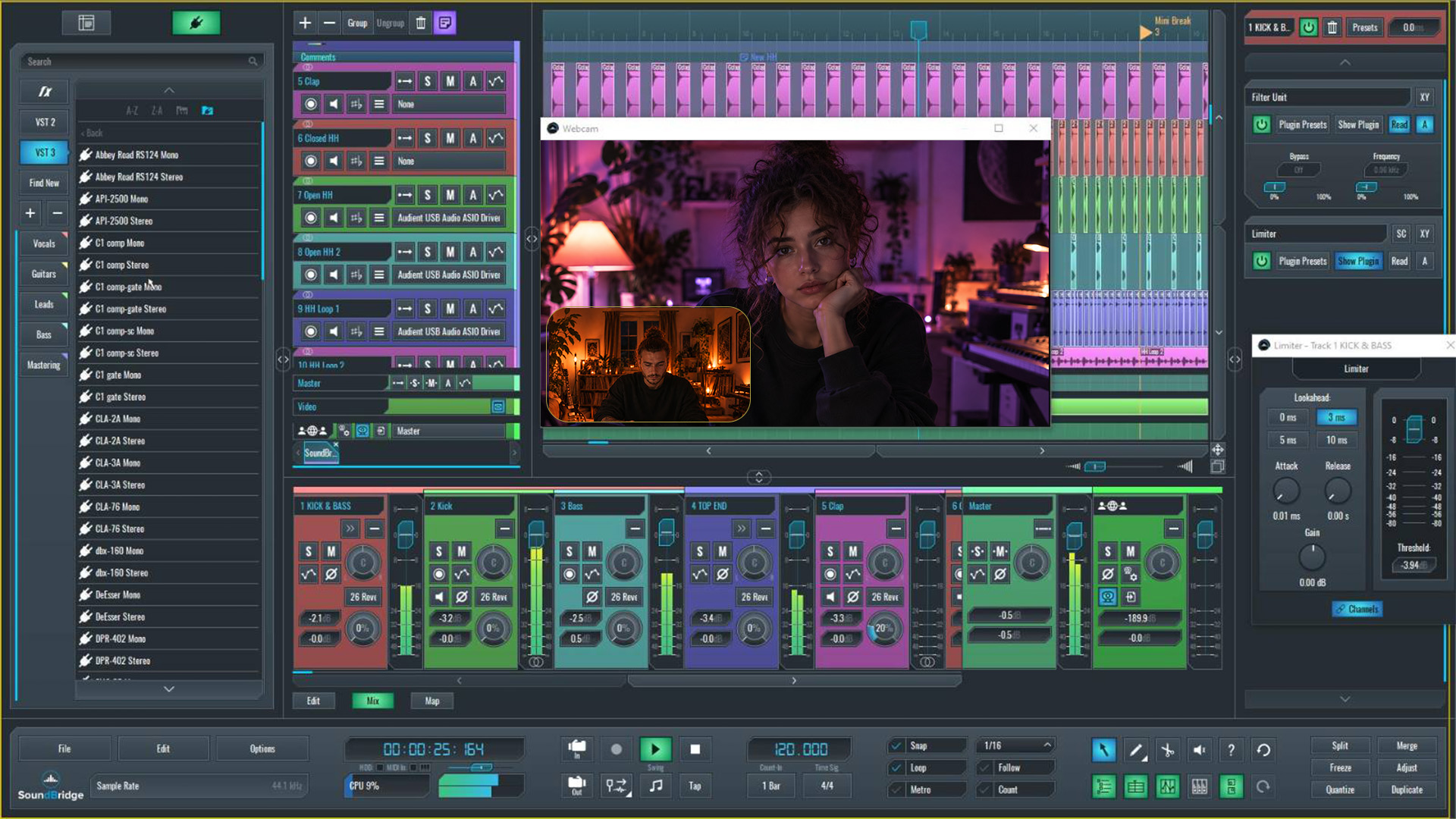
SoundBridge and Soundation both support online collaboration, but they are built around different ideas. Soundation allows several users to work within the same browser-based project. There, they can follow changes and work on an arrangement together in real time.
SoundBridge doesn’t require everyone to enter a single cloud workspace. It connects separate host and guest DAW sessions and keeps them aligned during playback, recording, and production. This means remote collaboration stays tied to the main production environment. It's not just a separate online version of the project.
The key distinction is fairly simple. Soundation focuses on shared project editing. On the other hand, SoundBridge is designed for remote production between synchronized DAW environments.
SoundBridge Remote Recording Goes Beyond Project Collaboration
There’s a clear difference between editing a project with someone, as with Soundation, vs. actually recording them from another location, as with SoundBridge. Soundation keeps changes inside a shared cloud project synchronized. This can work well when collaborators are arranging a track or developing ideas together.
Remote recording brings a different set of problems. A vocalist or instrumentalist needs to hear the session properly and stay in time with the producer’s project. Both parties also need to communicate during the take. The producer needs to be able to monitor what is happening and maintain control of the session without switching between multiple applications.
SoundBridge Virtual Collaboration connects separate host and guest DAW sessions during playback and recording. Sample-accurate synchronization keeps the musician aligned with the project’s tempo, time signature, and position in the timeline.
Integrated webcam and talkback make it easier to guide the performance. The Remote Control Plane provides deeper access to the remote production setup. The result is a workflow built around active remote tracking, not just synchronized project changes.
SoundBridge as a Complete Native Production Environment
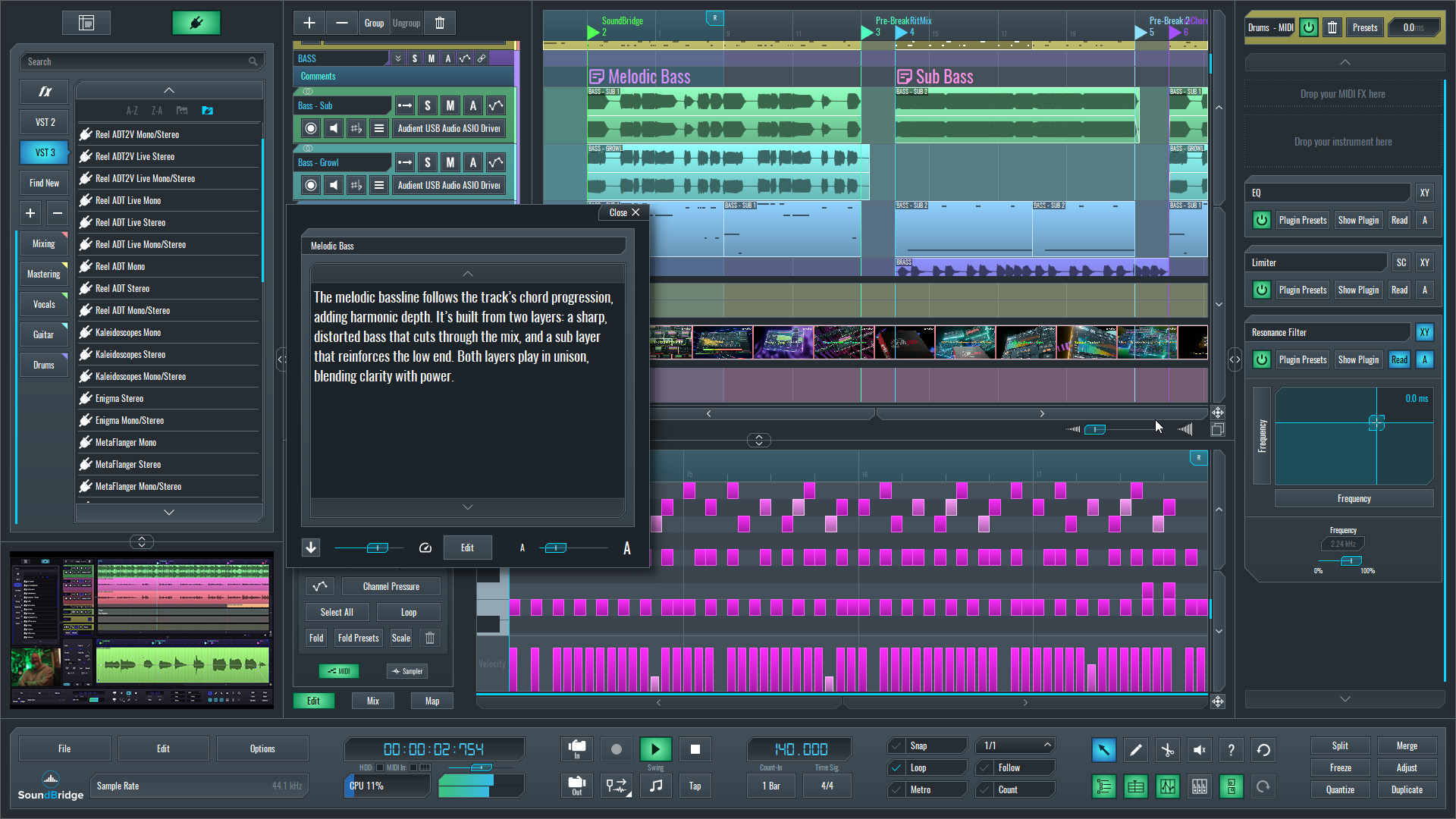
Once a project moves beyond the early idea stage, the production environment starts to matter much more. Recording, editing, arranging, mixing, and managing remote sessions all need to work together without forcing the producer to move between separate platforms.
SoundBridge handles these tasks inside a native desktop DAW. Its audio, MIDI, and automation editors sit alongside a full mixer, flexible routing, and complete VST plugin support. Producers can continue using the instruments and effects they already know, rather than rebuilding their setup around a browser-based collection of tools.
Take recording and comping are also part of the workflow. Several vocal or instrumental performances can be recorded, reviewed, and combined inside the same project, which is especially useful when working with a remote musician who may need more than one attempt to deliver the final take.
For a SoundBridge vs. Soundation comparison in this regard, Soundation includes audio, MIDI, automation, and collaborative editing inside its online studio. SoundBridge goes further by connecting those production tools with deeper routing, plugin integration, take management, and Virtual Collaboration inside the same DAW.
SoundBridge Recording, Monitoring, and Latency Management
Latency becomes much more noticeable when someone is actually trying to perform. A small delay that might not matter while editing can make it difficult for a vocalist or instrumentalist to stay in time, especially when monitoring through headphones.
Soundation handles local recording latency through calibration and adjustable audio buffer settings. Reducing the buffer can make the session feel more responsive, but it may also lead to clicks, glitches, or dropouts. Increasing it usually improves stability, although the added delay can make live recording less comfortable.
SoundBridge Virtual Collaboration handles remote tracking differently. Its proprietary pre-record buffering system gives the musician a zero-latency monitoring experience, while the producer hears a latency-compensated preview of the performance.
Once the take is finished, the lossless audio file is transferred and placed accurately inside the synchronized session. The producer can then review the recording in context without manually realigning the performance or moving files between separate platforms.
By combining pre-record buffering, sample-accurate synchronization, and automatic post-recording transfer, SoundBridge creates a more predictable workflow for remote vocalists, instrumentalists, and producers working across varying network conditions.
SoundBridge Virtual Collaboration and Session Control
A remote session can become unnecessarily complicated when communication, screen sharing, file transfers, and recording are handled through separate applications. SoundBridge Virtual Collaboration keeps these parts of the process inside the DAW.
Host and guest sessions remain synchronized during playback, recording, editing, and arrangement changes. Soundation allows several users to work inside the same online project, while SoundBridge gives producers more direct access to what is happening inside the remote production setup.
Remote Control Plane can be used to interact with the remote DAW, plugins, preferences, and hardware settings. This is useful when a musician needs help configuring an input, adjusting a plugin setting, or troubleshooting a technical issue during the session.
Integrated webcam and talkback keep communication close to the recording process. File and Block Transfer also allows recordings and project elements to be exchanged with accurate timeline placement, without relying on separate cloud storage or repeated export-and-import cycles.
Together, these tools make SoundBridge feel closer to a connected remote studio than a standard multiplayer editing environment.
SoundBridge vs Soundation: Side-by-Side Comparison
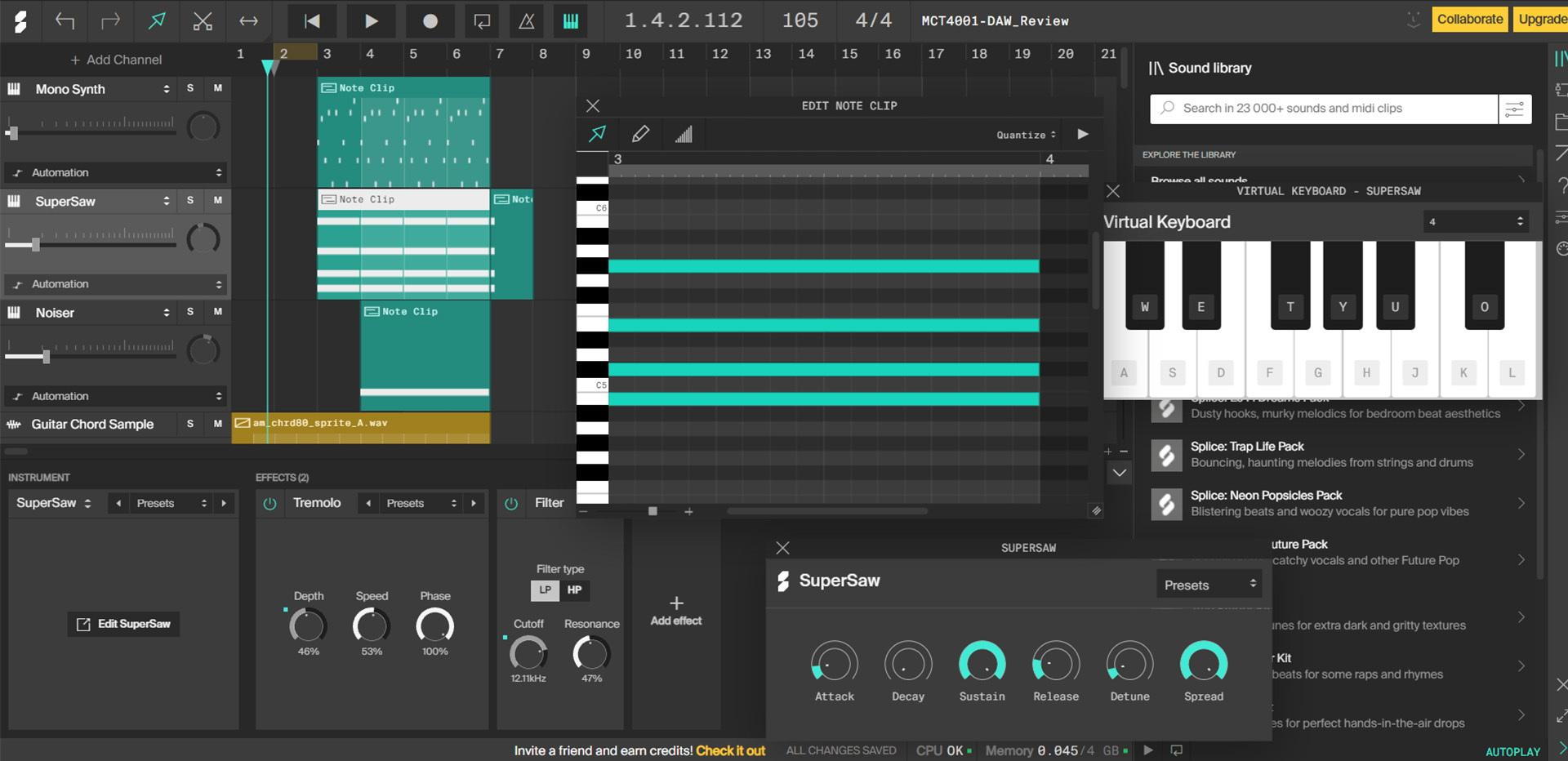
At first glance, both platforms support online collaboration, but the actual experience is quite different. Soundation brings multiple users into the same browser-based project. SoundBridge connects separate DAW sessions and adds the recording, monitoring, and session-control tools needed for more involved remote production.
| Feature | SoundBridge | Soundation |
| Platform Type | Native Desktop DAW | Browser-Based Cloud DAW |
| Primary Focus | Professional Production and Remote Recording | Online Music Creation and Shared Project Collaboration |
| Collaboration Model | Synchronized Host and Guest DAW Sessions | Multiplayer Editing Inside the Same Cloud Project |
| Project Architecture | Separate DAW Environments Kept in Sync | Single Shared Online Project |
| Remote Recording | DAW-Native Remote Tracking | Local Recording Inside the Shared Project |
| Session Synchronization | Sample-Accurate Synchronization | Real-Time Project Updates |
| Remote Monitoring | Zero-Latency Monitoring Experience | Local Input Monitoring |
| Buffering Approach | Proprietary Pre-Record Buffering | Adjustable Local Browser Buffer |
| Plugin Environment | Complete VST Plugin Support | Built-In Browser Instruments and Effects |
| Take Management and Comping | Integrated Take Lists and Advanced Comping | Standard Audio Recording and Editing |
| Audio, MIDI, and Automation Editing | Dedicated Native Editors and Advanced Production Tools | Browser-Based Audio, MIDI, and Automation Tools |
| Session Control | Remote Control Plane | Collaborative Project Editing |
| Session Interaction | Integrated Webcam and Talkback | Collaborative Activity and Real-Time Project Updates |
| File and Block Transfer | Direct Transfer With Timeline Placement | Cloud Project Assets and File Import |
| Network Workflow | Designed for Remote Sessions Across Different Network Conditions | Browser and Cloud-Based Workflow |
| Best Fit | Professional Remote Production | Collaborative Online Music Creation |
Final Thoughts
Soundation makes online collaboration easy to access. Several creators can open the same browser-based project, develop ideas together, and follow changes as they happen. For sketching tracks and working collaboratively in the cloud, that approach can be practical.
SoundBridge is aimed at a different type of session. It combines a native desktop DAW with the tools needed to record and manage musicians remotely, including synchronized sessions, proprietary pre-record buffering, complete VST plugin support, Remote Control Plane, and integrated communication.
The real difference is not simply whether two people can work on the same track. It is how much control the producer has once collaboration turns into an actual recording session. For remote tracking, reliable monitoring, and deeper interaction between producers and musicians, SoundBridge provides a more complete production workflow.
If you enjoyed this article, check these out:
MASTER MUSIC PRODUCTION
Expert-led courses designed to take you from fundamentals to finished tracks.

HOUSEFrom bouncy bass and solid kicks, this course teaches you the most modern House music production techniques needed to succeed and stand out.

TRAPQuit sounding like generic Trap and produce something World with hints of the Far East. Create ethnic soundscapes to put your Trap ahead of the curve.

AMBIENTProduce relaxing, sophisticated psy-influenced ambient. Psychedelic and relaxing to listen to, create meditative soundscapes to put your listeners in Zen.