

What Is Remote Audio Editing: A Practical Guide
Last Edited: May 29, 2026
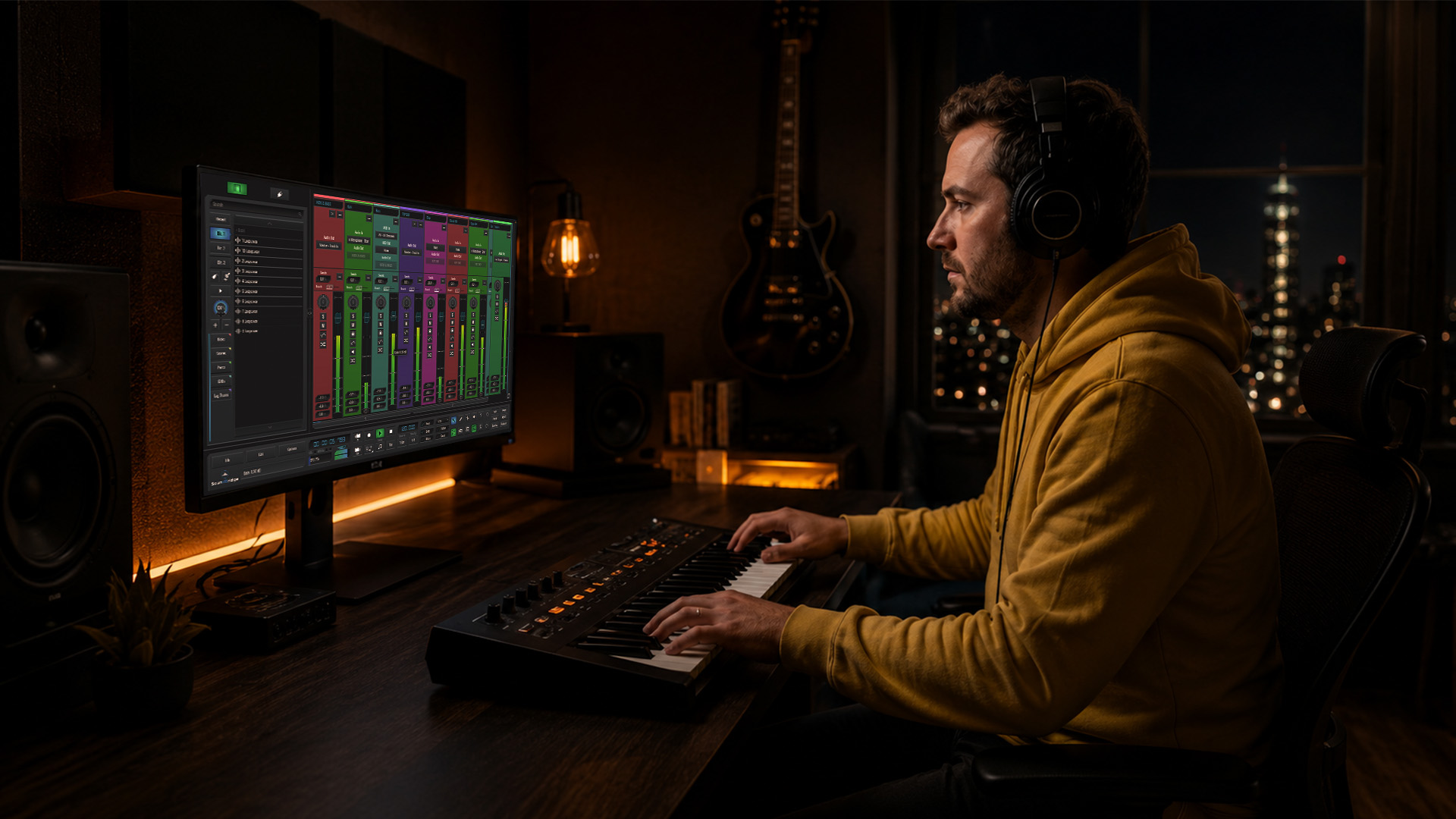
Remote audio editing is not just swapping files over email and hoping for the best. It’s a structured, professional discipline that lets musicians, producers, and sound engineers collaborate across cities and time zones without sacrificing audio quality. If you’ve been wondering what remote audio editing is and whether it belongs in your workflow, you’re asking the right question. This guide breaks down how the process actually works, what tools make it possible, and how to run a remote editing project that sounds like it came out of a world-class studio.
Key Takeaways
| Point | Details |
|---|---|
| Remote editing is more than file transfer | It involves specialized workflows, dedicated software, and disciplined communication protocols. |
| Local recording is the quality foundation | Each participant records locally and syncs tracks in post, preserving full audio fidelity. |
| Purpose-built tools beat generic calls | Platforms like Source Connect outperform Zoom or Teams for sample-accurate, broadcast-quality remote sessions. |
| Structured feedback accelerates projects | Timestamped comments and voice notes reduce revision cycles and eliminate subjective miscommunication. |
| Automation handles scale | Batch processing tools handle loudness normalization and consistency across large remote projects. |
What Remote Audio Editing Actually Means
Most people hear “remote audio editing” and picture someone cutting audio files on a laptop from a coffee shop. That picture is incomplete. What is remote audio editing in professional practice? It’s the full cycle of recording, organizing, editing, mixing, and delivering audio content with contributors who are in different physical locations, using purpose-built tools to maintain quality and collaboration integrity.
The key distinction is workflow architecture. A standard remote setup involves:
- Local capture: Each participant records their own audio locally on high-quality hardware.
- Cloud sync: Files are uploaded to a shared project space where the editor can access uncompressed stems.
- Remote mixing: The editor applies EQ, compression, and arrangement decisions inside a DAW, often with real-time or asynchronous feedback from collaborators.
- Delivery: Finalized files are exported and shared in the agreed format.
The “double-ender” method is the industry standard for this. Each participant records locally, and tracks are synced in post, which eliminates the audio degradation that comes from recording a phone or video call directly. This is why platforms like Riverside exist. They automate the double-ender capture and sync, making the workflow accessible to podcasters and producers who aren’t audio engineers.
Separate track capture is what gives an editor actual control. Unlike Zoom, which renders a single mixed file from all participants, purpose-built platforms create independent tracks for each participant. That means you can remove background noise from one voice without touching another, fix a clipped line without disturbing the rest of the recording, and apply different processing to each stem.
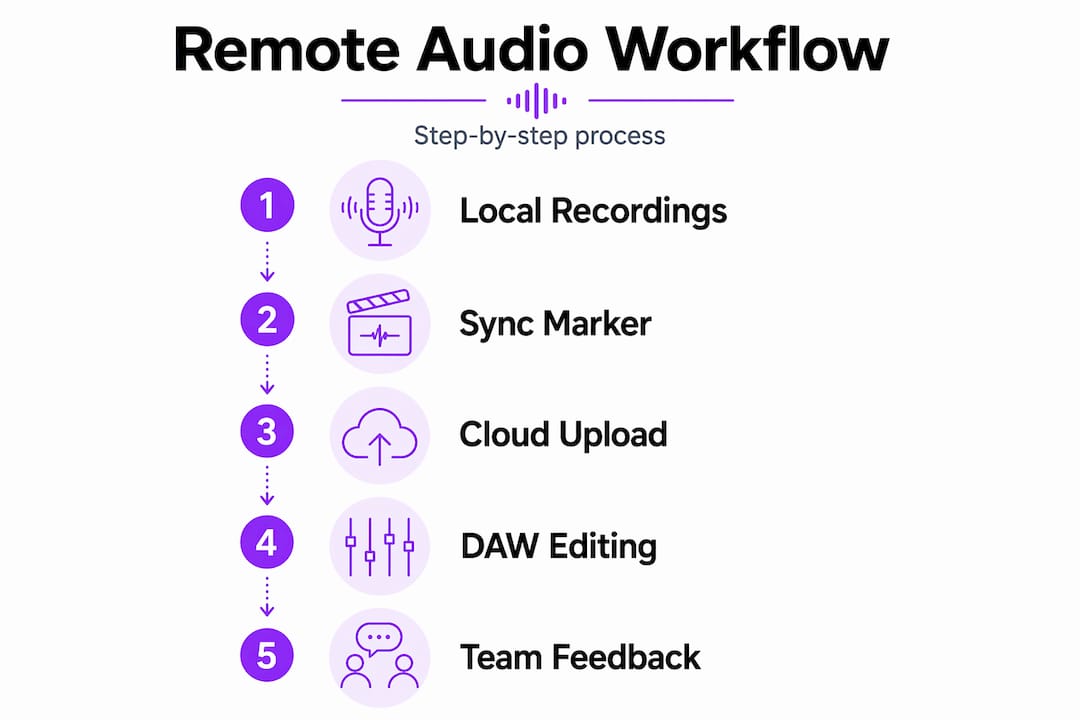
Pro Tip: Always record a sync marker, like a sharp clap or a countdown, at the start of every remote session. A consistent sync marker gives you a clear reference point for aligning tracks to sample accuracy in post and prevents phase issues that can make dialogue sound hollow or smeared.
Tools That Make Remote Audio Editing Work
Choosing the right tools is where remote audio editing either comes together or falls apart. The category breaks down into three tiers: capture platforms, real-time session tools, and post-production environments.
Capture Platforms
These record each participant’s audio locally and handle sync automatically:
- Riverside: Records uncompressed WAV tracks per participant and syncs them post-session. Strong for podcasts and music interview content.
- Zencastr: Offers browser-based local recording with cloud backup, solid for remote podcast production.
- SquadCast: Focused on audio quality with progressive upload, so files are safe even if the connection drops mid-session.
Real-Time Session Tools
For live remote direction and broadcast-quality streaming, Source Connect is the industry benchmark. Studios like Dallas Audio Post use it to edit takes live during sessions, with broadcast-ready files delivered the same day. Source Connect integrates directly with your DAW and sends high-quality audio over IP without the compression artifacts you’d get from a video call.
For demanding professional workflows, purpose-built platforms with timeline synchronization outperform generic VoIP tools in terms of remote timing precision. Source Connect 4, for example, now supports Dolby Atmos remote review with metadata connection.
DAWs and Post-Production Environments
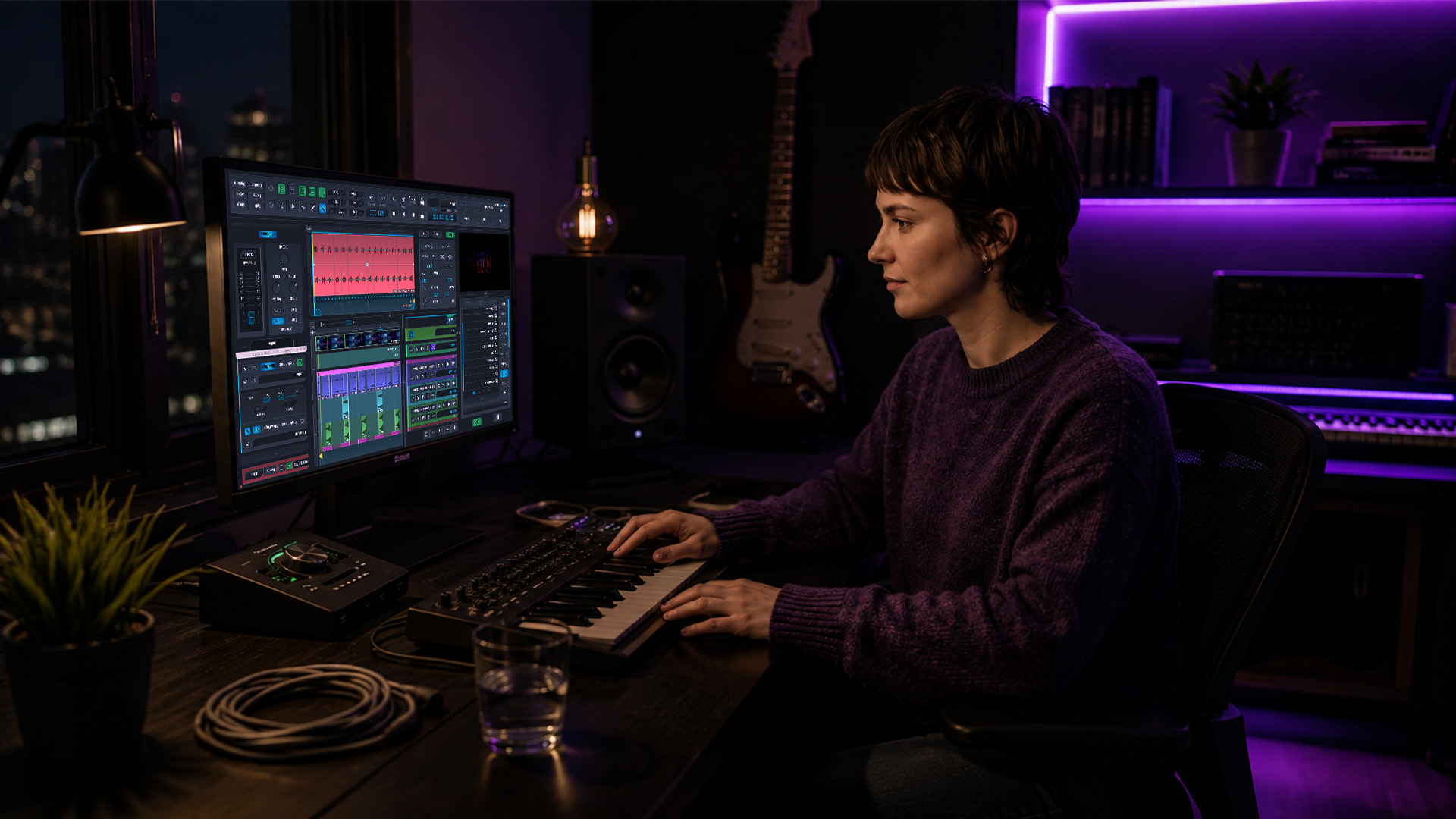
Your DAW is where the actual editing happens. Look for DAW features that support cloud collaboration, project versioning, and plugin compatibility. Here’s a quick comparison:
| Tool | Best for | Real-time collaboration | Cloud sync |
|---|---|---|---|
| SoundBridge | Full remote production and mixing | Yes, with zero-latency tracking | Yes |
| Pro Tools | Post-production and broadcast | Via Avid Nexis | Limited |
| Logic Pro | Mac-based music production | No native remote | Via third-party |
| Reaper | Flexible, budget-friendly editing | Via third-party plugins | Via third-party |
Pro Tip: Your home studio hardware matters as much as your software. A quality audio interface and a closed-back headphone setup reduce monitoring fatigue and catch mix problems that speakers in untreated rooms will miss.
Challenges and How to Beat Them
Remote audio editing introduces friction that in-studio work doesn’t have. Knowing these challenges upfront lets you build systems that prevent them from derailing your projects.
-
File versioning chaos. When multiple collaborators export and rename files independently, you end up with a folder full of “final_v3_ACTUALLY_FINAL” stems. Versioning and feedback latency are two of the biggest workflow problems in remote editing. Fix this with a naming convention agreed upon before the session starts, and use a shared cloud folder with a strict folder structure.
-
Compressed audio from calls. Recording the output of a Zoom or Google Meet call introduces codec artifacts that no amount of editing can fully remove. Generic conferencing tools are insufficient for professional remote audio work because they lack the ability to capture separate tracks. Always use a dedicated recording platform for the actual audio capture.
-
Monitoring latency vs. recording quality. If a remote vocalist is monitoring through an internet connection, even small latency spikes throw off their timing. The fix is routing their headphone monitoring locally through an audio interface, not through the remote session stream.
-
Subjective feedback without reference. Telling a producer “the chorus feels muddy” over a chat message wastes time. Timestamped and voice-noted comments reduce subjective miscommunication and significantly speed up revision cycles. Use tools with built-in timestamped annotation, or reference exact timecodes in every piece of feedback.
-
Revision cycle bloat. Without a defined revision structure, a single two-minute audio piece can go through twelve rounds of changes. Set a clear number of revision rounds before the project begins, and define what constitutes a revision versus a new request.
Pro Tip: Create a shared feedback template for your collaborators to complete before sending notes. Fields like “timecode,” “describe the issue,” and “preferred direction” force specificity and cut your back-and-forth by half.
How to Set Up a Remote Audio Editing Project
Getting your first remote project off the ground is straightforward once you know what to prepare. Here’s how to approach it from setup to delivery.
- Choose your capture platform first. Match the tool to the project type. Podcasts and voice work fit well with Riverside or Zencastr. Music sessions with live direction require Source Connect or a DAW with zero-latency remote capability, such as SoundBridge.
- Standardize participant setups. Send contributors a one-page checklist of equipment and environment before the session. The weakest mic in the chain limits your final quality more than any editing skill you bring. Minimum requirements: a USB or XLR condenser mic, a quiet room, and a pop filter.
- Set a sync marker protocol. At the start of every session, have everyone clap on a shared countdown. This gives you a clean reference point for track alignment in your DAW.
- Establish your file management system. Define folder structure, naming conventions, and upload deadlines before anyone hits record. A shared cloud storage setup with read-only access for contributors and editor control helps prevent overwrites.
- Use automation for consistency. Batch processing tools like Auphonic’s CLI automatically handle loudness normalization across multiple files, saving hours on large-scale remote projects. For deeper automation inside your DAW, a solid audio editing automation guide will show you how to set up macros and batch exports.
- Define delivery standards upfront. Agree on export format (WAV or AIFF), sample rate (48kHz for video, 44.1kHz for music), and loudness targets (typically -14 LUFS for streaming) before editing begins.
Pro Tip: Run a 30-second test recording at the start of every remote session before committing to the full take. Check levels, monitor for background noise, and verify your sync marker lands cleanly. Two minutes of prep saves two hours of post-production.
My Take on Where Remote Audio Editing Is Headed
I’ve worked alongside remote audio projects long enough to say this clearly: the biggest mistake teams make is treating remote editing like a lesser version of in-studio work. It’s not. Remote audio editing at its best is professional engineering with the same discipline, the same standards, and in some cases, better documentation because everything has to be written down.
What I’ve found is that the teams who struggle most aren’t the ones with inferior equipment. They’re the ones who underestimate how much local recording quality determines the outcome. You can’t compress-and-expand your way to a clean vocal if the room sounds like a parking garage. The editing skill ceiling is set by what comes in the door.
The future I see is less about new technology and more about better habits. AI-driven noise reduction and stem separation are already good enough to rescue a poorly recorded file. But the producers and engineers who build deliberate workflows, with clear naming conventions, structured feedback rounds, and disciplined sync protocols, will always outperform those chasing the latest plugin. The tools are mostly solved. The human systems are where the real gains are.
For anyone stepping into remote audio work for the first time, my advice is simple: focus on collaborative remote music techniques before you upgrade gear. A well-run remote session on mid-range equipment beats a chaotic session on professional hardware every time.
— Wake
Take Your Remote Projects Further With SoundBridge
If you’re ready to build a remote audio editing setup that actually performs at a professional level, SoundBridge gives you the tools to do it without compromise.

SoundBridge supports zero-latency remote tracking, studio-accurate synchronization, and bi-directional plugin control so your remote sessions feel as tight as in-room work. With support for 192kHz sample rates, integrated talkback, and real-time collaboration features built directly into the DAW, SoundBridge removes the patchwork of third-party workarounds most remote setups require. Whether you’re producing music, editing podcast audio, or scoring to picture with a remote director, SoundBridge is built to handle it. Explore the platform and see how it fits your workflow.
FAQ
What is remote audio editing in simple terms?
Remote audio editing is the process of recording, editing, and mixing audio content with collaborators in different locations using specialized software and cloud-based workflows. It goes well beyond simple file sharing and requires dedicated tools to maintain professional quality.
What tools do I need to edit audio remotely?
You need a local recording platform like Riverside or SquadCast, a capable DAW with cloud sync or collaboration features, and proper hardware, including a condenser microphone, audio interface, and closed-back headphones. For real-time sessions, Source Connect provides broadcast-quality audio streaming integrated with your DAW.
Why shouldn’t I just record a Zoom call for audio editing?
Zoom and similar video conferencing tools apply audio compression, which degrades audio quality, and record all participants in a single mixed file. Purpose-built platforms record separate, uncompressed tracks per participant, which gives you far more control in post-production.
How do I sync remote audio tracks accurately?
Use a shared sync marker, such as a clap or a countdown, at the start of every session. This creates a visual and audio reference point you can align in your DAW to achieve sample-accurate synchronization across all recorded tracks.
What are the main benefits of remote audio editing for teams?
Remote audio editing lets teams work across time zones without travel costs, access specialist editors regardless of location, and maintain detailed revision histories through cloud-based project management. Structured feedback systems and automation tools make large-scale projects manageable and consistent.
Recommended
MASTER MUSIC PRODUCTION
Expert-led courses designed to take you from fundamentals to finished tracks.

HOUSEFrom bouncy bass and solid kicks, this course teaches you the most modern House music production techniques needed to succeed and stand out.

TRAPQuit sounding like generic Trap and produce something World with hints of the Far East. Create ethnic soundscapes to put your Trap ahead of the curve.

AMBIENTProduce relaxing, sophisticated psy-influenced ambient. Psychedelic and relaxing to listen to, create meditative soundscapes to put your listeners in Zen.