

Zero-Latency Plugin Sharing for Remote Music Sessions
Last Edited: Nov 17, 2026
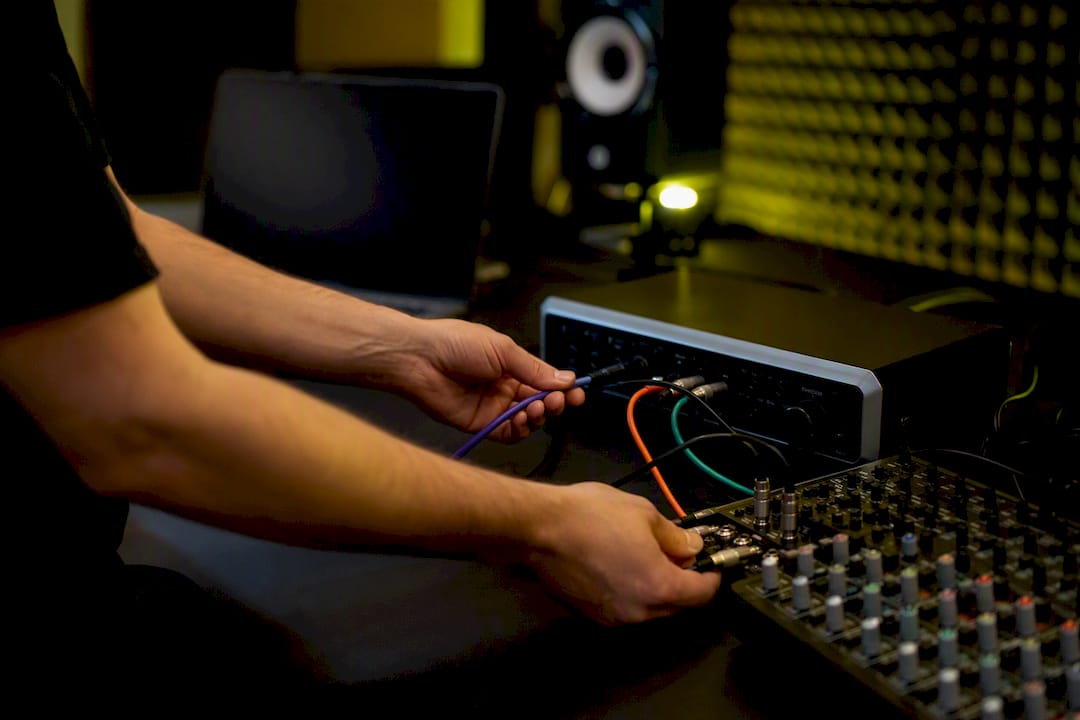
Zero-latency plugin sharing means hosting and controlling plugin instances across a network so a remote collaborator’s audio and control data arrive with a delay so small it feels instant. The honest verdict: you can get perceived zero latency, not literal zero latency. Sound still has to travel, but latency compensation and jitter buffering can hide that trip from your ears.
- Use real-time sharing for live tracking, monitoring, and mixing decisions.
- Use asynchronous transfer (stems, printed audio) for heavy processing or AI-based transforms.
- Treat anything under a small perceptible delay as production-ready for most tracking sessions.
Pro Tip: If you’re only exchanging ideas and not tracking live, don’t fight for zero latency. Bounce and send. It’s faster and far more stable.
Key Takeaways
Reliable zero-latency plugin sharing depends on separating audio and network threads, using lock-free SPSC ring buffers, and tuning jitter buffers to achieve sub-15-millisecond perceived latency.
| Point | Details |
|---|---|
| Separate your threads | Never let network I/O touch the audio callback; use a dedicated network thread instead. |
| Use lock-free ring buffers | SPSC ring buffers move audio and control data without blocking, enabling stable low buffer sizes. |
| Target measurable thresholds | Aim for under 50 milliseconds of perceived latency and under 15 milliseconds of jitter. |
| Sync metadata, not whole sessions | Share BPM, tempo maps, and plugin manifests separately rather than entire DAW projects. |
| Escalate when stakes rise | For client sessions or large ensembles, a turnkey platform like SoundBridge reduces the setup risk a DIY bridge carries. |
How Does Zero-Latency Plugin Sharing Actually Work?
Every reliable system rests on one rule: never let network activity touch your audio thread. The audio thread has a hard deadline, usually a few milliseconds. Developers building remote-plugin bridges are explicitly told to copy audio in the real-time callback and push actual network I/O onto a separate worker thread, a principle repeatedly confirmed on JUCE’s own developer forum.
That separation needs a safe handoff point between the two threads, and that’s where lock-free single-producer single-consumer (SPSC) ring buffers come in. One thread writes, the other reads, and neither waits on a mutex or system call. This is the same architecture behind tools like discoLink, which moves audio and control data between plugin processes without ever blocking the audio thread, enabling stability even at very low DAW buffer sizes.
The audio callback writes into the ring buffer and moves on. It never waits to find out what the network is doing. That single design decision is the difference between a stable 64-sample buffer and a session full of crackle.
On the network side, a jitter buffer absorbs the natural unevenness of packet arrival, while a PI controller nudges playback timing to correct for drift. Two separate machines can never share a perfectly synchronized sample clock over standard IP networks, according to foundational research on clock synchronization… Parameter automation and MIDI events ride along with timestamps or sample offsets, so a remote plugin move lands on the correct sample rather than a rough approximation.
Data flow in practice:
- DAW audio callback writes to a local ring buffer.
- A network thread reads the buffer and transmits over UDP.
- The remote host decodes, buffers for jitter, and feeds its own plugin chain.
- The return path mirrors the same steps back to your monitor bus.
Pro Tip: If you’re building or evaluating a bridge tool, ask specifically whether it uses a lock-free ring buffer. If the answer is vague, assume it’s doing blocking I/O somewhere, and budget for glitches.
What Buffer and Network Settings Minimize Perceived Delay?
Buffer size is your first lever. Live tracking generally requires 32 to 128 samples locally, while the network path benefits from a separately tuned jitter buffer, often in the 4 to 50-millisecond range, depending on connection quality.
Wired Ethernet beats Wi-Fi every time for this work; wireless jitter alone can chew through a tight buffer budget. Choosing a server closer to your regional collaborators cuts round-trip time before you tune anything else, a point emphasized in DepartureMusic’s cross-platform collaboration guide.
Target thresholds: aim for perceived latency low enough not to disrupt timing and minimal jitter for stable playback. Beyond those numbers, most players start noticing that timing feels “off,” even if they can’t say exactly why, according to latency-budget breakdowns in remote-DAW engineering documentation.
Pre-session checklist:
- Run a speed test and confirm the upload speed, not just the download speed.
- Confirm a wired connection on both ends.
- Match the sample rate and buffer size before opening any plugin chain.
- Verify routing so returned audio doesn’t loop back into the source.
- Check packet loss; anything above roughly 1% usually indicates a network switch issue, not a buffer-tuning issue.
Partner resources like Audome’s remote collaboration guide walk through similar pre-session network checks if you want a second checklist to cross-reference.
How Do You Manage Plugins Across Different DAWs?
Mismatched plugin libraries are the single most common reason a “zero-latency” session turns into a troubleshooting call. Solve it before the session starts, not during it.
A shared manifest file heads off most surprises. Before connecting, exchange:
| Field | Why it matters |
|---|---|
| Plugin name and version | Prevents parameter mapping errors between mismatched builds |
| Plugin format (VST3, AU) | Cross-platform sessions often mix Mac and Windows machines |
| Bit depth (32-bit vs 64-bit) | Older plugins may not bridge cleanly across formats |
| Preset file location | Let's have the remote host load the exact same starting point |
| Target sample rate | Avoids resampling artifacts on either end |
When a plugin isn’t available on the remote machine, fall back to a stock-plugin equivalent or a preset-only exchange rather than forcing an unsupported bridge. Systems like AudioGridder address this by hosting the plugin remotely and streaming its UI back, so the plugin runs where it’s actually installed rather than requiring both machines to own a license. For UI-heavy plugins, remember that streaming the interface adds more bandwidth demand than sending parameter data alone. Reserve full UI streaming for sessions where visual feedback genuinely matters.
Why Is My Session Crackling, and How Do I Fix It?
Crackling almost always traces back to one of three culprits: a buffer underrun, clock drift between machines, or blocked audio-thread I/O. Check underrun counters first. Frequent underruns at a small buffer size mean you’ve pushed past what your network and CPU combination can sustain right now.
Quick diagnostic order:
- Check the jitter buffer and underrun counters in your bridge tool.
- If underruns are frequent, raise the buffer size before touching anything else.
- If timing slowly drifts over a long session, that’s clock drift. Let the PI controller catch up, or manually nudge the jitter buffer temporarily.
- If dropouts are random and severe, suspect packet loss over blocked sockets rather than a buffer problem.
Reastream-style bridges that keep socket I/O off the audio thread and route it through a dedicated network worker avoid most of this entirely, according to implementation notes from the reastream_bridge project.
Pro Tip: If three fixes in a row haven’t solved it, stop tuning and switch to printing audio. A finished take beats an endless troubleshooting loop.
Should You Build, Buy, or Rent Your Zero-Latency Setup?
Not every project needs the same solution. Weigh four factors before committing time to any stack.
- Reliability under load. Does it hold up at your target buffer size for a full session, not just a five-minute test?
- Format support. VST3 and AU coverage, plus 64-bit compatibility across every collaborator’s machine.
- Automation fidelity. Does parameter movement arrive sample-accurately, or does it smear?
- Security and IP controls. Who can access the session, and what happens to your plugin licenses and stems afterward?
For a single collaborator on a fast LAN, a lightweight peer-to-peer bridge is often enough. For scoring sessions with multiple remote musicians, client-facing tracking, or anything where a dropped connection costs real money, a managed or server-hosted platform earns its keep. Browser-based, WebRTC-style tools remain the most convenient option to start with, but they typically have higher minimum latency than a native plugin host due to additional browser audio-driver buffering, a trade-off documented in the remote-daw project’s technical notes.
What Security Risks Come With Remote Plugin Sharing?
Sharing a live plugin chain means sharing a doorway into your machine, and that doorway needs the same scrutiny you’d give any remote-access tool. Every open network port used for plugin bridging is a potential entry point, so restrict connections to known IP addresses or a VPN tunnel whenever the session allows it.
Session data itself carries real intellectual property risk. Unfinished stems, unreleased compositions, and client masters shouldn’t travel over unencrypted connections, and neither should plugin state data that reveals a signature production technique you’d rather competitors not reverse-engineer. Favor tools that encrypt the transport layer, not just the login screen.
License compliance matters too. Remote-hosting a plugin on someone else’s machine can violate a single-seat license agreement, depending on the vendor’s terms. AudioGridder and similar DSP-server architectures address this by running the plugin on the machine where it’s licensed and streaming only its UI and output back, rather than duplicating the plugin binary across machines.
Finally, decide who “owns” a session once it closes. Clarify in advance whether a collaborator retains local copies of shared stems, presets, or automation data, especially on client-facing projects where confidentiality is part of the contract. A five-minute conversation before the first session avoids a much longer one after a leak.
What Hardware and Network Setup Do You Actually Need?
You don’t need an enterprise data center, but a few hardware choices matter more than most producers assume. A dedicated audio interface with a stable, low-latency driver — ASIO on Windows, Core Audio on Mac — is the foundation everything else builds on. Consumer built-in sound cards introduce enough baseline latency to undermine even a well-tuned network bridge.
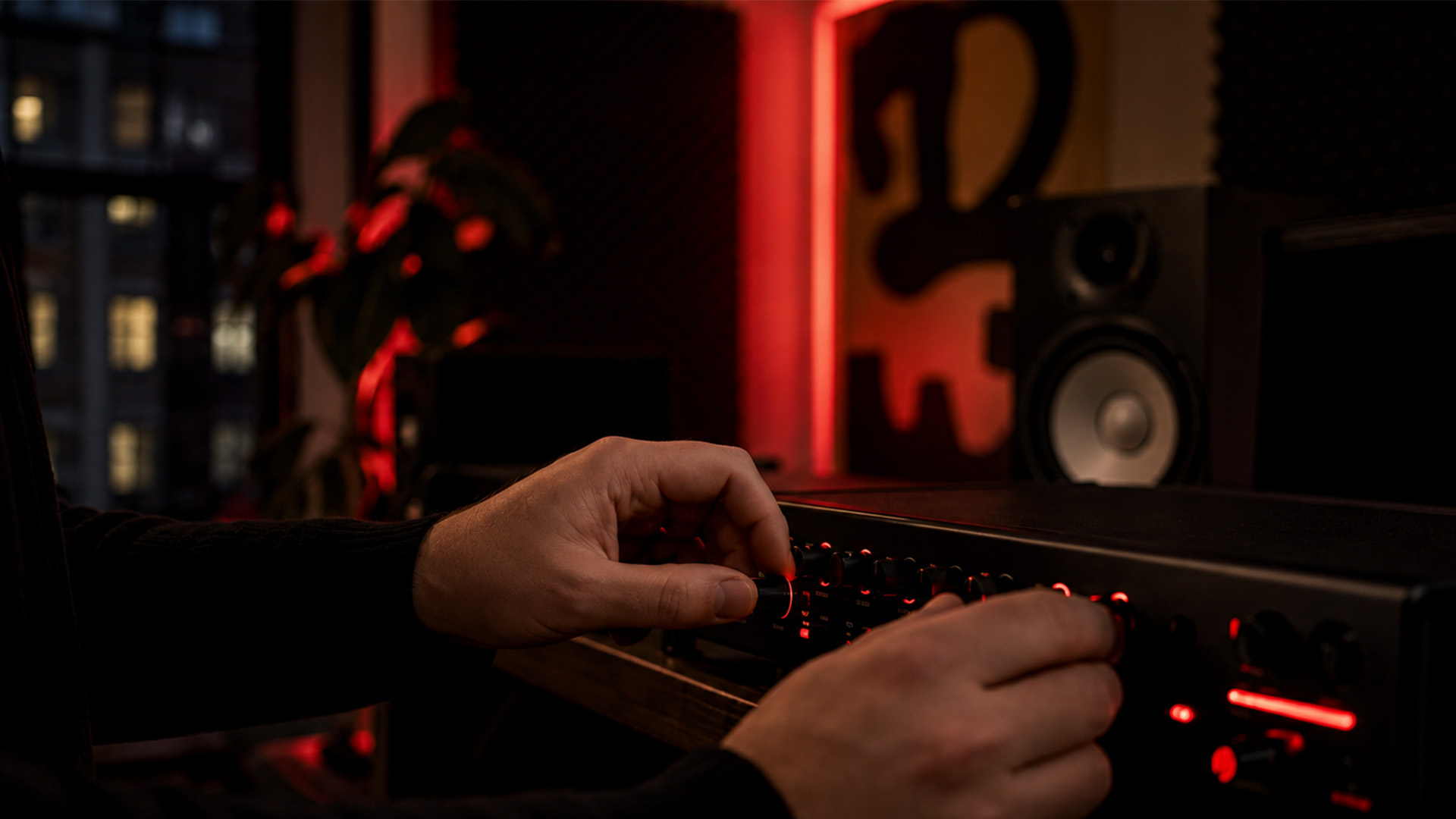
On the network side, gigabit Ethernet on both ends eliminates an entire category of jitter that Wi-Fi can’t match, particularly in shared household or studio networks where other devices compete for bandwidth. If your router supports Quality of Service settings, prioritizing your bridge software’s traffic keeps a large file download elsewhere on the network from stealing bandwidth mid-session.
CPU headroom matters more than raw clock speed. Running a remote bridge alongside your DAW and plugin chain means your processor is juggling real-time audio threads and network threads simultaneously. A machine that’s already near its CPU ceiling on a solo session will struggle once network overhead joins the mix, so leave real margin, not just enough to squeak by locally.
For collaborators working across long distances, a server positioned geographically between both parties reduces round-trip time more effectively than any local tuning can. Expert tips for remote collaboration cover regional server selection and connection testing in more depth if you’re setting this up for the first time.
How Do You Handle a Slow or Unstable Internet Connection?
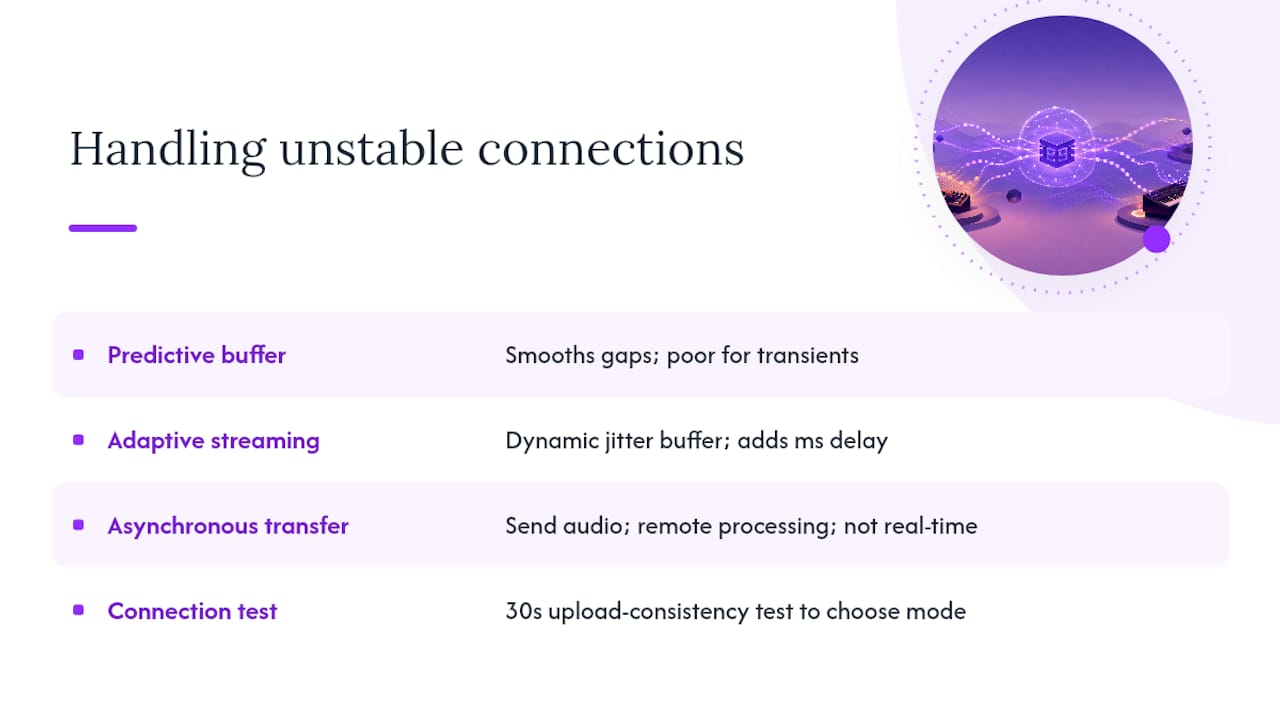
A high-latency connection doesn’t have to end a remote session, but it does change what’s realistic. Predictive buffering, estimating where a signal is heading based on recent packet history, can smooth over minor gaps without the listener noticing a hiccup, though it works better for continuous audio than for precise transient hits like a snare crack.
Adaptive streaming approaches adjust the jitter buffer size dynamically based on current network conditions rather than locking in a fixed value for the entire session. When packet loss spikes, the buffer temporarily grows to absorb the instability, then shrinks back down once conditions improve, trading a few extra milliseconds of delay for stability.
When a connection can’t reliably support live back-and-forth, the honest move is to switch workflows rather than fight the network. Compute-heavy processing, especially AI-based audio transforms, is often better handled through an asynchronous transfer model: send the audio region and metadata, let the remote system process it, and receive the result, rather than forcing that workload through real-time constraints it was never built for, an approach detailed in the HARP research on remote audio processing.
Test your actual connection before assuming which mode you need. A quick speed test that checks upload consistency, not just peak download speed, tells you in thirty seconds whether tonight’s session should be live or asynchronous.
When Does a Turnkey DAW Beat a DIY Bridge Setup?
DIY bridges work fine for a quick two-person session on a solid connection. They start to strain the moment you add a third collaborator, a client waiting on tracking results, or a scoring session where a dropped connection means redoing a take with a full ensemble. That’s the point where a supported, integrated platform stops being a convenience and starts being the difference between a session that ships and one that doesn’t.
SoundBridge builds real-time sync, bi-directional plugin and hardware control, and high-fidelity audio processing up to 192kHz directly into the DAW, so you’re not stitching together a ring buffer here and a jitter-buffer script there. Integrated talkback and video support means film composers and remote ensembles can collaborate with studio-accurate fidelity without having to assemble a separate bridge tool for every function this article just walked through.
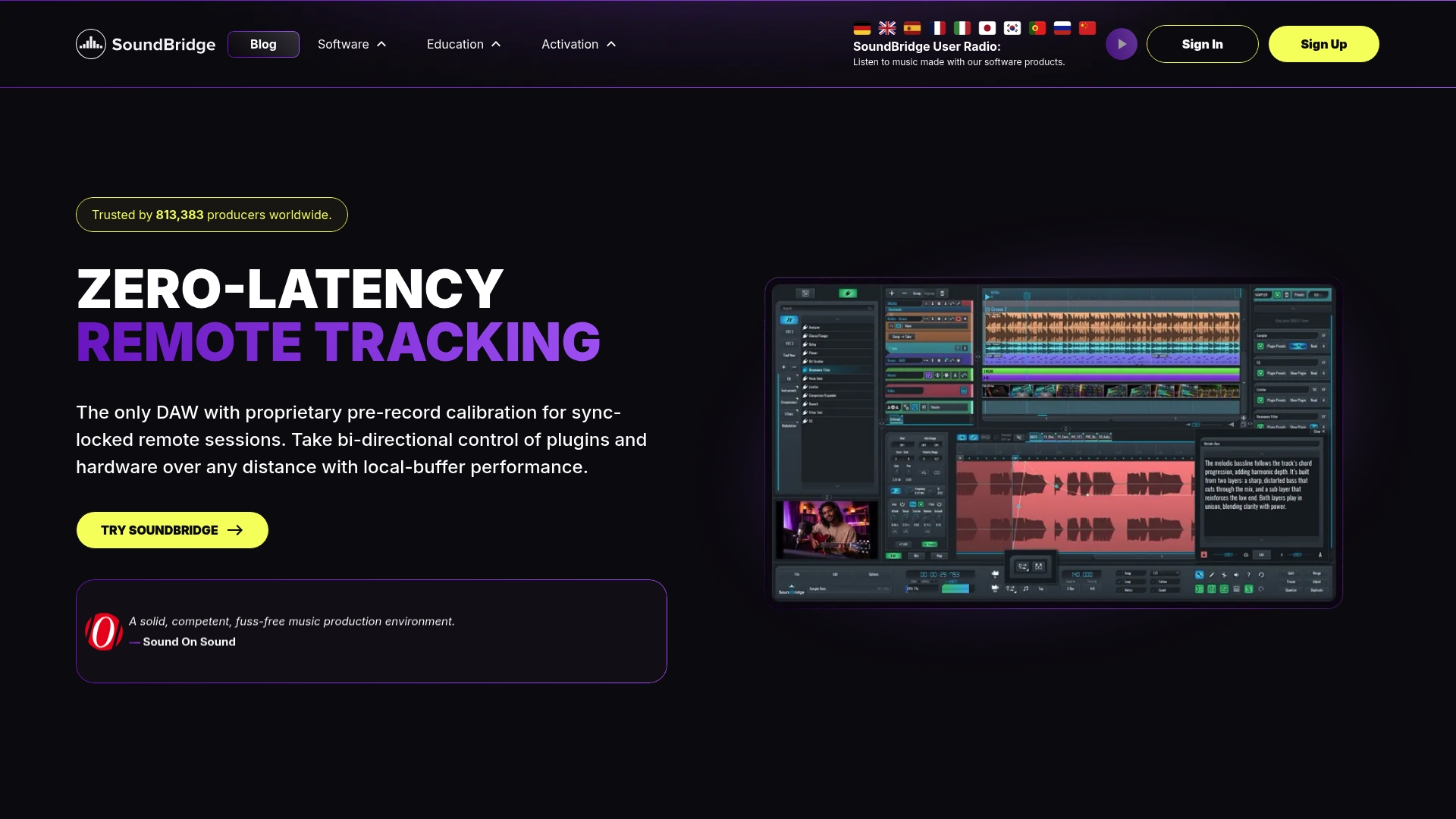
If you’ve been troubleshooting a patchwork of bridge plugins and manual buffer tuning, SoundBridge’s Virtual Collaboration workflow folds those pieces into one system built for exactly this use case. Start with SoundBridge: DAW to test a small remote session before scheduling anything client-facing.
Sources
Every collaborator needs to agree on one master clock source before a session starts, not during it. Trying to reconcile timecode after the fact, once separate machines have already drifted, wastes far more time than confirming it up front.
The practical fix isn’t to force sample-accurate hardware clock synchronization between separate machines, since that’s not achievable over a standard network connection, according to foundational research on clock synchronization. Instead, systems use jitter buffers and control-loop corrections to keep drift imperceptible rather than chasing an impossible perfect lock.
- discoLink - Cross-Plugin Data Transport | discoDSP
- Streaming audio from one VST to another over sockets | JUCE Forum
- 6 tips for collaborating remotely using different DAWs | B&H Explora
- Fine-grained clock synchronization paper (NTP library)
- Cross-Platform DAW Collaboration: A Comprehensive Guide - DepartureMusic
Recommended
MASTER MUSIC PRODUCTION
Expert-led courses designed to take you from fundamentals to finished tracks.

HOUSEFrom bouncy bass and solid kicks, this course teaches you the most modern House music production techniques needed to succeed and stand out.
TRAPQuit sounding like generic Trap and produce something World with hints of the Far East. Create ethnic soundscapes to put your Trap ahead of the curve.

AMBIENTProduce relaxing, sophisticated psy-influenced ambient. Psychedelic and relaxing to listen to, create meditative soundscapes to put your listeners in Zen.