


Exploring Drum and Bass Techniques with RitMix in SoundBridge
Last Edited: Jun 9, 2024
This comprehensive guide will walk you through creating a dynamic drum and bass rhythm section using various percussion samples. We'll cover different techniques, including using drum machines, incorporating automated effects, and programming drums with MIDI. These skills are essential for crafting a compelling drum and bass track.
Let's Make a Drum and Bass Rhythm Pattern
Begin by exploring the rhythmic possibilities using RitMix, a plugin designed by SoundBridge for rhythm generation. Browse through the library of drum kits to find the perfect sound for your project. Open RitMix, navigate the Kits menu, select 'Liquid Drum & Bass,' and hit load.
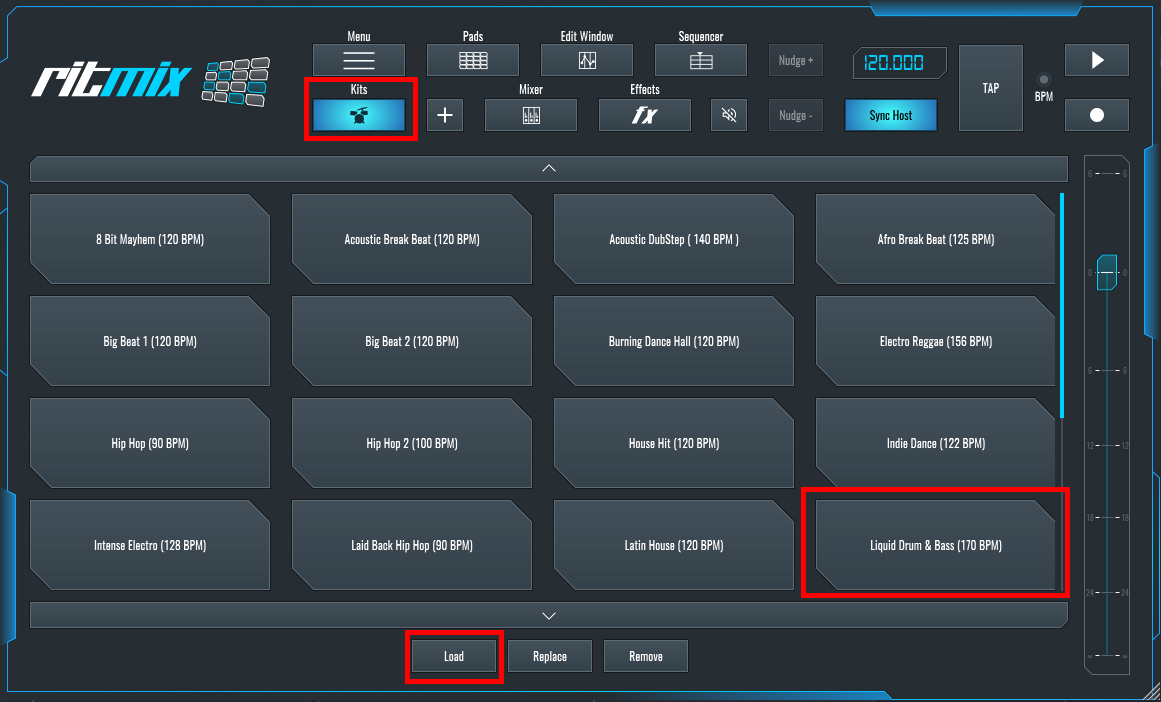
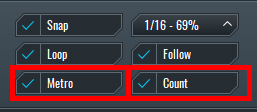
Once you've chosen your drum kit, it's time to lay down the foundation of your track. Use SoundBridge's sequencer to program intricate drum patterns seamlessly. Whether you prefer a classic four-on-the-floor groove or something more experimental, RitMix provides the necessary flexibility. After loading the kit, the sequence will load automatically; press play to hear it. Customize the sequence in the Sequence window by adjusting loaded patterns or creating your own. You can program beats by selecting each sample and adjusting the 16-step sequence or record the sequence using a MIDI keyboard, aided by the metronome and count options in SoundBridge.
Next, activate record mode in RitMix.
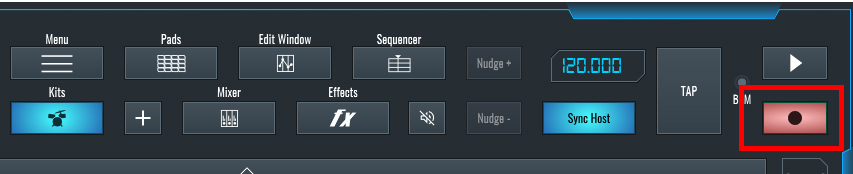
Press play, wait for the count, then start recording.
If you don't have a MIDI keyboard, manually create patterns using a MIDI channel. Draw an empty MIDI block in the sequencer and begin programming your beat.
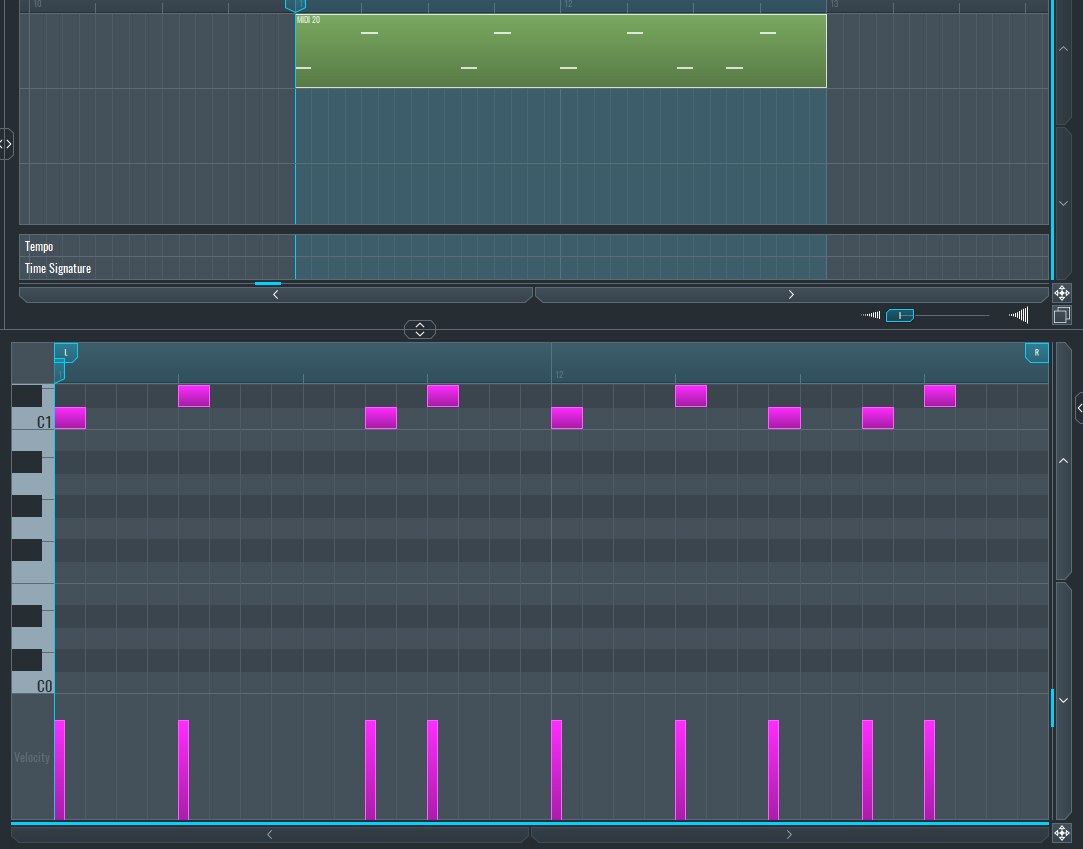
With your beat taking shape, refine your sound by adding your unique touch. Experiment with different samples, tweak parameters, and layer sounds to create a personalized sound palette. RitMix's extensive editing capabilities let's you to explore many possibilities.
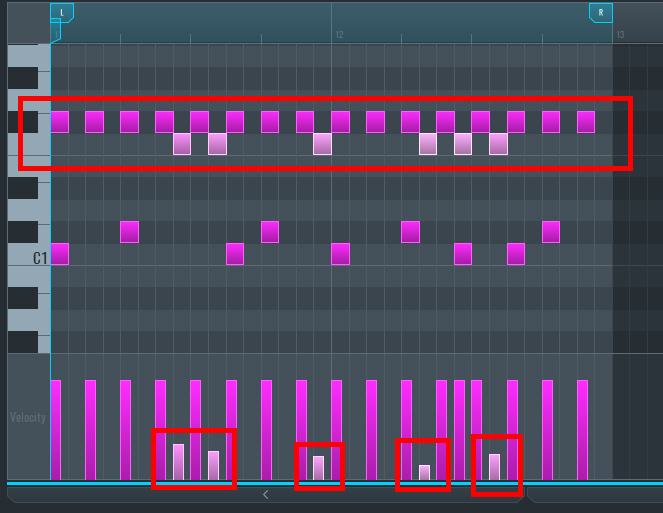
After crafting the basic drum pattern, enhance it by adding more hi-hat shots with varying velocity for a more dynamic beat.
Using Humanizer and Effects to Enhance Your Drums
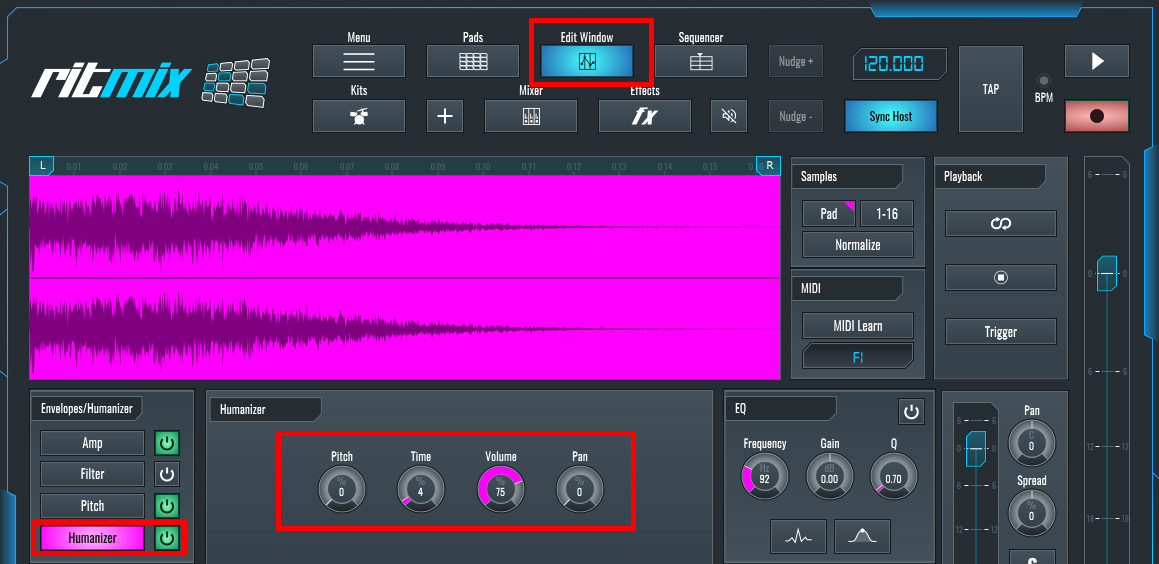
To infuse your sequence with a human-like feel, use RitMix's Humanizer feature. In the edit window, activate Humanizer, select a sample, and adjust settings until you achieve the desired effect.
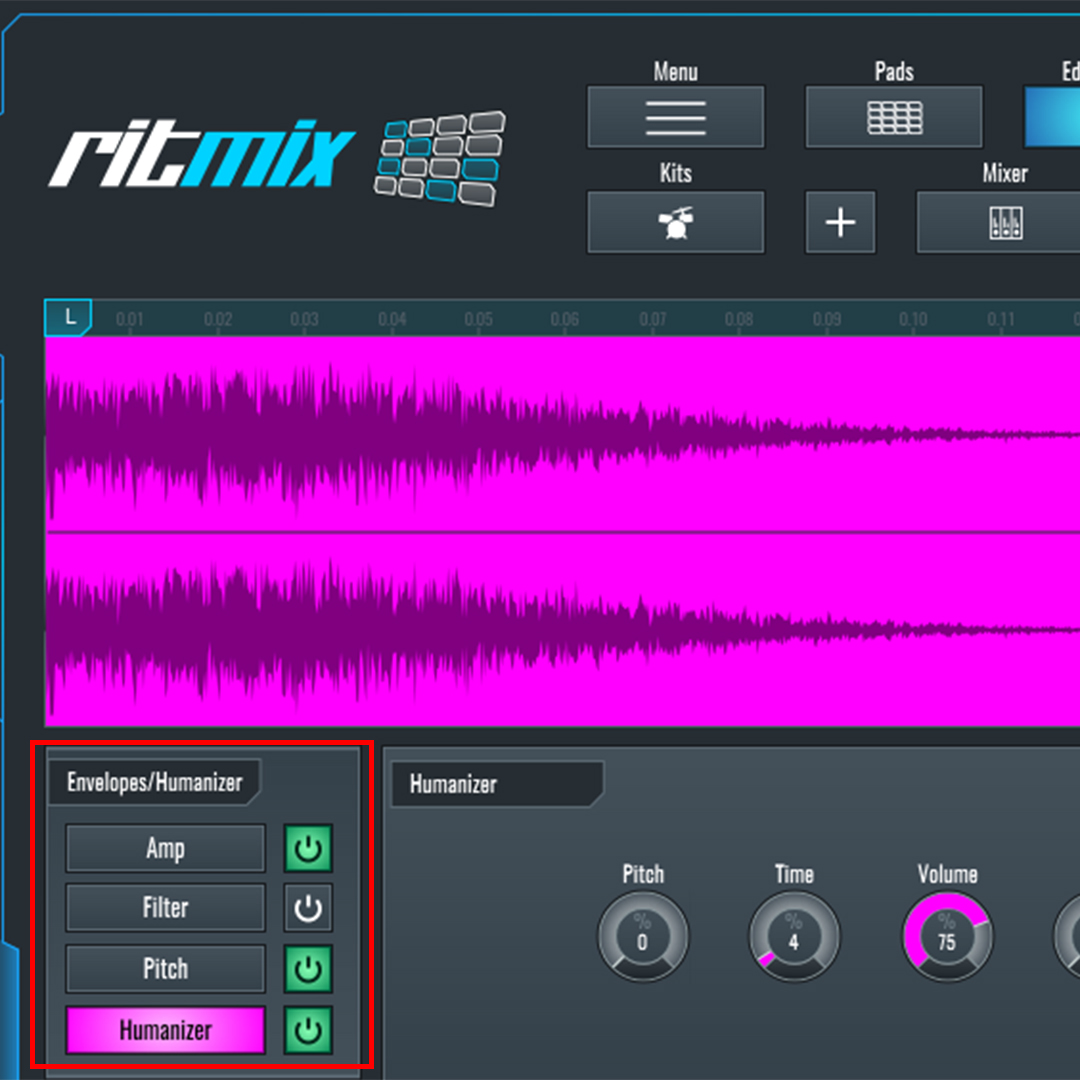
Furthermore, experiment with Envelope Filter and Pitch settings to create distinctive beats. These options enable you to craft unique drum patterns, feel free to experiment!
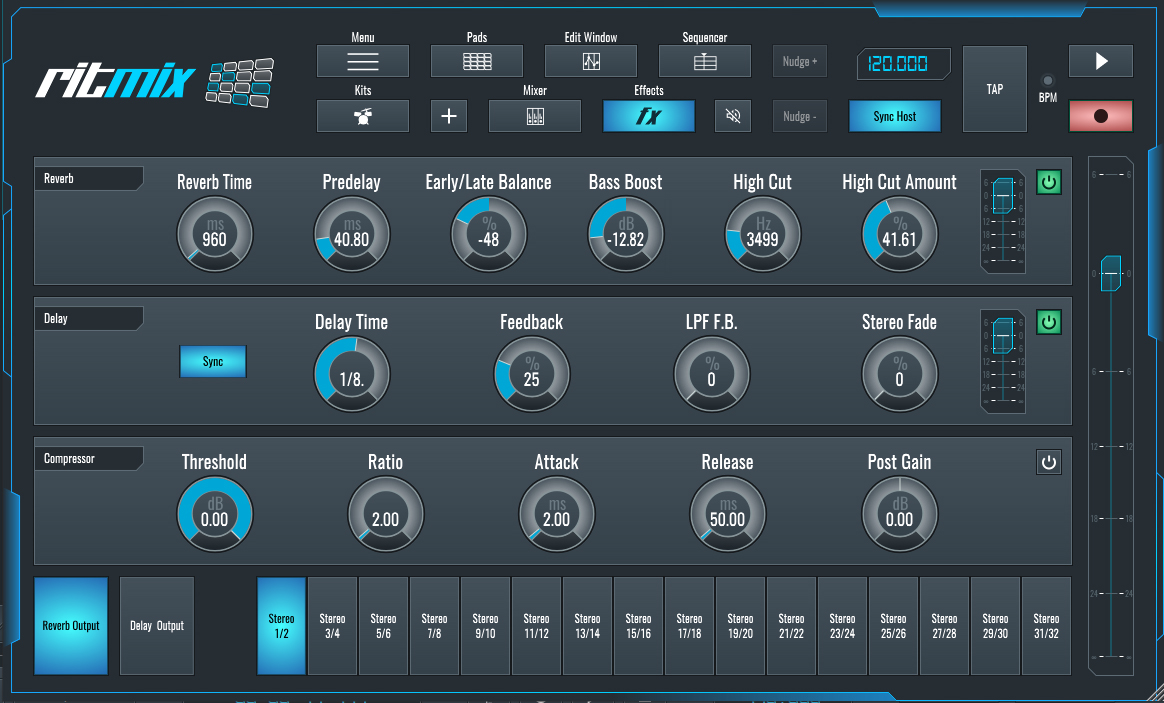
Enhance your elements with effects. Apply Reverb to a snare for a longer punch and add Delay to hi-hats for depth. Control FX settings from the FX window and adjust until you achieve the desired results. Additionally, explore using a compressor to impact the overall sound.
Now, let's listen to the Drum and Bass track we have crafted using RitMix:
~Drum Track - Solo
And this is the end result of the Drum and Bass track after adding a synth bass lead using Vital:
~Drum and Bass Track
In conclusion, with SoundBridge and RitMix at your disposal, your creative possibilities are endless. You can now incorporate these techniques into your workflow by using RitMix as your drum beat generator and using the MIDI editing and automation features to create punchy, well-rounded beats.
If you liked this article on sound design, here are some more on the same subject:
- Create a Tech House Bassline in SoundBridge Using Vital
- Make Your Drums Sound Warmer
- Sketch Your Ideas Fast with SoundBridge and Loopcloud
- Make Your Hi-Hat Patterns More Interesting
MASTER MUSIC PRODUCTION
Expert-led courses designed to take you from fundamentals to finished tracks.

HOUSEFrom bouncy bass and solid kicks, this course teaches you the most modern House music production techniques needed to succeed and stand out.

TRAPQuit sounding like generic Trap and produce something World with hints of the Far East. Create ethnic soundscapes to put your Trap ahead of the curve.

AMBIENTProduce relaxing, sophisticated psy-influenced ambient. Psychedelic and relaxing to listen to, create meditative soundscapes to put your listeners in Zen.