

Sketch Your Ideas Fast With SoundBridge and Loopcloud
Last Edited: Jun 8, 2024
In this article, we will focus on the transformative impact of cloud-based tools, specifically Loopcloud, in creating electronic music beats. We will go through all the steps necessary to import samples, integrating and mixing them seamlessly into a track. Let's explore how modern technology is shaping the way we produce music.
Understanding the Significance of Sound Sources in Electronic Music
Creating electronic music that resonates with listeners starts with choosing the right sound sources. The quality of the elements, especially the drum sounds, is pivotal—they are the heartbeat of any electronic track. While the digital age has blessed us with various tools like VST drum machines and sophisticated samplers, I've found remarkable efficiency and quality in cloud-based solutions, particularly Loopcloud.
Loopcloud: A Game-Changer for Producers
Loopcloud isn't just another digital tool; it's a comprehensive ecosystem designed to streamline the music production process. Here's why it stands out:
- Selective Buying: Unlike traditional bulk sample packs, Loopcloud lets you purchase only the needed samples, avoiding wasteful spending.
- Advanced Features: The platform boasts a highly functional plugin that integrates seamlessly with any DAW. It offers advanced search capabilities, BPM synchronization, and key matching—essential features that help fine-tune your production.
- Real-Time Preview: One of the most striking features is the ability to preview sounds through a VST plugin that connects directly with Loopcloud. This means you can hear how a sample fits with your track before you commit to buying it.
To illustrate how Loopcloud can enhance your production workflow, let's walk through the process of creating a melodic techno drum beat:
1. Signing Up
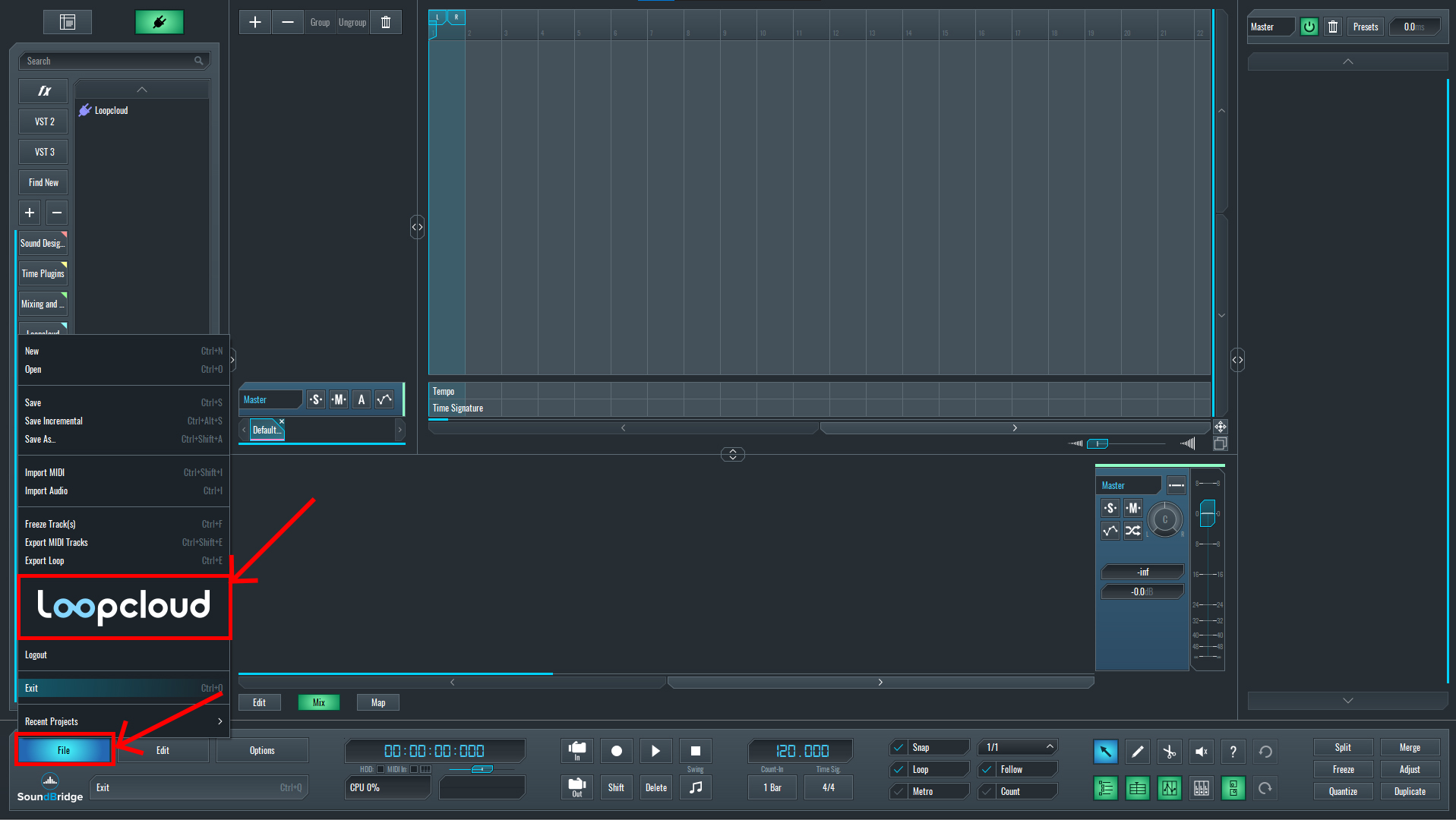
After starting SoundBridge, create a new project and click on File—Loopcloud. This will take you to the Loopcloud website, where you can sign up.
2. Installation
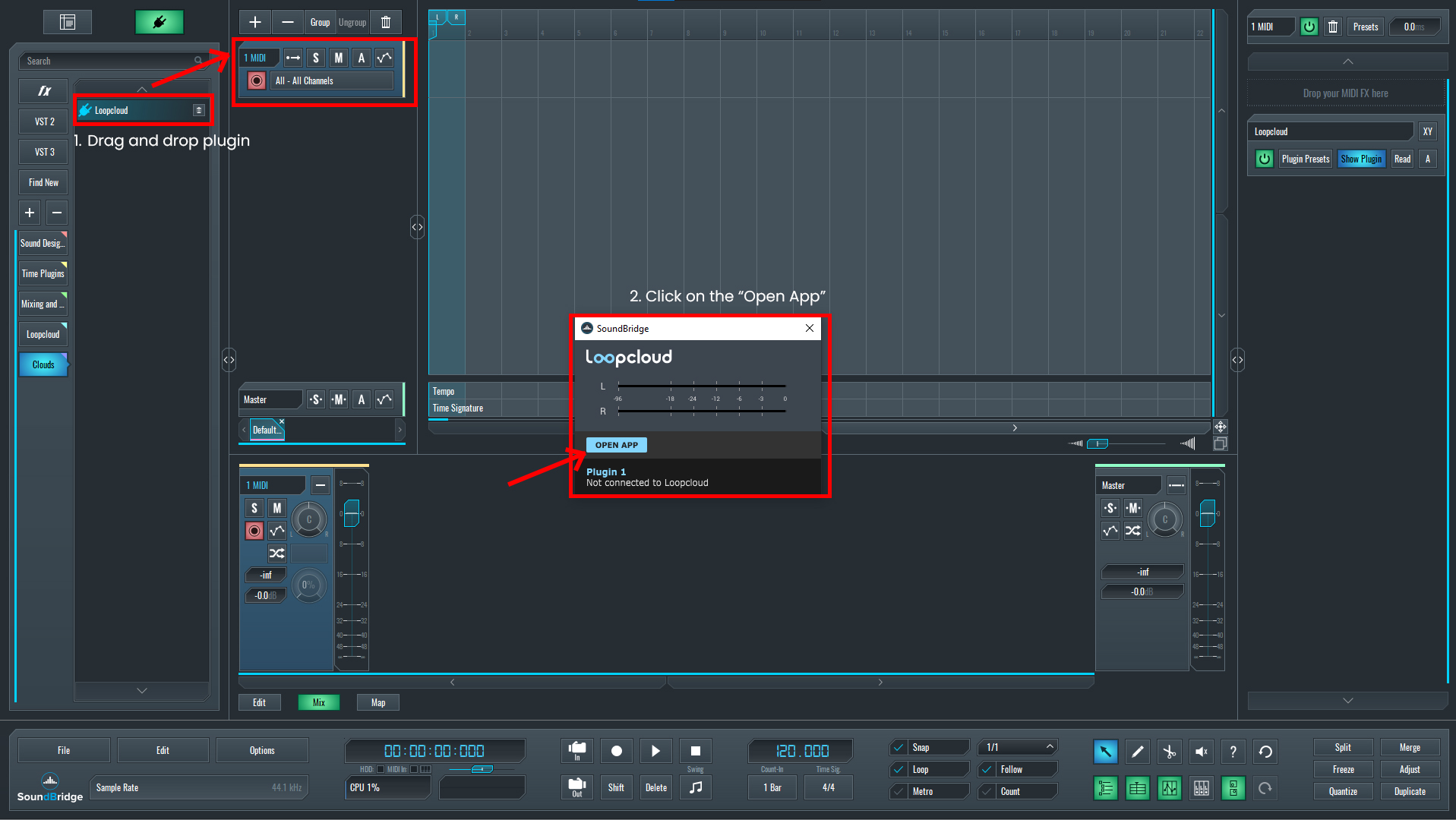
After signing up, you must download the Loopcloud application, which will install the Loopcloud VST Plugin, which will be the bridge between the application and your DAW. This plugin will sync the application with SoundBridge, and all the Samples will be played through the channel in SoundBridge. As it goes through the SoundBridge channel, we can add specific plugin effects to the Loopcloud VST Plugin in the SoundBridge.
3. Sample Selection
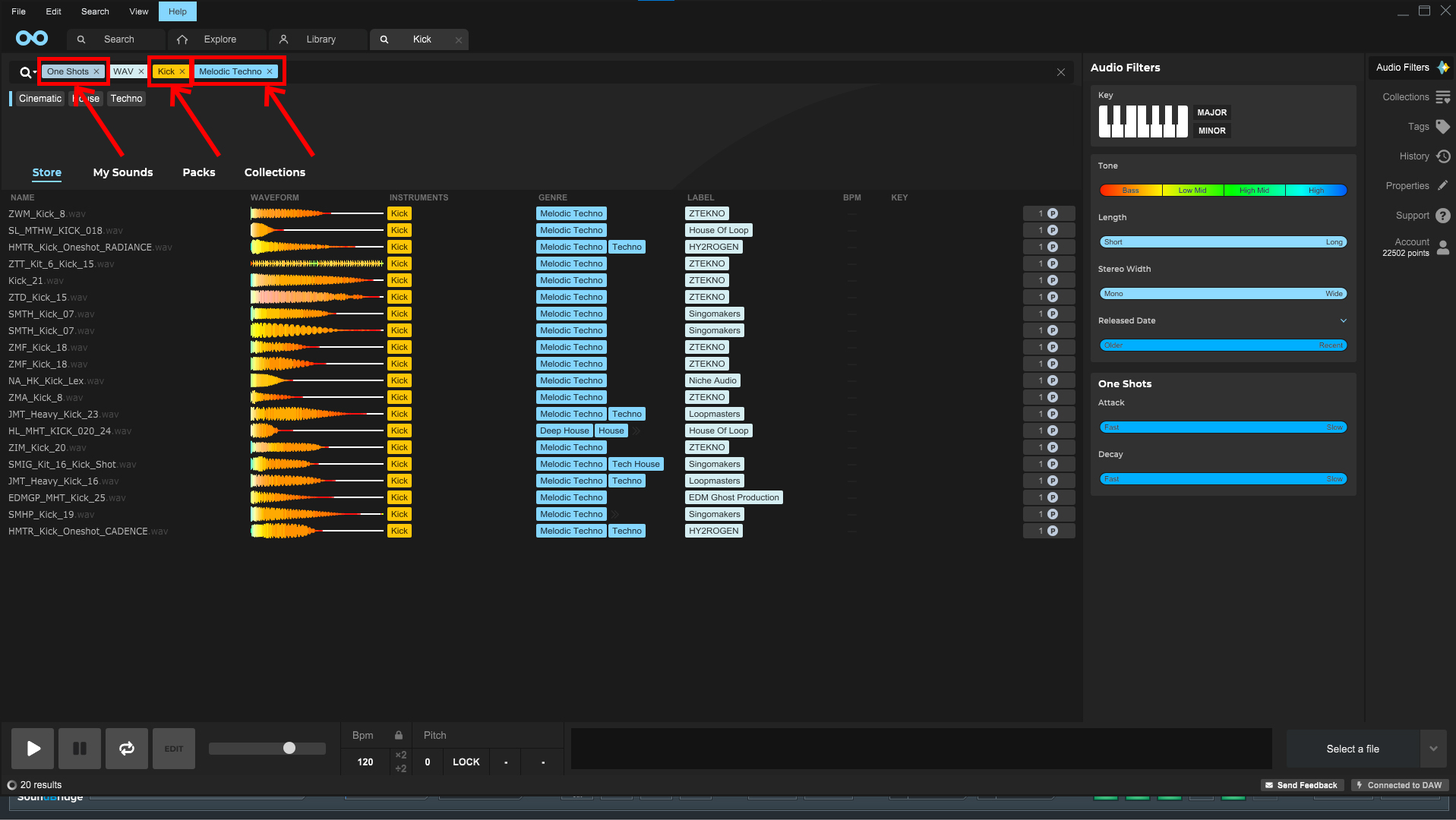
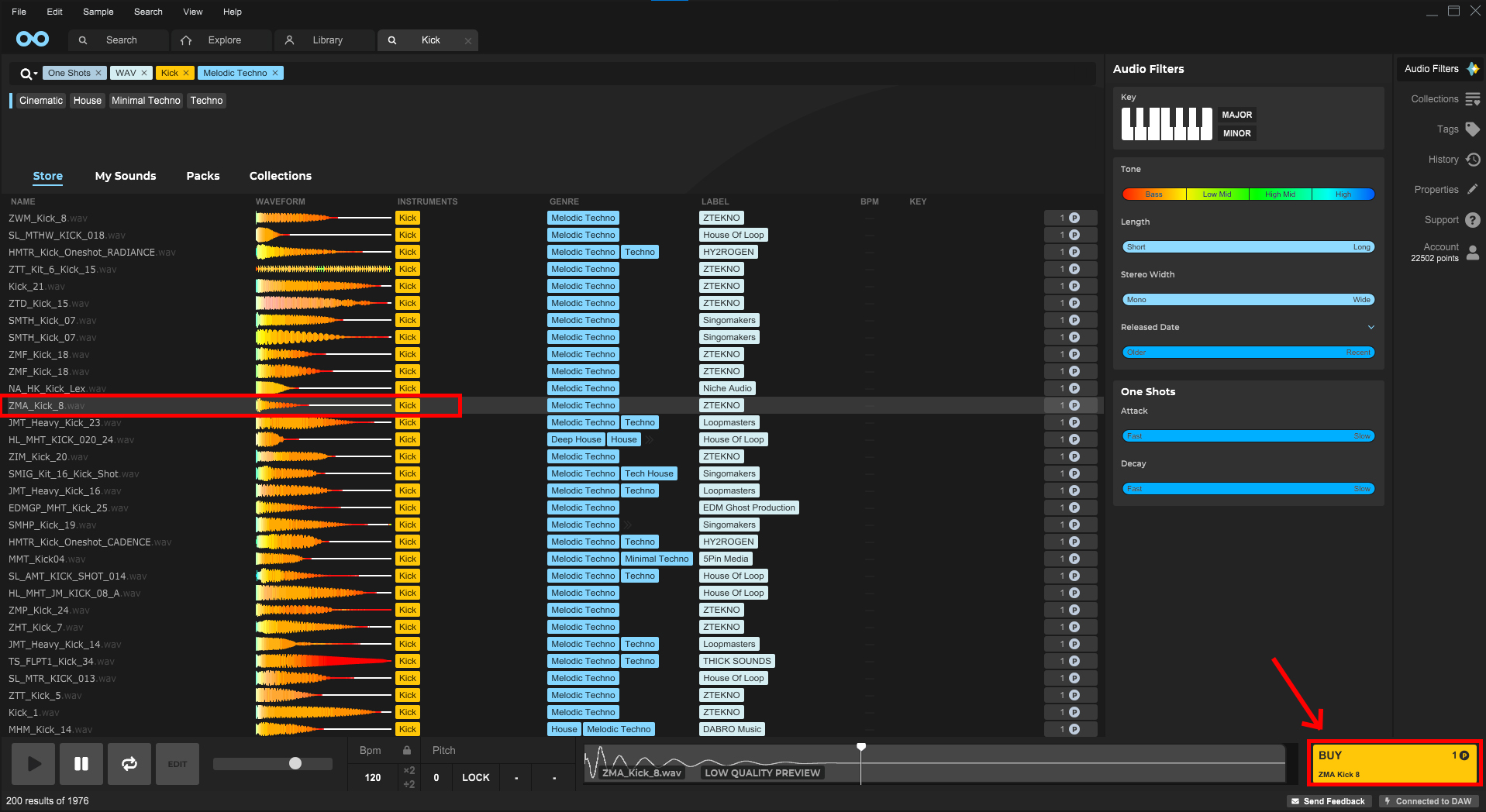
Begin with the basics—a solid kick. Filter the search to' kick,' 'melodic techno,' and 'one shot.' Loopcloud's intuitive interface allows you to preview and compare kicks instantly.
4. Efficient Sampling
Preview the Search results by clicking on one of them, and then use the arrows on your keyboard to preview the samples. After choosing the perfect kick, use the platform's one-click purchase by clicking on 'BUY.'
5. Importing the Sample
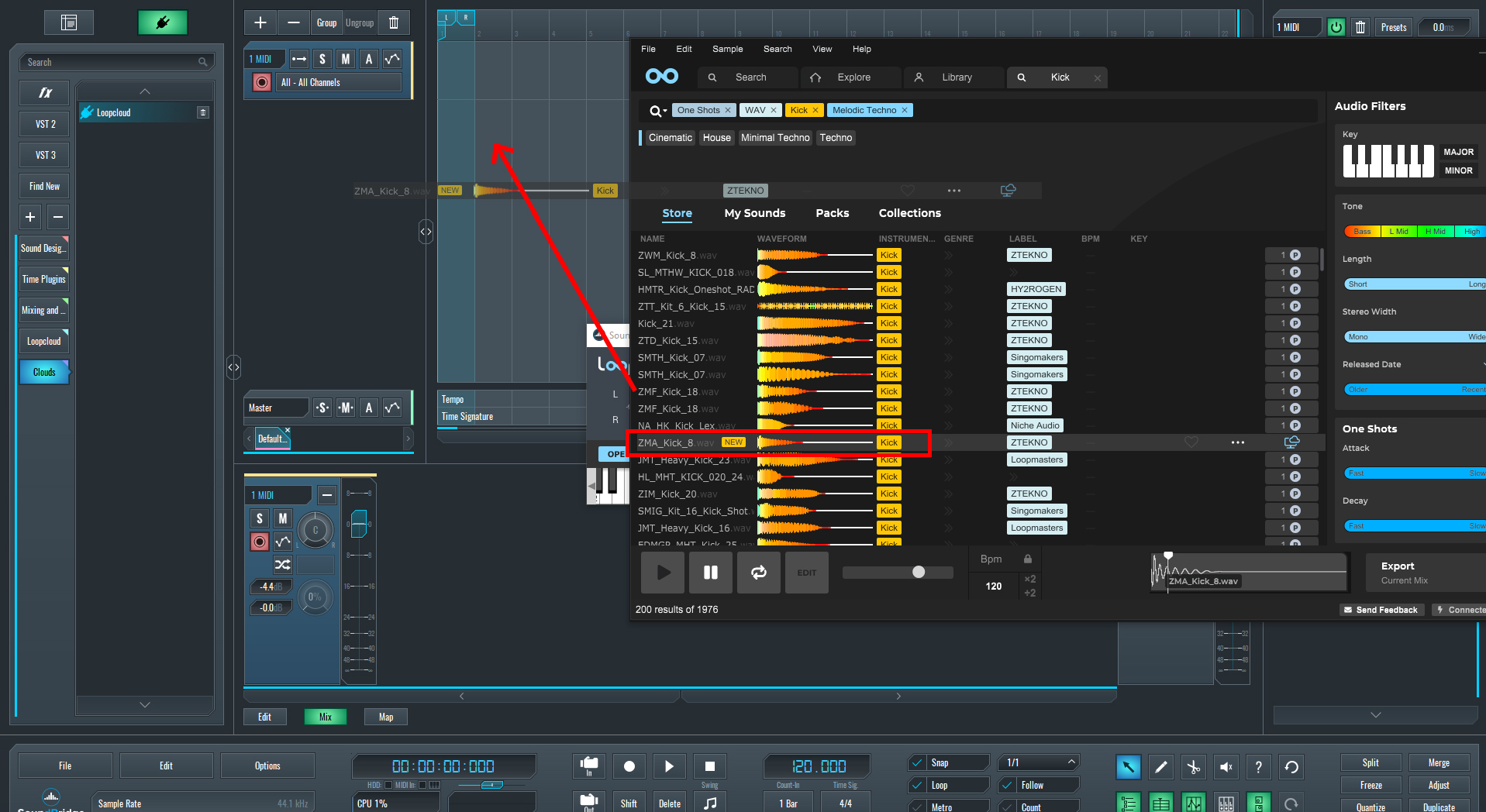
Then, drag and drop the sample into SoundBridge. This method ensures high-quality sound retention and speeds up the creative process.
6. Integration and Mixing
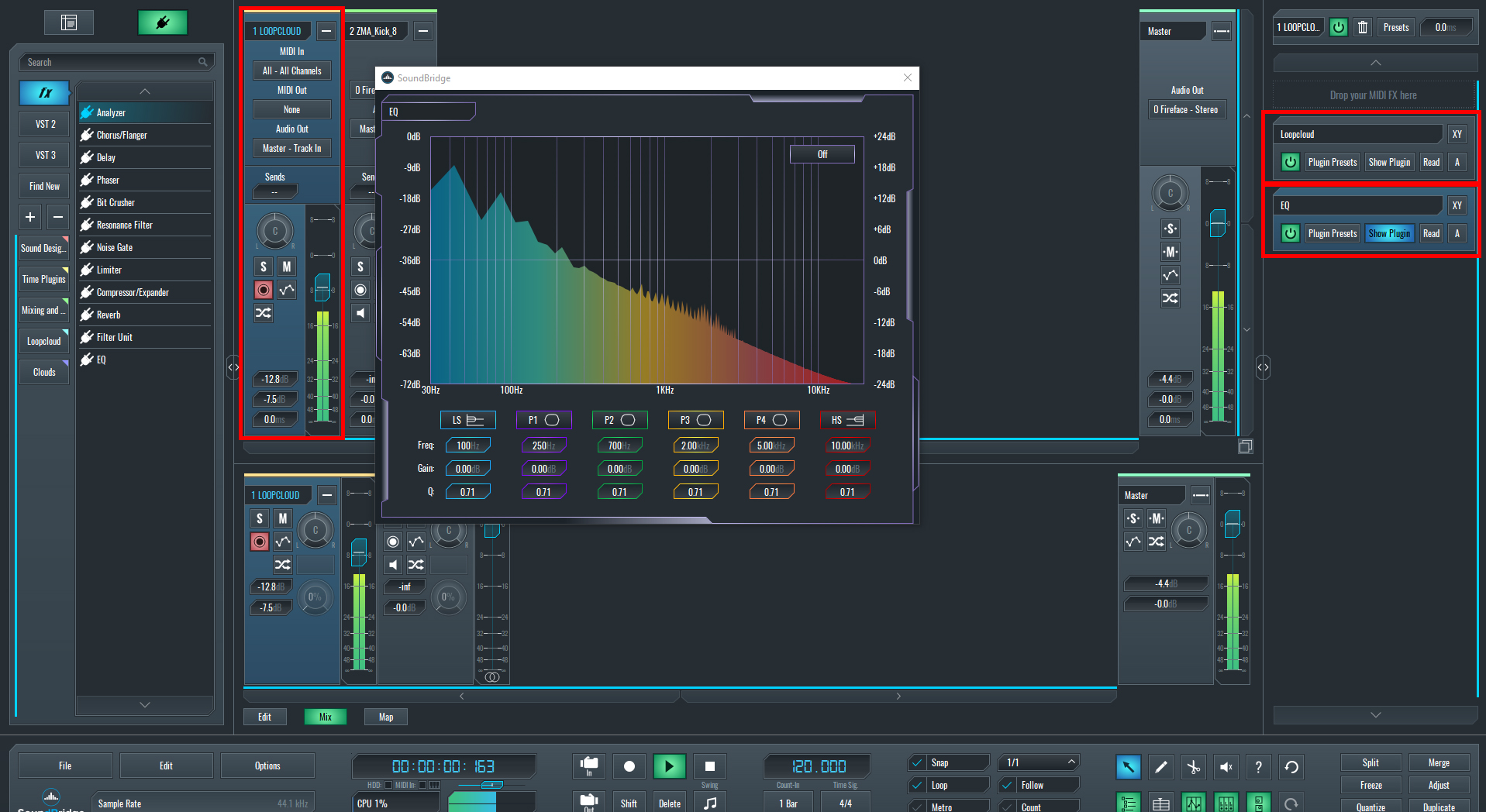
Loopcloud's plugin can be used to mix samples directly within the cloud before downloading, and we can use SoundBridge mixer and plugins to modify and hear the samples with the effects before we buy them. Adjust levels, apply effects, and ensure the sample matches the track.
7. Editing
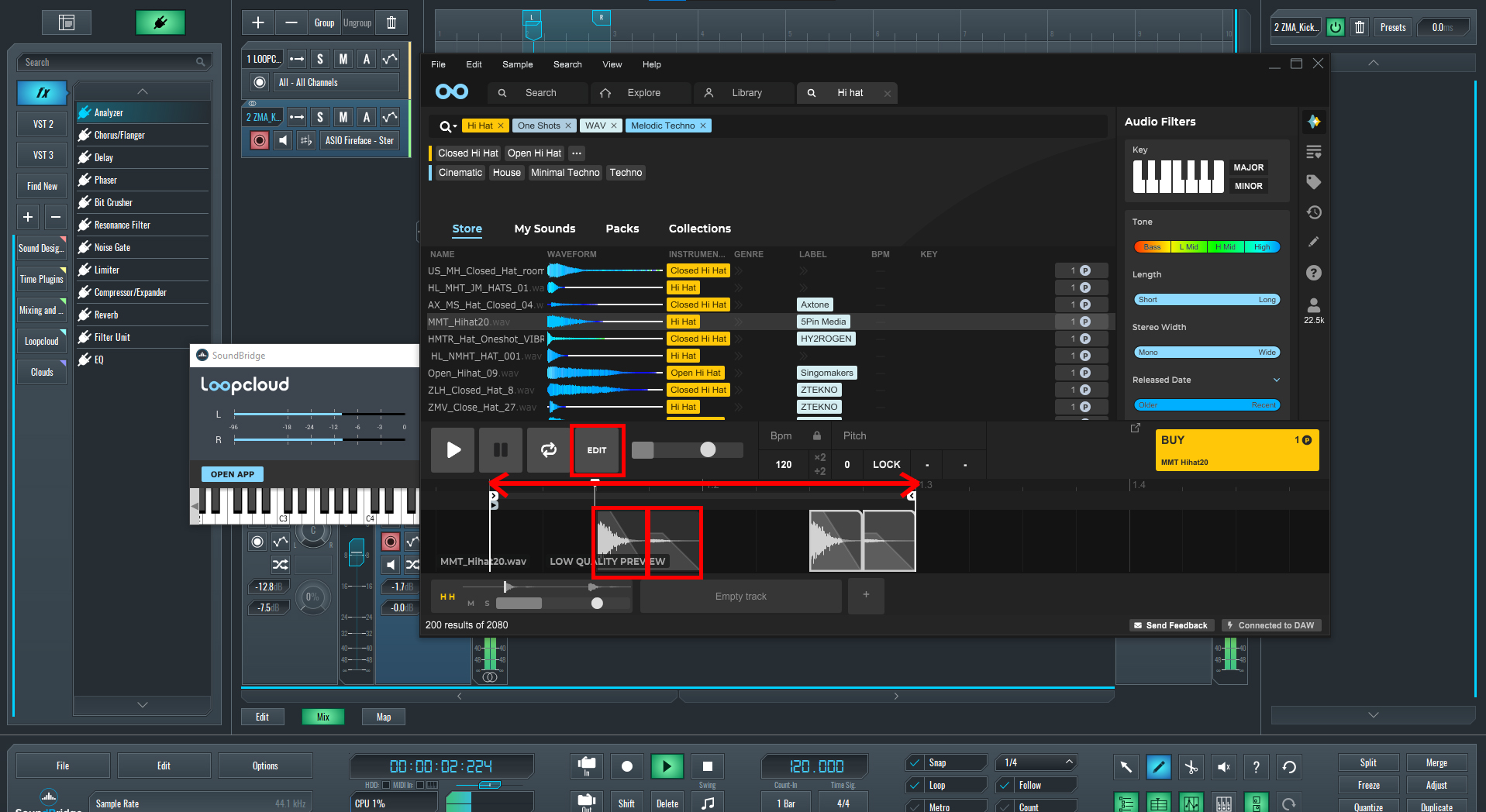
You can place the samples in the right spot to preview them better and hear if the sample suits your track. Simply click the 'Edit,' move the sample to its position, duplicate it if you want to create a pattern, extend the loop size, reduce the loudness of the sample by clicking on top of its bar, and move it down to reduce or move up to increase the gain of it and preview how will it sound in your track
8. Key Match
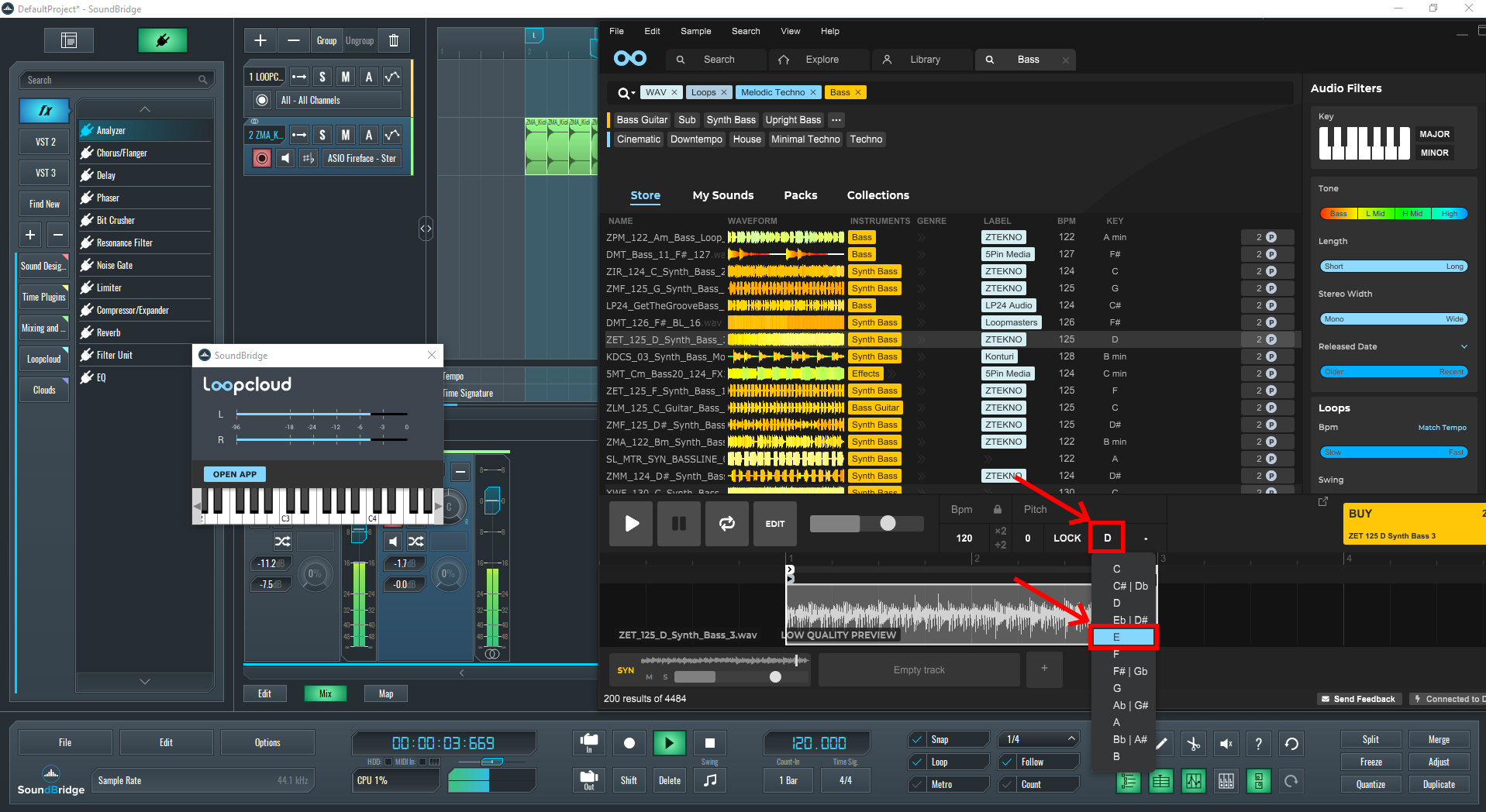
Using the tonal elements, like the bassline and all other tonal elements, you can key lock the samples you preview by clicking on the dot next to lock and choose your desired key for a track. This option will allow you to preview samples with tempo sync and key matched. This option will transpose all the samples to the keynote you desire.
Maximizing Creativity with Cloud Services
The real power of Loopcloud lies in its ability to free up creative space. Handling the technical aspects of sample management and integration allows producers to focus more on the creative side of music production. The result is a more efficient workflow, less time spent on sample management, and more time for creative experimentation.
Conclusion: The Future of Music Production
Loopcloud is just the beginning of how cloud-based services are revolutionizing the music industry. These tools not only make production more accessible but also enhance the quality and creativity of music. As technology evolves, embracing these tools can significantly elevate your music production capabilities.
Join me as we continue to explore the boundaries of music creation with advanced tools that inspire and facilitate artistic expression. Whether you're a seasoned producer or just starting, the world of cloud-based music production offers endless possibilities.
If you liked this article on sound design, here are some more on the same subject:
MASTER MUSIC PRODUCTION
Expert-led courses designed to take you from fundamentals to finished tracks.

HOUSEFrom bouncy bass and solid kicks, this course teaches you the most modern House music production techniques needed to succeed and stand out.

TRAPQuit sounding like generic Trap and produce something World with hints of the Far East. Create ethnic soundscapes to put your Trap ahead of the curve.

AMBIENTProduce relaxing, sophisticated psy-influenced ambient. Psychedelic and relaxing to listen to, create meditative soundscapes to put your listeners in Zen.