

Punch-in Recording Setup: A Step-by-Step Guide
Last Edited: Oct 28, 2026

A good punch-in recording setup comes down to five things: a pre-roll long enough to find the groove, punch points placed in natural pauses, clean gain staging, a comfortable headphone mix, and a fallback plan for when a punch won’t blend. Get those right, and you can fix a flubbed line without anyone hearing the repair.
This guide walks you through the whole chain, from mic position to hitting record. It works in any DAW, and it shows where SoundBridge fits in if you want a workspace built for tracking and collaboration.
TL;DR
- Punching in means recording over a mistake to replace it, so the old and new performance join without an audible stitch.
- Set a pre-roll so the performer hears the track and gets into the feel before the punch point.
- Punch at a natural pause, such as a breath, never in the middle of a sustained note.
- Fix your gain and headphone mix first. Leave about 10 dB of headroom and keep reverb in a monitor-only send.
- If three or four punches still sound pasted in, switch to comping full takes.
What Punching in Actually Does
Punching in is the technique of starting the record mechanism in the middle of a phrase, rather than starting again from the top. It remains one of the most useful tracking techniques for repairs that nobody can hear.
The idea comes from tape. On analog tape, a punch-in was destructive: you erased what was there. In a modern DAW, the previous take usually stays safely underneath the new one, so you can experiment freely. That freedom is the big reason to learn the technique properly now.
You will hear three related terms:
- Punch-in: the moment recording starts, while the rest of the track is already playing.
- Punch-out: the moment recording stops, leaving the rest of the original take untouched.
- Auto punch: you mark the in and out points on the timeline and the DAW starts and stops recording for you.
A fourth option, often called quick punch or on-the-fly punch, lets you hit record during playback and drop in right there. It is fast, but it asks more of your timing and your performer.
Build the Signal Chain Before You Touch the Punch Points
Most failed punch-ins are not timing problems. They are setup problems. If the punched section sounds different from the take around it, the ear catches the seam instantly. Your job is to make the before and after identical in tone, level, and room.
Mic Position Stays Locked
For vocals, Neumann’s home studio academy recommends placing the microphone about 20 to 30 cm (8 to 12 inches) from the singer’s mouth, aiming the capsule directly at them, and angling the pop filter slightly off-center so it tames plosives without blocking the singer’s view or airflow.
The punch-in lesson is simple: once you find a position that works, don't move it. Mark the floor, mark the stand height, and ask the singer to keep the same distance. A mic that drifts four inches between the original take and the punch creates a tonal jump that no edit can hide.
Gain Staging That Survives a Repair
The same Neumann guide points to gain staging as a common cause of bad recordings, more than gear. The advice is to have the singer perform the loudest part first and leave roughly 10 dBFS of headroom above the highest peaks. At 24 bits, you have plenty of resolution, so you don't need to run hot.
If the singer wants to hear more of themselves, turn up the headphones, never the preamp gain. Changing preamp gain mid-session means every punch lands at a different level from the take around it. If a peak does clip during the session, our guide to audio clipping explains what happened and how to prevent it next time.
The Headphone Mix Is Part of the Setup
A singer who feels good sings better, and a punch-in is a high-pressure moment. Give them a mix they enjoy. Reverb in the cans is a great confidence booster, but the Neumann guide is clear that you shouldn't record it into the track. Build a monitor-only auxiliary send for the reverb, so the vocalist gets the polished feel while your raw take stays dry.
This matters for punching specifically. A baked-in room sound on one section and not another is exactly the kind of mismatch that makes a repair obvious. Keep the recorded signal dry and consistent, and decide on effects later.
Check Your Room and Talkback
Set up the room the same way for every pass. Close the same doors, keep the same lamp on, and leave the music stand where it was. Small changes in reflections show up when you join two audio pieces.
Also make sure you can talk to the performer clearly between takes. A clean talkback channel keeps the session moving, and our guide to mastering talkback communication covers how to do it without breaking the performer’s focus.
Set Your Pre-Roll and Post-Roll
Pre-roll is the amount of time the DAW plays before the punch-in point. According to BMI’s primer, this is the first thing to set: the length of time before the punch that the machine rolls the track so the performer can ease in.
How long should it be? There is no magic number, but these starting points work in most sessions:
| Material | Starting pre-roll | Why |
|---|---|---|
| Slow ballad vocal | 4 to 8 seconds | Gives the singer time to find the breath and mood |
| Mid-tempo vocal | 2 to 4 seconds (about one to two bars) | Enough to lock into the phrasing |
| Fast rhythmic part | 1 to 2 bars | Rhythm needs the groove, not extra time |
| Guitar or bass fix | 1 to 2 bars | The player needs the pulse and the chord |
These are our working starting points, not official standards. Adjust them to the performer. A nervous singer may want more lead-in. A confident player may find a long pre-roll tedious.
Post-roll is the opposite: a few beats of playback after the punch-out so the performer does not stop abruptly and can finish the thought. Set it short, around one bar, and let them sing or play through the end of the phrase.
Tell the Performer to Perform Through the Pre-Roll
The best trick is human, not technical. Ask the performer to sing or play along during the pre-roll as if the take is already running, then carry on when recording begins. This matches energy, pitch, and breath. Without it, the punched line often sounds like it came from a different moment, because it did.
Choose Your Punch Points
This is where most producers go wrong. According to BMI’s primer, the best punch points aren't necessarily at the start of a word or phrase. They tend to sit in a natural pause, even a split-second breath between syllables or phrases. Punching into the middle of a sustained note or a high-energy phrase creates artifacts that are very hard to blend.
Here is a practical checklist for choosing them.
- Listen for breaths. A breath gives you a gap where the room tone is the only thing playing. That is the safest seam.
- Avoid held notes. Pitch, vibrato, and tone all drift over a sustained note. A new take will not line up.
- Punch out where the original is good. Do not rush the out point. Let the repair run into the next pause too.
- Keep repairs short. A single word or short phrase is easier to match than a whole verse.
- Mark both points before recording. Know exactly where you will drop in and out so you are not guessing under pressure.
A Worked Example
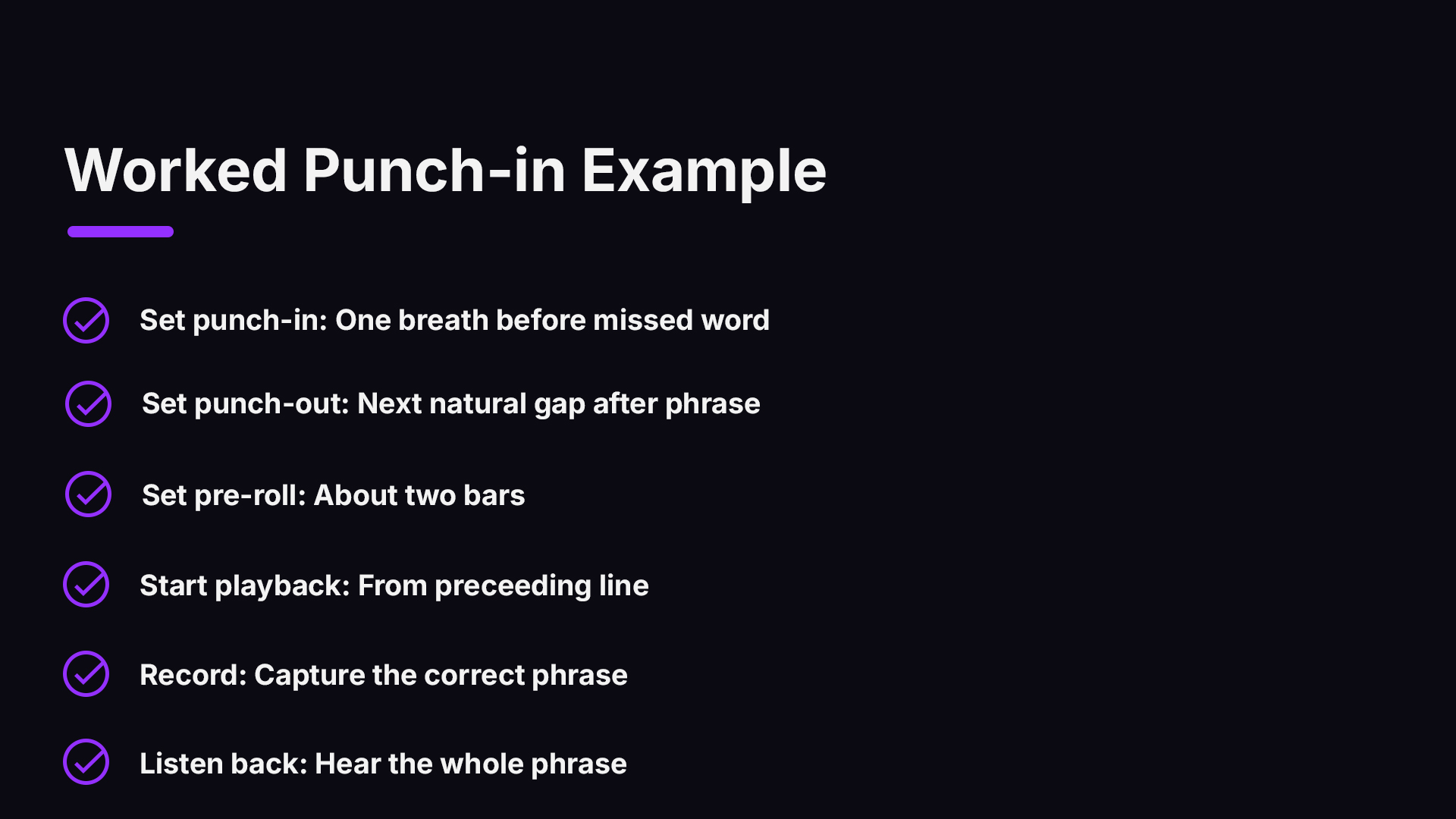
Say your singer nails a chorus except one word on the third line, a flat note right after a breath. Place the punch-in directly on that breath, just before the word. Set the punch-out in the next natural gap, ideally after the phrase ends. Set a pre-roll of about two bars. Ask the singer to join the playback from the line before. Record, then listen back with the whole phrase, not just the fix.
If the new word is at the right pitch but feels a little more energetic than its neighbors, try one more pass. Energy mismatch, not pitch, is what usually gives a punch away.
Manual, Quick, and Auto Punch: Which to Use
Most DAWs offer some version of these modes. Names vary, but the logic is the same.
| Mode | How it works | Best for |
|---|---|---|
| Manual punch | You press record and stop by hand during playback | Quick fixes, experienced engineers |
| Quick punch | Recording starts instantly when you press record, and some systems record during the pre-roll too | Fast sessions where you drop in on the fly |
| Auto punch | You set in and out points, and the DAW does the rest | Precise repairs, solo recording, anything you will repeat |
Auto punch is the friendliest option if you are recording yourself, because you don't need your hands at the exact moment you are performing. It also repeats the same range perfectly on every attempt, which is helpful when it takes five tries to get a line right.
Protect the Original Take
Before you punch, make sure your DAW is set so previous audio is retained. Most modern systems stack punched passes as new takes or regions, but confirm this in your settings. If you are working on something you cannot redo, duplicate the track first. A backup costs seconds. A lost take can cost the session.
When Punching in Is the Wrong Move
Punching is powerful, but it is not the only path to a great performance. BMI’s primer points out that when a performer struggles to match the feel of a punch-in, comping is often the better choice. Comping means stitching together the best parts of several full takes.
Comping can take longer for the engineer, but it often produces a more natural, cohesive performance than constant stop-start repairs. Here is a quick way to decide.
- Punch in when one short moment is wrong, and the rest of the take is excellent.
- Comp when several different spots need fixing, or the performer loses the feel each time you stop.
- Re-record the whole section when the problem is energy or emotion, not a single note.
A good session often uses both. Record three full passes, comp the best lines, then punch in the last stubborn word. If you want to polish the result afterward, our walkthrough on creating epic vocals with pitch correction shows how to tune a comped vocal without losing the character of the performance. For clean joins between regions, see our guide to essential audio editing techniques.
Keep the Performer in a Good Headspace
Punching in means stopping, rewinding, and trying again. That can quickly drain a singer’s confidence. Engineer Matt Houghton, writing in Sound On Sound, notes that perceived criticism can dent a singer’s confidence. He phrases feedback as questions and gives positive reinforcement so the artist feels safe enough to deliver.
In practice, that sounds like this:
- Instead of “That was flat,” try “Do you want to try that last word once more?”
- Instead of a long silence while you edit, say “That chorus feels great, let’s tighten one note.”
- Keep the number of attempts honest. If the fifth try is not better than the third, move on and come back later.
The technical setup is only half the work. A relaxed performer will match the earlier take far better than a tense one.
Punch-in Recording With a Remote Performer
Punching gets trickier when the singer or player is in another city. Latency makes it hard for the performer to feel locked to the track, and the engineer cannot hear the room the way they would in person. That is where a workflow built for remote tracking helps.
SoundBridge is designed for zero-latency remote tracking with studio-accurate synchronization, plus integrated video and talkback, so you can see the performer, talk between takes, and capture the fix in the same session. If that is how you work, read what synchronized remote recording means for producers and our overview of SoundBridge virtual collaboration.
Try Your Punch-in Setup in SoundBridge
Want to put this into practice? Explore SoundBridge plans and set up your next tracking session with confidence. SoundBridge runs on Mac and Windows. If you collaborate remotely, optional STUN/TURN access is $4.99 per month.
A Quick Punch-in Checklist
Run through this before you hit record.
- Mic position marked and locked, pop filter in place.
- Set gain with about 10 dB of headroom, and don't touch it again.
- Headphone mix comfortable, reverb on a monitor-only send.
- Pre-roll set for the tempo and performer, post-roll about a bar.
- Punch points chosen at breaths, not held notes.
- Original take protected or duplicated.
- Performer ready to sing or play through the pre-roll.
- Listen back to the full phrase, not only the repaired word.
If you also want to explore how the vocal sits in the stereo field once it is tracked, the mid-side recording technique guide is a good next read, and our recording studio page covers the wider room and signal chain.
FAQ
What does “punch in” mean in recording?
It means starting to record mid-performance while the rest of the track plays, so you replace only a mistake instead of redoing everything. BMI describes it as engaging the record mechanism mid-phrase. The aim is a repair with no audible stitch.
How long should my pre-roll be?
Start with one to two bars for most material, and extend to several seconds for slow or emotional songs. Let the performer tell you: if they feel rushed, add more. If they get restless, shorten it. Ask them to sing or play along during the pre-roll for the best match.
Where is the best place to punch in?
Pick a natural pause, such as a breath between phrases or syllables. BMI’s guidance says that punching in the middle of a sustained note or a high-energy phrase creates artifacts that are hard to blend. Short fixes in quiet gaps blend best.
Should I punch in or comp takes?
Punch in for a single small flaw in an otherwise great take. Comp when several spots need work, or the performer struggles to match the feel after stopping. Comping takes longer, but it often sounds more natural and cohesive.
Can I punch in on a vocal with reverb in the headphones?
Yes, as long as the reverb is a monitor-only send and is not recorded. Neumann’s guide recommends this so your raw take stays dry and your punches stay consistent.
Sources
- Punch-In Primer, BMI
- Vocal Recording Setup: Mic Placement, Gain & Headphone Mix, Neumann
- Recording Vocals, Sound On Sound
Recommended
MASTER MUSIC PRODUCTION
Expert-led courses designed to take you from fundamentals to finished tracks.

HOUSEFrom bouncy bass and solid kicks, this course teaches you the most modern House music production techniques needed to succeed and stand out.

TRAPQuit sounding like generic Trap and produce something World with hints of the Far East. Create ethnic soundscapes to put your Trap ahead of the curve.

AMBIENTProduce relaxing, sophisticated psy-influenced ambient. Psychedelic and relaxing to listen to, create meditative soundscapes to put your listeners in Zen.