

Cue Mix Setup: Test a Low Latency Mix Before Recording
Last Edited: Oct 26, 2026
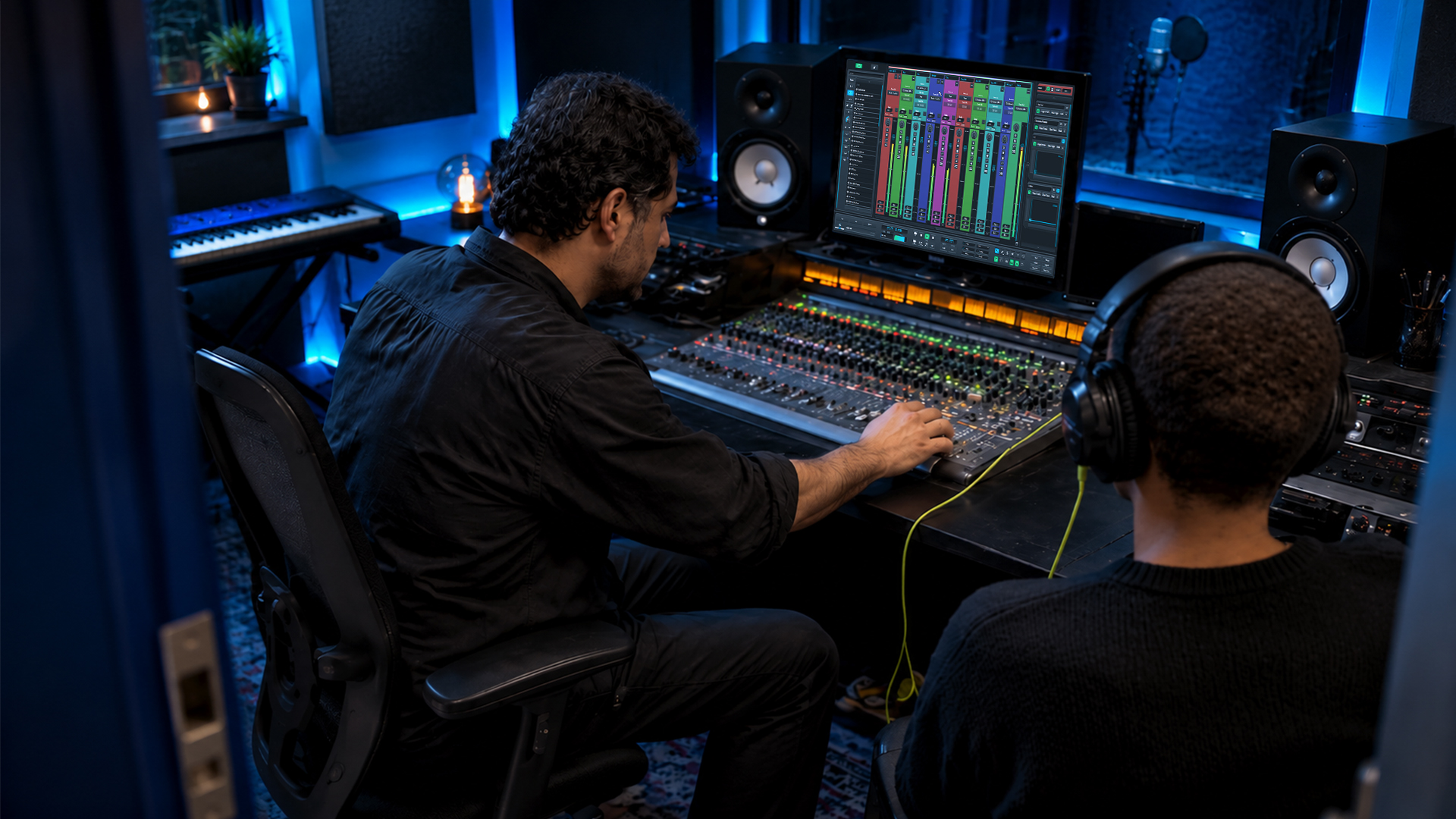
A cue mix is an independent headphone mix sent to its own physical output. Create one now by routing pre-fader sends from your tracks to an aux bus, then send that aux to a spare headphone output. Or build it in your interface’s software mixer for zero- or low-latency monitoring. Keep DAW buffers low only when you must.
TL;DR:
- Use interface software monitoring for live vocals or percussion to bypass the DAW buffer; choose DAW routing when performers need plugin effects.
- Send cue tracks to an aux bus with pre fader sends, then route it to a dedicated headphone output; post fader sends shift levels.
- Treat the reported 8.3 ms round trip at a 64 sample buffer as a rough benchmark, then test with a vocalist because systems differ.
- Raise the performer’s voice relative to the backing track rather than increasing headphone volume, and use closed back headphones to limit microphone bleed.
- Save session templates with labeled outputs and pre fader sends, and store interface mix presets when available to recall working balances quick.
What Is a Cue Mix and Why Do Performers Need Their Own?
A cue mix is an independent monitoring mix mapped to a dedicated physical output and controlled by its own faders. It exists for performer monitoring, not for final rendering, so it never touches the main mix you print.
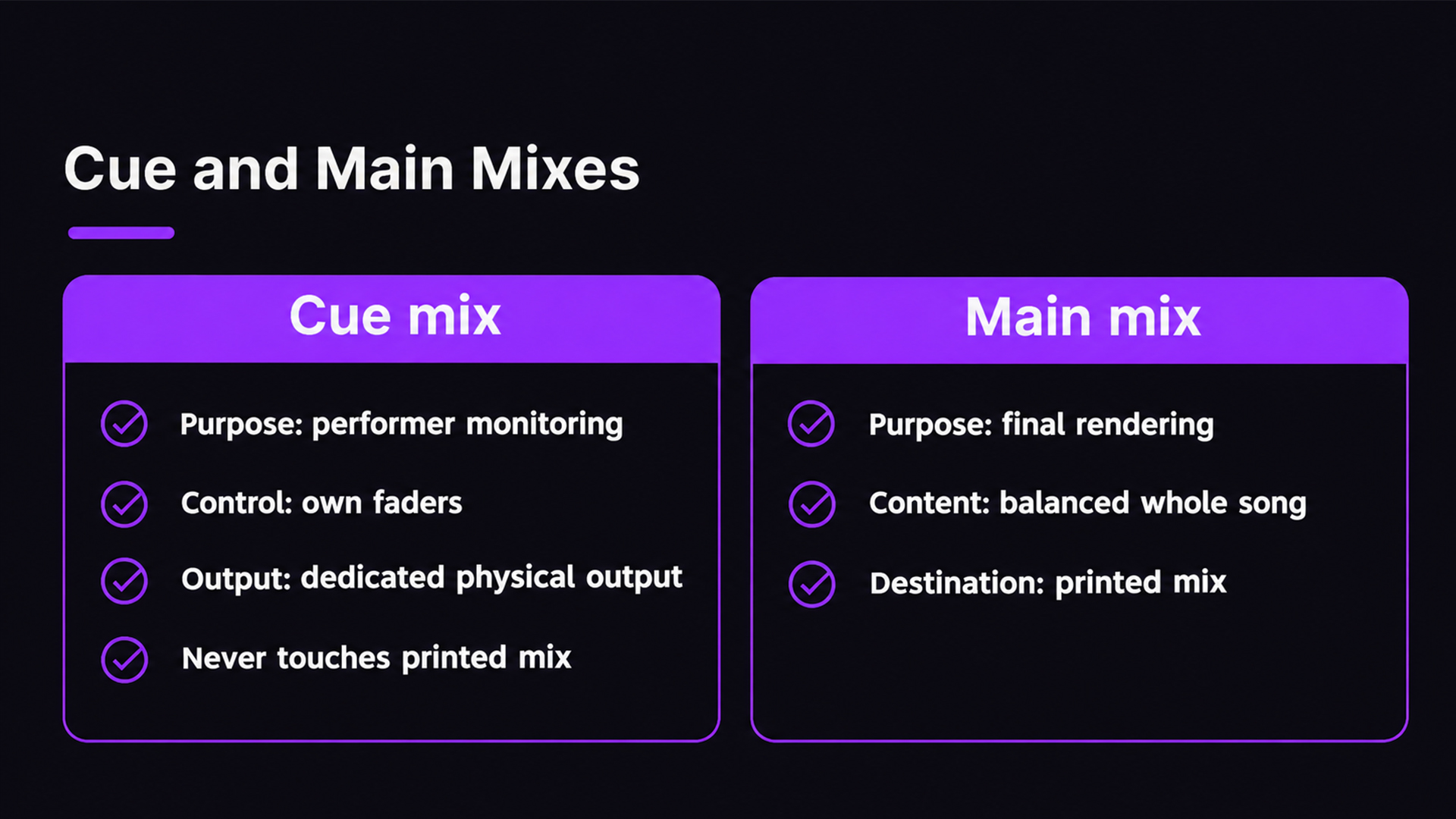
Why separate it? Because you and the performer want different things. You need a balanced picture of the whole song. A vocalist wants to hear their own voice, the groove, and little else. The usual fix when a performer sounds off is to raise their own signal inside the cue, not to crank the master volume. Give each player a mix built for how they play, and the takes get tighter.
Should You Use Hardware Monitoring or a DAW Cue Mix?
Both paths work. Pick based on what the performer needs to hear.
- Interface software mixer: software-controlled hardware monitoring can bypass the DAW buffer for zero or low latency. A software mixer sets up mixes outside the DAW and avoids the computer round trip.
- DAW cue mix: pre-fader sends to an aux give you full control and let plugin effects into the cue, but the signal travels through the buffer and costs CPU.
- Choose hardware for live vocals and percussion, where tiny delays disorient players.
- Choose the DAW when the performer needs processed sounds, like a compressed vocal or amp simulation, in their ears.
Many engineers blend both: dry input through the interface, backing tracks from the DAW. If you’re weighing buffer trade-offs, our guide to the best DAW for low-latency monitoring covers what to look for.
How Do You Create a Cue Mix in Your DAW Step by Step?
Follow this order, and you’ll have a working cue mix in minutes.
- Define the output. In your DAW’s I/O settings, assign interface outputs (say, Outputs 3/4) and label them “Cue 1.”
- Create an aux bus. Name it to match the output so you never guess later.
- Add sends. On every track the performer should hear, create a send to that aux and set it to Pre-Fader.
- Route the return. Point the aux to the dedicated output feeding the headphone amp or the interface’s headphone jack.
- Test. Play the track, raise the cue send levels, and have the performer confirm what they hear.
If you’d rather skip the DAW, use the interface route. In Focusrite Control, Custom Mixes let you add hardware inputs and DAW playback channels, then assign the mix to a headphone port.
- Add reverb only if the performer asks for it.
- Send click only to the players who need it.
- Lock or unlock cue faders as your DAW or interface requires.
Pro Tip: Always use Pre-Fader sends. Post-fader sends make the performer’s levels jump whenever you move the main mix.
How Do the Steps Map to Logic, Studio One, Cubase and Ableton?
The generic steps carry over everywhere. Here is where each DAW hides its pieces.
- Logic: set outputs in I/O, use aux returns for the cue, and consider Low Latency Mode while tracking.
- Studio One: create Cue Mix outputs in Audio I/O Setup, then unlock per-track cue faders. The DAW Zone tutorial walks through it, and MusicRadar covers the same ground.
- Cubase: use Control Room to add cue buses and assign them to device outputs, as shown in Focusrite’s Cubase guide. It also gives you talkback.
- Ableton Live: cue routing needs at least two outputs, one pair for master and another for headphones.
Whatever the DAW, label the outputs first. Unlabeled channels are where sessions go sideways.
What Buffer Size and Latency Should You Aim For?
Treat any delay the performer can hear as too much. Vocalists and percussionists notice first, so test with them, not just your own ears.
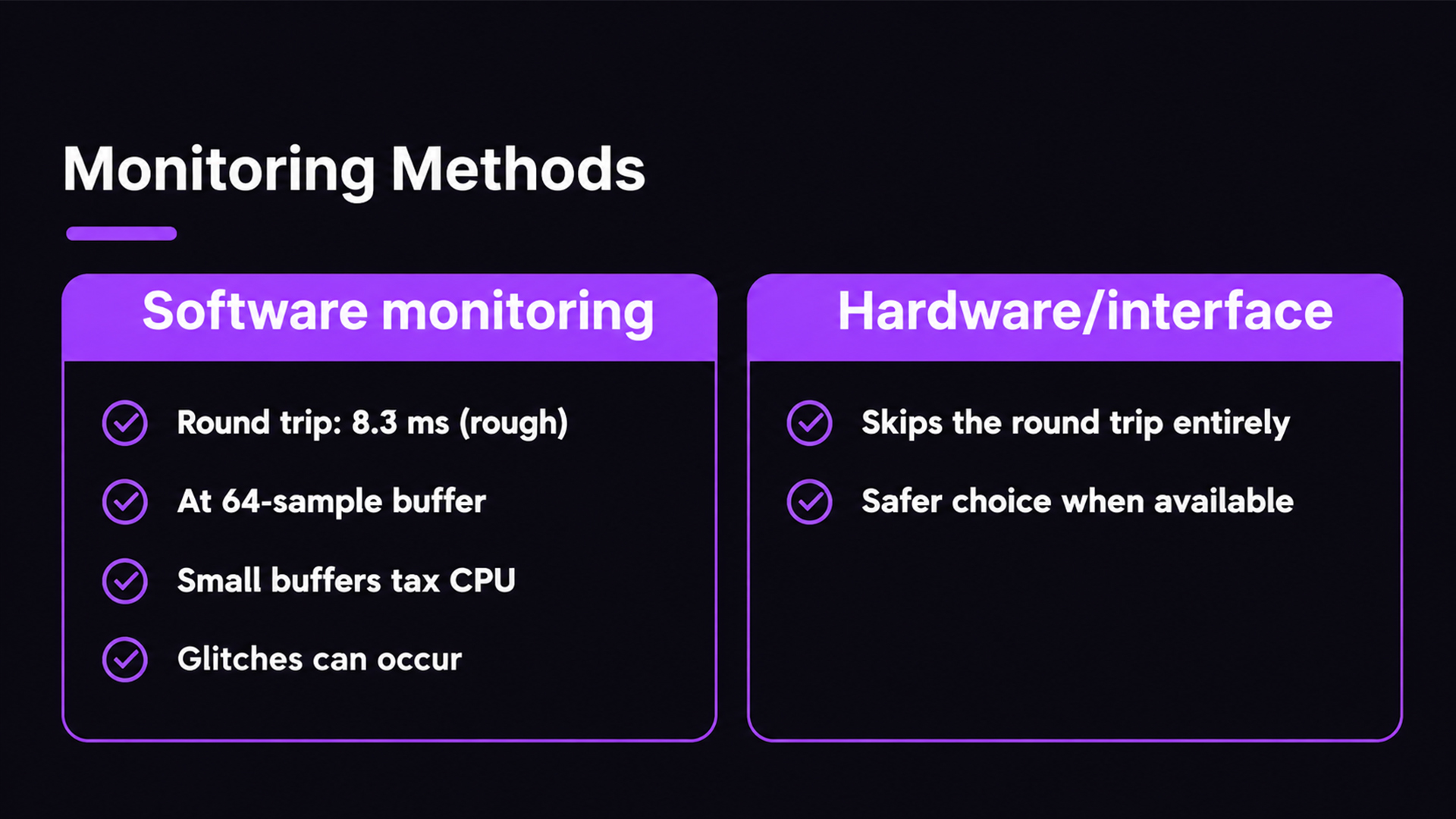
About 8.3ms of round-trip delay at a 64-sample buffer is what MusicRadar reports for software monitoring on many systems.
Use that as a rough benchmark, not a promise. Your interface and computer will differ. Ask the performer to sing or play a few bars and tell you if anything feels late.
Small buffers have a cost. They tax the CPU and can cause glitches, so hardware or interface monitoring is the safer choice when you can use it, because it skips the round trip entirely. Our low-latency collaboration guide goes deeper on keeping delay down.
What makes a performer cue mix actually work?
Think proportion, not loudness. If a singer can’t hear themselves, raise their voice relative to the track instead of pushing the whole headphone level up. That protects ears and keeps pitch honest.
- Use closed-back headphones to cut bleed into the mics.
- Start at conservative volumes and let the performer adjust.
- Choose between a blended cue (both ears get everything) and a split cue (the performer in one ear, the track in the other).
- Send reverb sparingly, enough to help the performance and not enough to distract. Our reverb and delay tips help you judge the amount.
Pro Tip: Ask “more me or less me?” instead of “louder or quieter?” It gets you to the right balance faster.
How do you save cue mixes for faster sessions?
Build it once, recall it easily. A good template makes setup faster.
- Save a DAW session template with outputs defined, pre-fader sends in place, and cue buses labeled.
- Store interface Custom Mix presets or snapshots when your software offers them.
- Write down which physical output feeds which performer.
- Show each performer their local volume knob before the first take.
Why speed and predictable controls beat fancy routing
I care about three things: speed, latency control, and giving performers controls they understand. A cue mix that takes too long to build kills the mood before the first take.
The traps repeat. Sends left on post-fader. Buffers dropped too low without a test. Outputs nobody labeled. The quick fixes are just as repeatable: lean on interface monitoring for anything latency-sensitive, and save a snapshot whenever a mix works. Habits beat heroics.
— Wake
Want a DAW built for low-latency monitoring?
If you often track vocals and instruments, a DAW that treats monitoring as a first-class feature saves you steps. SoundBridge offers remote tracking and integrated talkback on Mac and Windows. With SoundBridge, your cue routing stays flexible. Try SoundBridge and see how quickly you can get a performer hearing exactly what they need.
FAQ
What is the difference between a cue mix and a main mix?
A cue mix is a separate monitoring mix sent to its own output, usually headphones. The main mix is what you print. Changing one does not change the other.
Should cue mix sends be pre-fader or post-fader?
Use pre-fader. Pre-fader sends keep the performer’s levels steady while you adjust the main mix. Post-fader sends shift the headphone balance whenever you touch a fader.
How do I avoid latency in a cue mix?
Monitor through your interface’s software mixer so the signal skips the DAW buffer. If you must monitor through the DAW, lower the buffer size and test with the performer. Watch for CPU glitches at very small settings.
Can I set up multiple cue mixes at once?
Yes, if your interface has enough outputs. Create one aux bus and one dedicated output per performer, then build each mix separately. Label everything so you can recall it quickly.
Sources
- Setting up Cue Mixes in Console and Your DAW – Universal Audio Support Home
- How to set up a cue mix for monitoring | MusicRadar
- How to Set Up a Cue Mix in Studio One (Complete Tutorial) | DAW Zone
Recommended
MASTER MUSIC PRODUCTION
Expert-led courses designed to take you from fundamentals to finished tracks.

HOUSEFrom bouncy bass and solid kicks, this course teaches you the most modern House music production techniques needed to succeed and stand out.

TRAPQuit sounding like generic Trap and produce something World with hints of the Far East. Create ethnic soundscapes to put your Trap ahead of the curve.

AMBIENTProduce relaxing, sophisticated psy-influenced ambient. Psychedelic and relaxing to listen to, create meditative soundscapes to put your listeners in Zen.